Empty Mirror Helper
 SprintPeru



Empty Mirror Helper — Documentation
Overview
Empty Mirror Helper speeds up common symmetry workflows by automating two repetitive tasks:
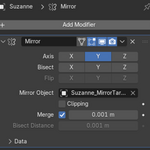
Create an Empty next to selected objects and assign it as the Mirror reference.
Split mesh objects from the current viewport direction and prepare them for fast mirror modeling.
It is built for artists who want quick setup with minimal clicks.
Main Features
Add Empty + Mirror to all selected valid objects in one click.
Split View + Mirror for all selected mesh objects.
Split side control: choose Left or Right based on screen view.
View-aware axis detection (uses current viewport orientation).
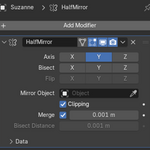
Automatically moves created Mirror modifiers to the top of the modifier stack.
UI and messages auto-switch between English and Spanish based on Blender language.
Batch feedback: reports how many objects were processed and skipped.
Requirements
Blender 2.80 or newer
Tested on Blender 5.2 alpha workflow
Installation
Open Blender.
Go to Edit > Preferences > Add-ons.
Click Install…
Select the addon ZIP file.
Enable Empty + Mirror Helper.
Where to Find It
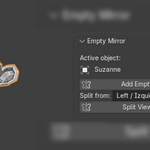
3D Viewport > Sidebar (N) > Item tab > Empty Mirror panel
Usage
Add Empty + Mirror
Select one or multiple objects.
Click Add Empty + Mirror.
The addon creates an Empty per object and adds/configures a Mirror modifier.
Split View + Mirror
Select one or multiple mesh objects.
Choose split side in Split from:
Left
Right
Click Split View + Mirror.
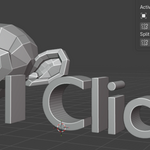
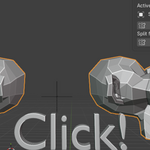
The addon bisects geometry, keeps the selected side, and adds a Mirror modifier for symmetric modeling.
Notes
Non-mesh objects are skipped for split operations.
Empty objects are skipped for Empty+Mirror operations.
If no valid objects are selected, the addon shows an error message.
Existing modifiers are preserved; new Mirror modifiers are inserted at the top.
Support
If you find an issue, include:
Blender version
Addon version
Steps to reproduce
Screenshot or short screen recording if possible
Version
Current documented version: 1.5.0
Have questions about this product?
Login to message
| Published | 5 months ago |
| Blender Version | |
| Extension Type | N/A |
| Render Engine Used | Blender-Internal |
| License | GPL |