 Tuzhin










What is Evolution?
Evolution Stack Panel helps create macros (stacks) — i.e., compile lists of commands to be executed in sequence. We often press several buttons to achieve a result — the addon helps remember these multiple presses, so they can later be executed with a single press. You can assign a hotkey to such a stack. Or create custom panels with such stacks. This approach leads to a significant increase in work speed.
Evolution Stack Panel is an addon for Blender that speeds up any manual work by 4 times. Now, to the question "hotkeys or pie-menu?" the answer is Evolution. It's an addon for everyone. It's the evolution of Blender.
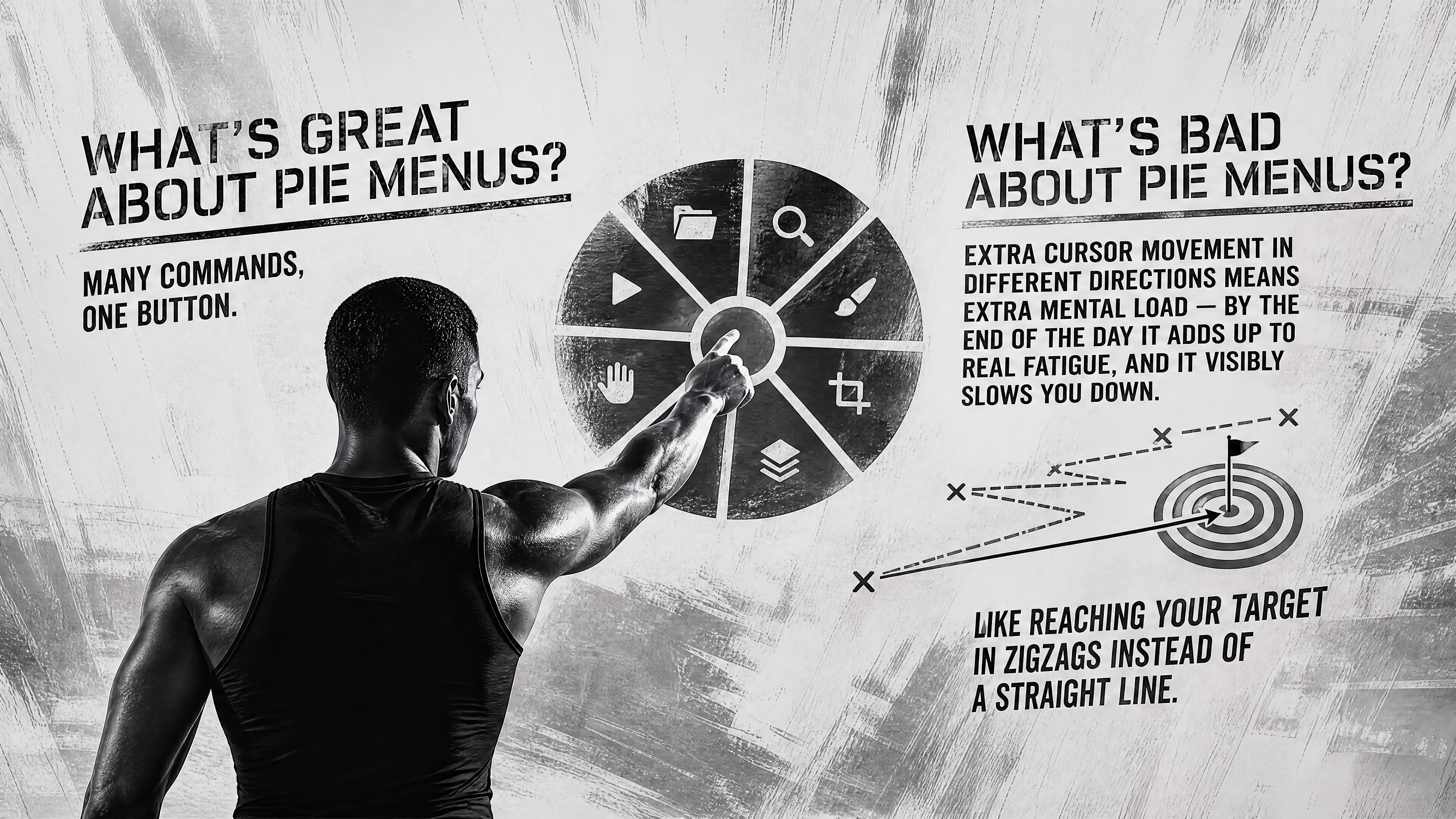
Evolution takes the best from hotkeys and the best from pie menu
Two, ten commands with one press — yes!
Hotkeys or pie-menu? Why choose?

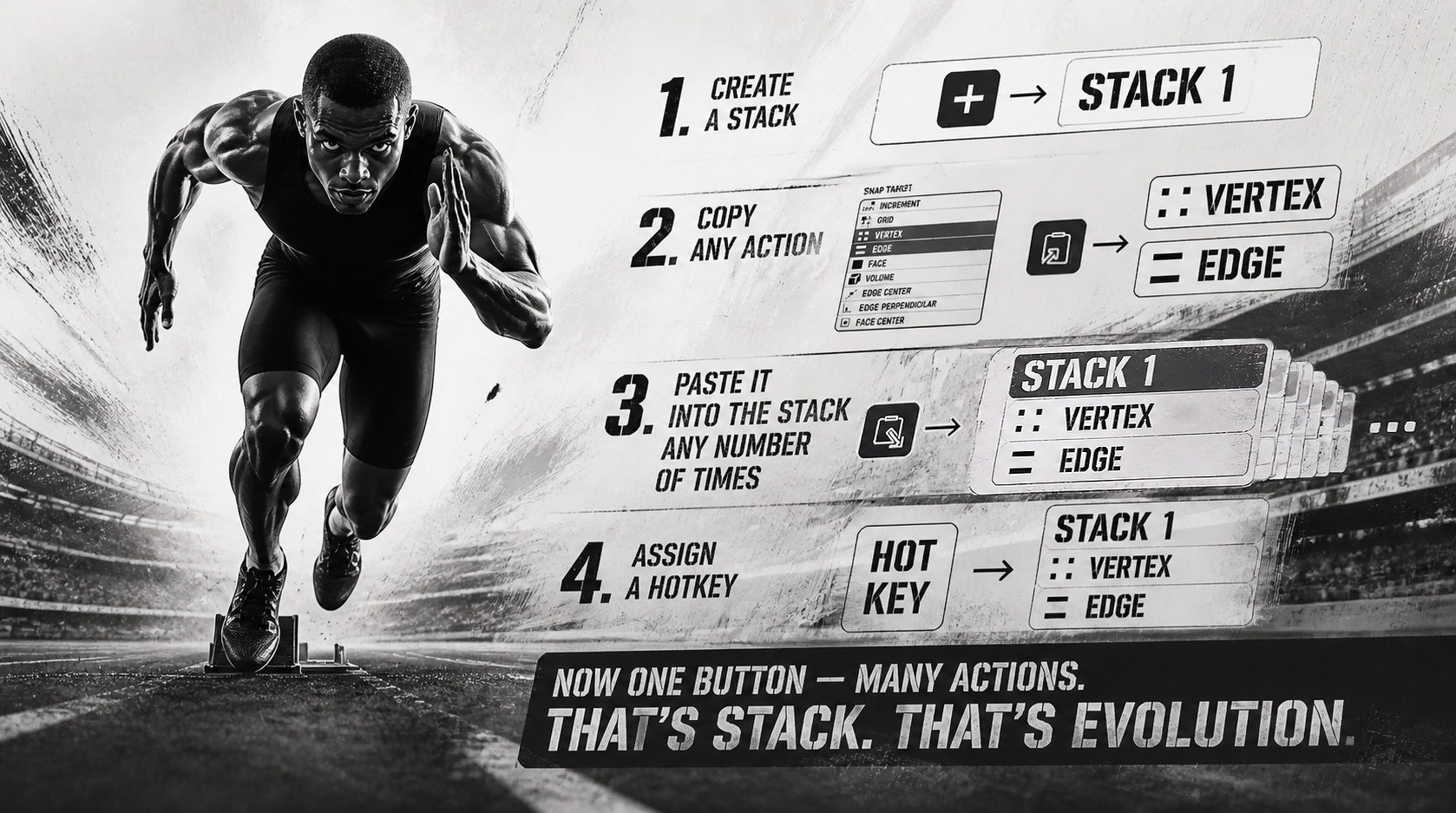
Many actions in one click. Stack
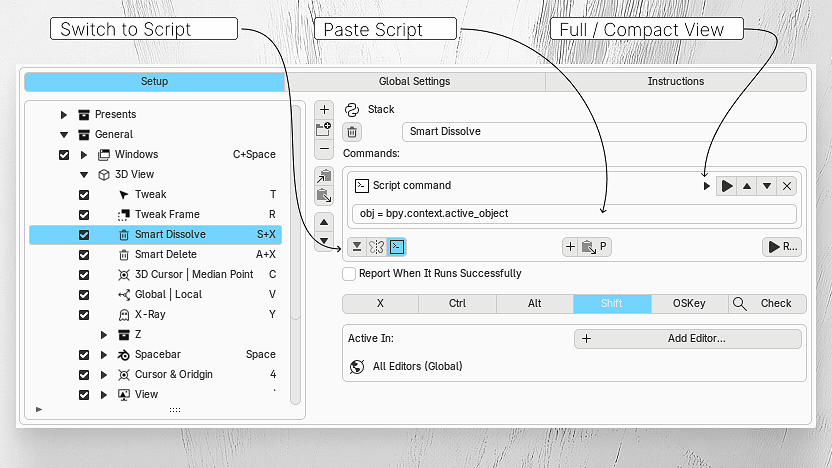
By installing Evolution, you can copy any action and any button in Blender. Create a Stack and press Paste. Assign a hotkey. You can specify in Active In which Blender window this Stack can work in.
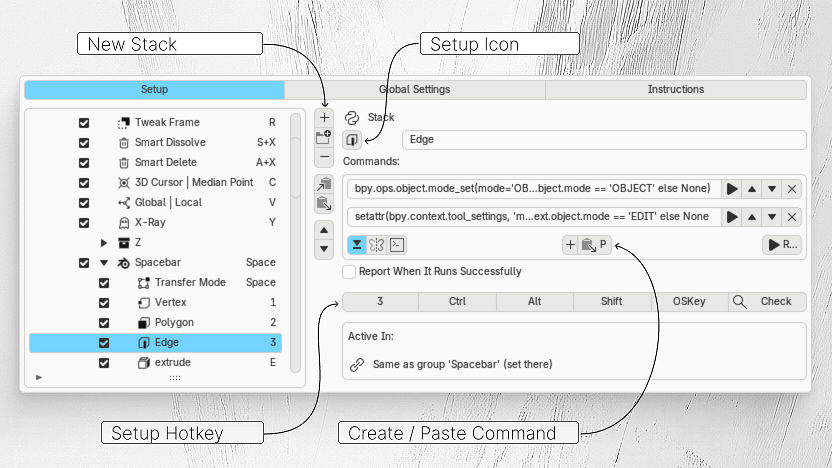
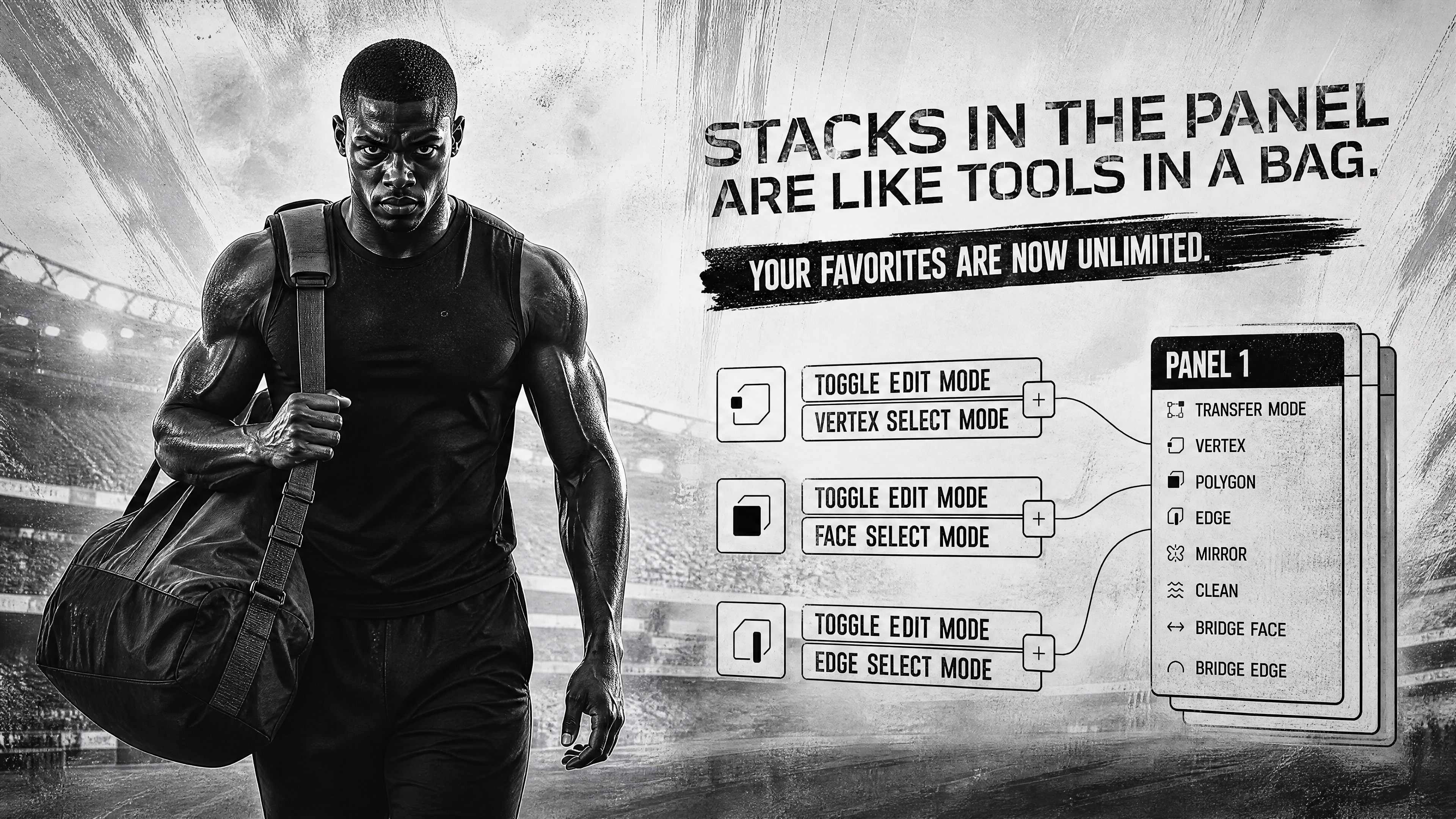
Many stacks in one click. Panel
Stacks inside a panel are like tools in a bag: put as many as you want, with no limits on the number of "favorite" actions. Each panel can contain any number of stacks — all in one place, all organized exactly the way you like.
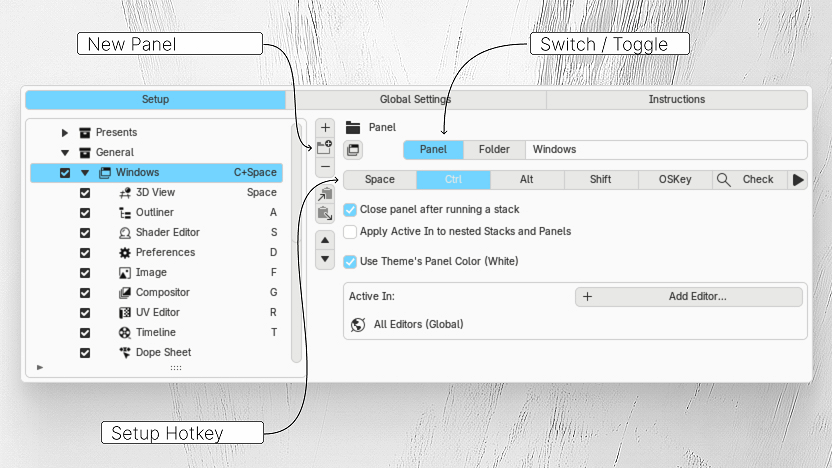
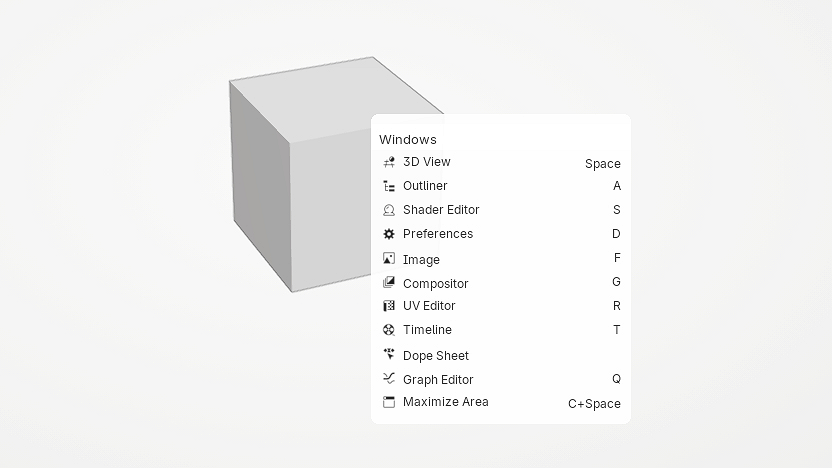
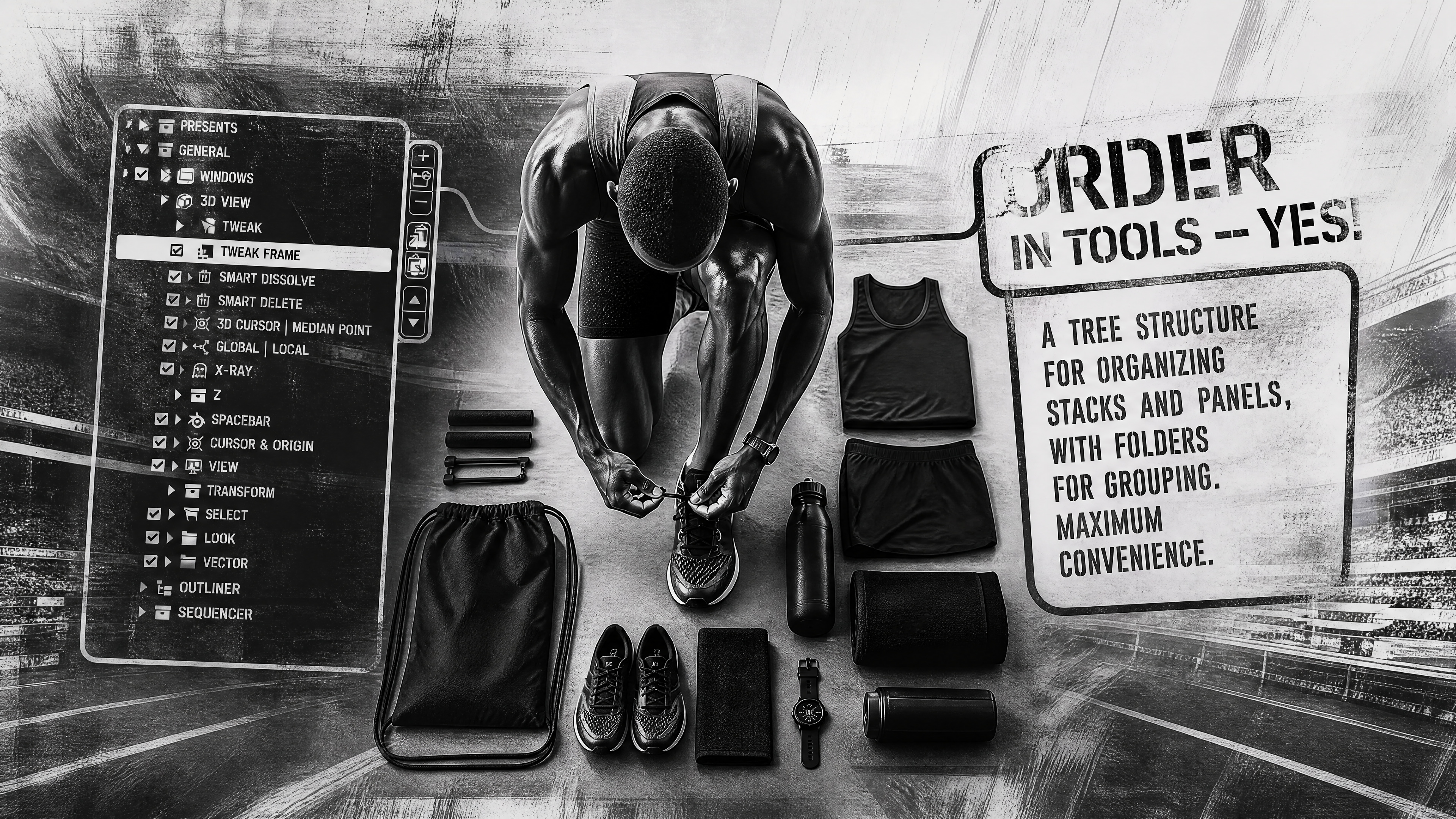
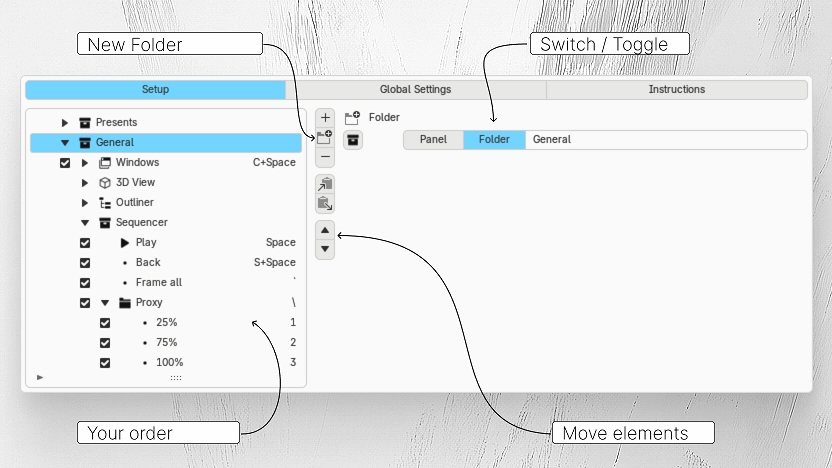
Order in tools
A tree structure for organizing Stacks and Panels, with folders for grouping. Maximum convenience
Got an idea, but there's no button for it in Blender?
Describe in words what you want — and the AI will write the command, and you just assign a hotkey to it. May the force be with you.
The prompt template and ready-made examples are already built into the addon — no need to search for anything, just click "Copy AI Prompt".
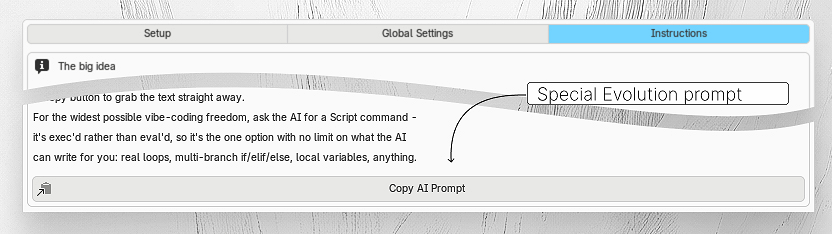
The code that the AI gives you will be executed through Evolution!
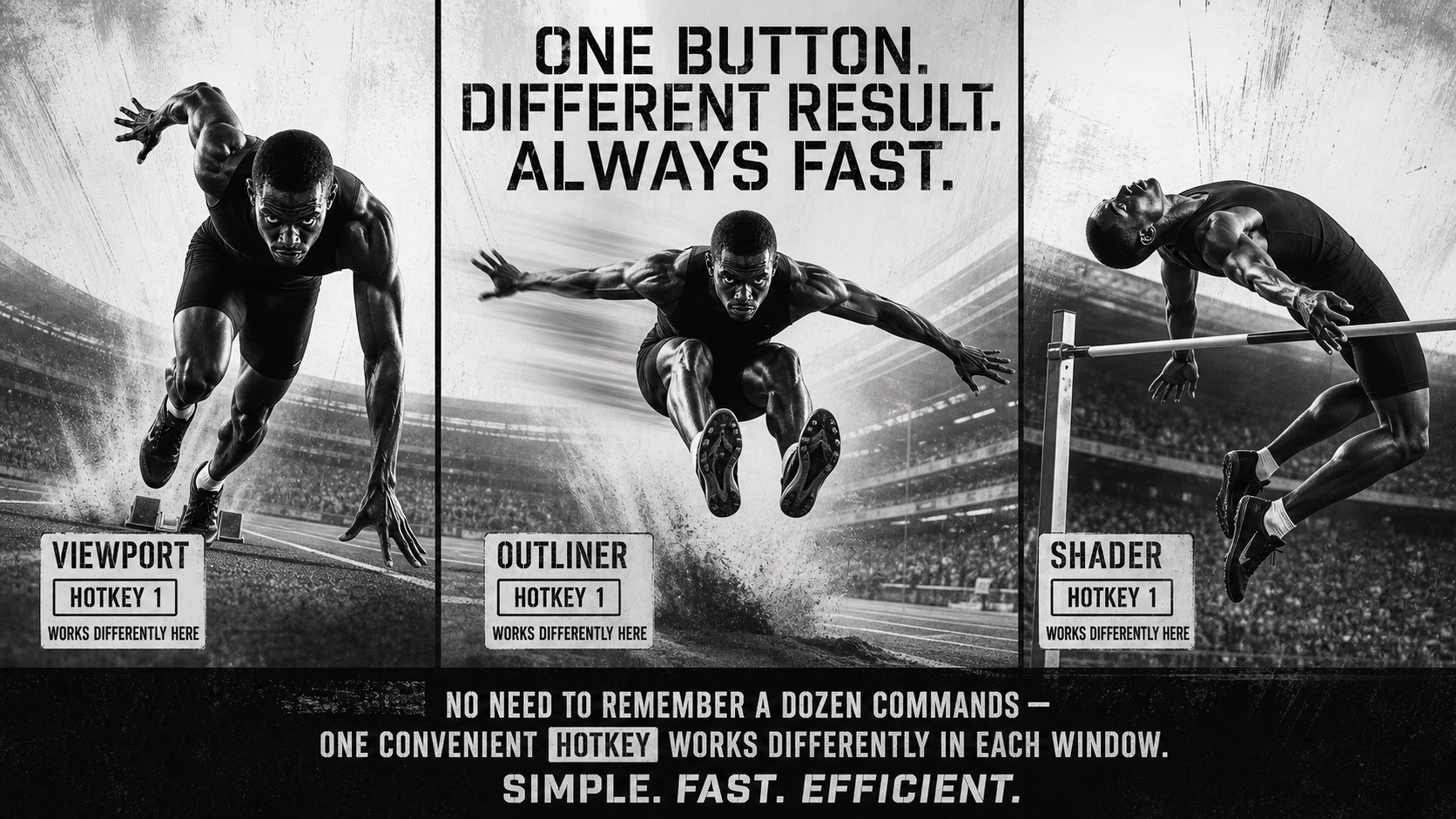
Different panels in different windows — with the same hotkey
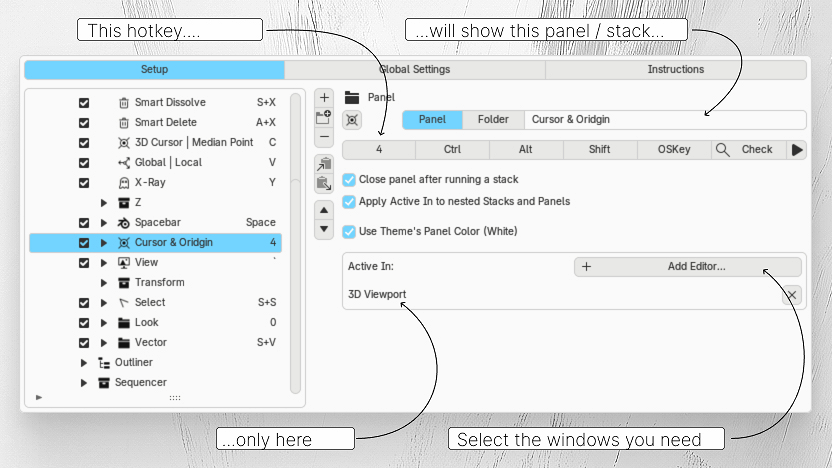
Panels can be assigned to specific windows in Blender where they open, and you can assign the same hotkey to all of them — for example, Spacebar — and different panels will open in different windows. You'll use the most convenient hotkey for you everywhere.
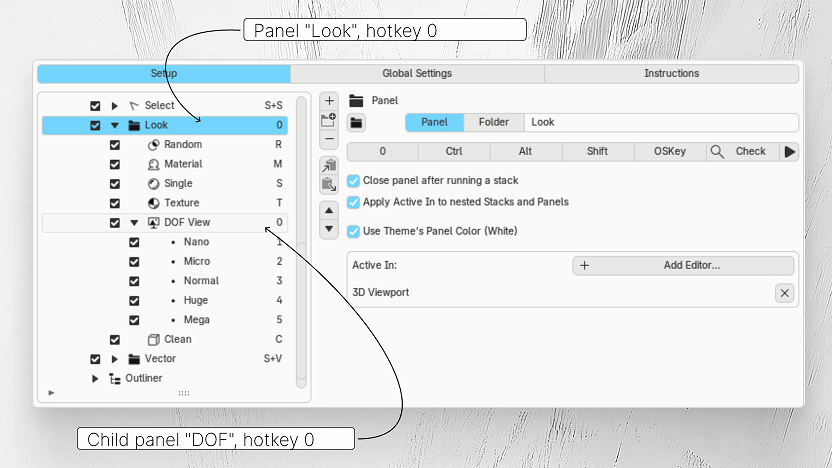
Double-hotkey — for a stack inside a panel and for a nested panel
How fast can you double-click? That's now the speed of access to the most important element in every panel, at any level of nesting.
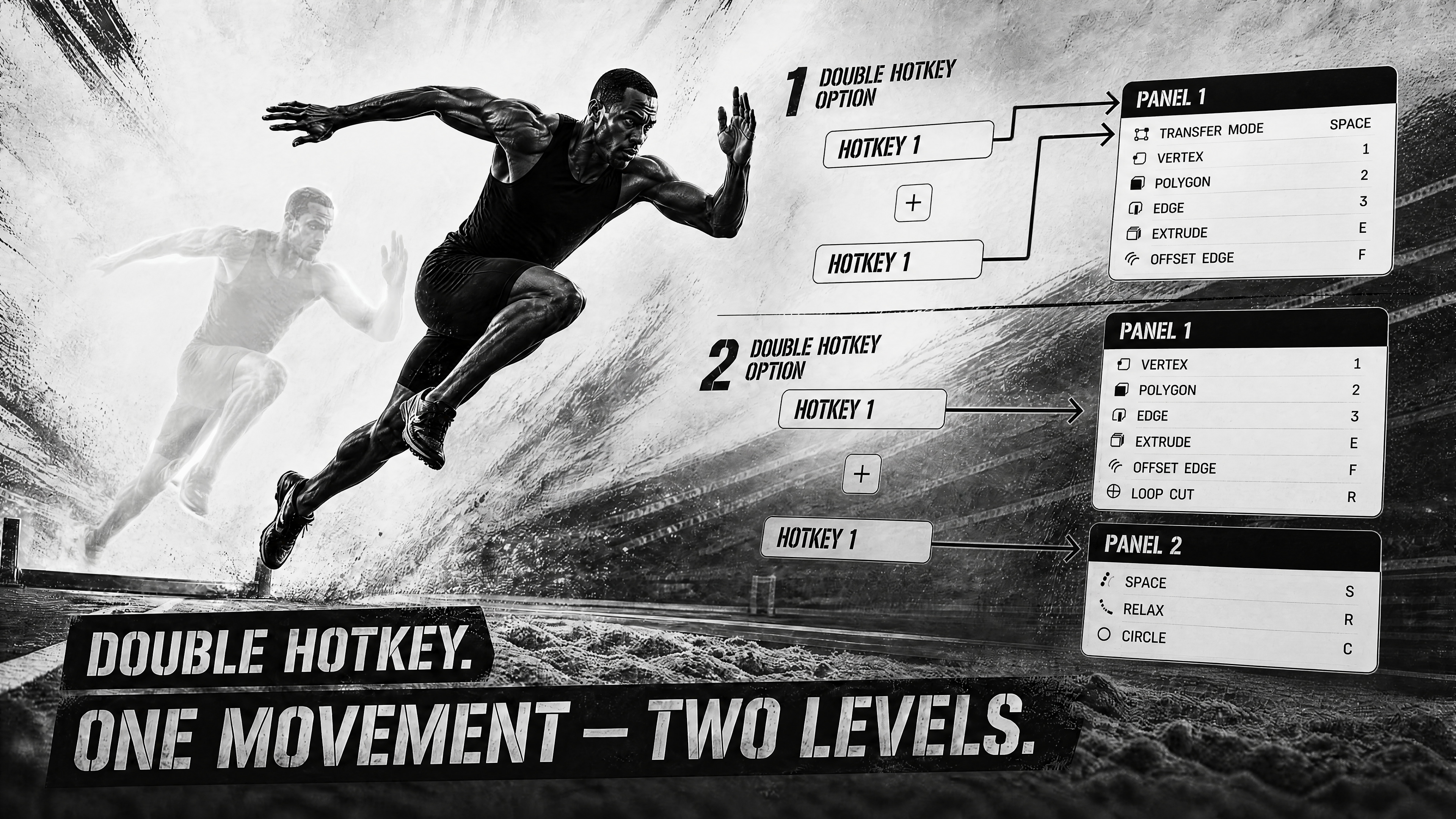
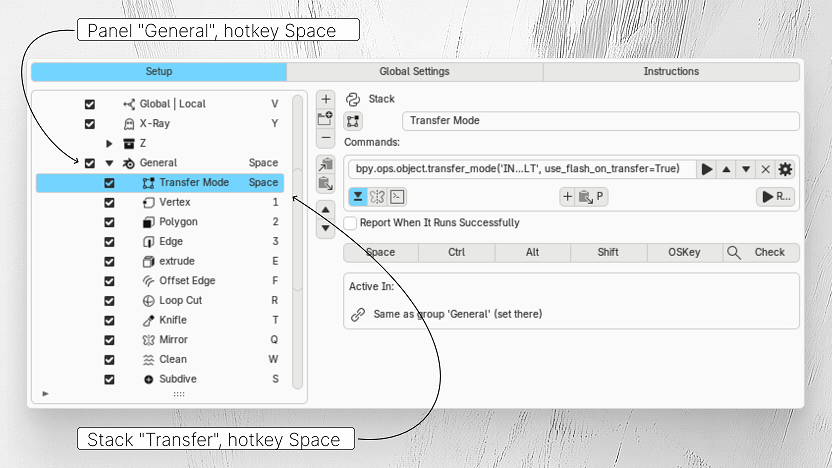
A stack inside a panel can be assigned the same hotkey as the panel itself. A double press activates that exact stack, no need to move the cursor down a list.
The same works for a nested panel: the same hotkey as the parent panel — and it opens with a double click.
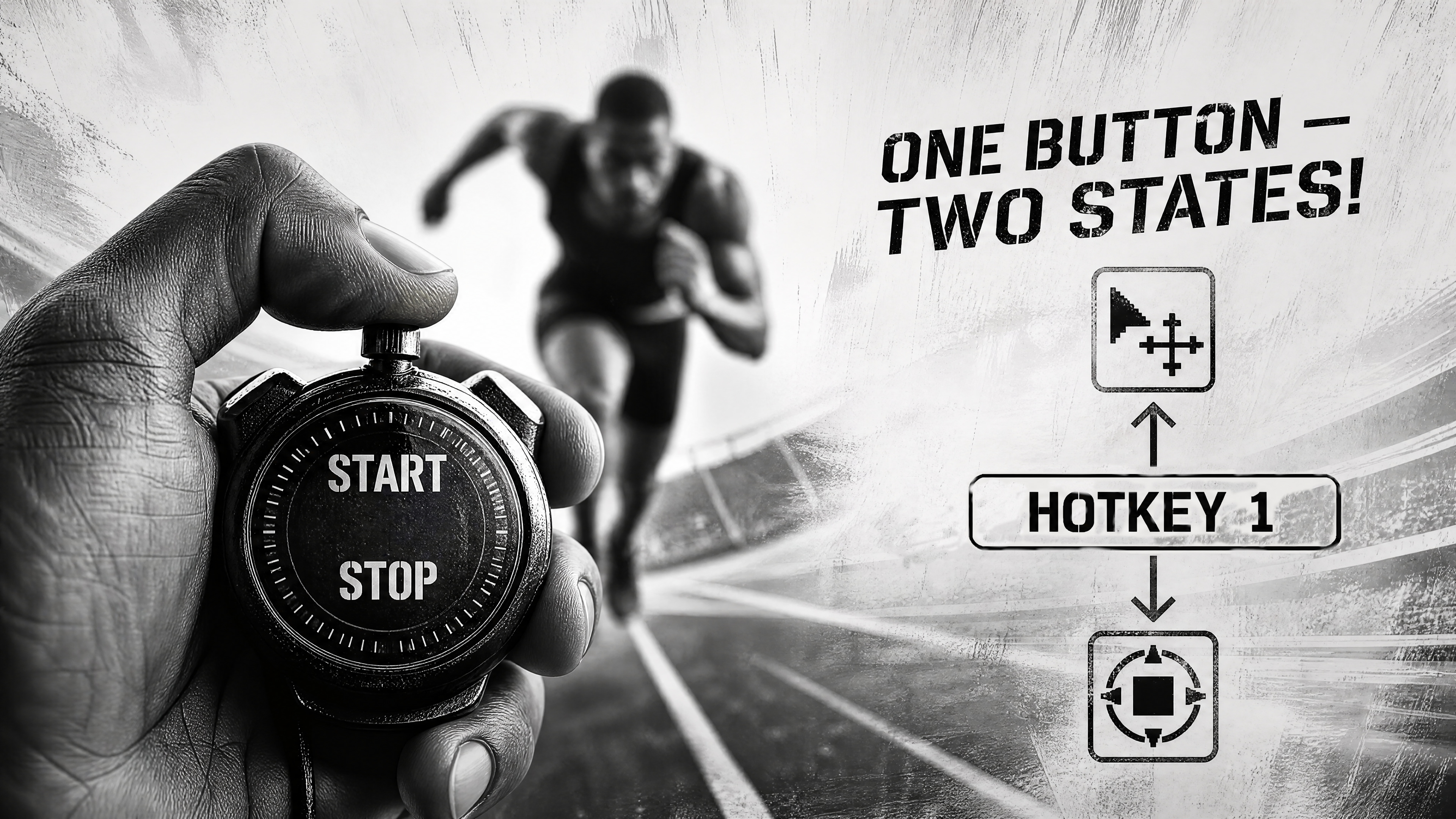
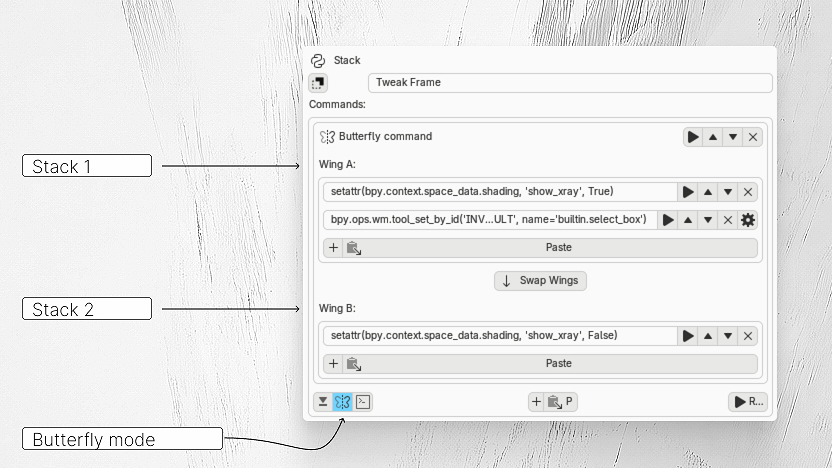
Need to go back? Butterfly Stack
If one state is already on — the Butterfly Stack will automatically switch to the other. Stop toggling the same buttons back and forth — now it's one on/off button.
And also:
Different colors for panels — yes!
Customize the color, transparency, and even corner rounding to your liking. Dark panels for the viewport, blue ones for the compositor, light blue for the outliner — color works on a subconscious level and speeds you up even more.
Icons and their size — yes!
Assign icons and their size to Stacks and Panels — adjust to fit your screen.
Themes — yes!
Change the Blender theme during the day? Evolution will switch its theme along with it. Create your own themes.
Short usage examples.
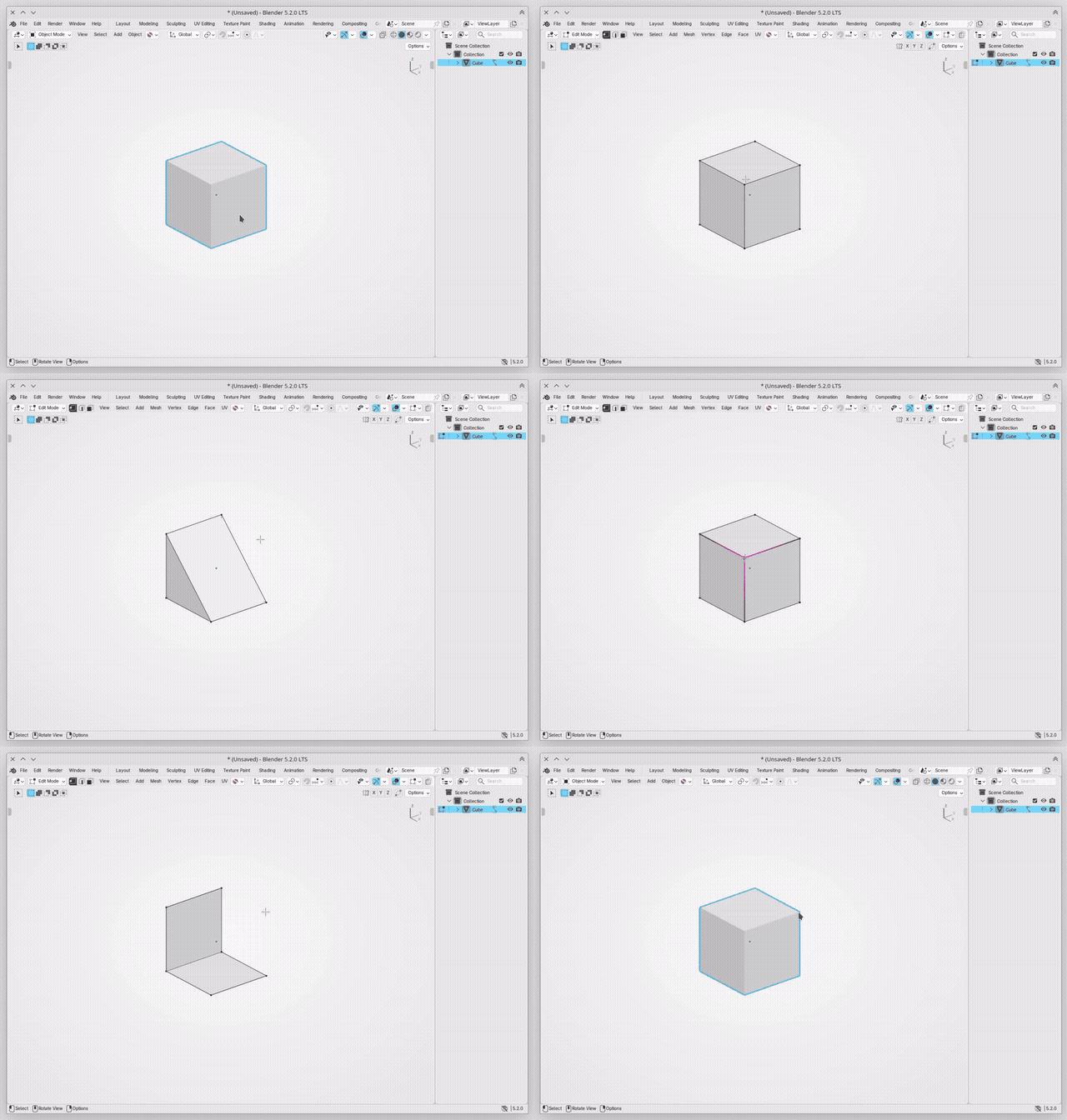
Smart Delete / Dissolve
I want that when deleting, I don’t have to choose what I want to delete.
And when dissolving, I also don’t want to waste time choosing in that menu. Let Evolution choose.
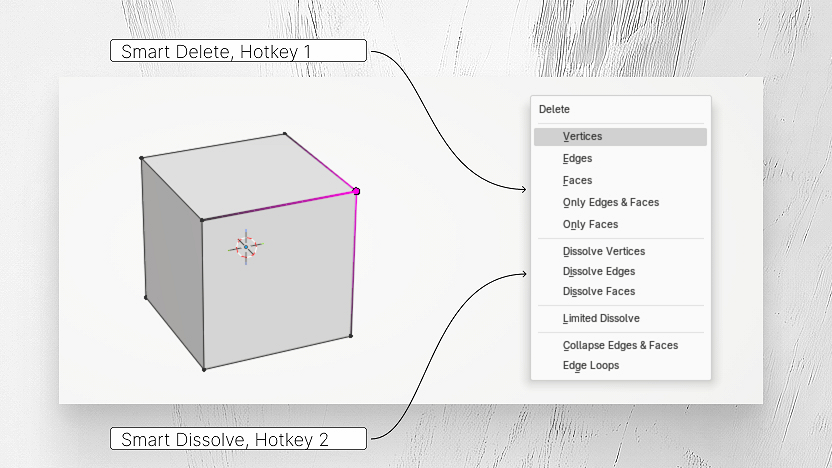
How many times a day do we delete or dissolve? Now it’s without unnecessary questions.
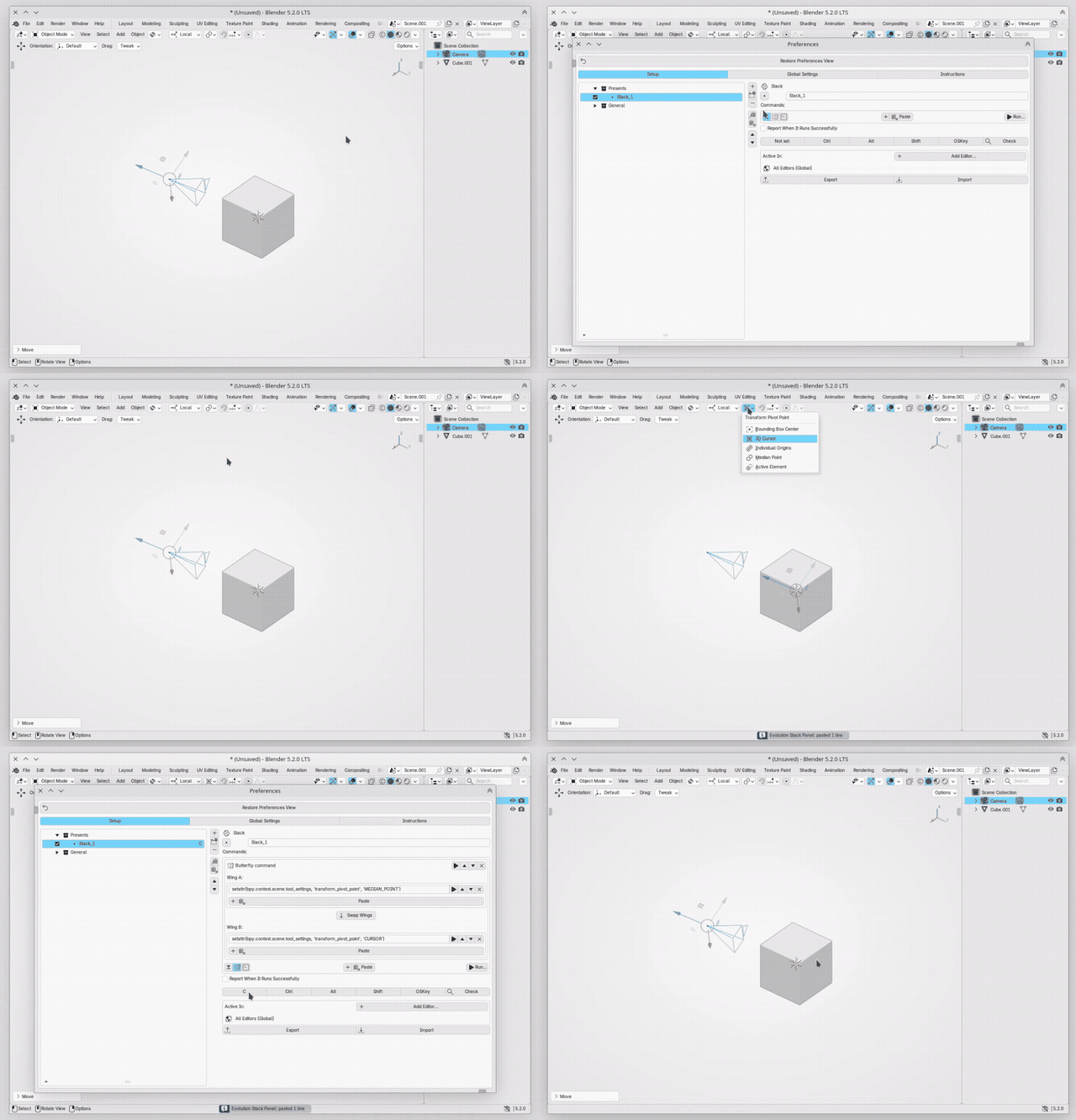
Cursor - Median Point
God bless the person who invented the 3D Cursor in Blender!
A very handy tool. Thousands of times a day I switch to it and back to the object. And I don’t want to waste time on menus, I don’t want two hotkeys for this, I don’t want to wander the cursor through a pie menu — it should be very fast. And with Evolution, it’s fast — just one button to go there and back. Here’s how to set it up yourself:
Favorites for Outliner
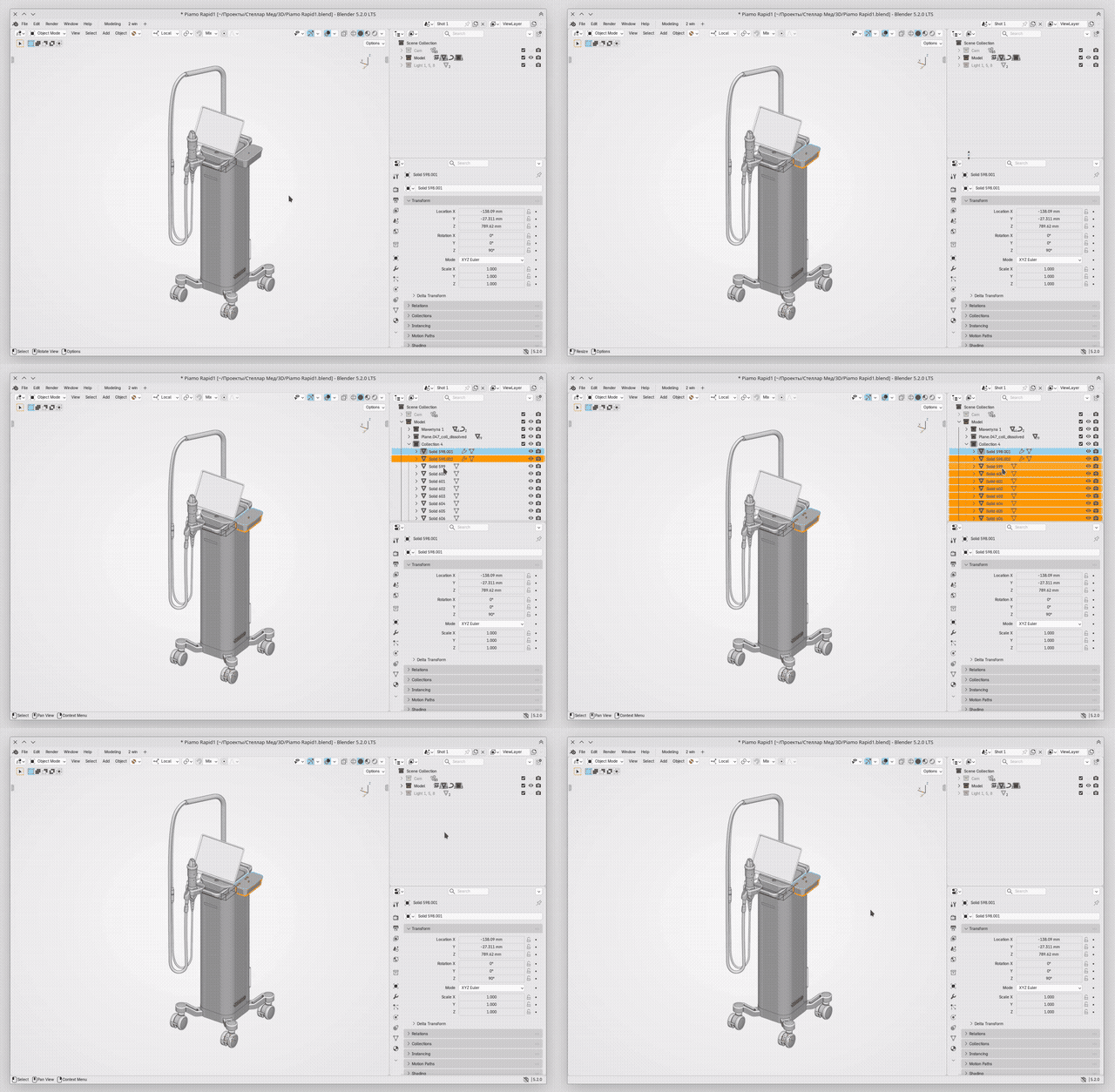
When working on medium-sized projects, you simply can’t do without order in the Outliner.
In my pipeline, the Outliner’s hotkeys are scattered across different corners of the keyboard, and they’re not suited for fast work. Some items don’t even have hotkeys at all.
So what if you could gather everything you need in one place and assign it close, convenient hotkeys?
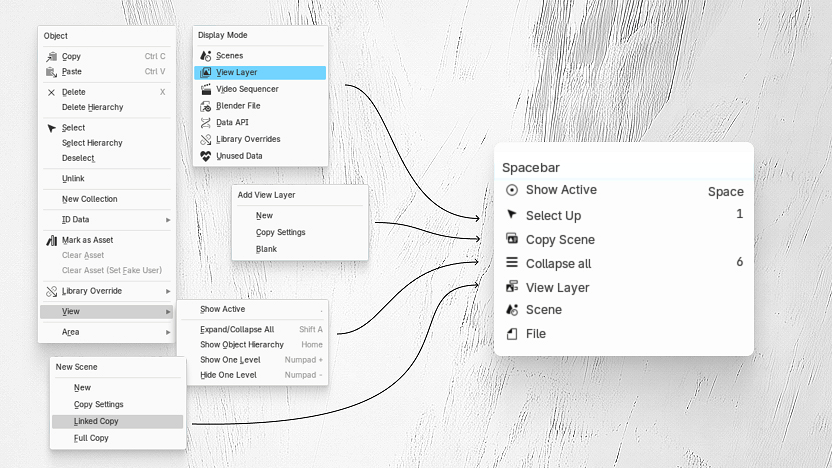
With Evolution, I have exactly that kind of panel.
What could be simpler and faster than pressing spacebar twice to see the object you need? Or space+6 to close everything? It’s instant. It’s right at my fingertips.
Favorites for Viewport
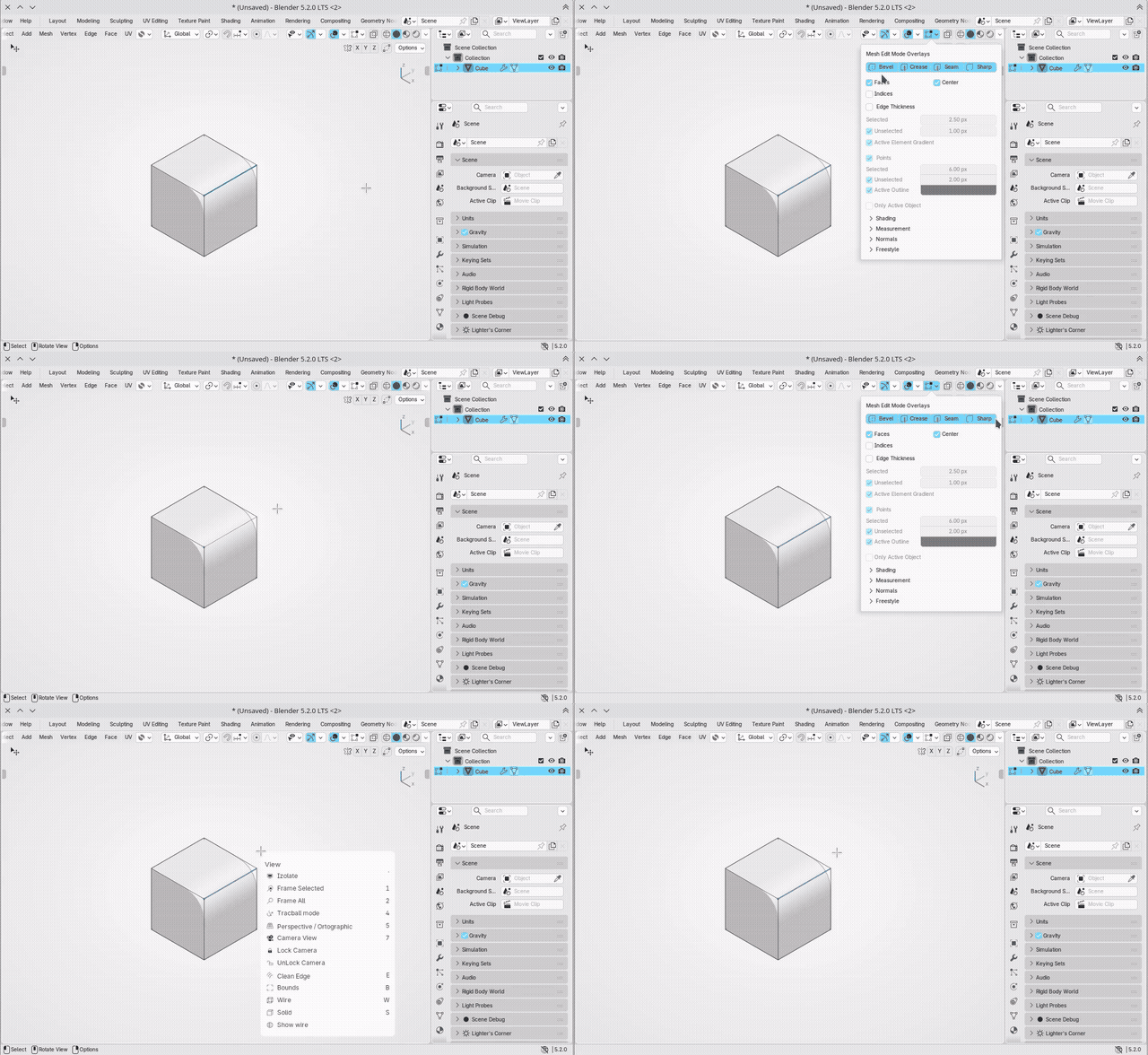
Those who model in SubD, or with modifiers, know that these edge markers can get in the way of selection — you can't see which edges are selected. You can turn the markers off by opening the menu and moving the cursor through it.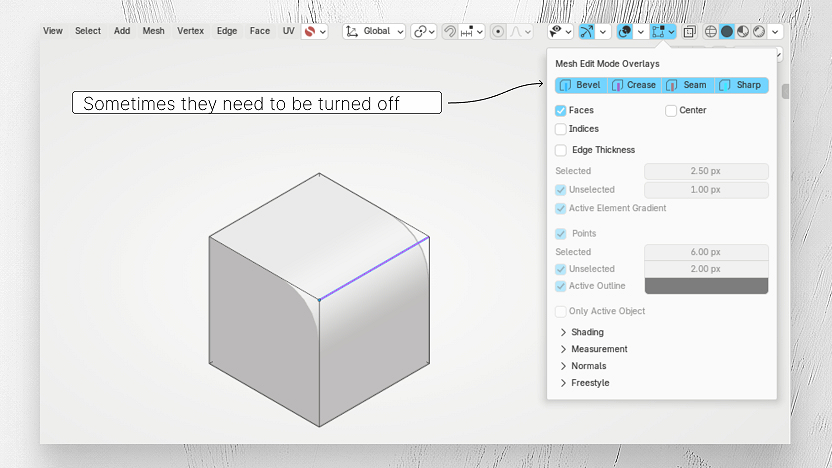
But you can send that into the stack, assign a hotkey, and always toggle it with a single button, instantly.
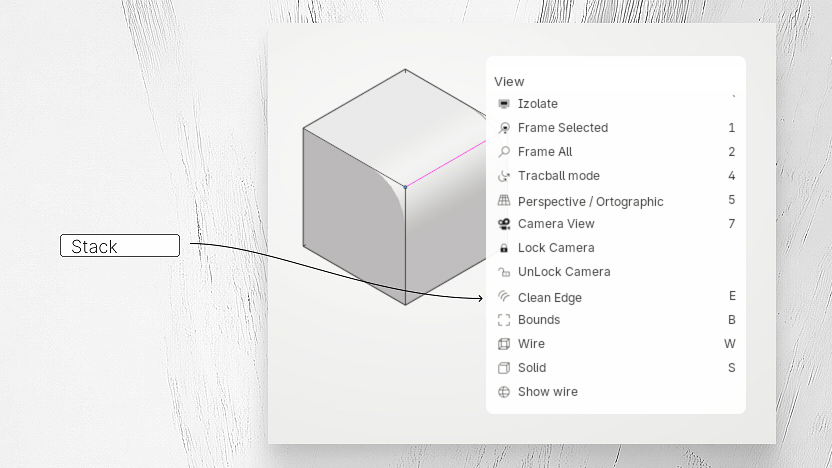
What's the difference between a professional and a beginner? A professional gets more work done in less time. Be a professional — save your time.
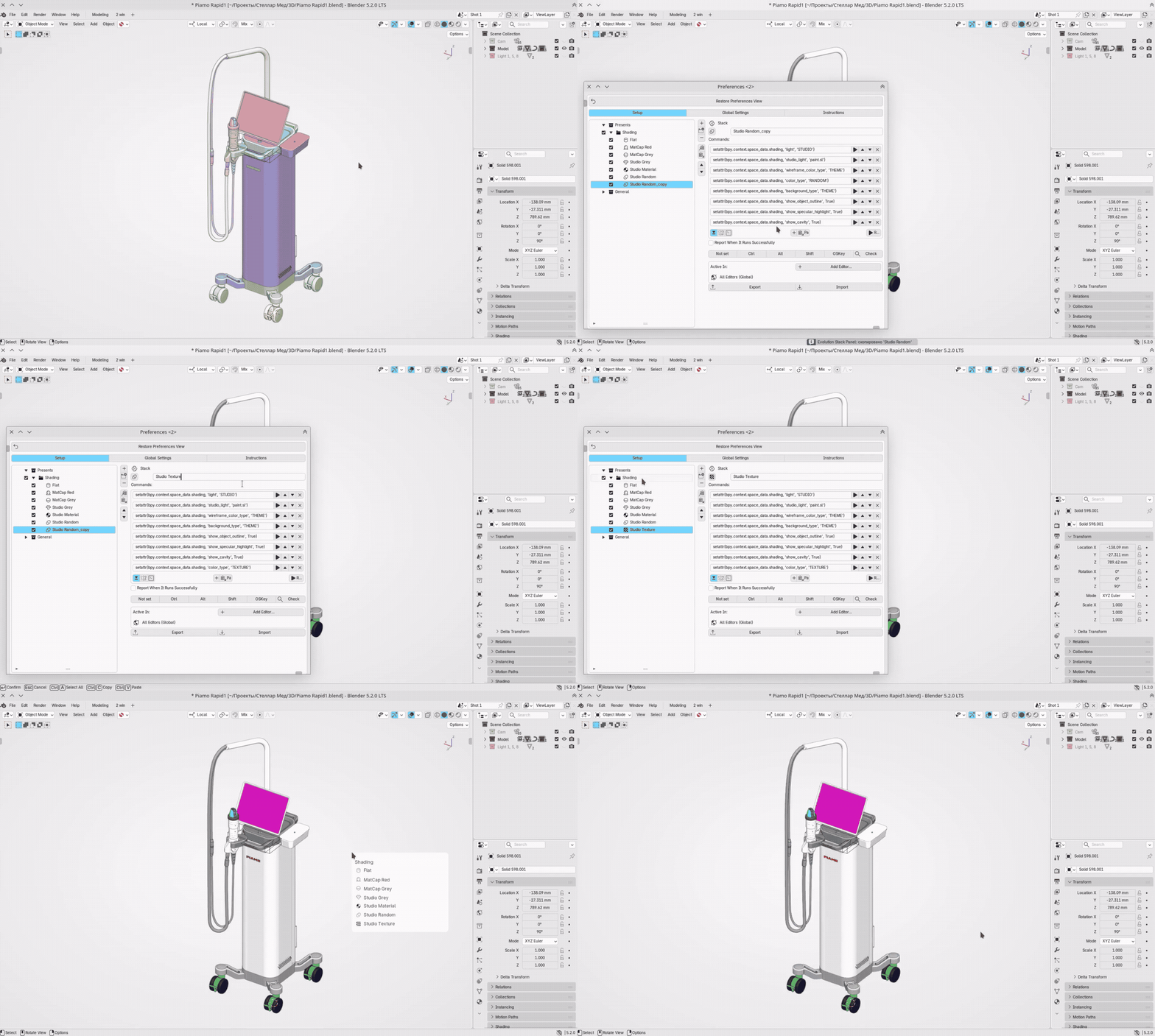
Shading Presets
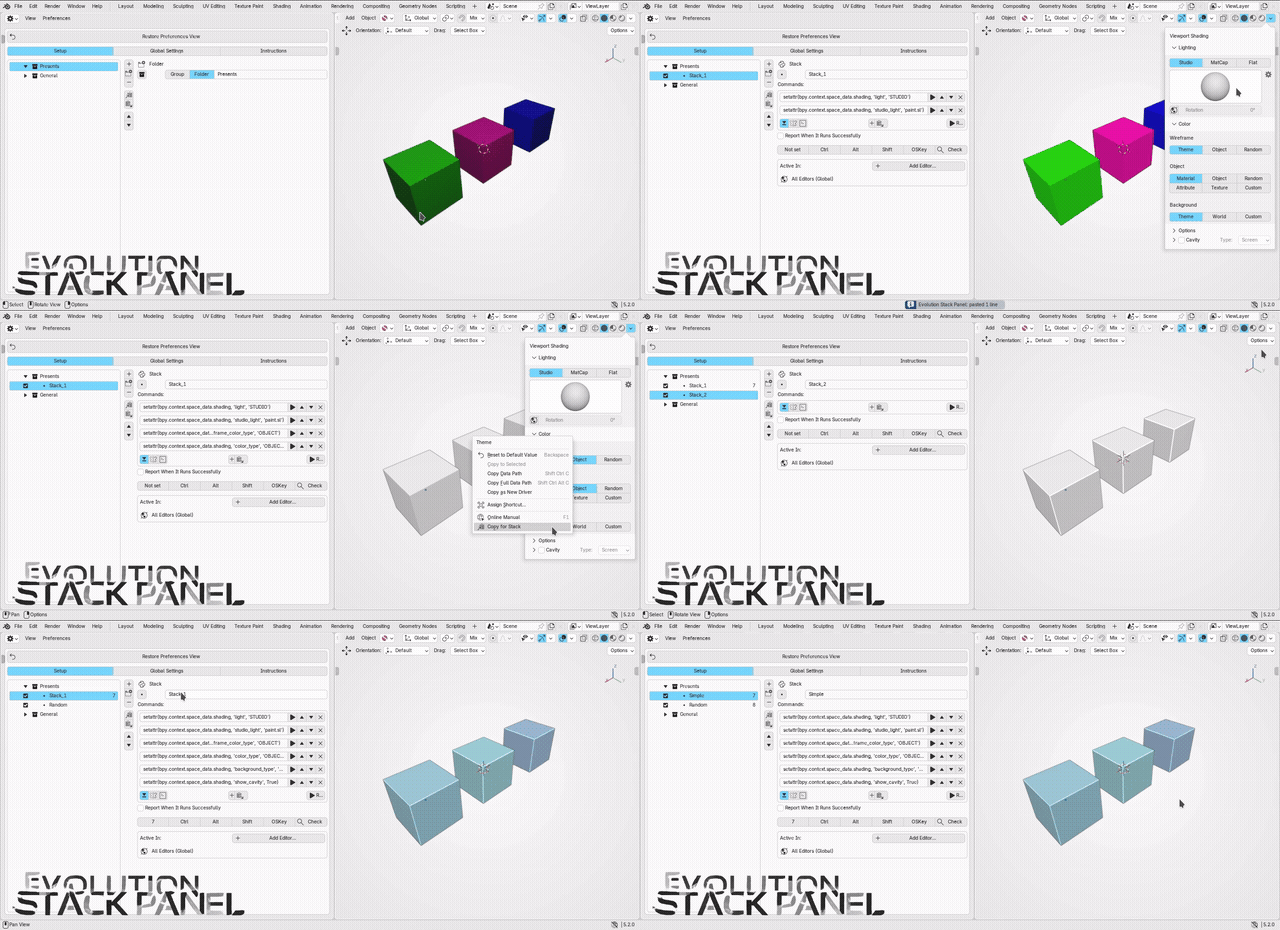
Do you switch between these model display modes? Then save them as stacks, and put them in a panel.
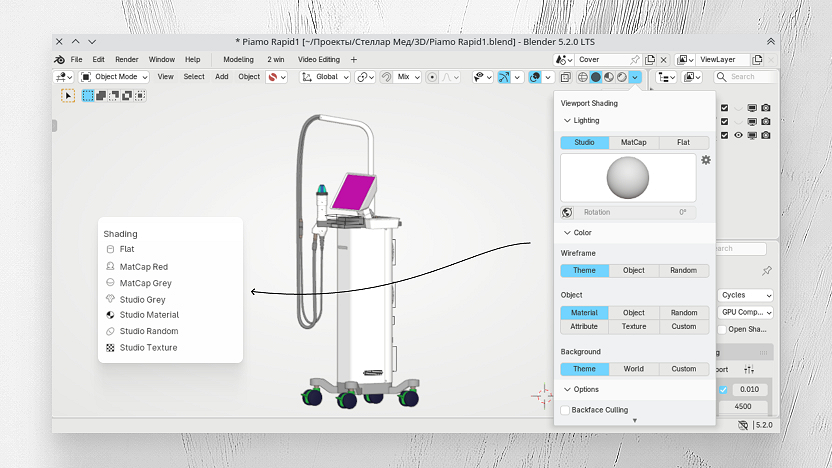
Watch how simple it is to do.
Changelog.
8.x — Themes and polishing.
8.7 Sharing a Stack or Panel
8.6 Improved handling of lines in Script commands. Evolution themes now remember the "Use Theme's Panel Color" checkbox. Added links.
8.5 Panel colors are now remembered separately for each theme.
8.4 Fixed bugs with the floating panel in Preview editors and when multiple copies of the same editor are open.
8.3 Fixed command capture in "Copy for Stack" and tool registration in the T-panel; the hotkey conflict dialog now shows disabled entries.
8.2 Sped up Blender startup, icons no longer get embedded in .blend, added stack logging, selection highlight now follows Blender's theme.
8.1 Full themes support (creation, color, icon size), auto-switch light/dark, AI examples (Smart Dissolve, X-Ray toggle), GPL-3.0 license, Blender Extensions support.
8.0 Foundation: fixed Copy for Stack in Preferences and settings resetting on restart; optimized the group panel.
7.x — Preparation for 8.0.
Settings storage migration, save fixes, a more responsive group panel, and a general code revision.
6.x — Evolution Stack Panel / Butterfly.
Addon rename, Butterfly mode, Copy/Paste buttons for stacks, Focus Mode, a dedicated Group icon; fixed copying of checkboxes/switches/tools, a critical context menu bug, and a crash on close; reworked the command panel and help section; expanded the icon library, optimized for large configurations, and prepared for GPL.
5.x — Multi-window stabilization.
Blender 5.0 support, Apply Active In checkbox for nested stacks/groups, Ru/En language toggle; fixed icon selection, Active In, checkbox visibility, and panel opening in the correct viewport (without duplication/invisibility); nested stacks can now have their own editors.
4.x — Command Settings Panel.
Line-by-line editor with string validation, quick action copying via the context menu, editor-specific hotkey restrictions, copy/paste for stacks and groups, a floating group menu, hotkey conflict checking, bilingual help, panel color customization, command parameter settings (gear icon), auto-close for the group panel, and a Maximize Preferences Area button; fixed bugs with the Info log, Adjust Last Operation, and panel closing while a hotkey is held.
3.x — Command copying.
Initial capture of actions from the system log, a line-by-line editor (first version), improved recognition accuracy, and command parameter saving.
2.x — Group panels.
Introduced stack groups with a shared hotkey, priority settings and hotkey conflict checking, panel icon/color/transparency selection, an auto-close option after execution, and corner rounding (Global Settings); fixed crashes and nested hotkey issues; improved performance with a large number of stacks.
1.x — First releases.
Basic stack concept, a simple editor, the AI Assistant section with Copy AI Prompt, built-in examples, collapsible examples, fixed hotkey failures, faster example loading, and overall UI polishing.