 Exact Tools
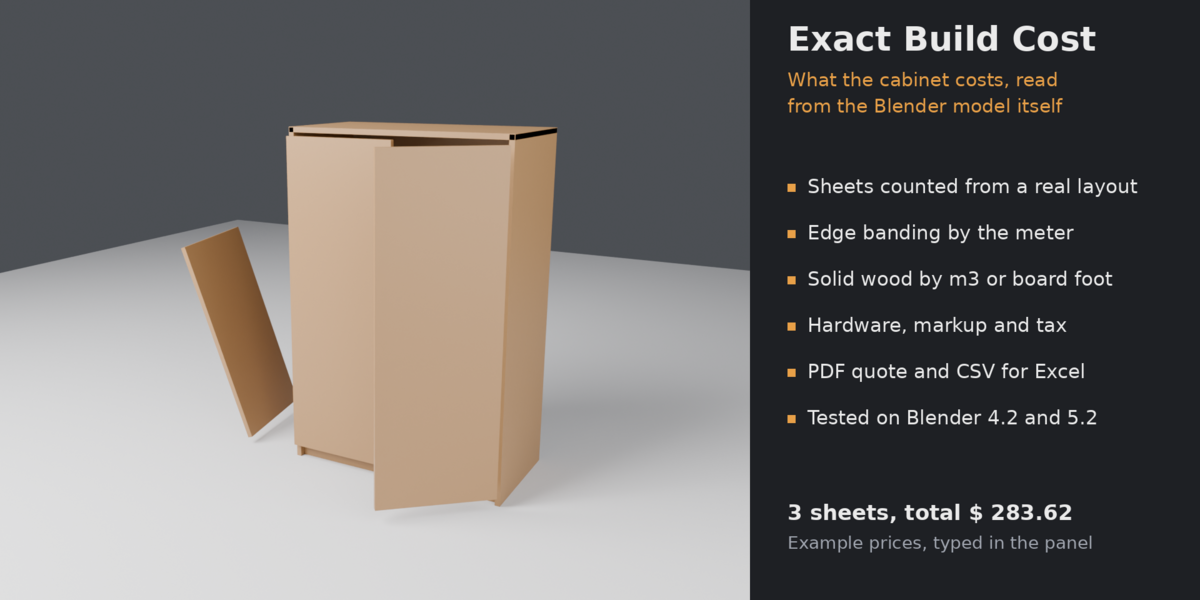
Model the furniture in Blender, type your prices once, and get the number: what the materials and hardware will cost.
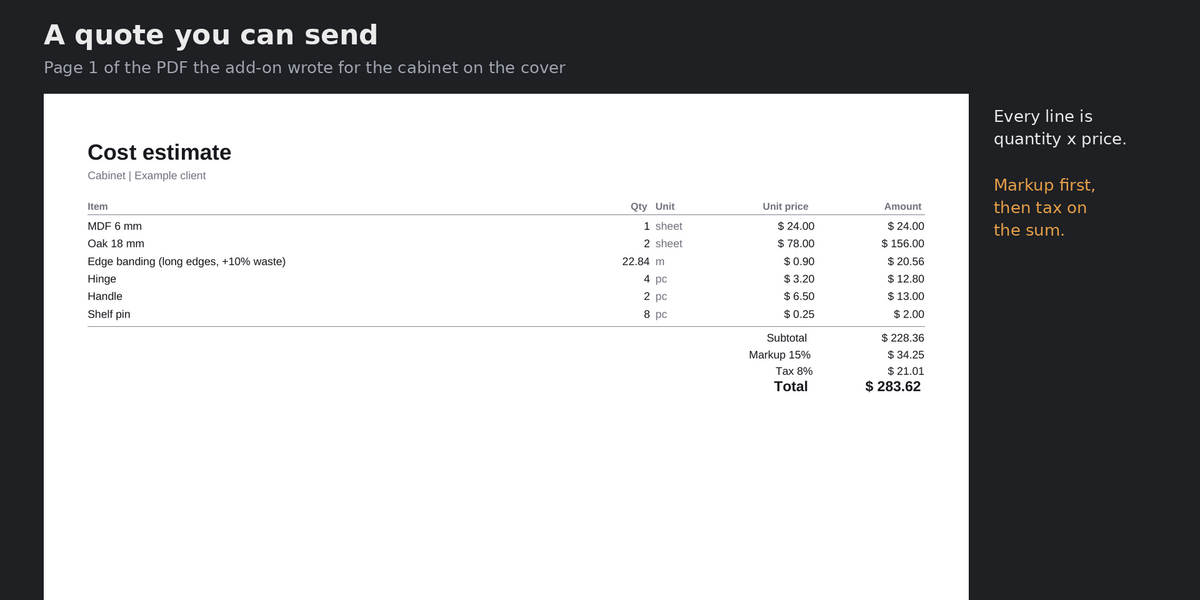
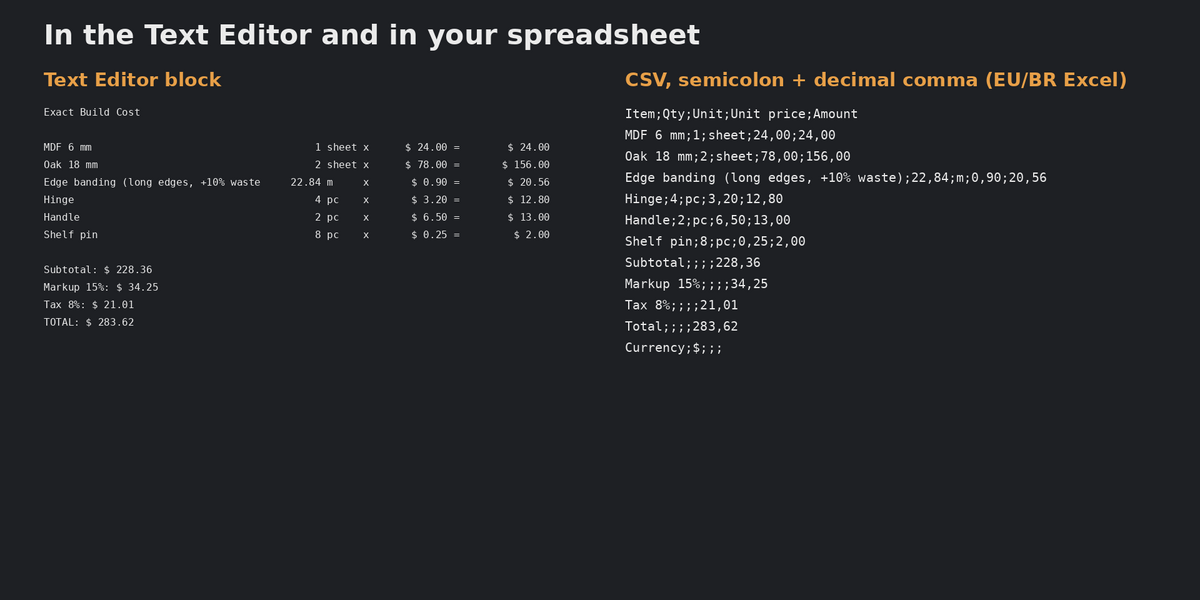
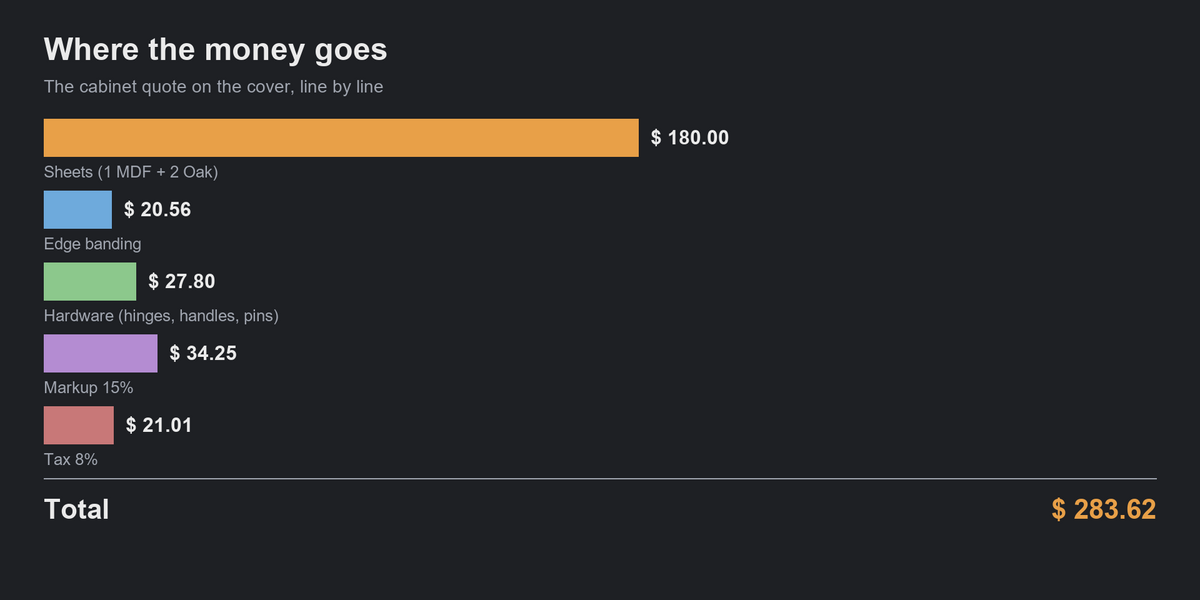
Exact Build Cost reads the real geometry of every part, lays the parts out on sheets (the same cutting-layout engine as Exact Sheet Planner), counts the sheets you have to buy, and prices them together with edge banding, solid wood, hardware and any other line you add. The result goes to a Text Editor block, a PDF quote you can send to a client, and a CSV for your spreadsheet.
What it does
- Sheets from a real layout. The sheet count comes from a cutting layout with saw kerf and edge trim, not from total area. "Oak 18 mm" and "MDF 6 mm" are separate stocks, each with the price of one sheet. Press Find Materials and the panel lists them for you.
- Edge banding. Off, long edges or all edges of every sheet part, a price per meter and a waste percentage.
- Solid wood. Parts thicker than a limit you set (40 mm by default: legs, rails) are priced by volume, per cubic meter or per board foot, with a waste percentage.
- Hardware and other items. Add any line: hinges, handles, screws, labor. Name, quantity, price.
- Markup and tax. Tax is charged on the subtotal plus markup.
- True part sizes at any rotation. Rotated doors and shelves, linked duplicates, collection instances, geometry-node instances and every separate piece of an object count as parts. Modifiers (Solidify, Array, Mirror...) are applied.
- Your currency and number format: any symbol, 0 to 4 decimals, decimal comma (the CSV then uses semicolons, for Excel in Europe and Brazil). A4 or Letter paper.
- Honest warnings. A material with no price (or price 0), a part that does not fit on a sheet, solid parts with no solid-wood price: each is named in the panel, the Text Editor and the PDF.
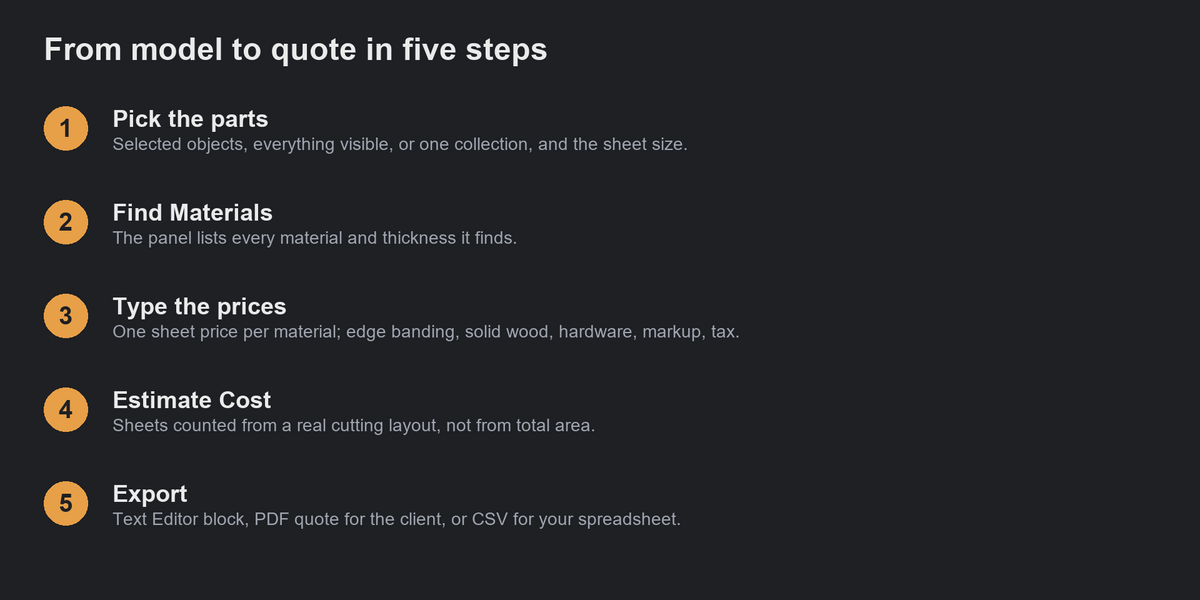
- Choose the parts: selected objects, everything visible, or one collection.
How to use
- Install the .zip: Edit > Preferences > Get Extensions > Install from Disk (the arrow menu at the top right).
- Open the sidebar in the 3D Viewport (N) and the Cost tab.
- Pick the parts and the sheet size, press Find Materials, and type the price of one sheet for each material.
- Set edge banding, solid wood, hardware, markup and tax, then press Estimate Cost.
- Read the lines in the panel and the Text Editor ("Build Cost"), or press Export PDF or Export CSV.
Tested, not guessed
The pricing code is checked by an automated test suite that ships with the source: sheet counts and amounts, missing and zero prices, edge banding on long and on all edges (and only on sheet parts), solid wood by cubic meter and by board foot, markup before tax, CSV quoting and decimal comma, the PDF structure and printed total, and full scenes inside Blender with three materials, rotated parts, exports, millimetre scene units and an empty scene. The suite passes on Blender 4.2 LTS and 5.2 LTS.
Compatibility
Blender 4.2 or newer (installs as an extension). Windows, macOS and Linux. Pure Python, no external libraries.
Limits
- You type every price; the add-on does not look prices up and does not convert currencies.
- Sheets are priced per whole sheet bought (3 sheets = 3 prices), not by the area used.
- The sheet layout is a good one, not a proven optimum; check it with Exact Sheet Planner before you cut.
- Edge banding is one rule for the whole model (none, long edges or all edges of every sheet part).
- One sheet size per estimate; all materials use that size.
- Curves, text and other non-mesh objects are skipped; convert them to mesh first.
FAQ
Does it change my model? No. It only reads the geometry and writes a Text block named "Build Cost".
Do I need Exact Sheet Planner or Exact Cut List too? No. Measuring and sheet layout are built in. Sheet Planner is the one to get if you want the cutting drawings; Cut List if you want a CSV cut list.
Why does a material show a warning? Its price is empty or 0. Type the price of one sheet in the panel, or press Find Materials if the list is empty.
A part is not in the sheets. Parts thicker than "Sheet stock up to" (40 mm by default) are priced as solid wood. Set a solid wood price, or raise the limit.
Are my prices kept? Yes, they are saved in the .blend file with the scene. A new Find Materials keeps the prices already typed.
Changelog
1.0.0: first release.
