Salman Naseem


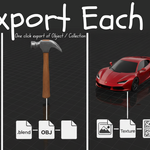

Simplify your Blender export workflow! Export Each lets you batch export multiple objects or collections with one click
Export Each is a professional Blender add-on built to save you hours of repetitive work when exporting multiple assets. Whether you’re developing games, managing large-scale 3D projects, or building organized asset libraries, this addon handles the entire export process cleanly, automatically, and efficiently
🎯 Perfect For
-
Game developers
-
3D environment and prop artists
-
Asset library creators
-
Studio pipelines
-
Anyone working with large 3D projects
💡 Why You’ll Love It
-
Export hundreds of assets in minutes instead of hours
-
Zero manual renaming or texture management
-
Keeps your workflow clean, organized, and consistent
-
Works perfectly with Blender’s built-in export formats
⚡ Quick Start Your First Export (30 seconds)
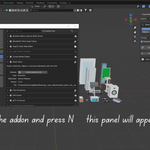
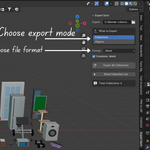
1. Open the Panel Press N in 3D Viewport Click "Export Each" tab
2. Choose Export Path Click the folder icon Select where you want files saved
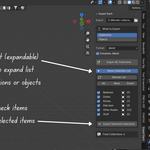
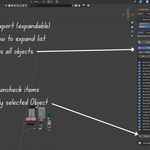
3. Select Mode "Collections" (default) or "Objects"
4. Select Format Choose from dropdown (e.g., FBX)
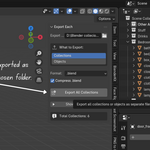
5. Export Click "Export All Collections" or "Export All Objects"
Done! ✅ Result: All collections/objects exported as separate files to your chosen folder