Extra Set Origin Options
 Barat Ovidiu


📦 Installation
-
Download the
.zipfile from Blender Market. -
Open Blender and go to Edit > Preferences > Add-ons.
-
Click Install, then select the
.zipfile. -
Enable the addon by checking Extra Set Origin in the list.
-
You're ready to go!
🧭 How to Use
After installing the addon:
Access the Features
-
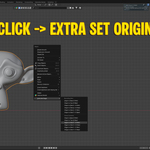
Right-click on any object in Object Mode.
-
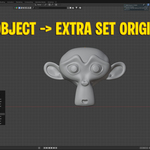
Or go to the top menu: Object > Extra Set Origin.
Available Options
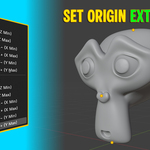
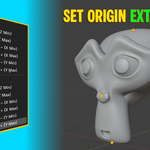
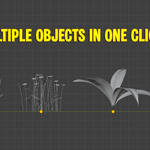
The addon allows you to set the origin of a mesh object to:
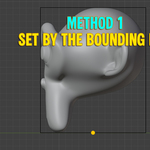
Bounding Box-Based:
-
Base (lowest Z)
-
Top (highest Z)
-
Side X−, X+, Y−, Y+
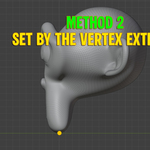
Vertex-Based (more precise for organic or non-uniform shapes):
-
Base (lowest vertex Z)
-
Top (highest vertex Z)
-
Side X−, X+, Y−, Y+
Each option averages the relevant bounding box or vertex positions for a clean, centered result.
$1
Have questions about this product?
Login to message
| Published | about 1 year ago |
| Blender Version | 4.5 |
| Extension Type | N/A |
| Render Engine Used | Arnold, Blender-Internal, Blender-Game-Engine, Cycles, Eevee, Freestyle, Luxrender, Mental-Ray, Octane, Vray, Yafaray |
| License | GPL |