 Animation Store
Eye Designer Add-on
Design any eye in seconds, then shape every detail
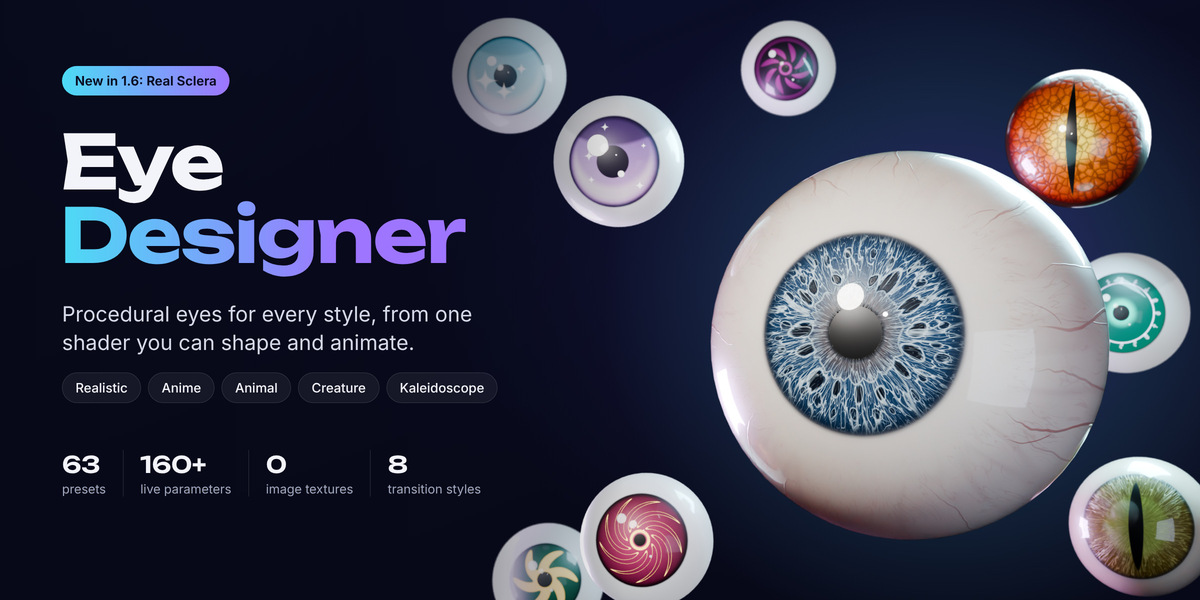
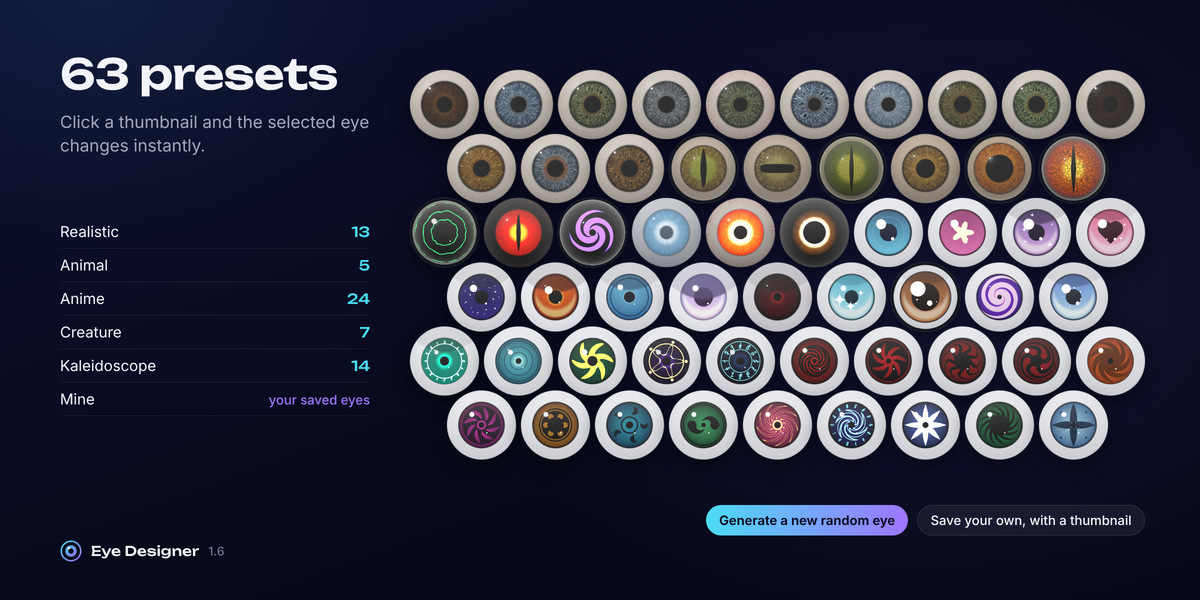
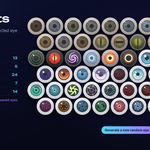
Eye Designer builds realistic, anime, animal, creature and kaleidoscope eyes from one fully procedural shader. Pick one of 63 presets, click New Eye, and fine-tune more than 160 live parameters from the sidebar or from floating control cards right in your viewport. There are no image textures, so there's no resolution limit: push the camera into a macro shot and every iris fiber stays sharp.
• 63 built-in presets in five styles, with thumbnails and one-click apply
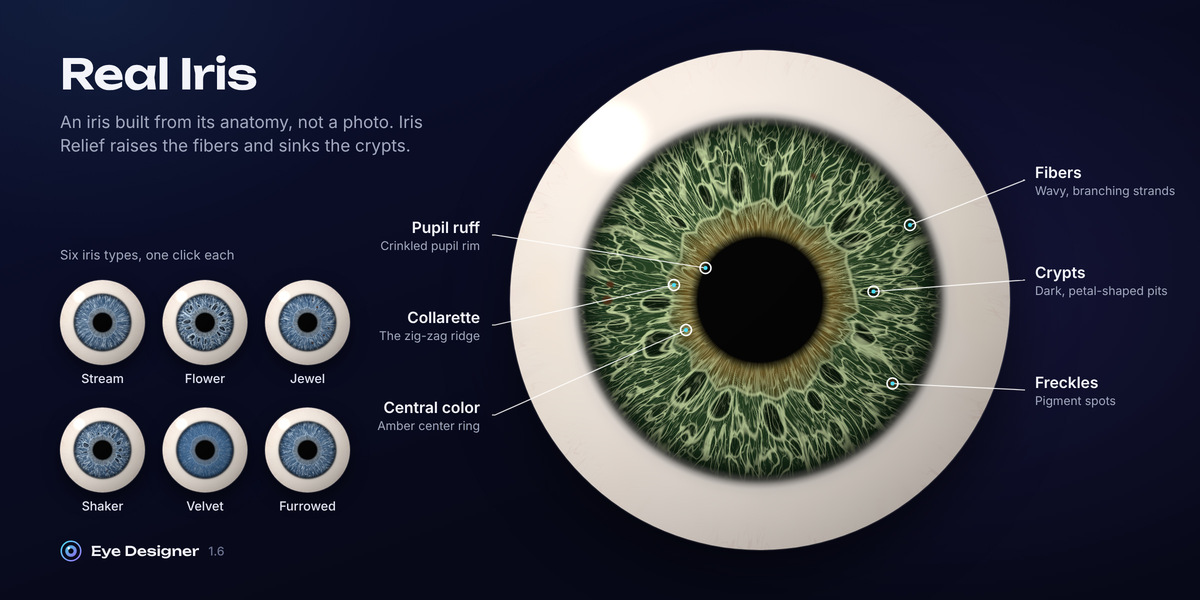
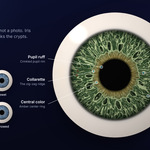
• Real Iris: an anatomical iris with fibers, collarette, crypts, furrows, freckles and pupil ruff
• Real Sclera (new in 1.6): a living eye white with blotches, yellowing, a limbal shadow, fine and deep vessels, and subsurface translucency
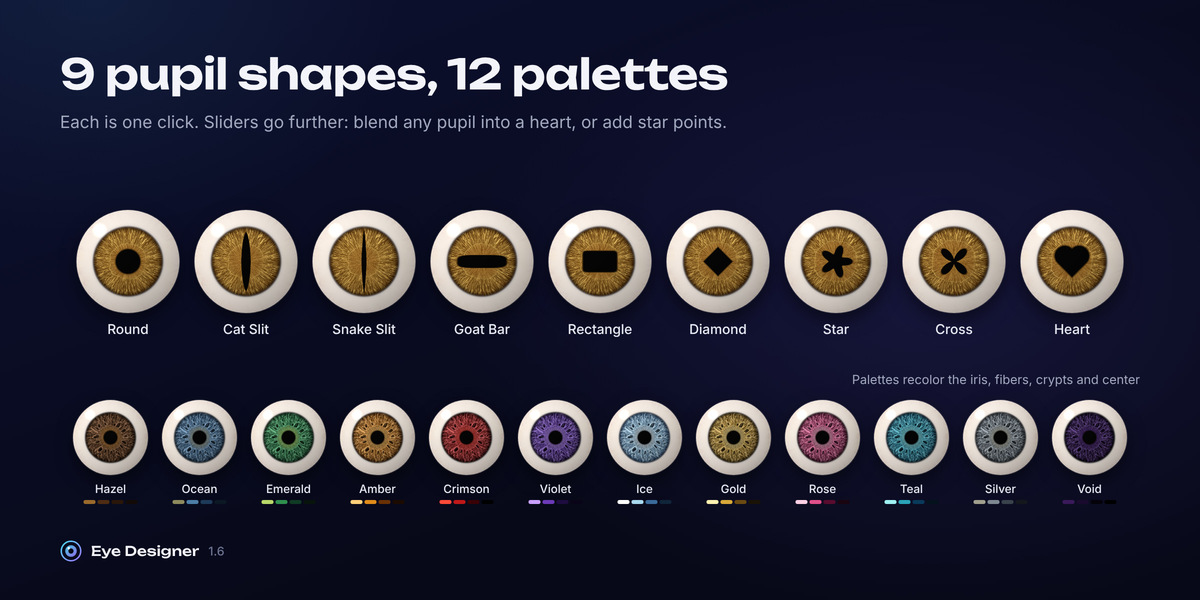
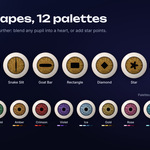
• 9 pupil shapes and 12 one-click color palettes
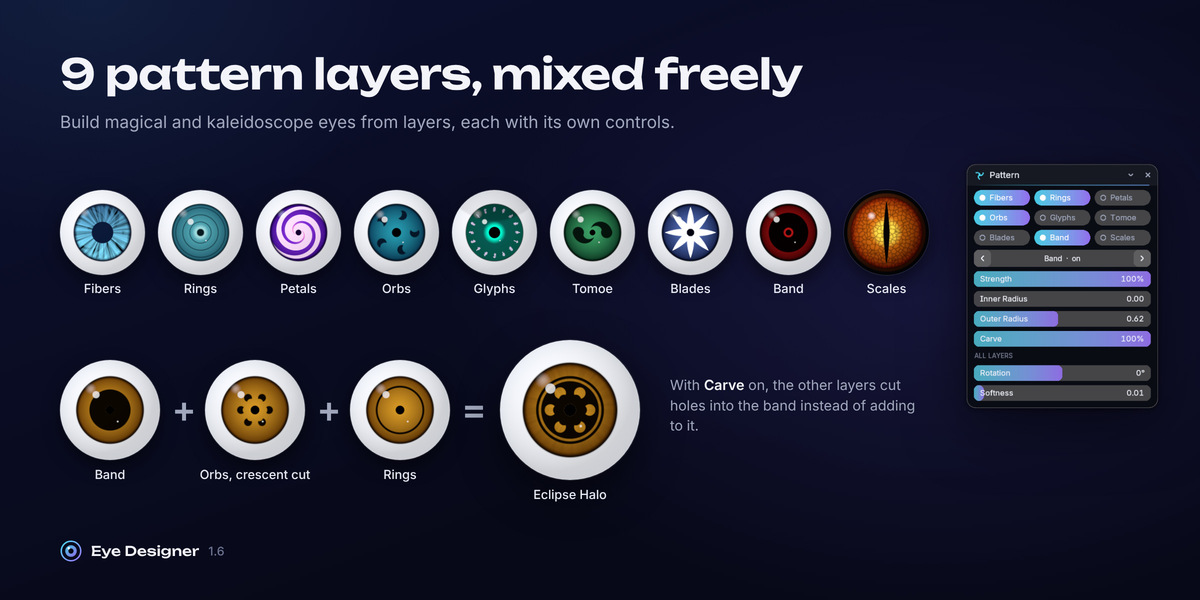
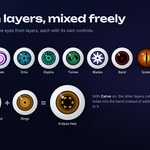
• 9 mixable pattern layers for stylized, magical and kaleidoscope eyes
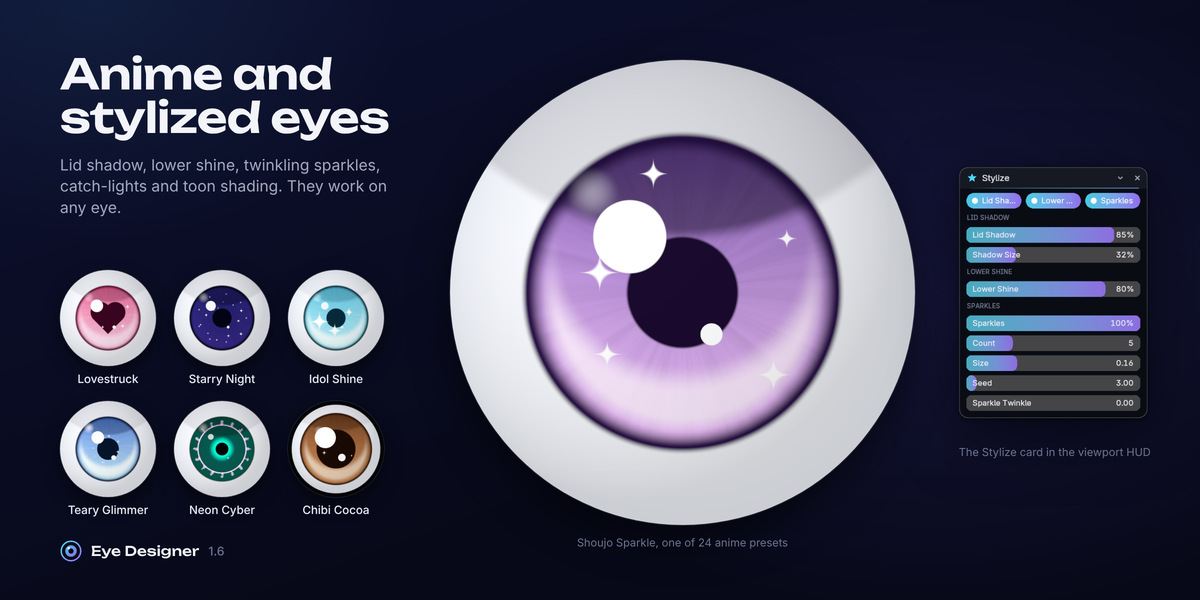
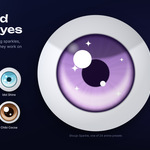
• Anime styling: lid shadow, lower shine, twinkling sparkles, painted catch-lights and toon shading
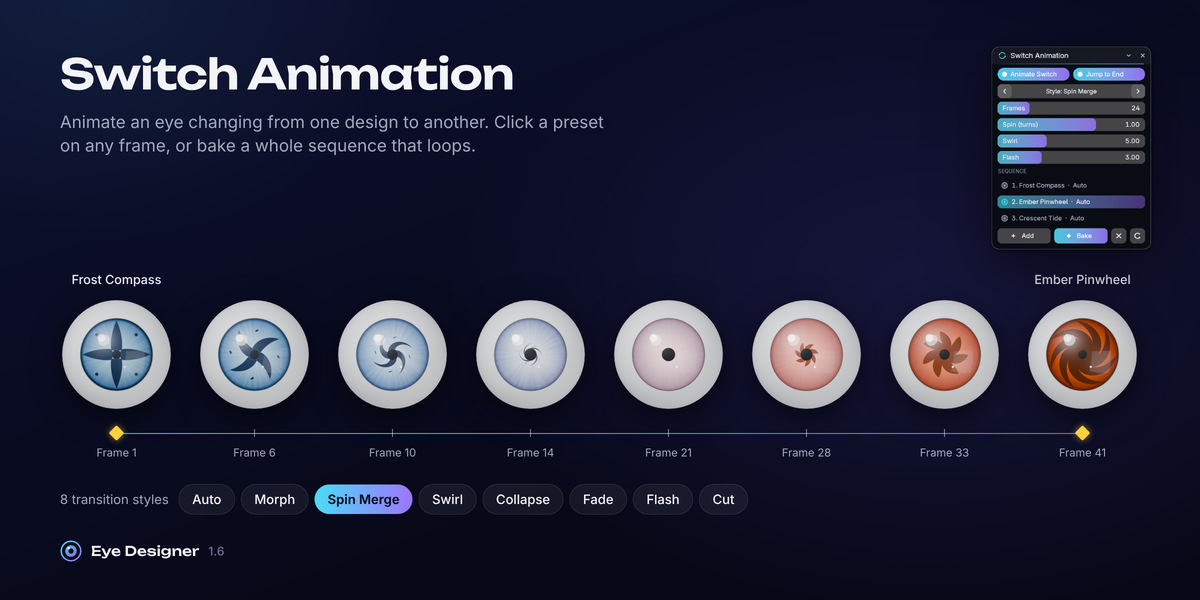
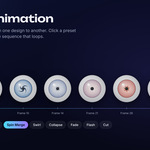
• Switch Animation: animate an eye changing between designs, with 8 transition styles and a sequence baker
• Everything animates: built-in motion, plus a keyframe on any slider
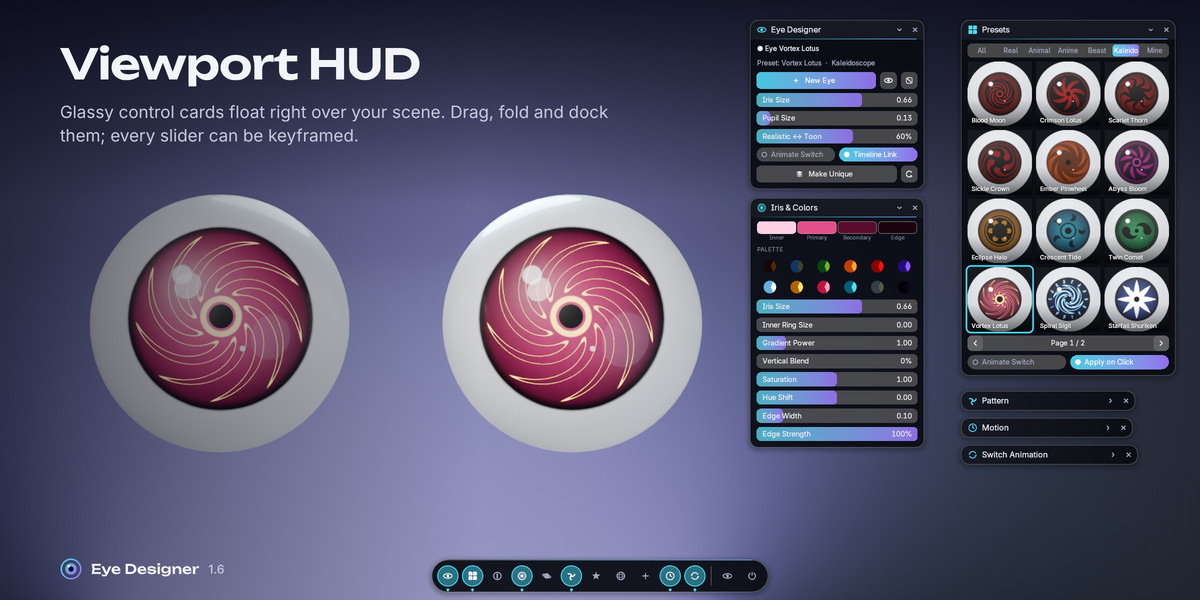
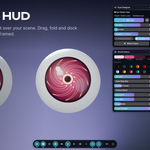
• Viewport HUD: glassy control cards that float over your scene
• Works on new eyes or on your own eyeball mesh
Realistic eyes, built from anatomy
The realistic iris isn't a photo texture or a few noise streaks. Real Iris builds it the way a real iris is structured:
- Fibers: wavy, branching strands running out from the pupil
- Collarette: the zig-zag ridge around the pupil zone
- Central color: the amber or brown ring of central heterochromia
- Crypts: dark, petal-shaped pits, plus a smaller outer ring
- Furrows: concentric contraction furrows near the edge
- Freckles: dark pigment spots
- Pupil ruff: the dark, crinkled rim at the pupil edge
Six one-click iris types (Stream, Flower, Jewel, Shaker, Velvet and Furrowed) change the structure and keep your colors. Raise Iris Relief and the fibers rise while the crypts sink, so the iris catches light like the real thing.
An eye white that looks alive
The new Real Sclera replaces the flat, painted-on white with the details of a real eye: soft uneven blotches, a yellowish tint toward the corners with small pinguecula patches, a gray limbal shadow that seats the iris, hair-thin vessels with small kinks, a faint capillary web, blurry deep vessels, and subsurface translucency that scales with your eyeball.
Sclera Relief and Vessel Relief give the white a fine surface and raised vessels that catch the light, while the wet reflection stays crisp.
The blood vessels behave like real conjunctival vessels: thick trunks enter from the corners, meander, fork into thinner branches and fade before they reach the iris. You control the count, thickness, length, branching, wiggle, corner focus, capillaries and redness, and a seed gives you a new vessel pattern. Raise Veins and Redness together for a tired, bloodshot eye.
Anime and stylized eyes
Turn any eye into an anime eye. The Stylize panel adds an upper lid shadow, a lower shine crescent and twinkling sparkles. Add painted catch-lights in Highlights, a top-to-bottom anime gradient in Iris & Colors, and toon shading with the Realistic ↔ Toon slider.
The Anime tab has 24 presets, including 12 original designs such as Shoujo Sparkle, Lovestruck, Starry Night, Idol Shine, Teary Glimmer and Neon Cyber. Need a heart-shaped pupil? It's one of the nine pupil shapes.
Pattern layers and kaleidoscope eyes
Stack nine pattern layers in any combination: Fibers, Rings, Petals, Orbs, Glyphs, Tomoe, Blades, Band and Scales.
- Blades become spokes, pinwheel arms, sickles or shuriken points. Bend sweeps them into a spiral and Hook curls the tips.
- Band + Carve turns the other layers into cut-outs, for bold negative-space designs.
- Orb Crescent turns each orb into a crescent moon.
- Glyphs draws procedural runes; change the seed for a new set.
The Kaleidoscope tab has 14 original designs to start from, and Generate remixes them into new ones.
Animate everything
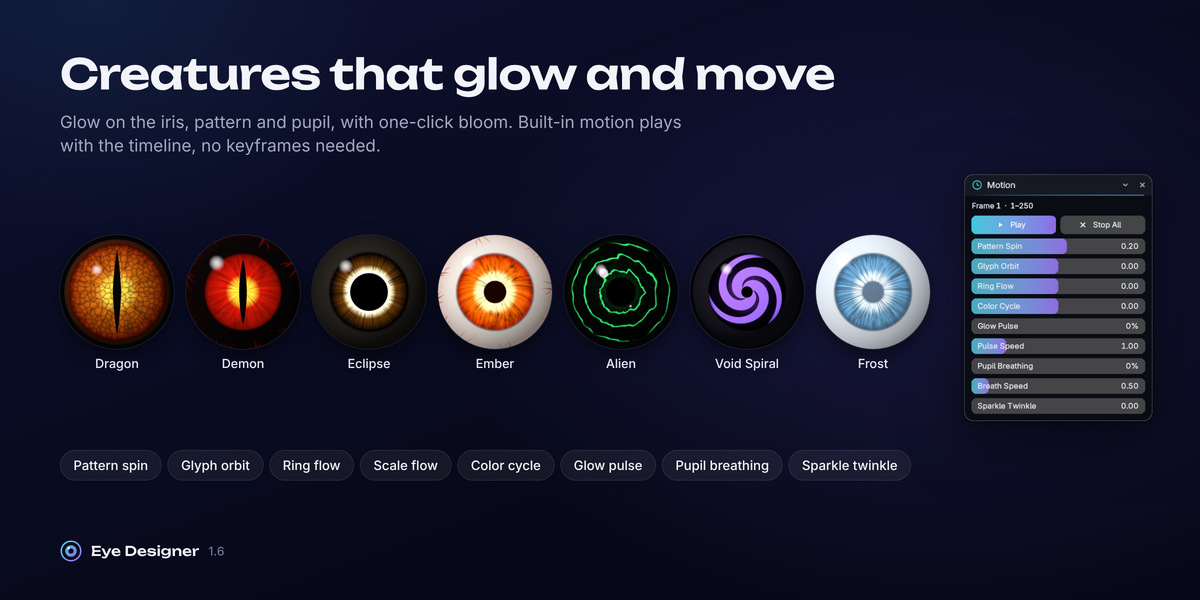
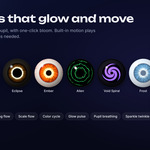
Every eye is linked to the timeline automatically. Raise pattern spin, glyph orbit, ring flow, scale flow, color cycle, glow pulse, pupil breathing or sparkle twinkle and press Play. Any slider can also be keyframed with one click.
Switch Animation animates an eye changing from one design to another. Turn on Animate Switch, go to a frame and click a preset: the switch is keyed for you. Or build a Sequence with hold, transition, style and spin per step, then Bake it, with seamless looping. There are 8 transition styles: Auto, Morph, Spin Merge, Swirl, Collapse, Fade, Flash and Cut.
Two ways to work
Sidebar: a status strip, a thumbnail gallery with category tabs and a description of every eye, pupil shape buttons with previews, palette buttons and one-click pattern-layer toggles. It's in the 3D Viewport and the Shader Editor.
Viewport HUD: click Eye HUD in the 3D Viewport header and glassy control cards float over your scene. Pick any of the 11 cards from the dock, drag them, fold them, Shift-drag for fine control, right-click to reset a value. Keyframed values are marked, and the layout, size, opacity and accent color are remembered between sessions.
Fits your workflow
• Add one eye or a left + right pair sharing one material
• Apply to Selected puts an eye material on your own eyeball mesh
• Orientation sets which axis the iris faces (±X, ±Y or ±Z), with fine rotation
• Make Unique gives one eye its own material for heterochromia or a different vessel pattern
• Generate remixes the selected eye into a random new design from any category
• Save stores your eye as a preset with its own thumbnail, in the Mine tab
• Add > Eye in the 3D Viewport lists every built-in preset with its thumbnail
• Glow settings plus Add Bloom to Compositor for glowing creature eyes
• Files made with older versions upgrade automatically, with their settings and keyframes