 JumpNJetz


Ez Render Pass
Ez Render Pass is a Blender add-on that automates per-layer batch rendering via the compositor. It streamlines project setup, outputs each layer into neatly organized folders, and keeps your workflow seamless. Works on Blender 4.x and 5.0!
Key Features
Quick Project Setup
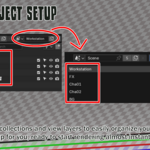
Creates four top-level collections with distinct color tags: FX, Cha01, Cha02, Background
Renames or verifies the default view layer as Workstation and excludes it by default
Adds FX, Cha01, Cha02, and BG view layers configured to show only their matching collection
Neatly Organized Output
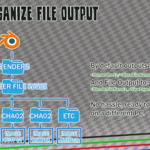
Automatically writes each layer’s renders into:
///
Quick Project Setup
Creates four top-level collections with distinct color tags: FX, Cha01, Cha02, Background
Renames or verifies the default view layer as Workstation and excludes it by default
Adds FX, Cha01, Cha02, and BG view layers configured to show only their matching collection
Neatly Organized Output
Automatically writes each layer’s renders into:
///
All files output into:
__####.(PNG,EXR,etc.)
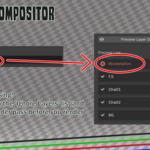
Preview Compositor Setup
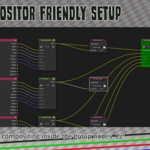
Shows which layers will be rendered (✔️) or skipped (❌) before you commit.Batch Rendering
Render Frame: produces one frame per active layer
Render Anim: renders the full frame range per active layer
Installation
Download ez_render_pass_x.x.xx.zip to disk.
In Blender, open Edit → Preferences → Add-ons → Install…
Select the .zip file and click Install Add-on.
Enable Ez Render Pass in the Add-ons list.
Download ez_render_pass_x.x.xx.zip to disk.
In Blender, open Edit → Preferences → Add-ons → Install…
Select the .zip file and click Install Add-on.
Enable Ez Render Pass in the Add-ons list.
Using Ez Render Pass
All controls are in the Ez Render Pass panel of the 3D View sidebar.
Quick Setup Project
Click to auto-create collections and view layers wired to your project structure.Setup Comp
Sets up the compositor nodes for all layers, organizes nodes in a clean layout and preserves any existing node group customizations.Reset Comp
Resets all compositor nodes to their default state when the setup comp is first pressed. Use this if you need to start fresh with the node setup.Render Root Path
Set your base folder for outputs.
Supports blend-relative (//renders/) and absolute paths (C:/renders/).Ignore Layers
Enter comma-separated names to skip in batch renders.‘Use for Rendering’ Sync
Automatically synchronizes the "Ignore Layers" list with Blender's built-in "Use for Rendering" checkboxes found in Scene Properties → View Layers.Preview Layer Setup
Click this to see a ✔️/❌ log of what will render.Batch Render
Render Frame
Render Anim (Render Animation)
Tips & Best Practices
Make sure you have a camera before rendering as that will give you an error.
Run Preview Layer Setup after changing view layers, collections or the ignore list. Use this to avoid accidental skips due to typos in the ignore list.
If there is no collection enabled in a layer, it will automatically skip it. Keep things organized inside of collections!
Use blend-relative paths (//…) to keep projects portable across machines.
Configure your image format (PNG, EXR, etc.) and render settings under Render → Output before running the add-on.
When characters need to collide with your background, enable the BG collection in their view layers and turn on Holdout for that collection. The add-on doesn’t prevent you from activating any collection on any layer, so feel free to mix and match for custom compositing effects.
Make sure you have a camera before rendering as that will give you an error.
Run Preview Layer Setup after changing view layers, collections or the ignore list. Use this to avoid accidental skips due to typos in the ignore list.
If there is no collection enabled in a layer, it will automatically skip it. Keep things organized inside of collections!
Use blend-relative paths (//…) to keep projects portable across machines.
Configure your image format (PNG, EXR, etc.) and render settings under Render → Output before running the add-on.
When characters need to collide with your background, enable the BG collection in their view layers and turn on Holdout for that collection. The add-on doesn’t prevent you from activating any collection on any layer, so feel free to mix and match for custom compositing effects.
Ez Render Pass hands you organized, per-layer renders with zero fuss!
Have questions about this product?
Login to message
| Blender Extension Compatible | Yes |
| Dev Fund Contributor | |
| Published | 12 months ago |
| Blender Version | 4.0 - 5.0 |
| Extension Type | Add-on |
| Render Engine Used | Cycles, Eevee |
| License | GPL |
Discover more products like this
auto naming EZ quick Render render pass jumpnjetz lightweight blender eevee death-battle auto organize easy Blender cycles