Ezbake | One Click Game Ready Baking
 Damian Mathew


Can I sell assets I create using EZBake?
Yes, you can sell any assets you create using EZBake. The license covers the tool itself, not the content you produce with it.
Will EZBake work with transparent or glass materials?
Yes, enable the Alpha channel to bake transparency, and enable Transmission to bake glass/translucent properties.
What's the difference between "Emission" and "Emission Samples"?
"Emission" bakes just the emission color/texture as a flat output. "Emission Samples" uses the Combined pass to capture fully lit emission with lighting calculations, showing how emission illuminates nearby surfaces.
Can I use EZBake with custom shader setups or only Principled BSDF?
EZBake is designed specifically for Principled BSDF materials. Custom shader setups or other material types may not bake correctly.
What does the Bevel feature do?
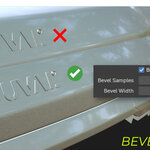
The Bevel feature adds fake edge highlights to your normal map without adding actual geometry. It's great for hard-surface models where you want edge wear or highlights but need to keep polygon counts low.
What is Shadow Catcher mode used for?
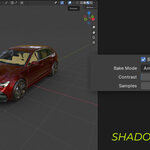
Shadow Catcher creates a shadow plate texture perfect for compositing 3D objects over photos or backgrounds. It generates an inverted AO pass that works as a multiply layer in Photoshop or similar tools.
What's the difference between the game engine presets (Unity, Unreal, Godot)?
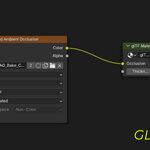
These presets automatically pack multiple channels into a single texture using industry-standard formats. For example, Unreal ORM packs Ambient Occlusion (Red), Roughness (Green), and Metallic (Blue) into one texture, which is exactly what Unreal Engine expects.
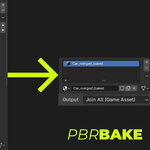
What does "Join All (Game Asset)" do?
This merges all selected objects and materials into a single optimized mesh with one unified PBR material, perfect for game engines. "Keep Separate" maintains each material slot individually.
What's the difference between "Duplicate" and "Overwrite" mode?
Duplicate creates a copy of your object and materials before baking, preserving your original. Overwrite bakes directly onto the original object. We recommend using Duplicate mode to keep your source materials intact.
Why are my baked textures coming out black?
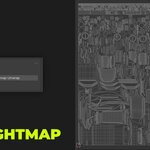
The most common causes are: missing UV maps, materials not using Principled BSDF shader, or selecting the wrong UV map name. Use the Auto Lightmap feature and make sure your material uses Principled BSDF.
Do I need to know how to unwrap UVs?
Basic UV knowledge helps, but EZBake includes an Auto Lightmap Unwrap feature that automatically creates UVs for you using Smart UV Project.
Discover more products like this
unity normal map orm Real-time rendering gltf Unreal Engine texture-baking Game asset PBR material-baking glb Asset Pipeline