 PlugIn3D



EZDecal — Simple Decal Placement
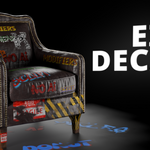
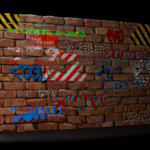
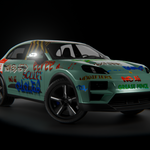
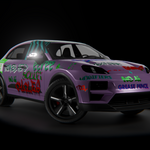
EZDecal is a Blender add-on that makes it easy to place, tweak, and bake decals directly onto your 3D models. It’s designed to be lightweight, intuitive, and production-ready — no more manual UV adjustments or complex material setups.
✨ Features
-
Quick Decal Placement
-
Hover, click, and place decals directly on your mesh.
-
Supports random decal placement from your library for fast variation.
-
-
Material Controls
-
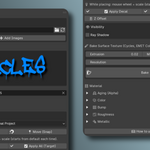
Per-decal values for Hue, Saturation, Value, and influence.
-
Independent control over Roughness, Metallic, and Bump.
-
Built-in 4D Aging System to simulate wear over time.
-
-
Geometry & Projection
-
Shrinkwrap with multiple wrap methods (Target Normal Project, Nearest Surface, etc.).
-
Per-decal Z Offset (saves individually for each decal).
-
Snap & Move with Blender’s snapping tools auto-enabled.
-
-
Baking System
-
Bake decals directly into your model’s texture (Cycles required).
-
Alpha mask baking with invert node integration for correct blending.
-
Automatic removal of decals after baking.
-
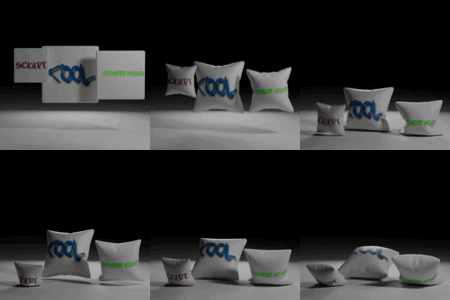
✅ Big Advantage: Once baked, decals become part of the surface texture — meaning they work perfectly with cloth simulations, soft body simulations, and deformations without stretching or breaking apart.
-
-
Library Management
-
Default decal library included.
-
Add your own images with one click.
-
Thumbnail previews for quick browsing.
-
📖 How to Use
-
Set a Target Object
-
Choose the mesh you want to project decals onto.
-
-
Pick or Import Decals
-
Use the included decal library or import your own textures.
-
-
Place Decals
-
Click Place Decal, hover over the target, adjust with the mouse wheel, and click to apply.
-
-
Tweak Materials
-
Adjust hue, roughness, metallic, bump, and aging directly in the UI.
-
-
Bake to Texture
-
Choose bake resolution, extrusion, and max ray distance.
-
Press Bake — decals will merge into your model’s texture, ready for simulation.
-
🔧 Requirements
-
Blender 4.0 or later
-
Cycles renderer (for baking)
📦 Included
-
EZDecal add-on (latest version)
-
Default decal library (20 example images)
-
README.txt quick-start guide
🎯 Ideal For
-
Game asset creation
-
Hard-surface modeling
-
Cloth and soft body simulations with baked decals
-
Artists who want fast results without heavy node setups
Have questions about this product?
Login to message
| Dev Fund Contributor | |
| Published | about 1 year ago |
| Blender Version | 4.0 - 4.5 |
| Extension Type | N/A |
| Render Engine Used | Cycles, Eevee |
| License | GPL |
Discover more products like this
shading rendering baking asset management shrinkwrap blender addon texture decal surface detail uv mapping Library materials