Eztexture – Ai Depth & Normal Map Generator
 PlugIn3D




📦 EzTexture Documentation
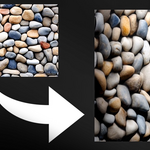
EzTexture is a Blender add-on that generates AI-powered depth and normal maps from images, with automatic application as modifiers or shaders. Below is a step-by-step guide to help you get started.
✅ Installation
-
Open Blender and go to
Edit > Preferences > Add-ons. -
Click Install..., and choose the EzTexture
.zipor extracted folder. -
Enable the checkbox next to EzTexture.
-
Save Preferences.
🎬 How to Use
1. Open the Sidebar
-
Press
Nin the 3D Viewport and go to the EzTexture tab.
2. Select Your Image
-
Use the Input Image field to select a JPG or PNG.
3. Choose Depth or Normal Generation
-
Adjust settings like depth strength, inversion, and whether to subdivide the mesh.
4. Press the Button
-
Click Generate Depth Map or Generate Normal Map.
5. View Results
-
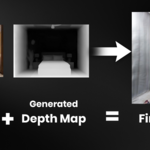
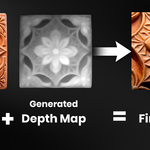
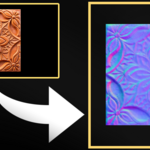
Previews for the original image, depth map, and normal map will appear.
-
Depth maps can be applied as a modifier or shader.
-
Normal maps are auto-connected to the material for instant preview.
⚙️ Features Explained
-
Subdivide Mesh: Adds a Subdivision Surface modifier before displacement.
-
Apply As: Choose to apply the depth map as a modifier, a shader, or just generate the image.
-
Invert Options: Useful when you want to reverse the depth or bump direction.
-
Previews: Easily compare the original input, generated depth, and normal textures.
🧠 System Requirements
-
Blender 2.93 or newer
-
Windows OS (EXE-based backends)
-
GPU recommended for smooth viewport updates
📥 Support
-
This product is for personal use only. Redistribution or modification is not allowed.
-
For updates or support, please check the marketplace where you purchased EzTexture.
Have questions about this product?
Login to message
Discover more products like this
blender addon AI texture Shader procedural tool geometry detail 3d-texture displacement image to texture blender ai surface mapping normal map depth map