Fake User Manager[Blender-Addon]
 Mob3DCG




Overview
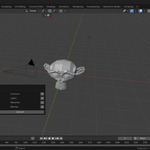
Fake User Manager is a powerful utility for Blender designed to help you manage and protect your data-blocks. It provides a clear overview of which items (Materials, Brushes, Palettes, etc.) have a "Fake User" assigned, ensuring that important assets are not lost during a file purge.
Installation
Download the
Fake User Manager.zipfile.In Blender, go to Edit > Preferences > Add-ons.
Click Install... and select the downloaded ZIP file.
Enable the add-on by checking the box next to System: Fake User Manager.
Where to find it
The add-on is integrated into the Blender standard menus for a seamless workflow:
Access the Manager: Go to
File > Clean Up > Fake User Manager.Quick Access Warning: If unused data is detected, a warning button will appear at the top of the
File > Exportmenu.
How to Use
Open the List: Navigate to
File > Clean Up > Fake User Managerto open the management popup.Toggle Fake User: Click the shield icon (Fake User button) next to any data-block to enable or disable its protection.
Monitor Users: The list shows the current user count for each item. If an item has 0 users and no Fake User, a Trash icon will appear, allowing you to purge that specific item immediately.
Hide Items: If you no longer wish to track a specific item in the list, click the X button to hide it from the manager view.
Export Warning: Before exporting your file, check the
File > Exportmenu. If you see an "Unused Data" alert, click it to review and clean up your file before finalizing.
Compatibility
Blender Version: 3.0.0 and newer.
Supported Data Types: Materials, Brushes, Palettes, Textures, Images, Worlds, and more.
License
This software is released under the GNU General Public License v3 (GPL-3.0).
Have questions about this product?
Login to message
| Published | 8 months ago |
| Blender Version | 3.0 - 5.0 |
| Extension Type | N/A |
| Render Engine Used | Blender-Internal |
| License | GPL |