Falloff Tool
 Studio Speets



How do I install this Tool?
Unzip the contents of the ZIP to your Asset Library path, set in Preferences > Asset Libraries in Blender.
How does it work?
Check out the tutorial video on the product page.
When I drag in Falloff Tool, the Empties are not being imported into my scene?!
Then you installed it wrong. Unzip the contents of the ZIP to your Asset Library path, set in Preferences > Asset Libraries in Blender.
What is the Falloff Tool?
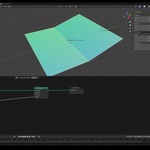
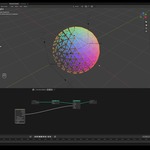
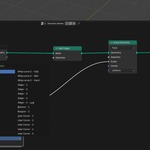
Falloff Tool is a dedicated Geometry Node group. It must be dragged into your Geometry Node setups in Blender to control and blend parameters like location, rotation, scale, float, and integer values. It is designed to simplify and speed up complex motion design animations.
What data types can they drive?
Falloff Tool nodes output several data types—including vectors (location), rotation, scale, float, and integer values—that automatically blend between your target states.
How do I position and control the falloffs in my 3D viewport?
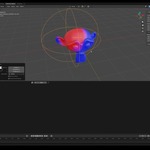
When you drag a Falloff Tool node into your Geometry Node graph, Blender automatically adds empty objects to your scene to act as visual handles:
Linear Falloff: Generates a Start empty and an End empty. The End empty is parented to the Start empty so they can be moved together.
Spherical Falloff: Generates a single spherical empty that controls the falloff range based on its position and scale in the viewport.
Can I customize the easing curves and falloff transitions?
Yes. The node setup includes a Clamp section with built-in response curves (such as S-curves, steppers, bounces, and whip curves) that alter the transition without needing complex keyframing. These radically change the animation, even if you animated the Falloff with linear keyframes. You can also draw custom shapes using 5 editable User Curves inside the node group. Additional settings include an option to invert the clamp or mirror the linear falloff (transitioning from state A to B and back to A).
Can I use the Falloff Tool to control materials in the Shader Editor?
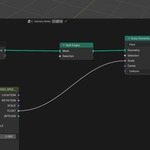
Yes. You can store any falloff output (such as a float value) as a named attribute using the Store Named Attribute node in Geometry Nodes. In the Shader Editor, you can load this attribute with an Attribute node and plug it into parameters like a Mix Shader factor to dynamically blend between textures, colors, or materials based on proximity to the falloff.
Can the Falloff Tool be used to create Selections?
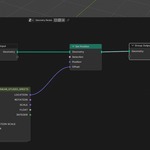
Yes. The integer or float outputs from the Falloff Tool can be plugged directly into any node input that accepts Selection fields. For example, connecting an integer output into a Delete Geometry node allows you to dynamically delete or reveal mesh faces when they fall inside or outside the designated falloff field.
-
$10
Full version with commercial use license for 1 person.
 Included
Includes 12 months of
- Support from Studio Speets
- Product updates
Extend this product’s Support Period +12 months: 25% of product price
Have questions before purchasing?
Login to message
| Sales | 30+ |
| Dev Fund Contributor | |
| Published | about 2 months ago |
| Blender Version | 5.2 |
| License | Royalty Free |