Fast Remesher
 Anvil Interactive Solutions



Installation
Fast Remesher 1.0 is provided as a Blender Extension-compatible ZIP.
- Download the Fast Remesher ZIP from your Superhive purchase.
- Open Blender 5.2.
- Go to Edit → Preferences → Extensions.
- Choose Install from Disk.
- Select the Fast Remesher ZIP.
- Enable Fast Remesher if required.
- Return to the 3D Viewport.
- Press N to open the sidebar.
- Open the Fast Remesher tab.
Do not extract the ZIP before installing it unless you are intentionally inspecting the source.
Quick Start
Select a mesh object.
For most hard-surface models:
Fast Remesher → Hard Surface → Auto (Recommended) → Remesh Hard Surface
For organic characters, creatures or sculpts:
Fast Remesher → Organic → choose a preset → Remesh Organic
For clothing and open shell meshes:
Fast Remesher → Garment / Open Mesh → set Density → Remesh Garment / Open Mesh
Preflight
For production-critical assets, press Preflight before remeshing.
Preflight checks important conditions including topology, UV/UDIM data, rigging, shape keys and object state.
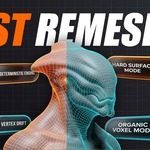
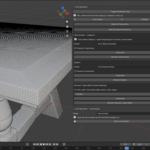
Hard Surface
The Hard Surface workflow automatically chooses between planar cleanup and curved-panel processing.
Use Auto (Recommended) unless you have a specific reason to choose another preset.
Vehicle / Large Panels is intended for broad smooth panels.
Mechanical Parts is intended for manufactured objects and general hard-surface assets.
Fine Detail / Greebles uses tighter feature protection.
Game-Ready LOD intentionally permits more aggressive simplification.
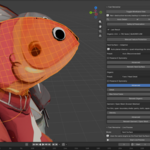
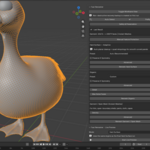
Organic
Organic remeshing uses a target density derived from the selected object.
Choose the closest preset and run Remesh Organic.
Full Character Body provides balanced character density.
Face / Head Detail creates finer topology.
Background Prop reduces density more aggressively.
Sculpt Cleanup is intended for dense sculpted geometry.
Garment / Open Mesh
Use this mode for thin open surfaces such as clothing, capes, panels and cloth shells.
The Density value controls the approximate output amount relative to the source.
A value of 1.0 aims to retain approximately comparable detail while rebuilding the topology.
Live Preview
Open the Fast Remesher – Live Preview panel.
Hard Surface preview uses the production hard-surface decision path on a temporary duplicate.
The original source is hidden but remains untouched.
Press Run Final Remesh to discard the temporary preview and perform the production remesh.
Press Cancel Preview to remove the preview and restore the source.
Organic Live Preview is approximate and is intended primarily for evaluating density.
Restore Original
Fast Remesher creates a protected original backup when you perform the first final remesh.
Press Restore Original to return to that source.
Press Set Current as Original only when you intentionally want the current state to become the new recovery point.
Shape Keys
Fast Remesher blocks meshes with shape keys by default.
Arbitrary retopology changes vertex correspondence, so existing shape keys cannot be safely preserved.
If you intentionally accept losing them, enable Allow Shape Key Loss in Safety & Preservation.
Third-Party Software
The Windows package bundles Instant Meshes.
Its original license and required third-party notices are included with Fast Remesher.
Have questions about this product?
Login to message
| Blender Extension Compatible | Yes |
| Sales | 20+ |
| Published | about 2 months ago |
| Blender Version | 4.2 - 5.2 |
| Extension Type | Add-on |
| Render Engine Used | Cycles, Eevee |
| License | GPL |
Discover more products like this
modeling topology remesh organic Game Asset Optimization remesher mesh optimization quad-topology hard surface quad remesh mesh cleanup retopology