 Animated Background People




FBX Asset Library — Blender Add-on
Stop Hunting. Start Creating.
You've got hundreds — maybe thousands — of 3D assets sitting in folders on your drive. Finding the right one means alt-tabbing to Explorer, squinting at file names like `SM_Chair_03_FINAL_v2.fbx`, guessing wrong, importing it, realising it's the wrong one, undoing, and starting over.
FBX Asset Library puts your entire 3D collection right inside Blender's viewport panel — with visual thumbnails, instant search, and one-click import.
What It Does
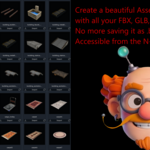
Visual thumbnail grid. Every asset is shown as a rendered preview image directly in the N-panel. No more guessing from file names — you see exactly what you're importing before you import it.
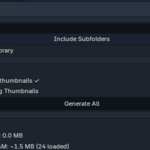
Auto-generates thumbnails for you. Point it at a folder and hit *Generate All*. The add-on spins up a temporary render scene for each asset with a live progress bar and an Esc-to-cancel button., frames the camera automatically, sets up a 3-point light rig, and saves a PNG next to the file. (In some rare cases it might take a couple of minutes.)
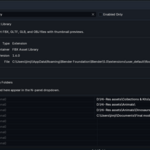
Manages multiple libraries.Set up as many named asset libraries as you want in Preferences — Characters, Props, Environments, Client Assets — and switch between them instantly from a dropdown in the panel.
Responsive at any scale. A smart caching and pagination system means it stays fast even with thousands of files in a folder. Only the thumbnails for the current page are held in memory. Flip through pages with keyboard-friendly controls.
Adaptive layout. Drag the sidebar wider and the grid automatically adds more columns. Narrow it down and columns drop away. Thumbnails always fill the available space edge-to-edge.
Supports every major format.FBX, GLTF, GLB, and OBJ
- Works with Blender 4.2 and 5.0
- Subfolders supported — scan an entire organised asset library in one go
- Search / filter by name across thousands of assets instantly
- Open any library folder directly in your OS file browser from the panel
- Memory-efficient proxy system keeps VRAM usage low regardless of library size
Who Is It For?
Environment artists, assembling scenes from prop libraries. Technical artist, managing shared studio asset collections. Freelancers who've built up years of purchased and custom assets and spend too long hunting for the right piece.
Anyone** who's ever typed a file name into Windows Explorer when they should have been making something.
Stop importing blind.
FBX Asset Library — your entire 3D collection, one click away.