FBX Asset Library
 Animated Background People




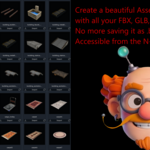
Installation:
Go to Edit > Preferences > Add-ons > Click on the little arrow in the top right corner and choose 'Install from disk'.
Usage:
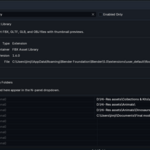
Add the folder(s) with your 3D assets in the preferences menu. If you have multiple folders click on 'New Folder' to add another directory to the list. In the panel tab there is an option to show subfolders as well, so you don't need to add all of them separately. However, as the add-on shows each folder in the library it can be handy to add them separately for easier navigation. You can give each folder a different label in the preferences menu, if you leave this option empty it will just show the folder name.
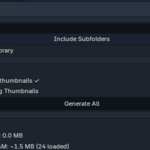
Click on 'Generate All' in the panel tab to automatically generate thumbnails for your assets. This can sometimes take a couple of minutes, depending on the model and its textures. In this case it may look like Blender has crashed, but just wait a couple of minutes and it'll be fine. If it keeps hanging for a very long time it's because it's also generating thumbnails for all the files that follow, only you can't see this. Big folders take more time to load.
With the 'Clear Proxy Cache' button you can delete all the thumbnails from your cache to free up memory. The thumbnails will still be there the next time you open the folder. Screenshots are stored in the same folder as the 3D assets with the same name as the assets themselves.
To import a file just click on the 'Import' button below the asset's thumbnail and it will be automatically imported to your scene.
Beneath the thumbnails you can set the number of objects to display and in how many columns.
Under the 'Import Options' you can set the scale at which the model gets imported.
All the way at the bottom is an option to 'Quick Import', here you can see an overview of all the files in the selected folders (the filenames) to quickly select and import an item without browsing all the pages with thumbnails.
Supported formats
GLB, .FBX, .OBJ and .GLTF files are supported.
Textures are automatically loaded if the model has all the information inside of it or if they are embedded.
Have questions about this product?
Login to message
| Blender Extension Compatible | Yes |
| Sales | 30+ |
| Dev Fund Contributor | |
| Published | 7 months ago |
| Blender Version | 4.2 - 5.0 |
| Extension Type | Add-on |
| Render Engine Used | Arnold, Blender-Internal, Blender-Game-Engine, Cycles, Eevee, Freestyle, Luxrender, Mental-Ray, Octane, Vray, Yafaray |
| License | GPL |
Discover more products like this
gltf asset library glb fbx 3D Assets Library collection 3d asset collection import asset thumbnails 3DAssetLibrary