FCB_Forge
 Lanky Tools


[Current Status and Future Plans]
The current price is a launch price.
It will be gradually increased as new versions are released.
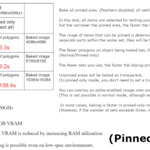
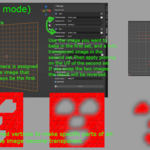
■ Added the Pinned Only Mode
A new mode has been added that significantly reduces VRAM usage while maintaining high processing speed.
This mode bakes only the polygons that have been pinned.
However, this mode has the following limitations:
• Feather and bleed functions cannot be used
• Per‑set “bake / do not bake” settings are ignored
• Pin on/off settings are also ignored, and all pinned areas will be baked
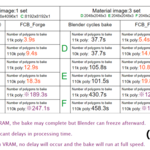
This mode is designed so that the smaller the pinned area is, the faster the processing becomes.
In many cases, it can bake faster than the normal mode.
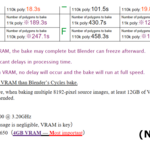
Furthermore, by splitting the internal processing, this mode completely eliminates VRAM limitations,
allowing even GPUs with 4GB of VRAM to reliably bake at 16K resolution.
■ Added Support for OpenEXR Output
The add‑on now supports output in OpenEXR (Linear) format, suitable for high‑quality professional workflows.
■ Future Plans
• Further optimization of the Pinned Only mode to improve processing speed
• Considering improvements to enable the Feather and Bleed functions within the Pinned Only mode
[Overview]
FCB_Forge is a high‑speed GPU‑accelerated color baking add‑on for Blender.
It uses a custom CUDA‑based method (not Cycles) to perform extremely fast color baking through parallel processing.
This documentation explains installation, system requirements, usage, and important notes.
[Features]
(Normal Mode)
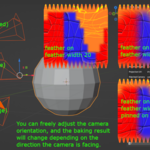
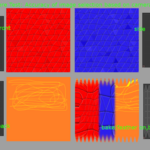
• Automatically selects the appropriate source image based on camera direction
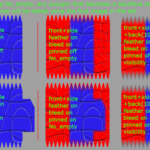
• Feather blending with adjustable strength
• 4‑pixel bleed processing
• Original pinning feature for customizing bake results
• Two bake modes (Visibility / No_empty)
• Optionally bake polygons that are back‑facing from the camera
• Simple and intuitive UI
(Pinned Only Mode)
• Bakes at high speed even at high resolutions while keeping VRAM usage extremely low
• Feather and bleed functions cannot be used
• Per‑set “bake / do not bake” settings are ignored
• Pin on/off settings are ignored, and all pinned areas will be baked
[Supported Versions]
• Blender 3.6 – 5.0 (3.6 recommended)
(Feather Blend is not available in version 5.0.)
• Windows + NVIDIA GPU
※ AMD GPUs are not supported
[System Requirements]
• NVIDIA GPU (CUDA-compatible) required
• This add-on uses CuPy (CUDA), so non-NVIDIA GPUs are not supported
• VRAM 8GB or more recommended
• For multiple 8K source images: 12GB required, 16GB recommended
• VRAM 4GB can run the add-on, but baking is limited to 4K
• AMD Radeon / Ryzen APU (integrated GPU) not supported
• CuPy Python library required (install using the included wheel file)
[About CuPy Installation]
#Preparation
Please install NVIDIA CUDA Toolkit 12.0 (approx. 3GB).
Official download page: https://developer.nvidia.com/cuda-12-0-0-download-archive
※ This toolkit includes the CUDA DLLs required for CuPy to use your GPU.
#Installation Steps (for Blender 4.1–5.0)
Copy the included file:
cupy_cuda12x-13.0.0-cp311-cp311-win_amd64.whl
to the root of your C drive (C:).
Launch the Windows “Command Prompt” as Administrator.
(Right-click → “Run as administrator”)
Run the following command to install CuPy:
"C:\your_blender_install_path\python\bin\python.exe" -m pip install "C:\cupy_cuda12x-13.0.0-cp311-cp311-win_amd64.whl"
#Example
"C:\Program Files\Blender Foundation\Blender 5.0\5.0\python\bin\python.exe" -m pip install "C:\cupy_cuda12x-13.0.0-cp311-cp311-win_amd64.whl"
#Installation Steps (for Blender 3.6 & 4.0)
Copy the included file:
cupy_cuda12x-12.3.0-cp310-cp310-win_amd64.whl
to the root of your C drive (C:).
Launch the Windows “Command Prompt” as Administrator.
Run the following command:
"C:\your_blender_install_path\python\bin\python.exe" -m pip install "C:\cupy_cuda12x-12.3.0-cp310-cp310-win_amd64.whl"
#Example
"C:\Program Files\Blender Foundation\Blender 3.6\3.6\python\bin\python.exe" -m pip install "C:\cupy_cuda12x-12.3.0-cp310-cp310-win_amd64.whl"
If you have any questions, feel free to contact me.
However, I also recommend asking Windows Copilot first, as it often provides clear and quick guidance for environment-specific issues.
[Installation]
1. Launch Blender
2. Go to Edit > Preferences > Add-ons
3. Click Install…
4. Select the ZIP file
5. Enable the add‑on
[How to Use]
1. Prepare the camera and UVs for baking
2. Open the right‑side sidebar in the 3D Viewport (N key)
3. Select the FCB_Forge tab
4. Select the object with the UVs you want to bake
5. Adjust the bake settings
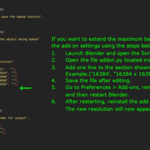
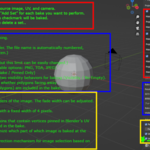
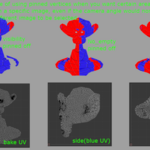
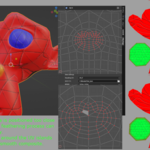
• (See gallery images on the product page for details)
6. Press Bake
Have questions about this product?
Login to message
| Published | 8 months ago |
| Blender Version | 3.6 - 5.0 |
| Extension Type | N/A |
| Render Engine Used | Arnold, Blender-Internal, Blender-Game-Engine, Cycles, Eevee, Freestyle, Luxrender, Mental-Ray, Octane, Vray, Yafaray |
| License | GPL |

Discover more products like this
uv-tools Workflow texture bake projection uv editing uv bake texture tools image projection blender addon