Fencixel Vol.01 | Stylize-Fence Generator
 Vertixel Studio










FENCIXEL Documentation
Overview
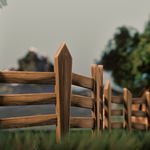
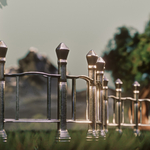
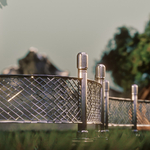
FENCIXEL is a Geometry Nodes-based fence generator for Blender, designed to create stylized fences quickly and efficiently. It offers a flexible workflow for environment creation, allowing users to generate a wide range of fence styles with customizable parameters and easy curve-based placement.
Main Workflow
- Draw a curve using Blender’s Spline Drawer or any curve object.
- Apply the FENCIXEL Geometry Nodes modifier to the curve.
- Adjust the curve’s shape, position, and rotation to dynamically control the overall path and form of the fence.
- Choose a preset and customize its parameters to generate the desired result.
Parameters
Note: Some parameters may appear or behave differently depending on the selected preset type, such as wooden, metal, hedge, or custom presets.
General Parameters
-
Preset
A dropdown menu that allows you to choose between 10 fence types, plus 2 additional custom presets:
- Custom Simple
- Custom Advanced
-
Seed
Random seed for the selected preset. This changes the variation of the fence by randomizing supported parameters.
-
Pillar Count
Increases or decreases the number of pillars along the fence path.
-
Guidance per Pillar
Controls the number of connections or guide sections between each pillar.
-
Guide Count
Available in some wooden presets. Controls the number of wood planks or repeated guide elements in each section.
-
Offset
Moves the fence along the curve path. This is especially useful for animation or repositioning the generated fence.
-
Down Z
Moves each guide/connection downward on the Z axis from the bottom.
-
Top Z
Moves each guide/connection on the Z axis from the top.
-
Pillar Scale
Available in some presets. Adjusts the scale of the pillars on supported axes.
Custom Presets
Custom Simple
The Custom Simple preset allows users to build a fence using their own custom meshes in a simplified workflow.
Parameters include:
- Pillar Object: Assign your own custom object to be used as the fence pillar.
- Guids Object: Assign your own custom object to be used as the fence guide or connecting section.
This preset is ideal for quick custom setups with a simpler control structure.
Custom Advanced
The Custom Advanced preset also allows users to use their own custom meshes, but with more control and flexibility.
Parameters include:
- Pillar Object: Assign your own custom object for the fence pillars.
- Guids Object: Assign your own custom object for the fence guides or connecting parts.
In both Custom Simple and Custom Advanced, users can modify different parameters of their custom objects to better fit the generated fence system and achieve more personalized results.
Hedge Type Presets
In both hedge-type presets, you will find a dedicated LEAVES tab.
Inside this tab, you can manage:
- leaf texture
- density
- and other leaf-related settings
To better understand how each leaf parameter works, please refer to the Leaves Collection documentation, available on our page as a free asset.
-
$1
This version is perfect for personal projects and prototypes. Under the CC-BY license, you are free to use these assets commercially, provided you include a visible credit to the creator in your project's documentation or credits screen.
-
$2.99
The free CC-BY license requires attribution, while the Royalty-Free version lets you use the asset without credit in commercial and professional projects. Your donation helps us create more tools for the community.
Have questions about this product?
Login to message
| Rating | 1 ratings |
| Published | 4 months ago |
| Blender Version | 5.0 - 5.1 |
| Render Engine Used | Cycles, Eevee |
| License | Creative Commons |
Discover more products like this
stylized environment assets geometry nodes Level Design 3d modeling Fence Generator procedural curves fence environment design blender addon Leaves Collection