 Rasheed's Edit









Your god rays never show up.
You add a volume, you turn the density up, and the shot goes grey - or the beam never appears at all and you are left scaling a cube around a camera that keeps ending up inside it. Fill the Air draws the beam itself: a visible shaft on the light you already have, with its own brightness, its own length and its own colour, and nothing to enclose.
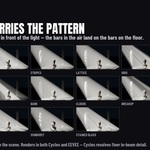
The beam carries the light's own gobo pattern. Put blinds on a spot and the bars in the air line up with the bars on the floor, because the beam and the cutter read the same pattern in the same space. That is the part a cone of emission cannot do - the moment you can see the object making the rays, the trick is over.
Beam and haze are two knobs, not one. With scene fog they are the same slider: you turn the air up and the whole shot pays for it. Measured on the renders in this gallery, dialling fog until the air reads at 2.9x took the lit floor down to 67% of its brightness. The shaft is additive - it put the air up 11.6x and nothing in the frame went dark.
No domain. Nothing to size, nothing to position, nothing your camera can end up inside, and nothing that slows down because you framed wider.
Every light type Blender ships. A spot, an area light and a point throw a converging beam; a sun throws a parallel one, because its rays do not converge. No special fixture and nothing extra in the outliner.
Cycles and EEVEE, both. The beam renders in either with no volumetric setup - Cycles resolves finer detail inside it.
Sixteen patterns, and they move
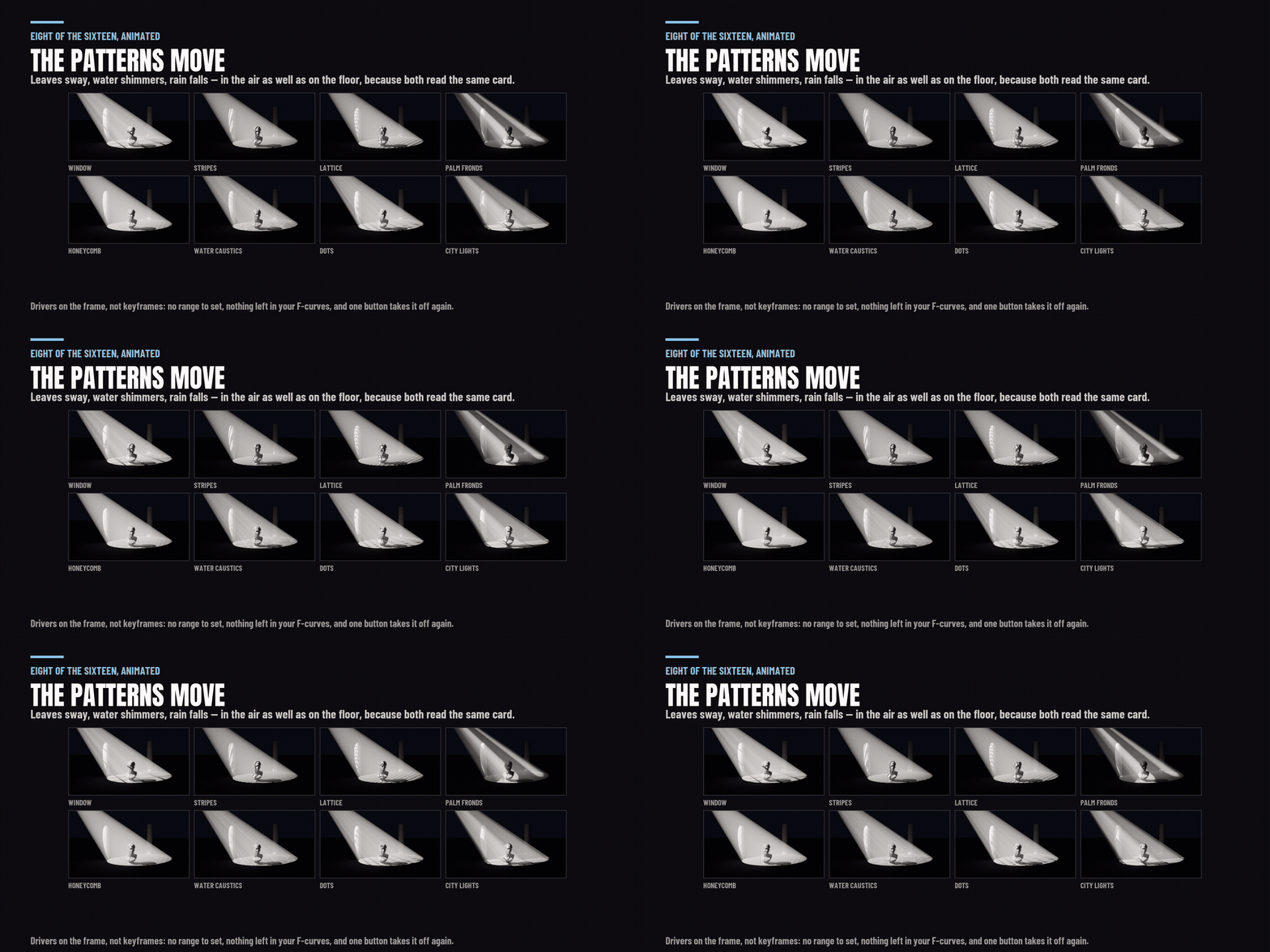
Blinds, window, stripes, lattice, grid, honeycomb, city lights, palm fronds, bark breakup, clouds, breakup, water caustics, rain, dots, sunburst and stained glass - every one procedural, so there is no texture pack to download, no account and no server. Each has a rendered tile in the panel, so you pick a pattern by looking at it.
They animate on drivers, not keyframes. Leaves sway, water shimmers, rain falls - in the air as well as on the floor, because both read the same card. Nothing is left in your F-curves, there is no range to set, and one button takes it off again.
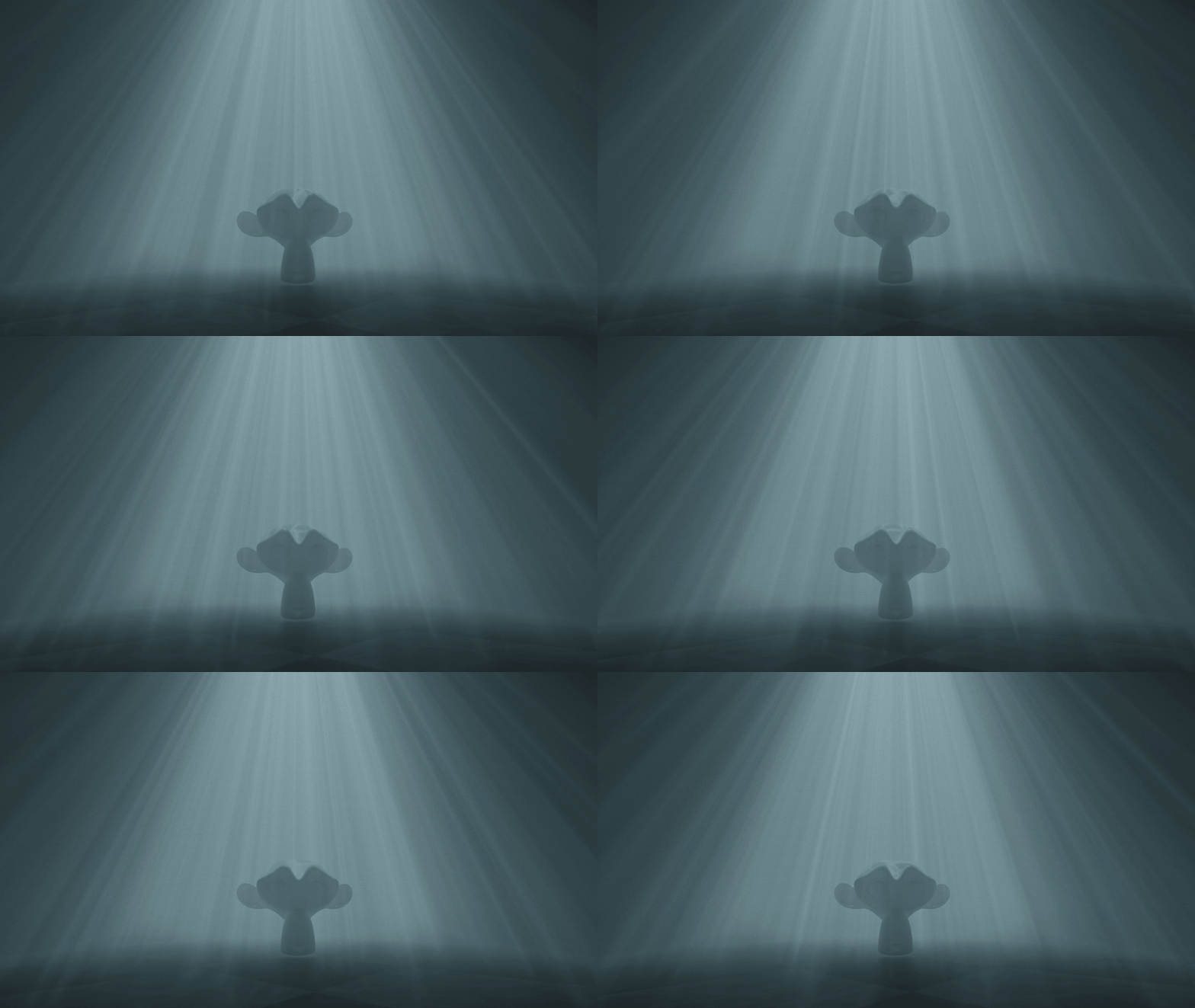
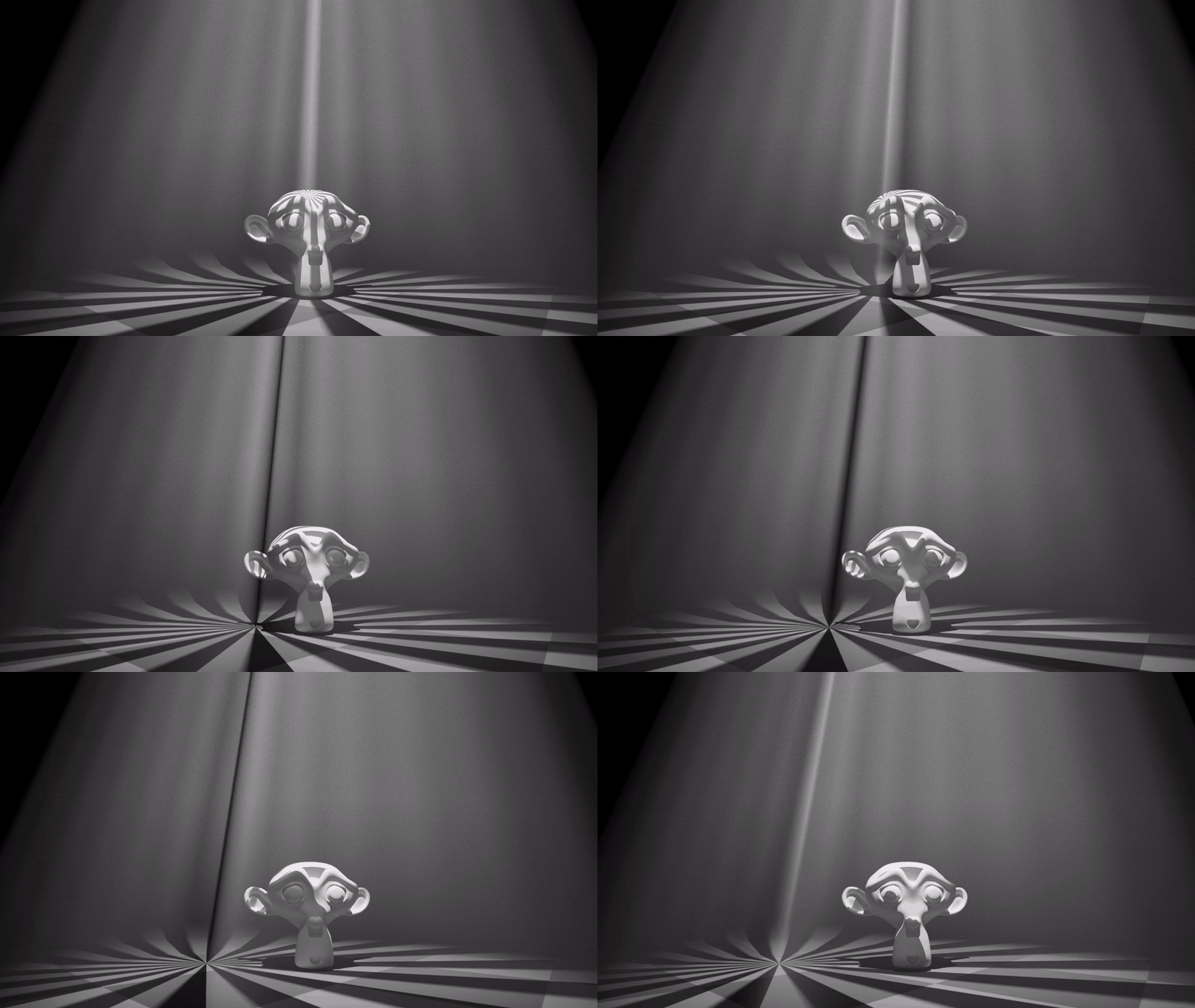
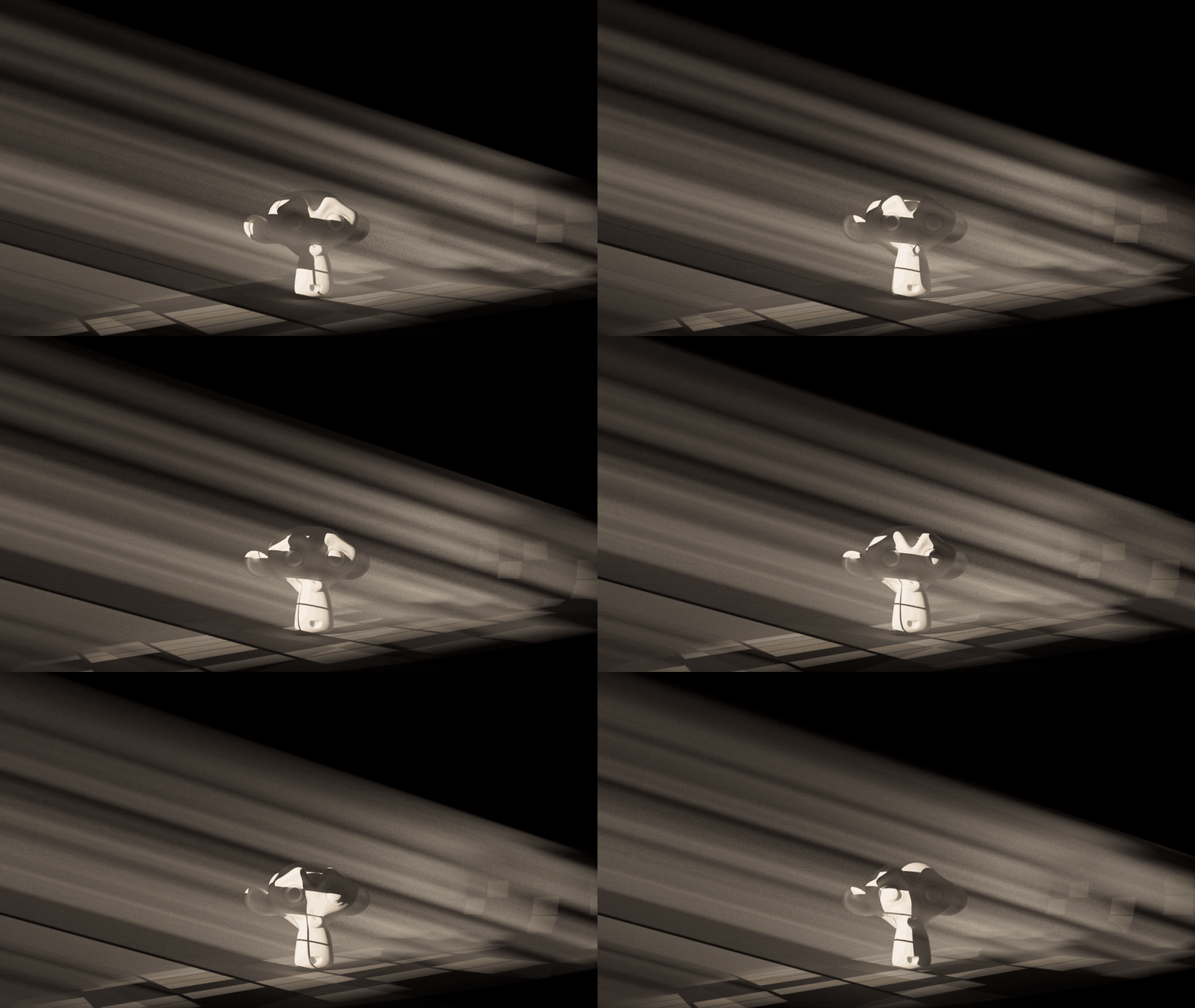
Or bring your own
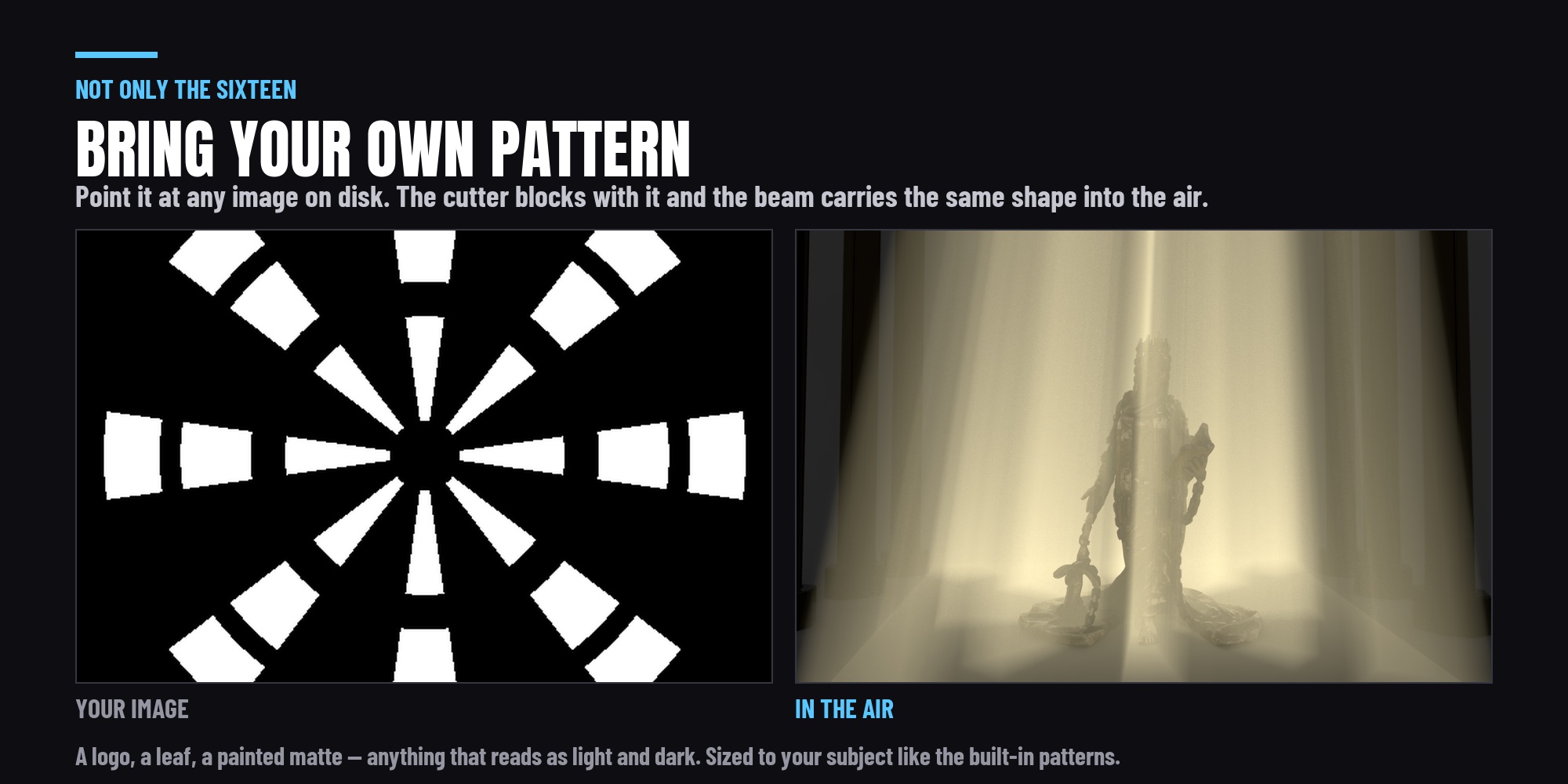
Load any image - PNG, JPEG, EXR, TIFF - and it becomes the gobo. The beam projects it into the air exactly as it does the built-in sixteen, so your own window, your own foliage, your own scanned steel gobo all carry through. The image keeps its aspect rather than being squashed to a square, and it is read as non-colour data so a stencil is not put through a colour curve that would soften every edge in it.
A photograph of a window has bright panes and dark mullions, so bright areas pass light by default - and there is a button to flip it for a gobo scanned the other way round. Your scale and rotation are kept when you flip it, when you add the shaft, and when you change the beam's pattern size.
It is a tool, not a pack
Every beam control is a live slider on the light, and nothing is baked:
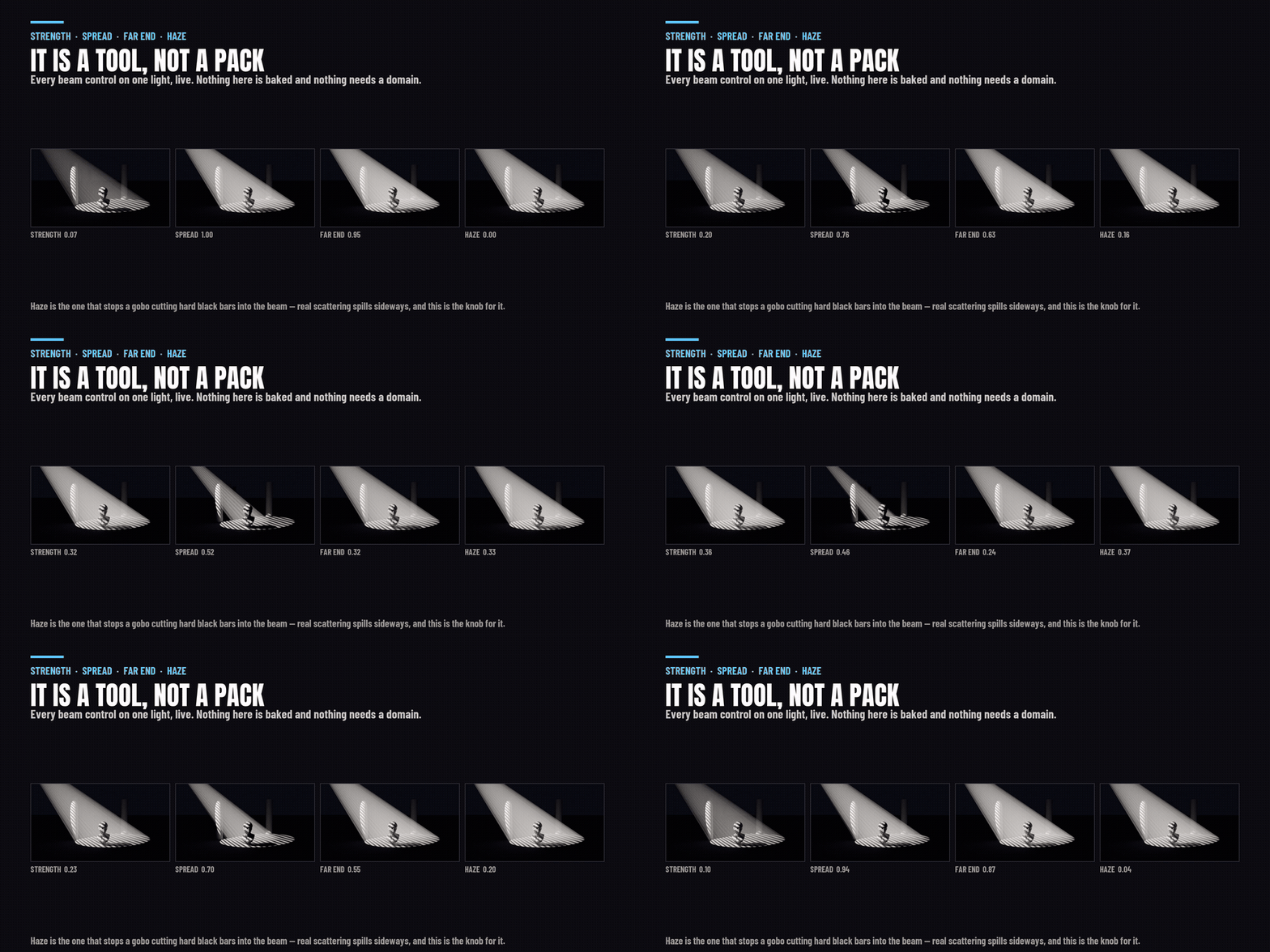
- Strength - emission per unit length along the ray, so it is separate from the lamp's watts.
- Spread - narrows the shaft without moving the pattern, the way a spot's cone angle clips light without rescaling a gobo.
- Length and Far End - how far down the beam the brightness falls, and what is left at the end of it.
- Edge Fade - where the beam starts softening towards its wall.
- Haze - how much light fills the bars the gobo blocks. Zero leaves them pure black, which is what a beam with no scattering does and what reads as a harsh strip; real fog spills sideways into its own shadows, and this is the knob for it.
- Colour - the beam's own tint, without regrading the key light.
- Cone or Rectangle - a round shaft or a slab. On a sun the same buttons read Cylinder and Box, because that is what a parallel beam builds.
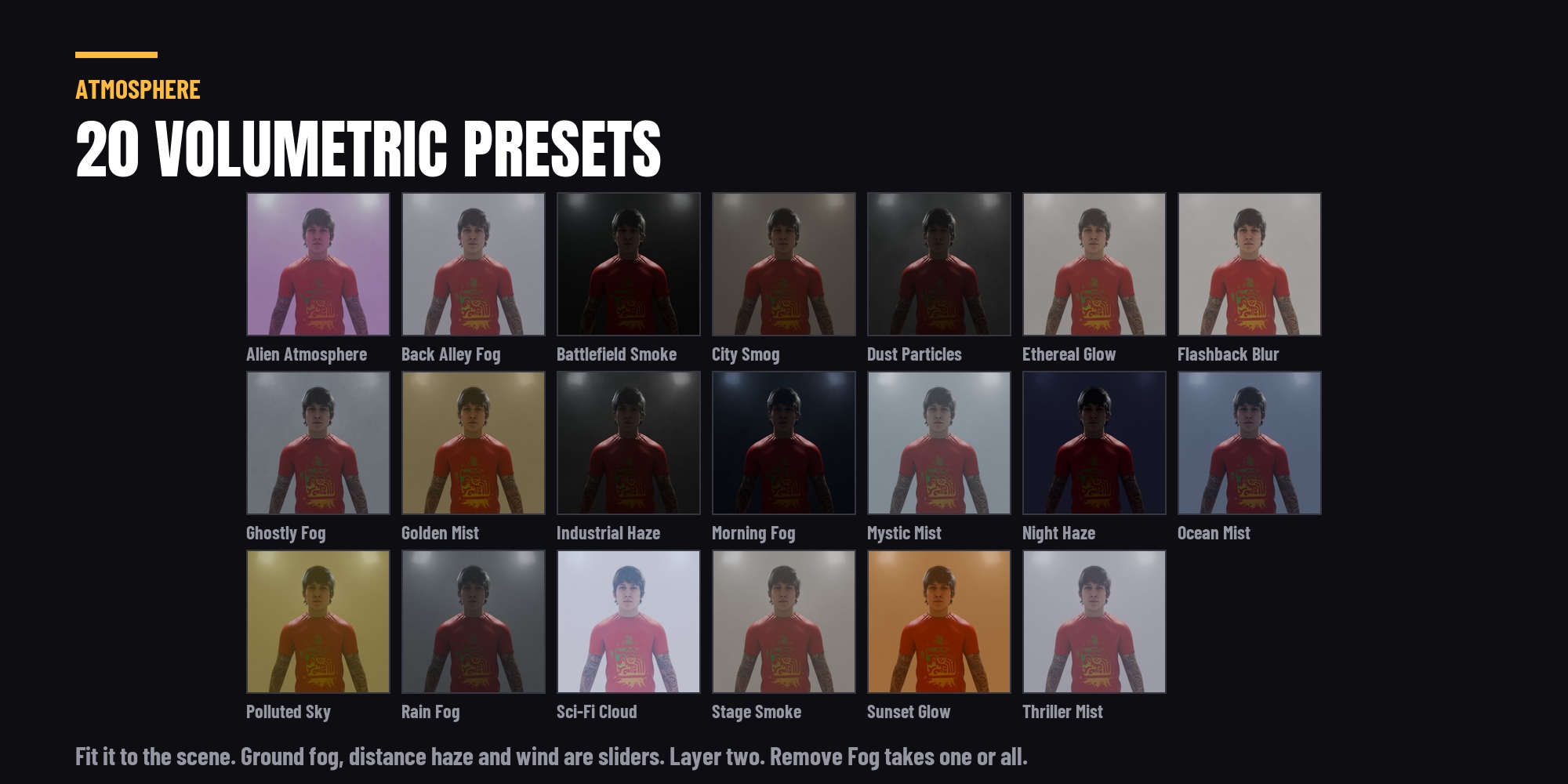
And twenty-two fog presets, for when you do want fog
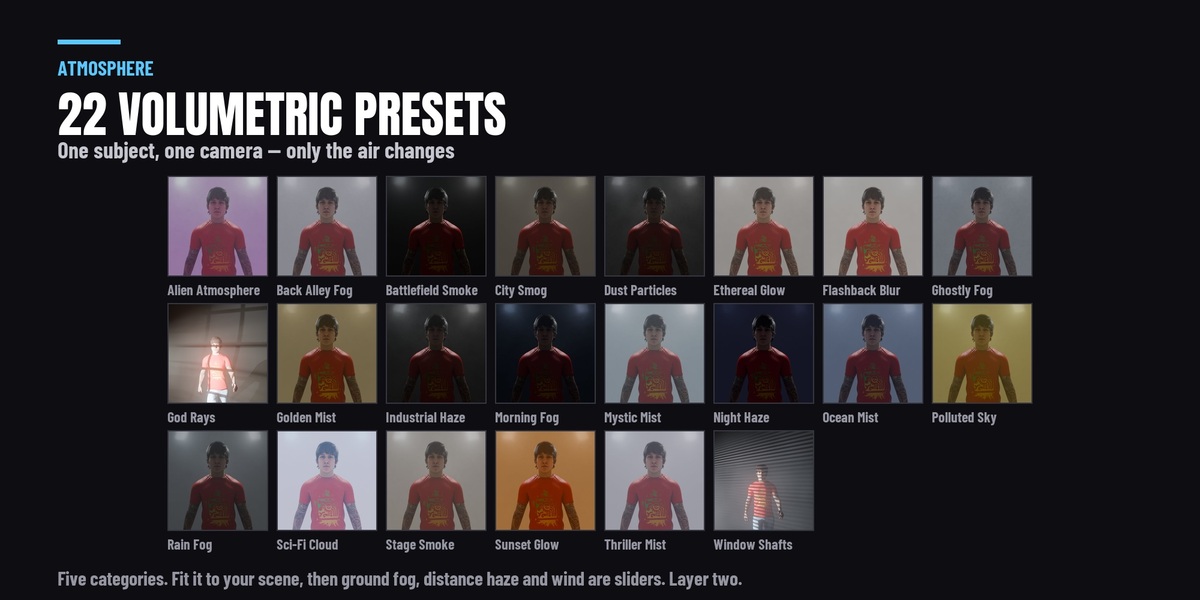
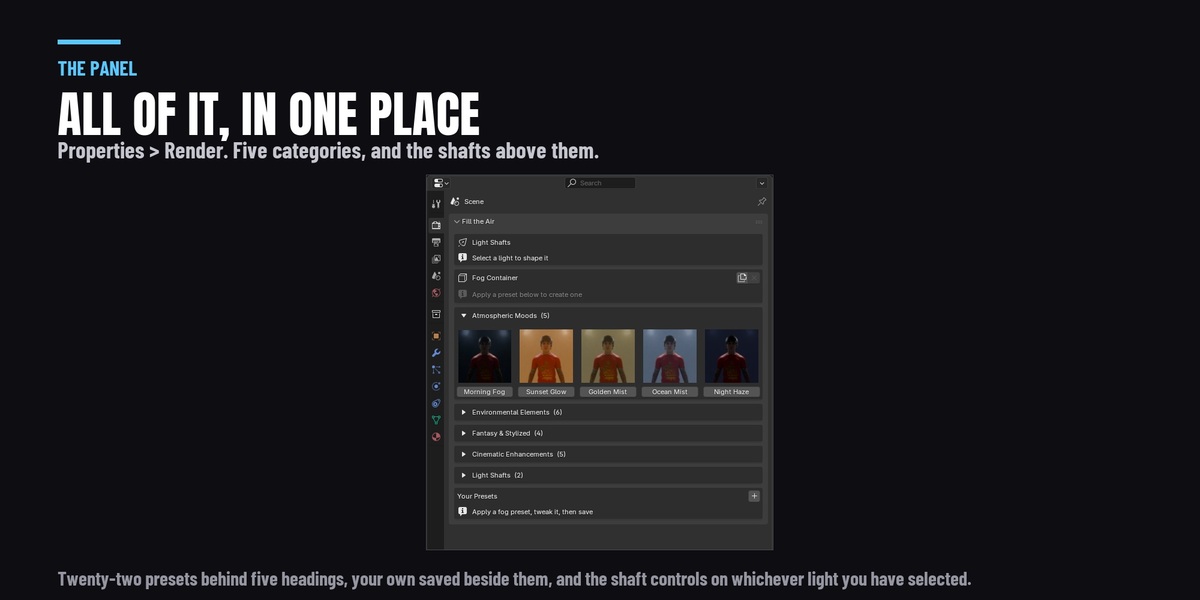
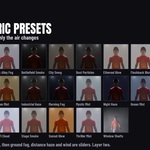
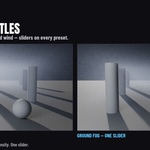
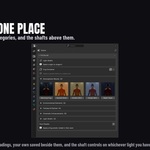
Morning fog, golden mist, stage smoke, night haze, sci-fi cloud, dust particles and sixteen more, in five categories with rendered tiles - including God Rays and Window Shafts, which place a light as well as a volume, so they arrive as a finished shot rather than an atmosphere you then have to light. The container fits itself to your scene, ground fog settles to the floor on a slider, distance haze thickens with depth, layers stack, and a wind moves the air. Save your own as a preset.
The two are independent. A shaft does not need fog in the scene and fog does not need a shaft; use either, or both, and they do not interfere.
Built for Blender 4.2 through 5.2
This release was run against 4.2 LTS, 4.5 LTS, 5.1 and 5.2 - sixteen test suites, on the real operator API, asserting on rendered pixels rather than on whether a button exists. Windows, macOS and Linux.
Does the beam work in EEVEE?
Yes. It renders in both Cycles and EEVEE, with no volumetric setup needed - measured on 4.2 LTS, 4.5 LTS, 5.1 and 5.2. Cycles resolves finer detail inside the beam; EEVEE's volumetrics are grid-based, so the pattern in the air is softer there. The pattern landing on your surfaces is identical in both, because a gobo here is a camera-invisible cutter rather than a texture on the light.
Is this faster than using volumetric fog?
No, and it is not sold on speed. At matched brightness the beam costs about 16% more than a fog volume doing the same job - measured, 4.33 seconds against 3.74. What it buys you is separability: fog makes the air visible by taking brightness off everything else, and a shaft does not. If you want a beam without regrading the shot, that is the trade.
Is it more physically accurate than fog?
No. Fog is the correct simulation and this is art direction - an emissive beam you can point, shape, colour and switch off without touching the rest of the frame. If your shot needs light to actually scatter and occlude, use the fog presets, which are in here too.
Does it work on lights I placed myself?
Yes. Select any light in any scene - nothing needs to have been made by this add-on. The card parents to your light and links into its own collection, and the throw is measured from what the light is actually pointing at: a tracking constraint's target, or a raycast down its own axis, rather than an assumed distance.
What happens to my file if I uninstall it?
The beam is an ordinary mesh with an ordinary emission material and the gobo is an ordinary plane, both in your scene and both editable by hand. Nothing is hidden, nothing phones home, and there is no library to keep installed for the render to work.
One purchase. No subscription, no account, no login, and nothing downloaded while it runs - the patterns are node graphs, not a texture pack.
