 SMOUSE



Text Goes Here
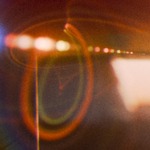
Film emulation · Blender compositor Real film, rendered in Blender. A complete, comprehensive film emulation and lens pipeline in a single compositor node. Fujifilm-style simulations, authentic halation and grain, real glass characteristics - all graded live inside your scene, with no pre-baked luts or external files. Add to Cart $40 $79 See the look NEW PRODUCT ★★★★★ 5 reviews · 150+ Artists · Blender 5.2+ Runs in Blender 5.2+ Install One Asset Library Pipeline 100% Procedural Requires No addons, no LUTs One node group Physically-based Halation Exposure-aware grain Real Lens Behavior Camera-style exposure Borders, Frames, & Watermarks Nothing baked; All Procedural No LUTs Fujifilm Emulation Cycles & EEVEE Real-Time Lens Flares One node group Physically-based Halation Exposure-aware grain Real Lens Behavior Camera-style exposure Borders, Frames, & Watermarks Nothing baked; All Procedural No LUTs Fujifilm Emulation Cycles & EEVEE Real-Time Lens Flares Straight out of the compositor Made by photographers, for Everyone. Filmic Plus was made and designed to make your renders feel as fun to edit, as it is to shoot in real life with something like a fujifilm. Physically-Accurate data, lens characteristics, film behaviors, and a comfortable pipeline? We'll make your scenes feel like real life photos! Why I made it Blender should feel as fun as shooting a real camera. My favorite thing about my Fujifilm camera? Photos come out looking great, straight out of the camera. No editing needed. My least favorite thing about Blender? How much time and fiddling it took to make a scene look convincingly like film, despite it being my full time job. See the problem? I wanted rendering to feel as fun as shooting with a real camera. So I built Filmic Plus. Utilize real Fujifilm recipes and inspired film stocks, lens effects, grading, frames, and heck, even shutter speed to make it feel that much more familiar and comfortable! All in one procedural node that's lightweight and super intuitive. Six months of dialing it in later, rendering in Blender finally feels fun again! - SMOUSE The film emulations 14 film sims that you all know and love. Filmic Plus faithfully reproduces the response of Fujifilm-style film simulations, so the recipes photographers already dial into their cameras land on your renders the same way - tone, color shift, highlight roll-off and all. None Ungraded · Reference Proven Standard · Neutral Velvet Saturated · Punchy Astra Soft · Portrait Classy Chromium Muted · Editorial Really Aced Balanced · Modern Portrait Neg Hi Portrait · Contrast Portrait Neg Std Portrait · Flat Classical Negative Matte · Character Nostalgia Negative Warm · Amber Eternal Cinema Cinema · Flat Eternal Bleach Bypass Silver · Harsh ACRO Monochrome · Rich Monochrome Monochrome · Neutral Sepia Toned · Warm None film simulation None Ungraded · Reference The render with no film simulation applied. Ships with the toolkit Presets you can actually start from. Real film-sim recipes, plus a set of cinematic and stylised looks. Choose any, and dial away. Default preset preset Cinematica preset Eternally Expired preset Golden Chrome preset Kodak 1971 preset Kodak Ektra preset Kodak Gold 200 preset Kodak Portra 160 preset Kodak Portra 400 preset Kodak Portra Pro preset Nostalgic Breeze preset Pacifica preset Red Velvet preset SoCal preset Spring Clarity preset Stonewall preset Summer of 76 preset Superia preset Victoria preset Yeast Lords preset Default preset preset Cinematica preset Eternally Expired preset Golden Chrome preset Kodak 1971 preset Kodak Ektra preset Kodak Gold 200 preset Kodak Portra 160 preset Kodak Portra 400 preset Kodak Portra Pro preset Nostalgic Breeze preset Pacifica preset Red Velvet preset SoCal preset Spring Clarity preset Stonewall preset Summer of 76 preset Superia preset Victoria preset Yeast Lords preset Halation Physically-Accurate Halation We are proud to be the first to offer a real, physically accurate solution for Halation in Blender! Real halation is light passing through the emulsion, bouncing off the back of the film base and re-exposing the red layer on the way back. Filmic Plus models that path - so it only appears where it would in real life. Halation test chart rendered with Filmic PlusNo halationFilmic Plus halationNo halationFilmic Plus halationInfo chart Demo Scene 0 The whole chart The test chart on its own, with nothing dimmed - look before the call-outs point anywhere. 1 Below the threshold 2 Past the threshold 3 White light, red edge 4 Blue light barely halates Blue layer Green layer Red layer Film base Back surface · reflects Bright light What's happening inside the film Bright light passes down through the blue, green and red layers, crosses the clear film base and reflects off its back surface. The scattered light travels back up and exposes the red layer a second time, a little wider than the original highlight. That halo is what Filmic Plus reconstructs. Film grain Grain that behaves like it was exposed. Procedural grain that lives in the shadows and thins out in the highlights, moves frame to frame, and holds up at 100%. Match a Fujifilm camera's grain settings exactly, or build your own. Weak, Small Strong, Large 4× crop Post-lens effects Put glass in front of the render. Everything a real lens does to light that a render engine doesn't: Lens Flares, Reflections, Ghosting, Bloom, Vignetting, Dispersion, Glints, Radial Streaks... almost everything you could imagine! Drag the glass across the frame Chromatic aberration Flares Ghosts Bloom & soft glow Glints Vignette Lens flares Real-time & Procedural Lens Flares, Dirt, and more! Procedural flares with radial chromatic dispersion - every ghost, ring and streak breaks into its spectrum the way light does through real glass, and it all updates live as you move the camera. No pre-baked image textures, no heavy setups, all just lightweight, procedural magic. Fully Procedural & Real-TimeRender by pwebb2006 0:00 / 0:10 Renders over Alpha 0:00 Radial Dispersion Flare 0:00 Procedural Lens Dirt 0:00 Procedural Lens Smudges 0:00 Real-time Procedural Radial chromatic dispersion Ghosts & rings Streaks Everything in one node A full post pipeline, built for Blender. Not a LUT pack and not a stack of addons. One node group with every stage of a film finish laid out in labelled panels - open it, switch on what you need, leave the rest alone. 01 Film simulation 02 Tone & colour 03 Camera controls 04 Bloom & halation 05 Film grain 06 Lens effects 07 Frames & overlays 14 Fujifilm‑style stocks with faithful tone and colour response - Makes your render feel like a photograph. Tried & tested Testimonials Render by Tales of ScaleMade with Filmic Plus ★★★★★ “I've been doing CG rendering for over a quarter of a century, I can say without hyperbole, that Filmic Plus is the most intuitive toolset I have ever used for being able to bridge the gap between the vision in my head and a final render. Truly superb work that shows, not just an understanding of the physics of optics and film substrate but also an almost romantic appreciation for the FEELING of film. It is a passion that carries through to all who use Filmic Plus, enhancing every rendered frame.” Tales of Scale Tales of Scale 3D Artist & Photographer ★★★★★ ''I bought Filmic Plus the other day and have been enjoying the sun flare & fuji colors immensely! Brings back memories of my old X‑T30 - makes me want to buy another camera again, haha!'' NJ Martin NJ Martin 3D Artist & Photographer 150+ paid beta testers on the early-access build 5.0★★★★★ average from 5 ratings Borders & frames Finish the frame, not just the image. Borders, film frames and a true 35mm sprocket mode, generated procedurally in the same node - so they scale to any resolution and aspect ratio, and never need a Photoshop pass. Print border Aged edge 35mm perforations Any aspect Watermark How it goes together The Filmic Plus pipeline. No addon to install and no app to round‑trip through. Five steps from a raw render to a finished frame. 01 Choose a preset Pull Filmic Plus out of the Asset Library and drop it into the compositor. 02 Dial in your look Choose from the 14 stocks and design your own look, or reference a real-world Fujifilm recipe. 03 Adjust Camera Settings Adjust film tone and camera settings - adjusting the exposure stops / shutter speed as needed. 04 Add the Lens Effects Grain, bloom and halation for film; flares, dirt and vignette for glass. 05 Frame and Share Border, overlay, watermark - then render straight out of Blender. Shot with Filmic Plus Renders from the community. Tap any frame to open it. Render made with Filmic Plus by Tales of ScaleTales of Scale pwebb2006 Render made with Filmic Plus by SMOUSESMOUSE Render made with Filmic Plus by SMOUSESMOUSE Render made with Filmic Plus by SMOUSESMOUSE Render made with Filmic Plus by SMOUSESMOUSE Render made with Filmic Plus by SMOUSESMOUSE Render made with Filmic Plus by MelMel Render made with Filmic Plus by SMOUSESMOUSE Render made with Filmic Plus by MelMel Render made with Filmic Plus by MelMel Render made with Filmic Plus by Tales of ScaleTales of Scale SMOUSE The full control set Every control, laid out. Nothing is hidden behind a paid tier and nothing needs a second addon. This is the whole node group. 1. Film Emulation Film simulations (×21) Highlight & Shadow Color, ChromaColor Effect ChromaFX Blue Clarity Sharpness Film Grain White Balance Dynamic Range 2. Camera Settings Shutter Speed ( 1/125s ) Exposure Comp -3/+3 Motion Blur 3. Lens Effects Glints Bloom Halation Vignette Lens Dirt Soft Glow Flares & Ghosts Chromatic Abberation Lens Fringing Lens Misalignment 4. Post Process / Grading Film Flicker Split Toning Punchiness Color Adjustments Light Shadows Hue/Sat/Value Exposure Brightness/Contrast Image Tinting 5. Borders & Overlay Composition Overlays Border / Frame Film Sprocket* Watermark* * Experimental - Completely competent & usable, just still being refined. One purchase Own it outright. A single node group, yours to use on every project, commercial work included. Updates are part of the purchase. The complete Filmic Plus node group 12 Fujifilm-style film simulations The full preset library Lens, grain, halation and bloom passes Borders, overlays and watermarking Every future update, included NEW PRODUCT $40 $79 One-time Add to Cart $40 $79 Blender 5.2 or newer Cycles & EEVEE Commercial use included Before you ask Questions, answered. What exactly is Filmic Plus? Is this really the same as a Fujifilm camera's film simulations? Do I need any other addons or a specific render engine? Are these LUTs? Does it work on animation? Which Blender versions are supported? What do updates cost? Film response, glass character and grain - rendered, not faked.