 Meshwright
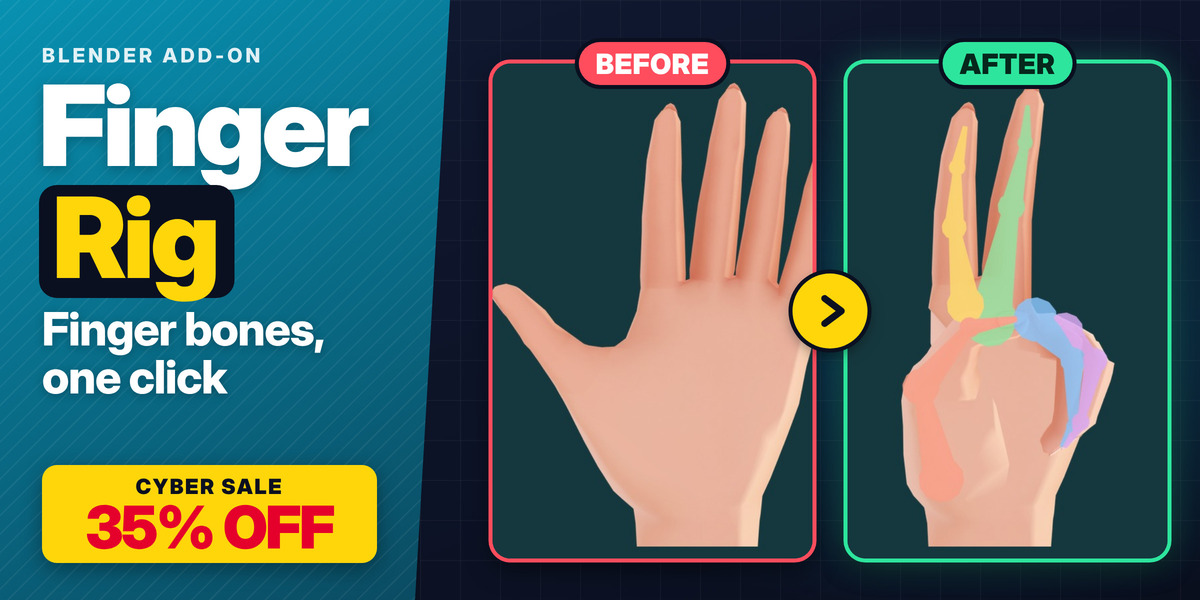
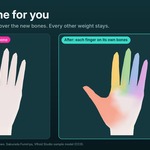
Your character came with a body rig but no finger bones: an AI-made model, a Mixamo rig without fingers, a game rig, an older model. In VRChat the hand gestures have nothing to move, finger tracking does nothing, and every pose has stiff, flat hands. Placing 30 finger bones by hand and weight painting every finger takes an evening. FingerRig does it in one click.
How it works
- Select the avatar's armature (or a mesh on it). Open the FingerRig tab in the sidebar (N). It shows which hands and feet have no finger or toe bones.
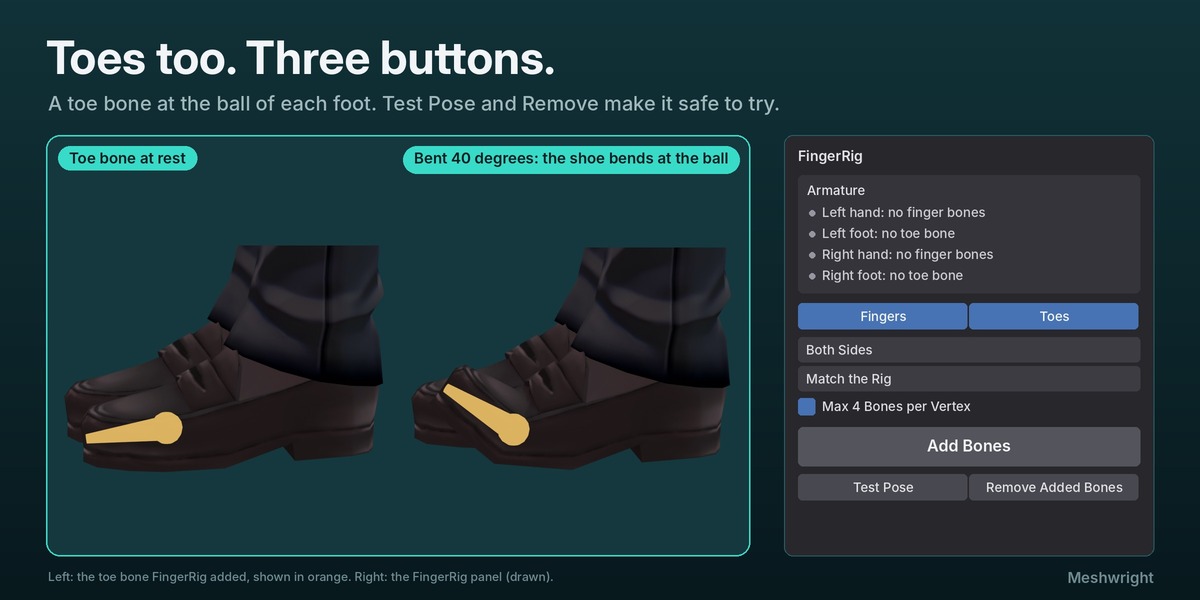
- Press Add Bones. FingerRig finds the five fingers on the hand mesh, places 3 bones in each finger (15 per hand) and a toe bone in each foot, and splits the hand and foot weights over the new bones.
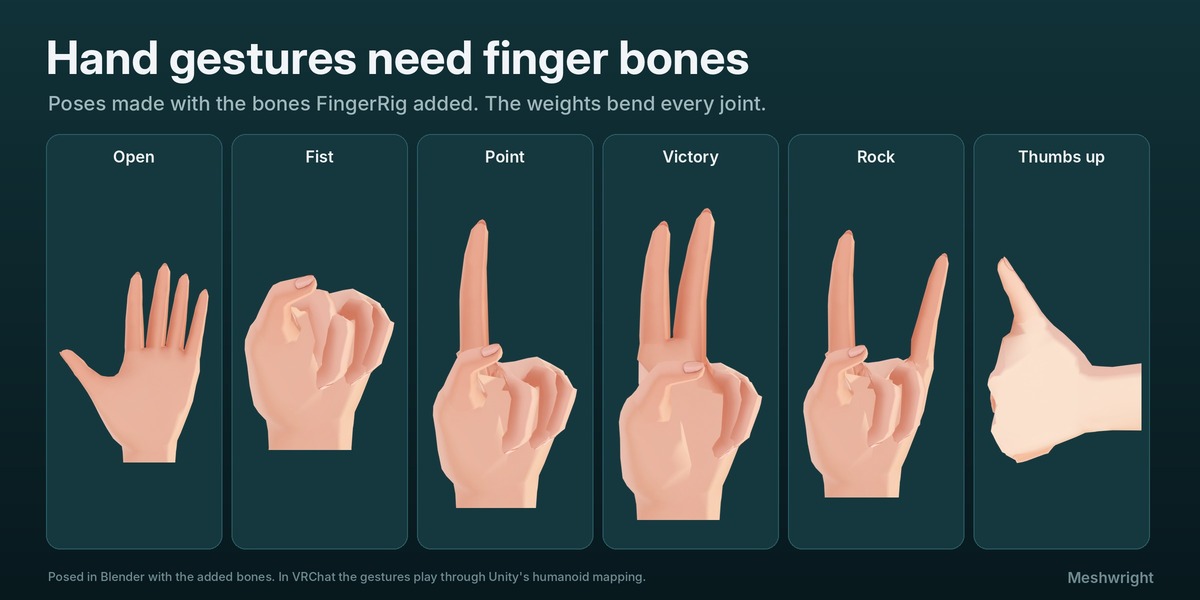
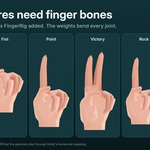
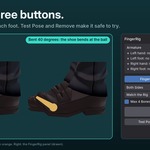
- Press Test Pose to curl the fingers into a fist and check the weights. Press it again for the rest pose.
- Changed your mind? Remove Added Bones deletes them and gives the weights back to the hand and foot.
What it does
- Finds the fingers on the mesh. It follows the hand's surface from the wrist out to every fingertip, so spread, relaxed or slightly curled hands work. The thumb is the finger that branches off nearest the wrist.
- Joints where fingers bend. Knuckles, middle and end joints are placed from each finger's own shape, checked against real rigs (see Tested).
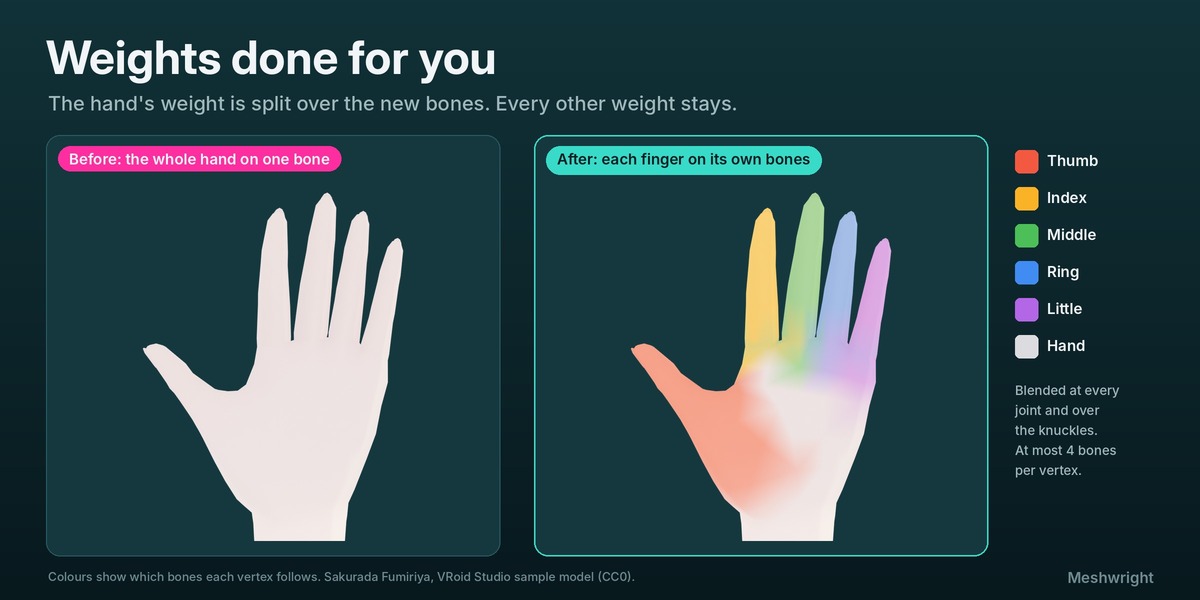
- Weights. Each finger follows its own bones, with smooth blends at every joint and over the knuckles. Only the hand's and the foot's weights are split; every other weight stays as it was. At most 4 bones per vertex, as VRChat and Unity use.
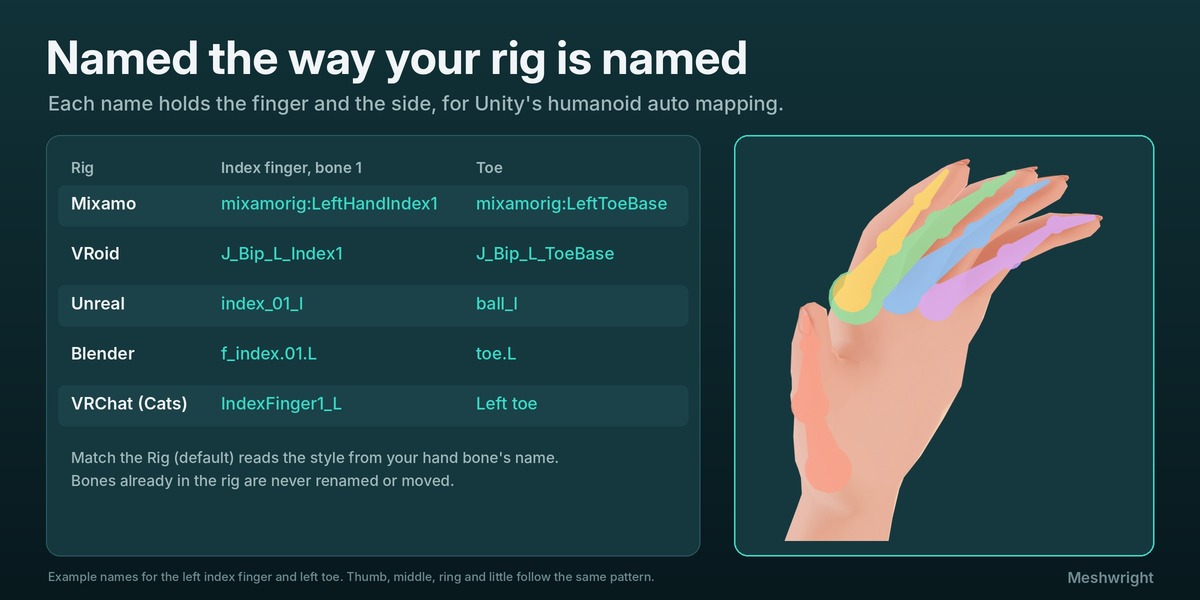
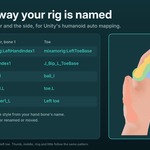
- Names that match your rig. Mixamo (mixamorig:LeftHandIndex1), VRoid (J_Bip_L_Index1), Unreal (index_01_l), Blender (f_index.01.L) or VRChat / Cats (IndexFinger1_L). Each name holds the finger and the side, which is what Unity's humanoid auto mapping looks for.
- Toes too. One toe bone per foot at the ball of the foot, so the shoe bends where the foot bends.
- Safe. Bones already in the rig are never changed. A hand that already has finger bones is skipped. One undo brings everything back.
- English and Japanese interface.
What it does not do
- It does not rig a whole body. The armature needs hand and foot bones with weights on them.
- Hands without separate fingers (mittens) get no finger bones: FingerRig says so and changes nothing. Fingers that touch or are partly joined in the mesh (as in 3D scans) are split, but less exactly.
- It does not set up the humanoid mapping itself. Unity does that (Rig > Humanoid). If Unity misses a bone, map it there by hand.
- It does not make hand poses. VRChat plays the gestures; in Blender, our GripKit poses hands.
Tested
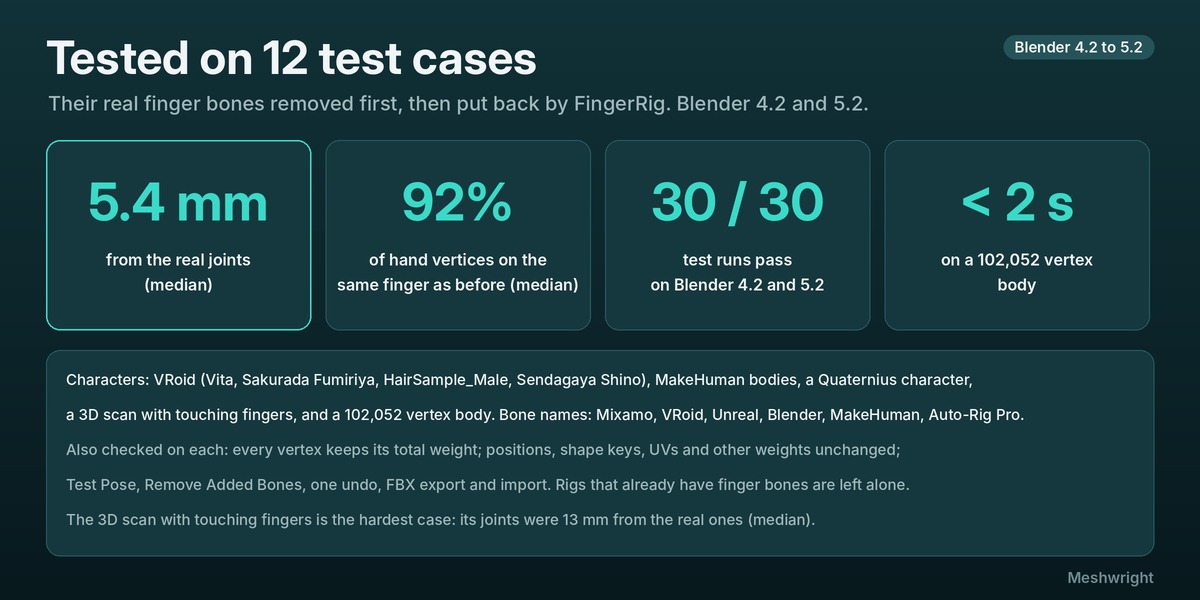
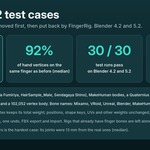
Blender 4.2 LTS and 5.2 LTS, automated tests through the installed add-on: 30 of 30 runs pass. 12 test cases whose real finger and toe bones were removed first (VRoid, MakeHuman and Quaternius characters and a 3D scan, with Mixamo, VRoid, Unreal, Blender, MakeHuman and Auto-Rig Pro bone names): FingerRig put the joints back 5.4 mm from the real ones (median), and for 92% of the hand's vertices (median) the strongest new bone is on the same finger as in the original rig. Also checked on every case: no vertex of the outer finger segments left on the hand bone, every vertex keeps its total weight, positions, shape keys, UVs and all other weights unchanged, Test Pose, Remove Added Bones, one undo, FBX export and import. Three rigs that should be left alone were left alone. Add Bones takes under 2 seconds on a 102,052 vertex body.
Install
Edit > Preferences > Get Extensions, the arrow menu at the top right, Install from Disk, pick fingerrig-1.0.0.zip. Or drag the zip into Blender. The FingerRig tab appears in the 3D Viewport sidebar (press N).
Character in the pictures: Sakurada Fumiriya, a VRoid Studio sample model (CC0). Her finger and toe bones were removed for the "before" pictures; the other pictures show the bones FingerRig added, and poses made with them.
More Meshwright tools for VRChat avatars:
- FaceKeys: VRChat native face tracking keys, Unified Expressions and ARKit.
- Outfit Refit: fit any outfit onto your avatar, even without the original avatar.
- HeadWrap: automatic head retopology with eyes and teeth.