 NineLine


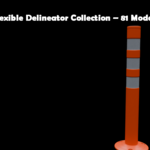
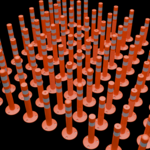
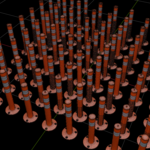
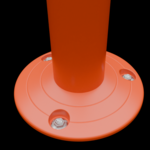
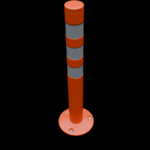
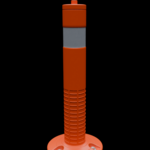
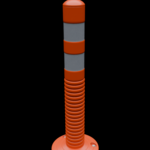
Flexible Delineator Collection – Documentation
1. Using the Models in Your Blender Project
The recommended way to bring a model into your own Blender project is to use Append.
Append copies the selected data from another .blend file into your current Blender file, allowing the appended objects to be edited independently.
How to Append a Model
Open your Blender project.
Go to File → Append.
Navigate to one of the included
.blendfiles.Open the
.blendfile from the Blender file browser.Open the Object folder.
-
Select the desired model, such as:
Delineator_001Delineator_002Delineator_003
Click Append.
The selected model will now be added to your current Blender scene.
You can repeat this process whenever you need additional models.
For ready-to-use textured models, it is recommended to append models from:
03_Flexible_Delineator_Lowpoly_Baked.blend
For editable source geometry, use:
02_Flexible_Delineator_Source_Subdivision.blend
Blender's Append system lets you browse the data-blocks contained inside another .blend file and copy the selected data into the current file.
2. Package Structure
The package is organized as follows:
Flexible Delineator Collection
│
├── FBX
│   ├── Delineator_001.fbx
│   ├── Delineator_002.fbx
│   ├── ...
│   └── Delineator_081.fbx
│
├── Textures
│   ├── Tex_Delineator_001_BaseColor.png
│   ├── Tex_Delineator_001_Metallic.png
│   ├── Tex_Delineator_001_Roughness.png
│   ├── Tex_Delineator_001_Normal.png
│   ├── ...
│   └── Textures for Delineator_081
│
├── 01_Flexible_Delineator_Parts.blend
│
├── 02_Flexible_Delineator_Source_Subdivision.blend
│
└── 03_Flexible_Delineator_Lowpoly_Baked.blend
3. 01_Flexible_Delineator_Parts.blend
This file contains the modular source parts used to build the delineator variations.
The models are divided into interchangeable sections such as:
Lower
Middle
Reflector
Top
This file is provided for users who want to inspect, modify, or create their own combinations from the original modular parts.
4. 02_Flexible_Delineator_Source_Subdivision.blend
This is the editable source model file.
The models retain their Subdivision Surface modifiers, making this file suitable for:
Editing the original geometry
Adjusting model details
Creating custom variations
Re-baking textures
Producing higher-resolution geometry when required
Use this file when you need access to the original editable model structure rather than the optimized low-poly versions.
5. 03_Flexible_Delineator_Lowpoly_Baked.blend
This file contains all 81 low-poly delineator models with their baked PBR textures already assigned.
Each model uses four texture maps:
Base Color
Metallic
Roughness
Normal
All texture maps are provided at:
4096 × 4096 pixels
Because this file contains a large number of unique 4K textures, displaying all 81 models at full texture resolution can require a considerable amount of system and GPU memory.
For this reason, memory-saving texture limits have been configured in the supplied Blender file.
Viewport Texture Limit
The Blender Viewport Texture Limit is set to:
1024 px
This limits the maximum resolution used for textured display in the viewport and helps reduce memory usage while working with the complete collection. Blender provides this preference specifically to limit the resolution of images used in textured display and save memory.
The original texture files remain at 4096 × 4096.
Simplify Settings
Render Properties → Simplify is enabled.
The included file is configured approximately as follows:
Viewport Texture Limit:1024
Render Texture Limit:2048
Blender's Simplify Texture Size Limit can automatically reduce the texture resolution used during rendering to reduce memory requirements.
These settings do not change or permanently resize the original 4096 × 4096 texture files.
They only limit the resolution Blender uses while displaying or rendering them.
For Close-Up Renders
If you need maximum texture detail for close-up shots, you can increase or disable the texture limit and use the original 4096 × 4096 textures.
For scenes where many models are visible at the same time, keeping the texture limit at 1024 or 2048 is recommended to reduce memory usage.
The ideal value depends on your available system RAM, GPU VRAM, render engine, and scene complexity.
6. FBX Folder
The FBX folder contains all 81 delineator models as individual FBX files.
Delineator_001.fbx
Delineator_002.fbx
Delineator_003.fbx
...
Delineator_081.fbx
These files are provided for easier use in other 3D applications and game engines.
7. Textures Folder
The Textures folder contains the baked PBR textures used by the low-poly models.
Each delineator has its own texture set.
Example:
Tex_Delineator_001_BaseColor.png
Tex_Delineator_001_Metallic.png
Tex_Delineator_001_Roughness.png
Tex_Delineator_001_Normal.png
Each texture is:
4096 × 4096 pixels
With 81 models and four maps per model, the package contains 324 baked texture maps.
Texture Types
Base Color
Contains the primary surface color information.
Metallic
Controls metallic surface properties.
Roughness
Controls the roughness and reflectivity response of the material.
Normal
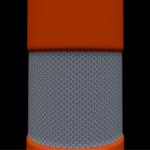
Contains baked surface detail from the higher-resolution source model.
8. Recommended Workflow
For most users:
Use 03_Flexible_Delineator_Lowpoly_Baked.blend
and Append only the models required for your scene.
For users who want to modify the original models:
Use 02_Flexible_Delineator_Source_Subdivision.blend
For users who want to create new combinations from individual components:
Use 01_Flexible_Delineator_Parts.blend
If you only need the models outside Blender:
Use the individual files inside the FBX folder.
Have questions about this product?
Login to message
| Published | about 2 months ago |
| Blender Version | 5.2 |
| Render Engine Used | Cycles |
| Misc Data | Uvs-Unwrapped, Low-High-Resolution, Normal-Mapped, Textured |
| License | GPL |
Discover more products like this
traffic safety low poly Traffic Delineator street props urban assets Road Safety game ready PBR road props Flexible Delineator