 RLGUY
RLGUY








What is the FLIP Fluids Addon?
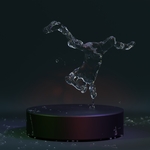
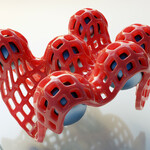
The FLIP Fluids addon is a tool that helps you set up, run, and render high quality liquid simulation effects all within Blender! Our custom built fluid engine is based around the popular FLIP simulation technique that is also found in many other professional liquid simulation tools. The FLIP Fluids engine has been in constant development since 2016 with a large focus on tightly integrating the simulator into Blender as an addon. It just feels like a built-in Blender tool!
With our reputation for delivering high quality software and outstanding customer support, the FLIP Fluids addon is one of the best selling products on Superhive.
Try our free FLIP Fluids Demo addon!
Key Features
Build Your Simulation
Simple building blocks, endless possibilities!
- Create a Domain to contain your simulation and control the properties of your liquid.
- Add Fluid and Inflow objects to generate liquid, or remove liquid with Outflows.
- Add Obstacles to act as solids for fluid interaction and containment.
- Use Force Fields to control the flow and shape the liquid.
Whitewater Effects
Create awesome large scale fluid effects with the whitewater simulator.
Generate and simulate millions of foam, bubble, spray, and dust particles to give a sense of realism to large bodies of water.
Customizable and ready for render using Blender's high performance point cloud features.
Viscosity Effects
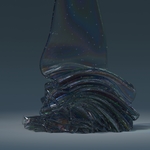
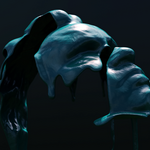
Use the high accuracy viscosity solver to simulate thin silky-smooth liquids, thick fluids that buckle and coil, and anything in between.
You will be able to simulate thicker fluid in Blender than you ever could before!
Surface Tension and Sheeting
Create beautiful small-scale liquid effects with surface tension and add sheeting effects to preserve large thin splashes.
Simulate the natural cohesion of surface molecules that cause liquids to form into beads, drip, and add an elastic look to splashes.
Custom Built Force Fields
We built our own custom force field system designed specifically for popular liquid effects!
Use volume forces for forming liquid shapes, surface forces for aligning gravity to surface normals or to help liquid stick to surfaces, and curve forces for guiding liquid to flow and spin along a curve.
Color Mixing
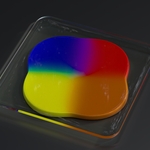
Simulate realistic color mixing using the Mixbox Plugin to create vibrant multi-color liquid effects.
The Mixbox pigment mixing technology is developed by Secret Weapons. Learn more about Mixbox here.
Why Have Thousands of Artists Chosen the FLIP Fluids Addon?
Fluid simulation software can be intimidating, complex, and difficult to work with, but it does not need to be. We believe that usability should come first when designing a simulation tool. A simulator might contain the most advanced technology in the world, but if it is not usable, reliable, and flexible, it will not be a tool that is useful or enjoyable to the artist.
Our goal is to improve on many aspects of Mantaflow, the built-in Blender fluid simulator, such as usability, stability, customization, and to prevent common problems that we see artists encounter when working with simulation systems. We want to provide you with the tools, learning resources, and workflows to assist you in creating beautiful effects as quickly and as painlessly as possible.
| Smoke/Fire Simulation |  |
Focused strictly on liquid simulation effects |  |
Simulates liquid, smoke, and fire |
|---|---|---|---|---|
| Stable Simulations | |
Custom built, robust, and well-tested simulation engine rarely crashes during simulation | |
Frequent simulation crashes (Bug Report) |
| Reduced Memory Usage | |
Optimizations to improve memory usage in simulations with high detail, complex flows, or high velocities | |
High memory usage in simulations with high velocities (Bug Report) |
| Responsive Viewport | |
Optimizations to prevent viewport lag after frame is loaded and visible | |
Viewport lag when simulation visible (Bug Report) |
| Closed Containers | |
Obstacle "Inverse"" feature to perfectly contain fluid inside of a closed object | |
Unable to contain liquid inside of closed geometry (Bug Report) |
| World Space Support | |
Simulation objects are automatically handled in world space so that what you see in the viewport matches the simulation | |
Applying scale transforms is required and incorrect transforms can produce unexpected results (Bug Report) |
| Armature Support | |
Collision and liquid generation support for geometry controlled by armature animations | |
Crash when using armature animations as simulation objects (Bug Report) |
| Invisible Domain | |
Simulation domain box is not visible in the render | |
Domain box can become visible in the render and block view of simulation (Bug Report) |
| Correct Motion Blur | |
Consistent and correct motion blur rendering | |
Motion blur unavailable or contains artifacts on particles (Bug Report) |
| Stable Freefall Behavior | |
Liquids under the influence of gravity fall with consistent and correct behavior | |
Liquids can deform unexpectedly during freefall (Bug Report) |
| Command Line Baking | |
Automated one-click command line baking feature for maximum stability and performance | |
Crash when running command line or script baking (Bug Report) |
| Stable Alembic IO | |
Automated Alembic IO operators to set up and prepare the simulation surface and particles for import/export | |
Unable to export particles, requires workarounds and manual setup (Bug Report) |
| Fault Tolerance | |
Simulator can automatically recover from a solver failure, preventing the simulation from becoming unstable, stopping, or crashing | |
Solver failures can result in unstable simulations or crashes (Bug Report) |
| Backward Compatibility | |
Older Blend files and simulation setups are automatically updated for compatibility when opening in a newer version of the addon or Blender | |
Running simulations created in older versions of Blender can result in crashes (Bug Report) |
More Features
Particle Effects
Use the fluid simulation particles to create interesting particle effects!
Render the particles as points, a custom shape, or randomize objects from a collection. Randomize scale, distribution, rotation, color, and more!
Our built-in geometry node modifiers will help you customize the look of your simulations.
Geometry Nodes and Attributes
Do you love geometry nodes as much as we do? Use our integrated attribute system to build your own geometry or shader effects.
Customize geometry or create materials based upon attributes such as velocity, vorticity, color, age, ID, and more. The possibities are infinite!
Variable Viscosity
Create multi-viscosity simulations with the variable viscosity solving feature.
Fluid can transition from thick and sticky to thin and runny in one continuous flow. Combine variable viscosity with color mixing to create your own fun experiments!
Multi-Liquid Effects
Set different fluid properties and attributes for each liquid emitter to create multi-liquid effects.
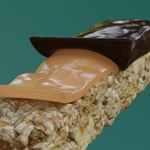
Sticky caramel stretches and drapes over chocolate, demonstrating viscous layering and cling behavior. Ideal for food simulations, product shots, and slow-motion FX.
Command Line Workflow
Use our command line tools for maximum stability and performance in Blender.
Running a command line render is often necessary to workaround bugs in Blender, and with our automated command line tools, it's as easy a pressing a button!
Simulate and render one after the other, or at the same time. Overwrite, or skip already rendered frames. Render with multiple instances to maximize resource usage and performance.
Debugging Tools
Is your simulation not running as expected? We provide you with helpful built-in tools that you can use to debug your simulation setup.
Visualize the simulation grid, fluid particles, and force fields. Visualize how the simulator is converting your obstacles into solid collisions.
Detailed statistics are provided as the simulation runs to help you understand how your setup is performing.
Production Ready
Well tested and production ready. The FLIP Fluids simulator is incredibly stable and trusted by the Blender community. Years of development, testing, and feedback has led to a product that we can stand behind.
Have any questions or comments? We would love to hear from you. Do not hesitate to send us message here or at [email protected]
...and even more features!
| Pause / Resume Baking | Pause and resume simulation baking - even after a crash. Did you notice a mistake halfway through your simulation? Simply update your setup and resume baking from an earlier frame. Read More. |
|---|---|
| Guides and Documentation | Get started with our video learning series or written guide. While using the addon, hover over any option for a detailed tooltip. Visit our extensive documentation and wiki for tips, notes, and detailed descriptions of settings and how they can be used. |
| Example and Preset Scenes | Example Scenes and Preset Scenes collections contain render setups and detailed notes on the simulation set up to help you understand how to use many of the features of the FLIP Fluids addon. |
| FLIP Fluids Sidebar | Sidebar helper menu with common settings, operators, and tools to help you set up, bake, render, and more. |
| FLIP and APIC Solvers | Choose between FLIP and an APIC simulation methods! FLIP is turbulent and chaotic - good for large scale splashy simulations. APIC is smooth, stable, and swirly - good for small scale or viscous simulations. Read More. |
| Variable Density Solver | Use the variable density solver to create mixed density liquids that float or sink. Read More. |
| Fracture Optimizations | Optimizations for using rigid body fracture simulations as obstacles. Supports Alembic and Fracture Modifier style fractures where a single Blender object contains many geometry pieces, or cell style fractures where each geometry piece is a separate Blender object. Read More. |
| Easily Contained Liquid | Containing fluid inside of an object is a common scenario in many liquid effects. With our Obstacle Inverse Workflow, simply enable an option to turn your object into a closed container to perfectly contain liquid without any leaks. |
| Open / Closed Boundary | Controls to set whether liquid should collide with the domain sides, or be removed from the simulation. Read More. |
| Time Scale | Controls to set the speed of the simulation. Useful for creating slow motion effects. Set either a custom time scale, or sync with the time scale of another Blender simulation. Read More. |
| Keyframe Support | Nearly all simulation settings can be keyframe animated. If an setting contains a Right Click > Insert Keyframe option, keyframing is supported within the simulator. |
| Responsive Caching | Baked simulation results are stored in an external directory called the cache. Our smart caching system is predictable, responsive, and contains data protection features. Quickly switch between relative and absolute cache paths, and different versions of the cache. Read More. |
| Preview Display | Liquid simulations often contain large amounts of geometry which can slow down viewport playback. Switch to a lower quality Preview display or hide the simulation entirely to speed up workflow within the viewport. Read More. |
| Remove Surface Edges | Controls to remove parts of the liquid surface near the sides of the domain to create a surface only mesh, as well as options to flatten the surface edges. Useful for compositing or combining the simulation with larger ocean geometry. Read More. |
| Measure Object Speed | This simulator is based on real-world physics where the physical scale of the simulation and speed of objects are important for realistic results. Use the Meaure Object Speed Tool to verify how fast your object is moving within the simulation. |
| Obstacle Velocity Scale | Animating your obstacles to a realistic speed is generally recommended, but maybe you would like to exaggerate or dampen the motion within the simulation. Use the Obstacle Velocity Scale parameter to artificialy scale the velocity of your object within the simulation. This option is not physically realistic, but can be useful for artistic control. |
| Inflow Velocity Controls | Controls to set the direction of emitted fluid - using a custom vector, along the axis of the object, or towards a specified target. Stop and start the flow at any time. Add the object motion to the emitted fluid so that liquid can be realistically "thrown" as the object moves. Read More. |
| Quick Liquid Operators | Quickly set up a simulation for getting started and testing using the Shift + A > FLIP Fluids menu. |
Is the FLIP Fluids Addon Right for Your Project?
The FLIP Fluids addon is a liquid simulation tool based on the popular FLIP simulation method. You should always choose the right tool for the job, and like a hammer, this addon might not always be the right tool to use.
We want to be honest about what the FLIP Fluids addon can and cannot do. There may be limitations in the FLIP Fluids development project, limitations of fluid simulation, or limitations of Blender that may affect success in creating your desired fluid effect. Limitations of the FLIP Fluids addon.
System Requirements
| OS | Windows, macOS, or Linux |
|---|---|
| Blender | Blender 4.5 to 5.2 |
| CPU | Intel®, AMD®, or Apple Silicon |
| Minimum | Recommended | ||
|---|---|---|---|
| CPU | 4 cores | 16 cores | A CPU with a high clock speed and boosted clock speed is recommended. |
| RAM | 8 GB | 32+ GB | More RAM allows for larger and higher detail simulations, or running multiple simulations simultaneously. |
| GPU | 4 GB VRAM | 8+ GB VRAM | Used for display and rendering in Blender. A high performance GPU is recommended. More VRAM allows for rendering larger amounts of simulation geometry, or for running multiple renders simultaneously. |

 FLIPFluids.com
 YouTube
 Instagram
 X
X Facebook
 GitHub