 DanilGOE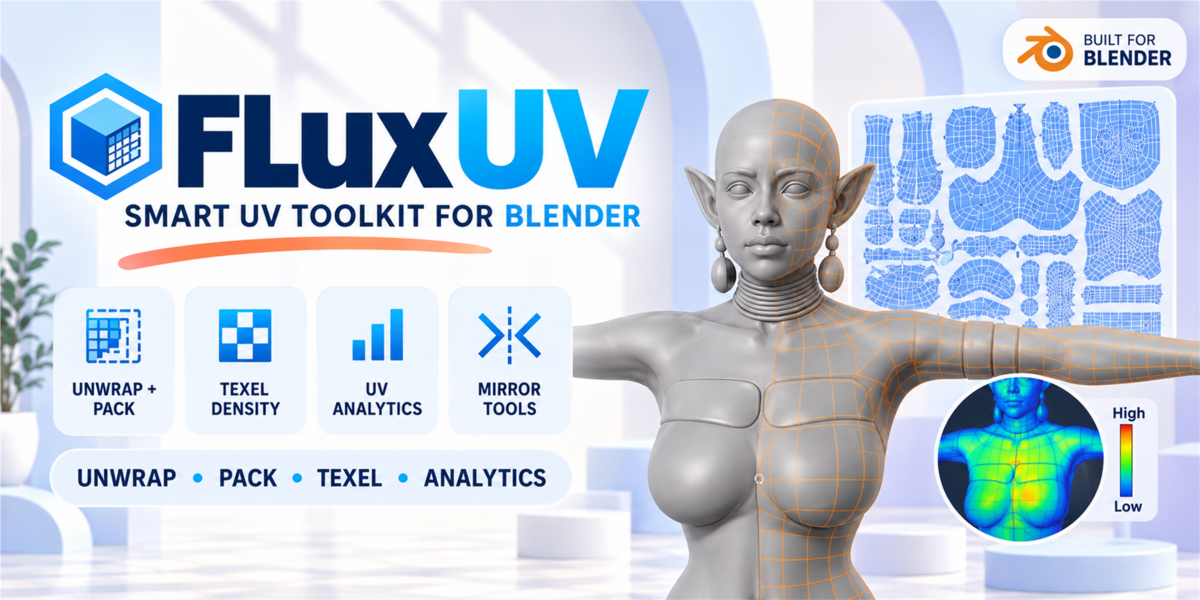


🎯 What is FluxUV?
UV work in Blender often turns into a slow routine: unwrap, repack, fix overlaps, check texel density, sort islands, inspect distortion, mirror seams, repeat again.
FluxUV is a production-focused UV toolkit for Blender 4.x that brings the most important UV operations into one clean N-panel workflow. It is designed to speed up the everyday tasks artists actually do: unwrapping, packing, texel density matching, UV analysis, island organization, symmetry tools, and batch operations.
Instead of jumping between menus and tools, FluxUV gives you a faster, cleaner workflow for preparing characters, props, environments, and game-ready assets.
The result: cleaner UVs, faster iteration, and better control over production-ready meshes.
★ Fast UV Workflow — All Core Tools in One Place
With FluxUV, your most-used UV tasks are available in a single panel:
- Unwrap quickly with Smart Unwrap or Quick Unwrap
- Pack islands with adjustable margin and rotation
- Check texel density and equalize it across meshes
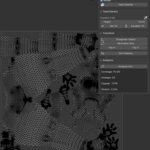
- Analyze UVs for coverage, overlaps, flipped faces, and stretch
- Transform and organize islands with alignment, sorting, and distribution tools
- Mirror seams and UVs for faster symmetry workflows
- Run batch operations across multiple selected objects
⚙️ Feature Overview
1 — Unwrap
Fast UV generation tools for everyday production work:
✔ Smart Unwrap for quick results
✔ Quick Unwrap for rapid iteration
✔ Reset UVs
✔ Live Unwrap toggle for interactive seam workflow
✔ Adjustable seam angle
2 — Seams
Tools for preparing UV seams faster:
✔ Auto Seams
✔ Faster seam workflow directly from the panel
✔ Built to work naturally with Live Unwrap
3 — Selection Tools
Quickly find common UV issues and isolate problem areas:
✔ Select Overlapping
✔ Select Flipped
✔ Select Similar
✔ Select by Stretch with threshold control
✔ UDIM tile selection tools
4 — Transform
Organize islands faster with practical layout controls:
✔ Align islands to edge
✔ Center horizontally / vertically
✔ Move to origin
✔ Flip horizontally / vertically
✔ Straighten island
✔ Normalize size
✔ Fit to bounds
✔ Distribute islands horizontally / vertically
✔ Sort islands by area and other criteria
5 — Pack
Fast packing tools for production-ready layouts:
✔ Adjustable island margin
✔ Optional island rotation
✔ Pack Islands in one click
✔ Pack to UDIM tile
6 — Texel Density
Keep texture density consistent across your assets:
✔ Read current texel density
✔ Set target texel density
✔ Equalize texel density
✔ Useful for characters, props, modular assets, and game pipelines
7 — Islands
Extra control over island organization:
✔ Stack islands
✔ Unstack islands
✔ Isolate island
✔ Group islands
8 — UV Analytics
Inspect your UV layout with practical feedback tools:
✔ Coverage percentage
✔ Island count
✔ Overlap count
✔ Flipped face detection
✔ Average stretch readout
✔ Stretch heatmap visualization
This helps you quickly spot bad unwraps, inefficient layouts, and distortion problems before export or baking.
9 — Mirror / Symmetry
One of FluxUV’s most useful workflow features:
✔ Mirror Seams
✔ Mirror UVs
✔ Axis-based symmetry workflow
Great for symmetrical characters, creatures, clothing, and mirrored hard-surface assets.
10 — Batch Operations
Speed up repetitive UV work across multiple objects:
✔ Run tools on multiple selected assets
✔ Great for production scenes, asset packs, and large game workflows
🔄 Typical Workflow
Step 1
Mark seams manually or use Auto Seams
Step 2
Run Smart Unwrap or Quick Unwrap
Step 3
Pack islands and set your margin
Step 4
Use Texel Density tools to unify scale
Step 5
Analyze UVs for overlaps, flipped polygons, and stretch
Step 6
Use Transform / Sort / Mirror tools to clean the layout
Step 7
Apply the same workflow to multiple objects with Batch Operations
📋 Compatibility
Blender Version
4.0 and above
OS
Windows, macOS, Linux
Dependencies
No external tools required
Interface
Blender 4.x N-panel workflow
❓ FAQ
What is FluxUV best for?
FluxUV is designed for practical UV work on characters, props, creatures, environments, and game-ready assets.
Does it work for game assets?
Yes. The addon is especially useful for real-time production workflows where fast unwrap, packing, texel density consistency, and UV cleanup matter.
Can I use it on multiple objects?
Yes. FluxUV includes batch operations for multi-object workflows.
Does it help detect bad UVs?
Yes. The UV Analytics section provides feedback on coverage, overlaps, flipped polygons, and stretch.
What makes FluxUV different from basic Blender UV tools?
FluxUV brings unwrap, pack, texel density, analytics, symmetry, island tools, and batch operations together in a faster production-oriented workflow.
🏷️ Tags
uv toolkit • uv unwrap • uv packing • texel density • uv analytics • mirror uv • mirror seams • batch uv • island tools • stretch analysis • blender addon • game assets • character workflow • udim • blender 4 • production workflow • uv editor • unwrap tool
-
$14.99
For 1 individual user. Includes all features and content.
-
$29.98
For 1 user working for a business or client. Includes all features and content.
-
$59.96
For up to 10 users in one studio or company. Includes all features and content.
Have questions about this product?
Login to message
| Sales | 30+ |
| Published | 5 months ago |
| Blender Version | 3.6 - 5.1 |
| Extension Type | N/A |
| Render Engine Used | Cycles |
| License | GPL |
Discover more products like this
uv island tools mirror uv texel density mirror seams uv toolkit uv editor uv analytics unwrap tool UV Unwrap