 NicoHartl
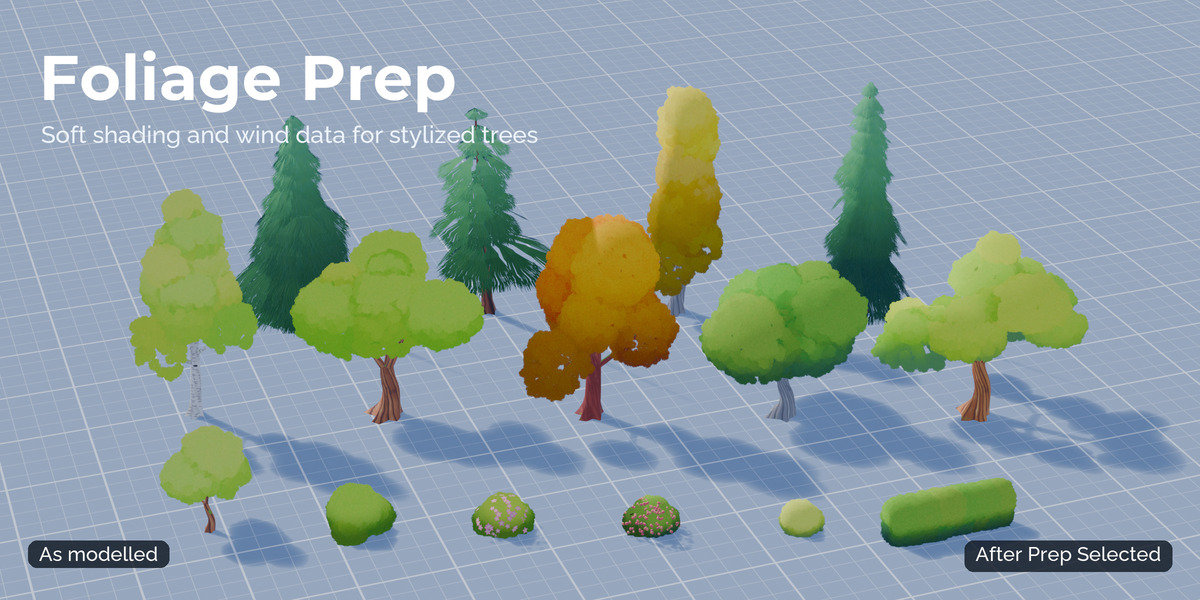
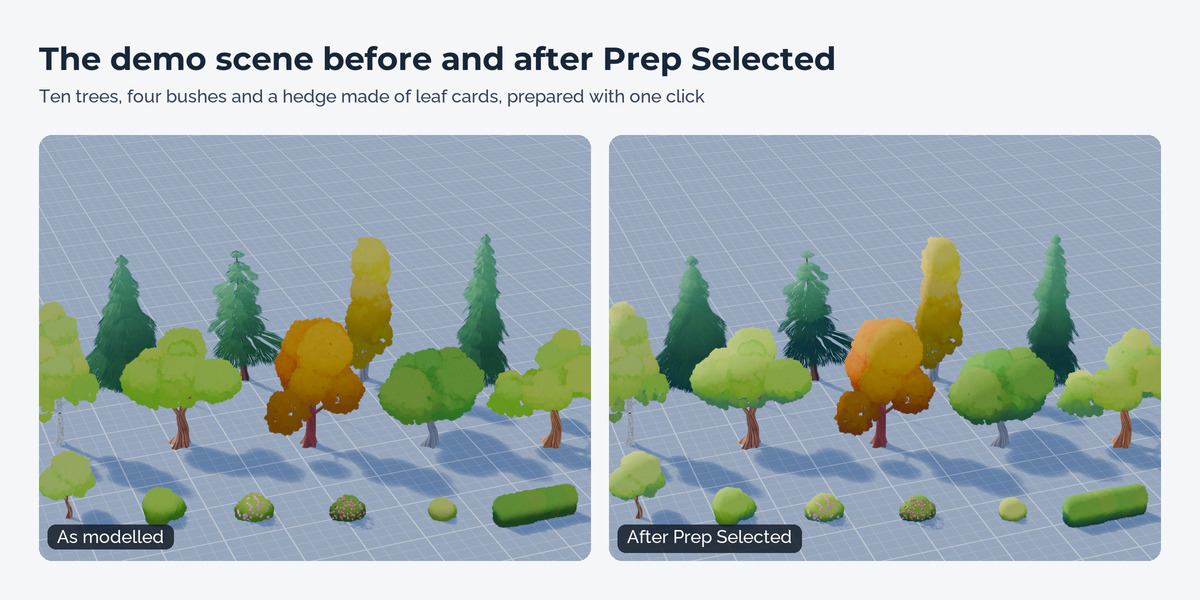
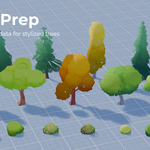
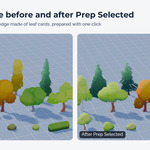
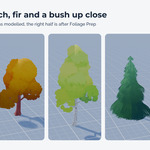
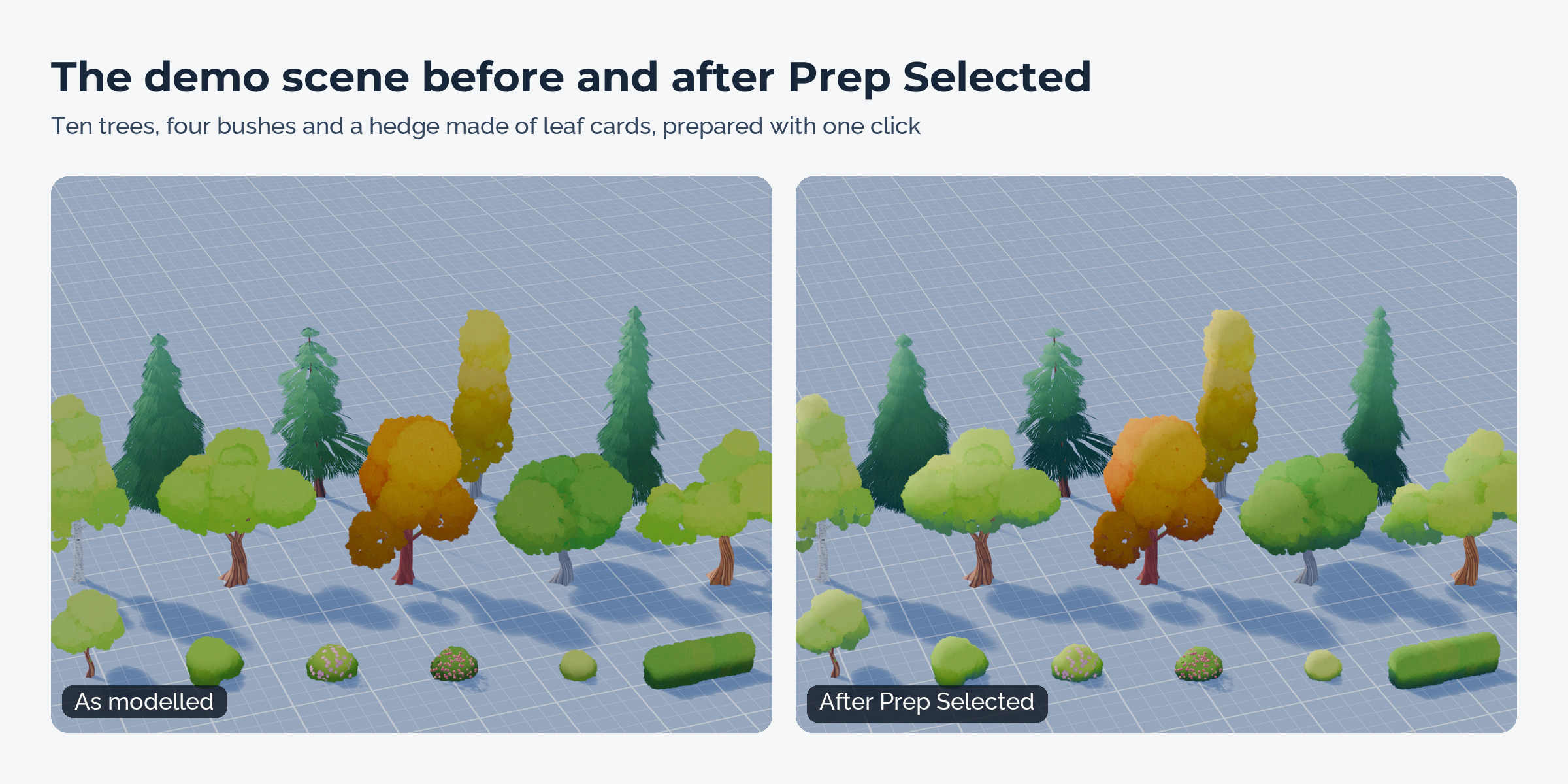
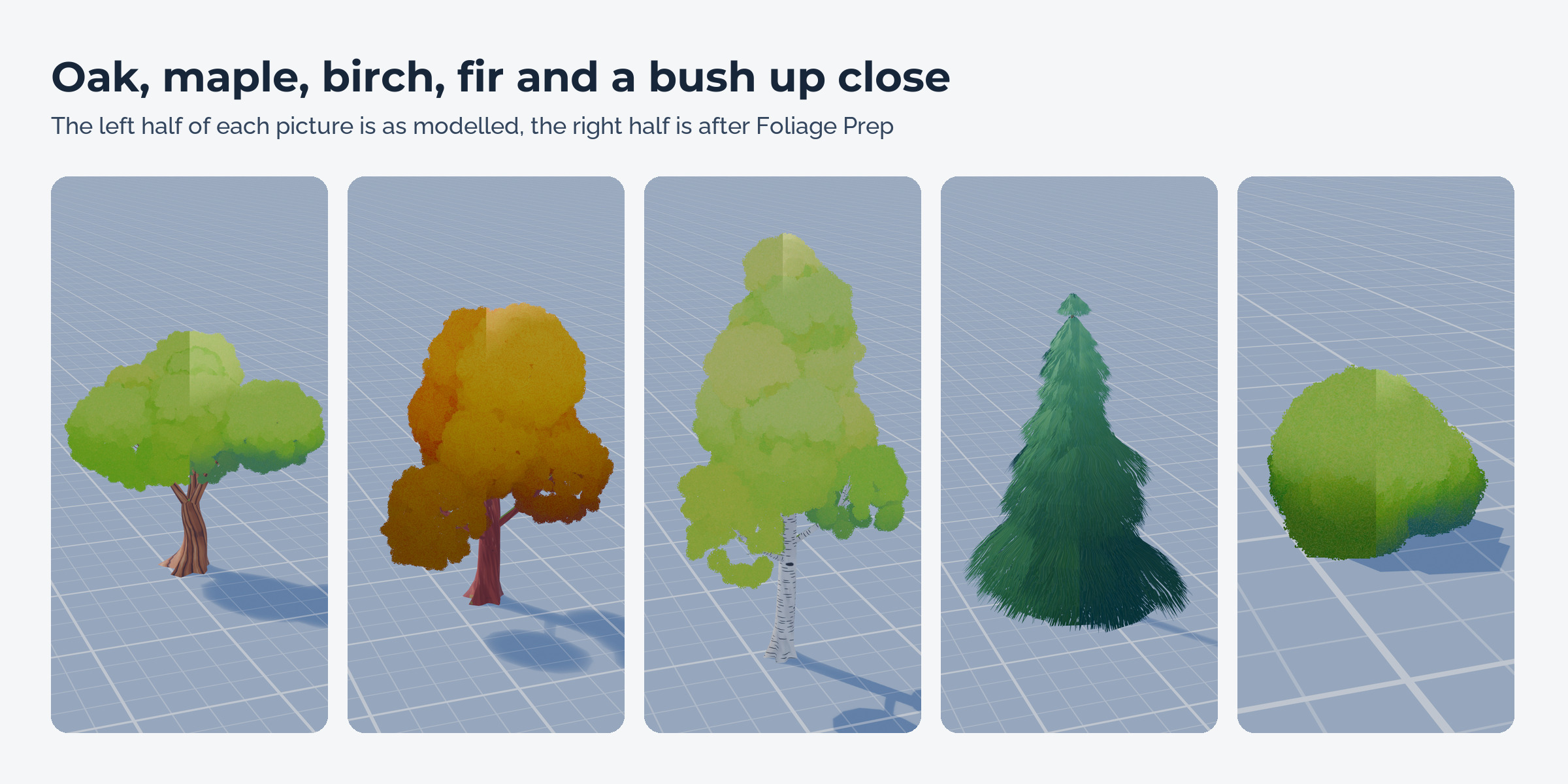
Foliage Prep gets stylized trees and bushes ready for games and renders. Select your trees, press Prep Selected, and each crown shades like one soft volume instead of a pile of loose cards. The same click writes wind data for engine shaders and moves the origin to the foot of the trunk.
Why
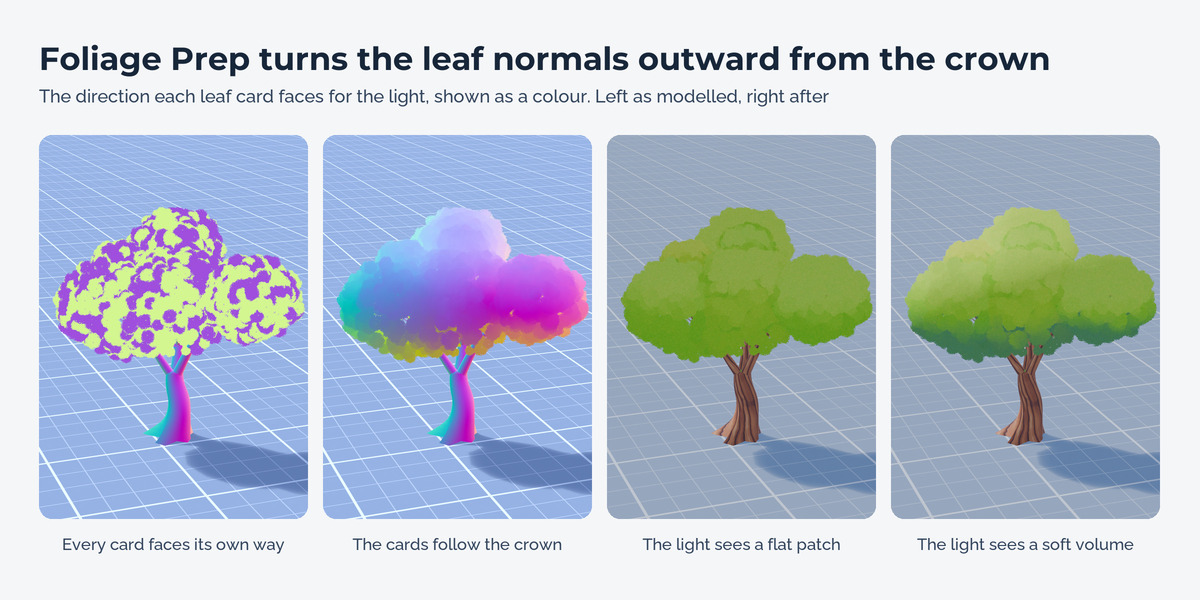
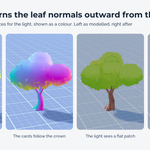
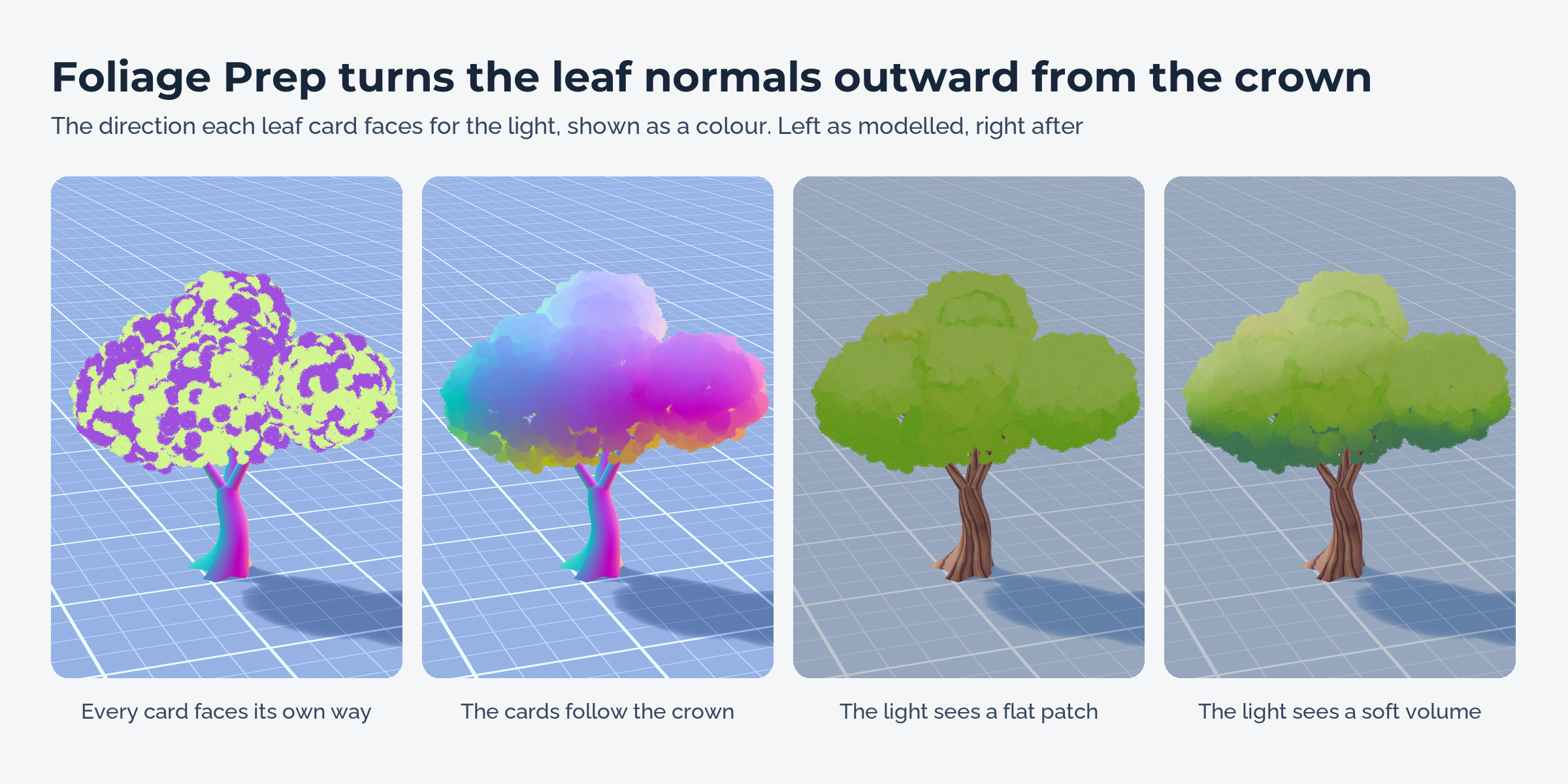
Leaf cards keep their own flat normals, so a crown made of cards shades as noisy patches of light and dark. The usual fix is a proxy sphere, a Data Transfer modifier and some cleanup for every single tree. Wind masks for the engine shader get painted by hand. In a pack with thirty trees that is an afternoon of clicking.
What it does
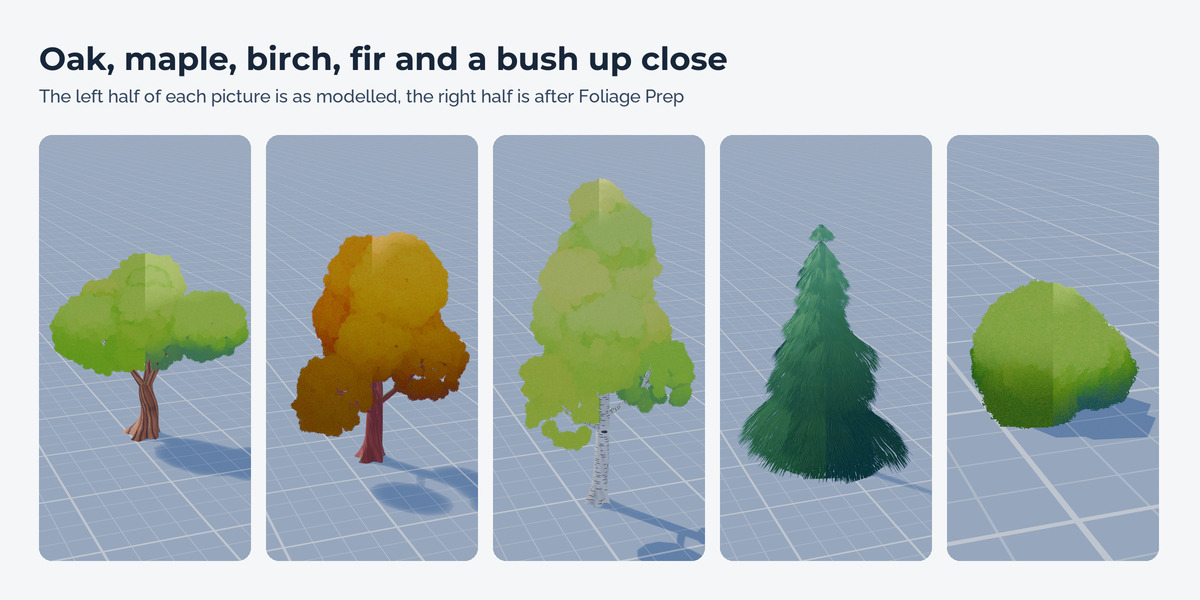
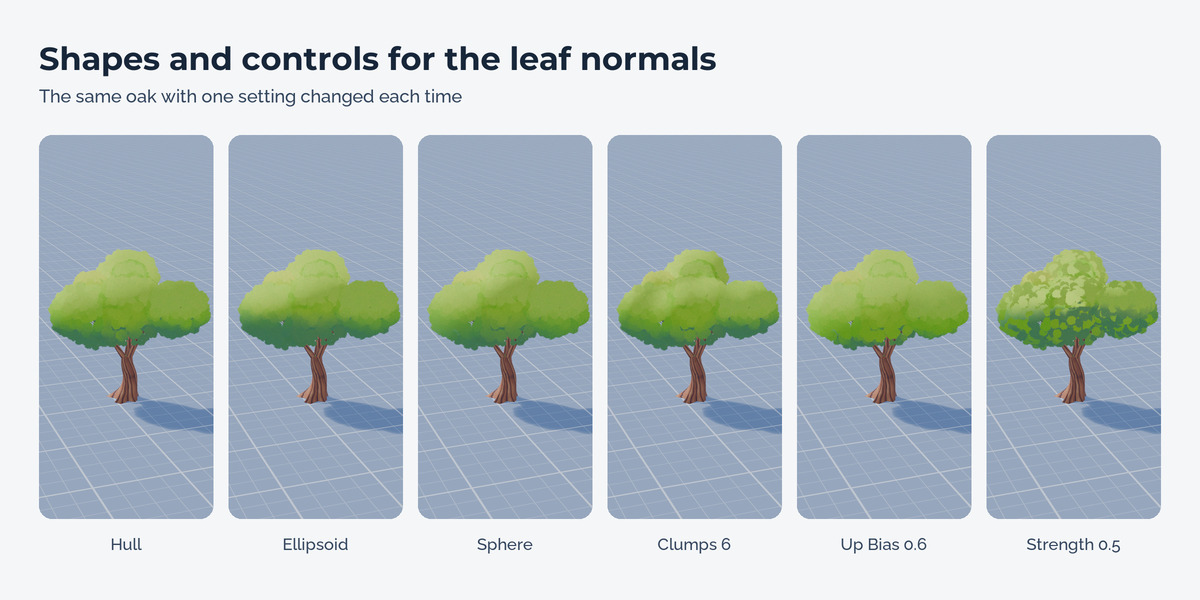
Soft foliage normals
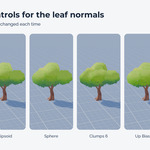
The leaf normals point away from a smooth shape around the crown. Hull follows the outline of the crown, Ellipsoid and Sphere give an even, round look. Strength, Smoothness and Up Bias control how much of the leaf structure stays and how bright the tops get. Clumps splits a crown into several soft volumes for a puffy, painted look.
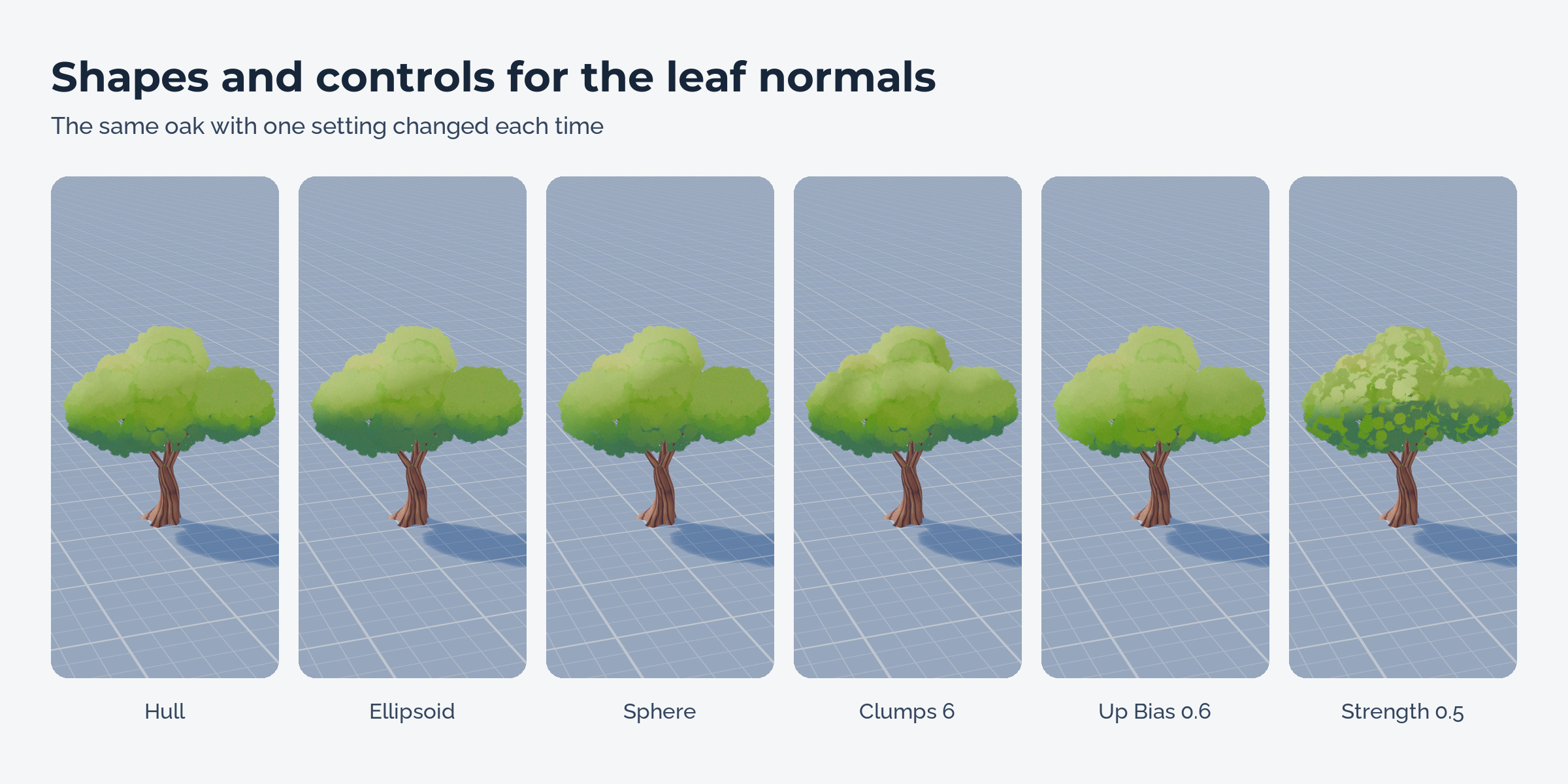
The trunk stays as it is
Leaves are found by material name (leaf, foliage, needle and your own words), by selected faces or by a vertex group. Trunk faces keep their normals. Assets split into trunk, crown and leaf card objects work too: trunks are recognised and skipped, and all parts keep one pivot and one wind scale.
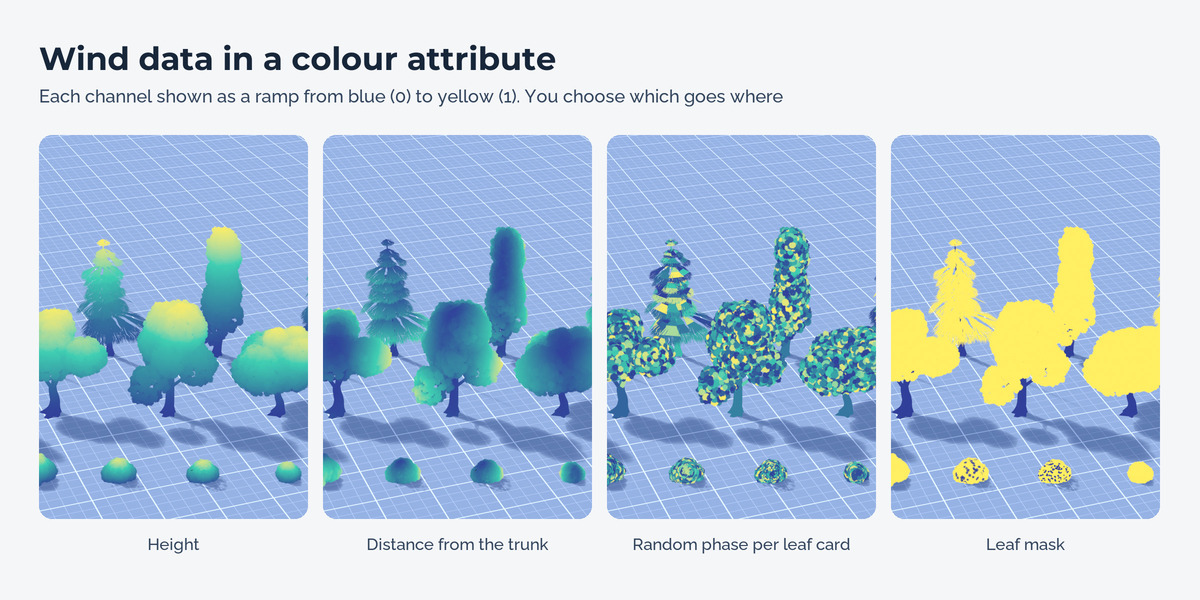
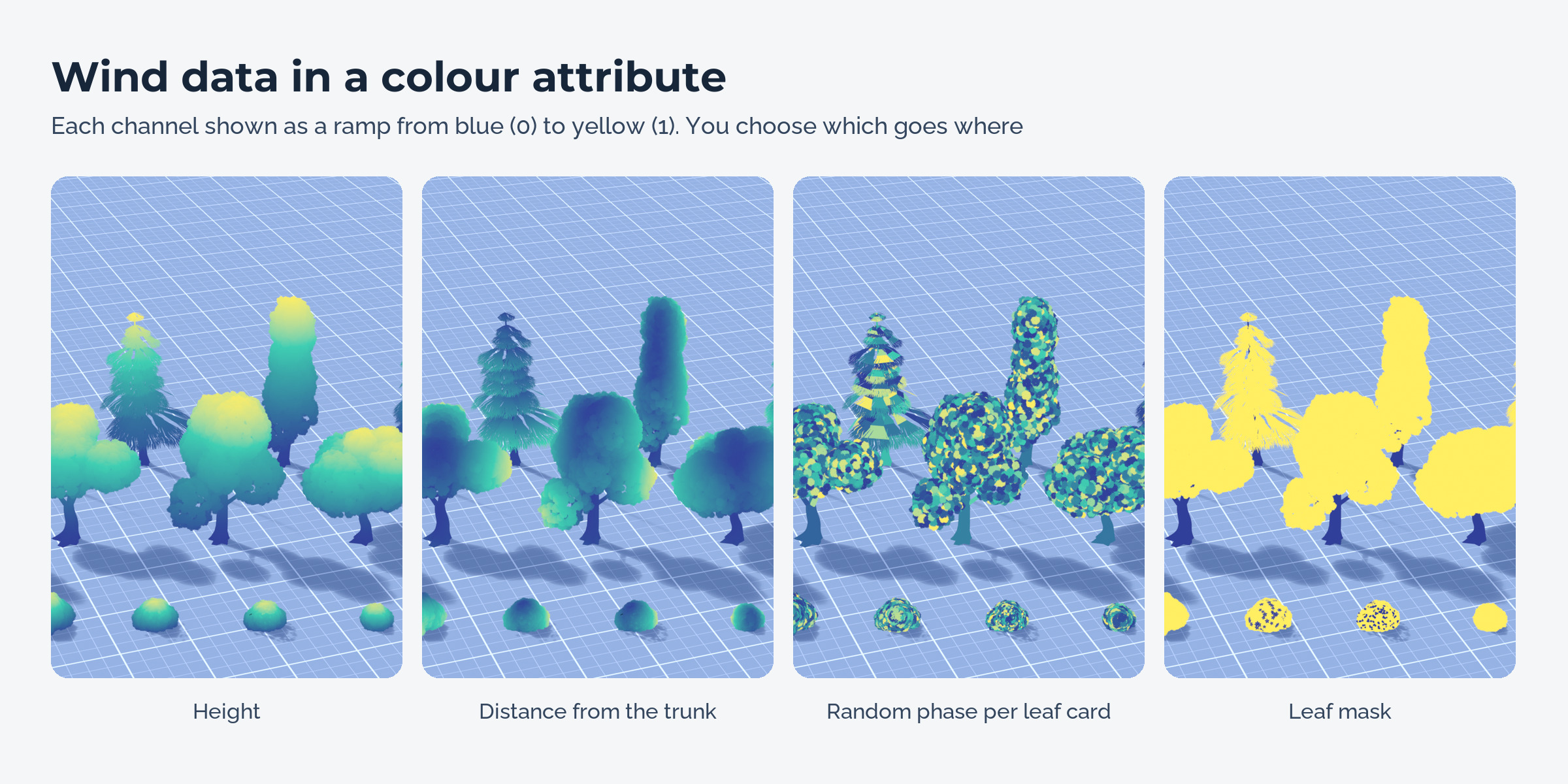
Wind colours for Unity, Unreal and Godot
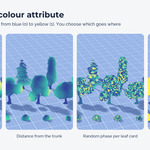
Height, distance from the trunk, a random phase per leaf card and a leaf mask go into a colour attribute, in any channel order. Values are written so they arrive unchanged in FBX (8 bit) or glTF (float).
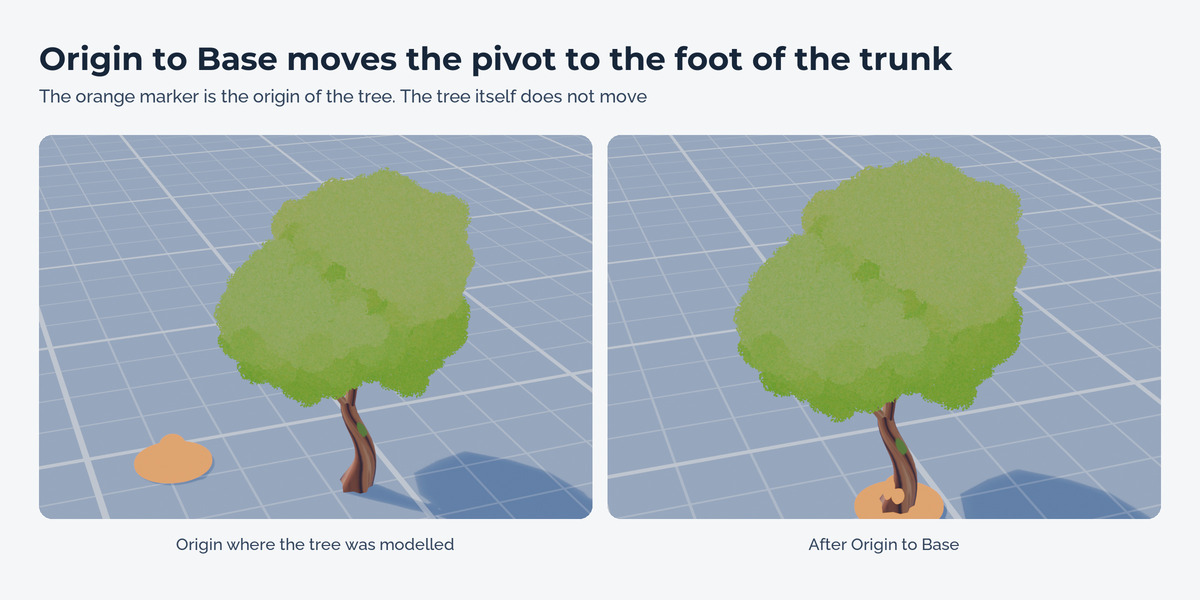
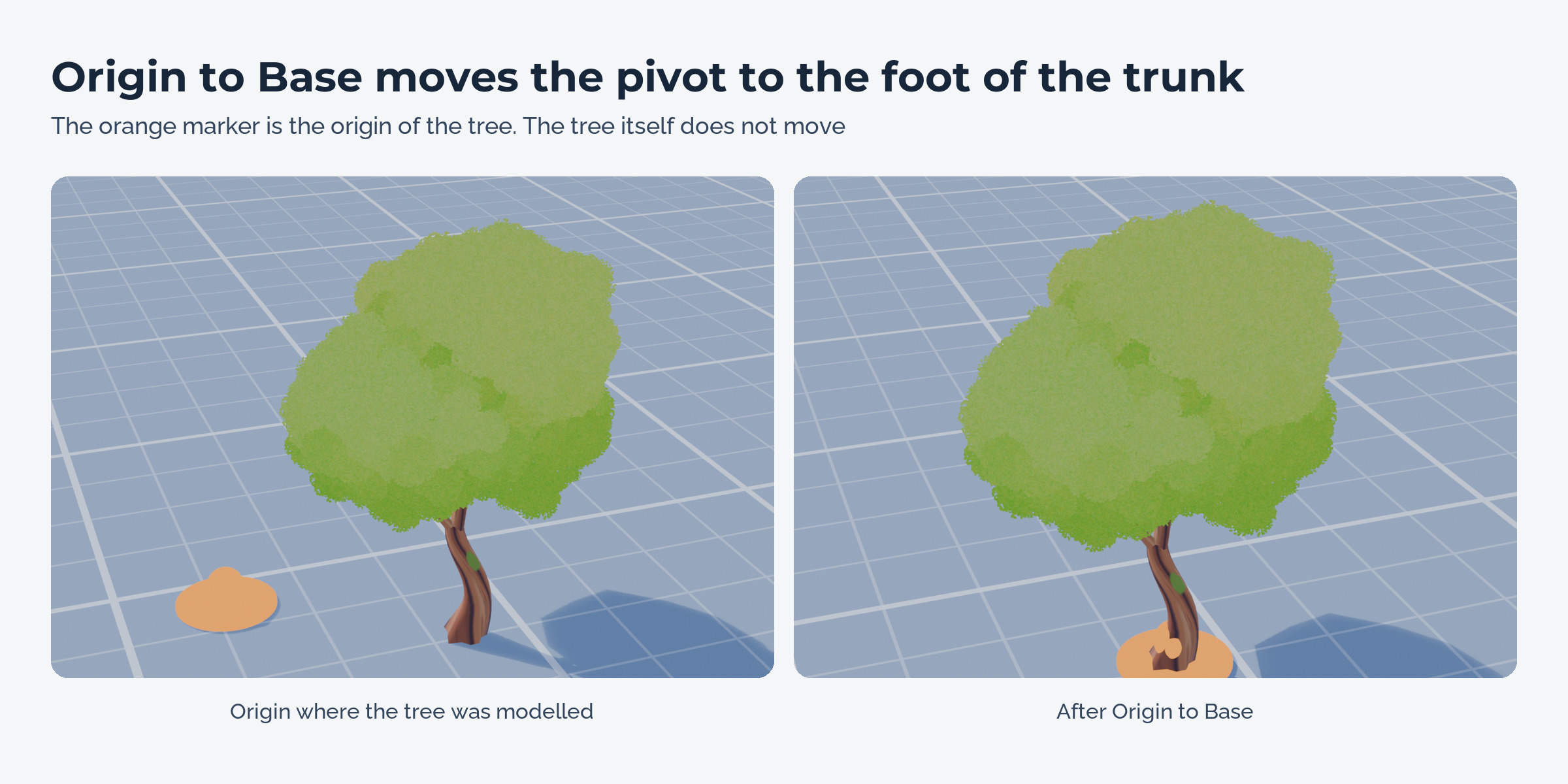
Origin at the trunk foot
The origin moves to the foot of the trunk without moving the mesh. Children stay in place.
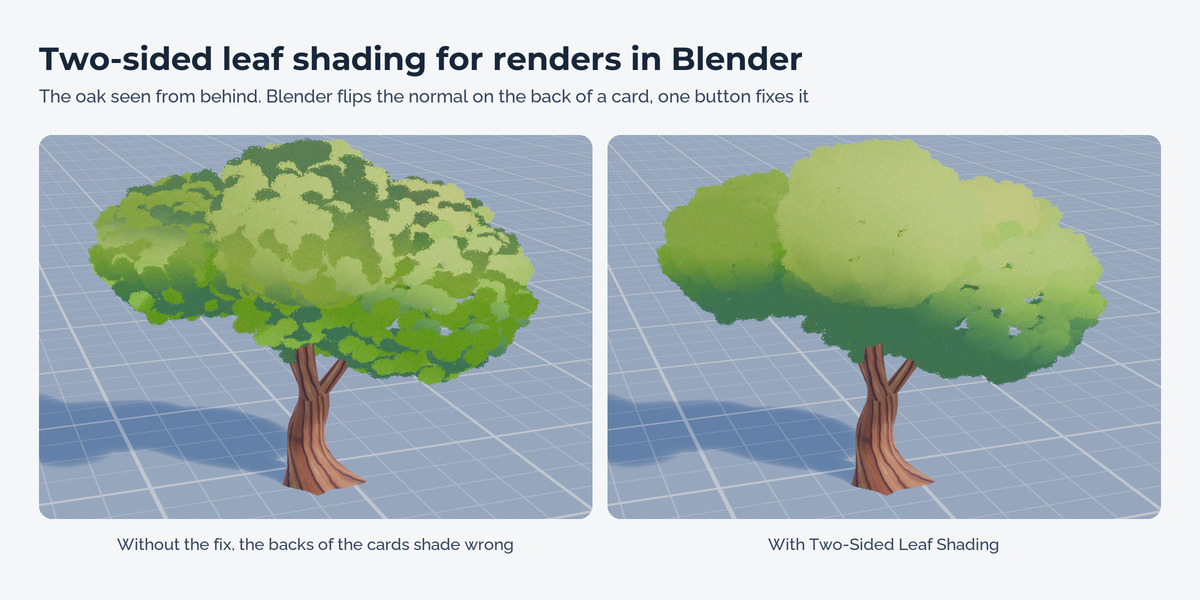
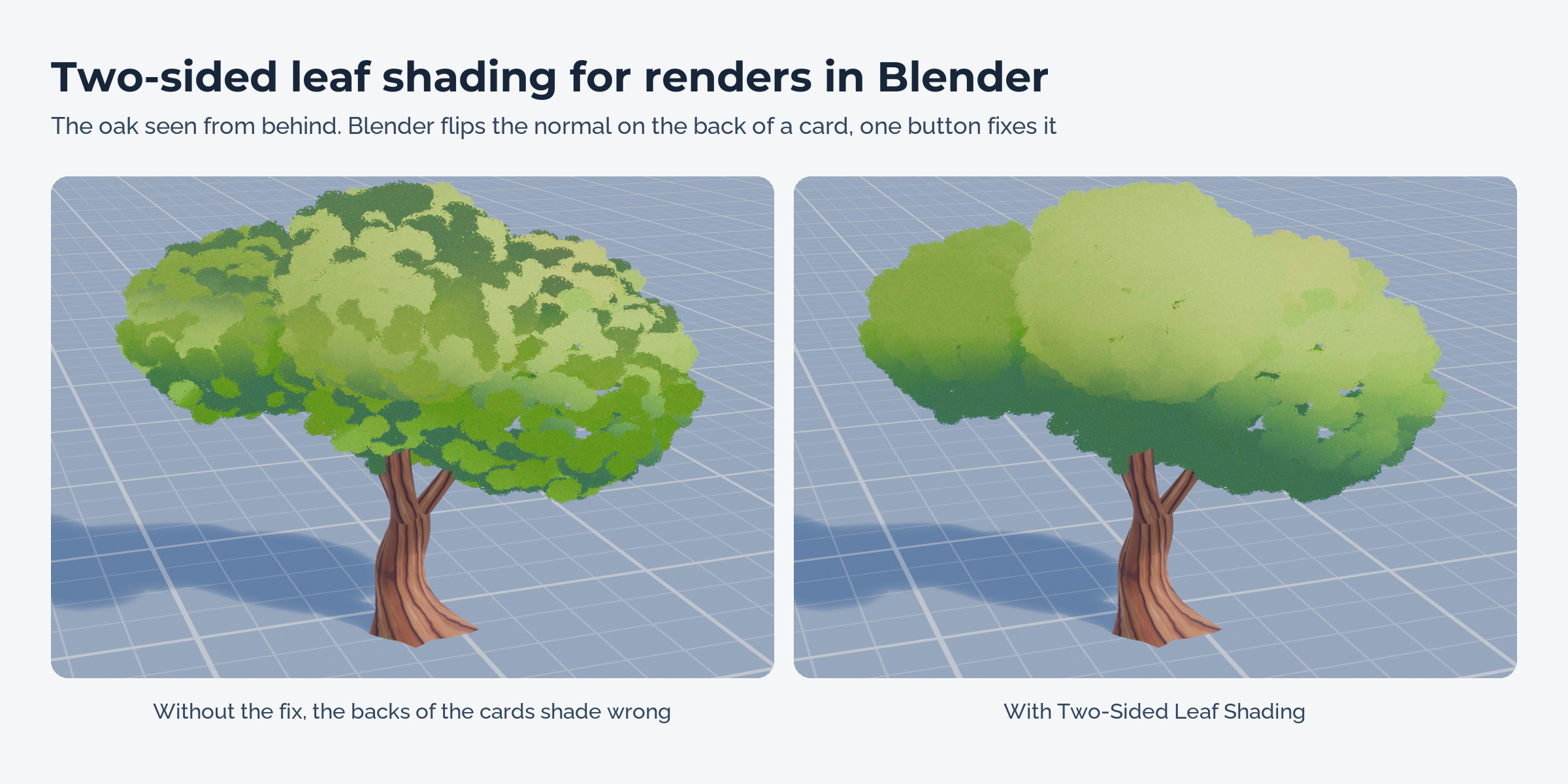
Two-sided shading in Blender
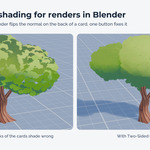
Blender turns the normal around on the back of a leaf card, which gives dark patches in renders. One button adds a small node setup to the leaf materials that keeps the back side like the front. It also works on custom and toon shaders that read the Geometry normal, and it can be removed again.
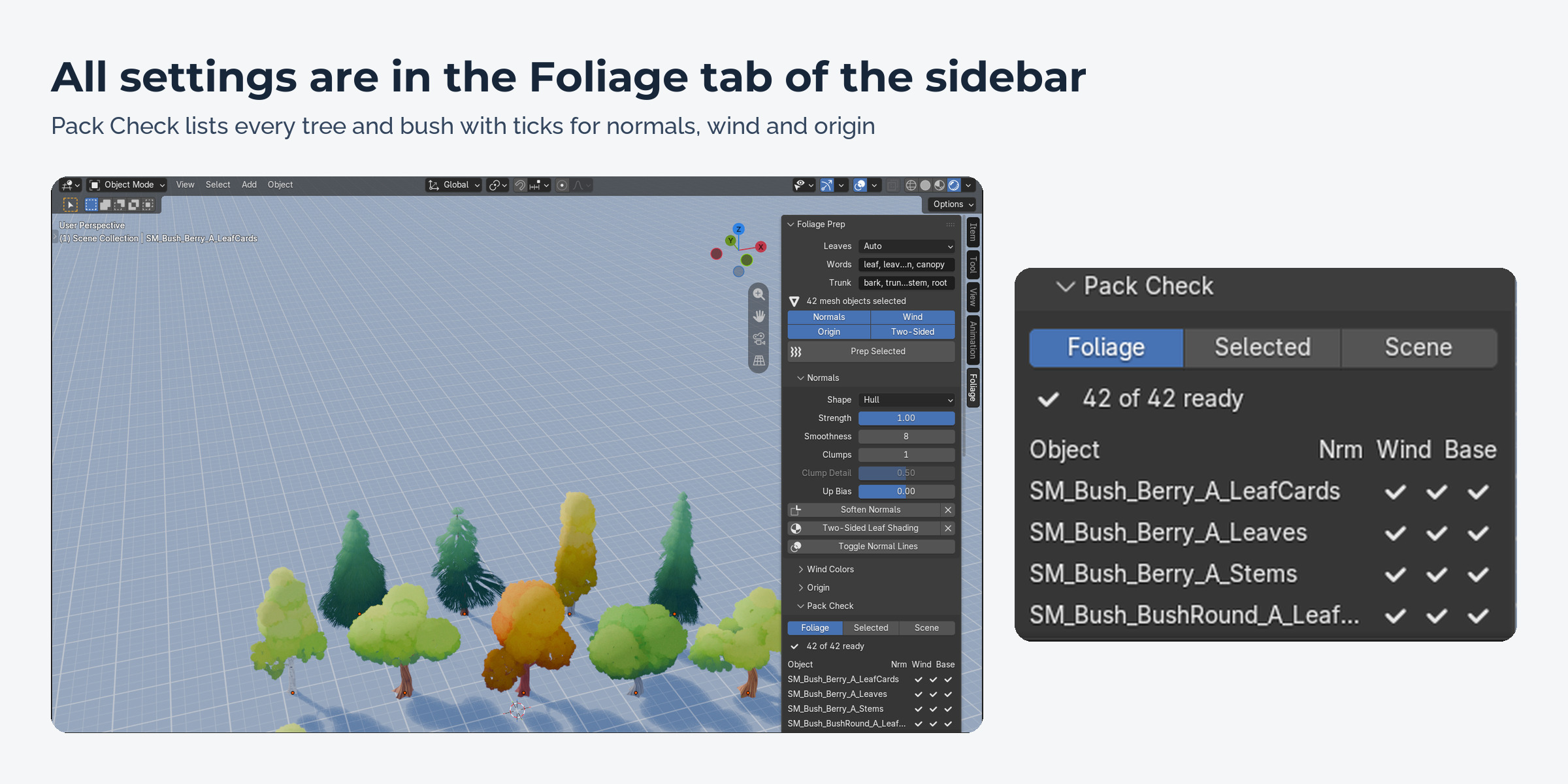
Pack Check
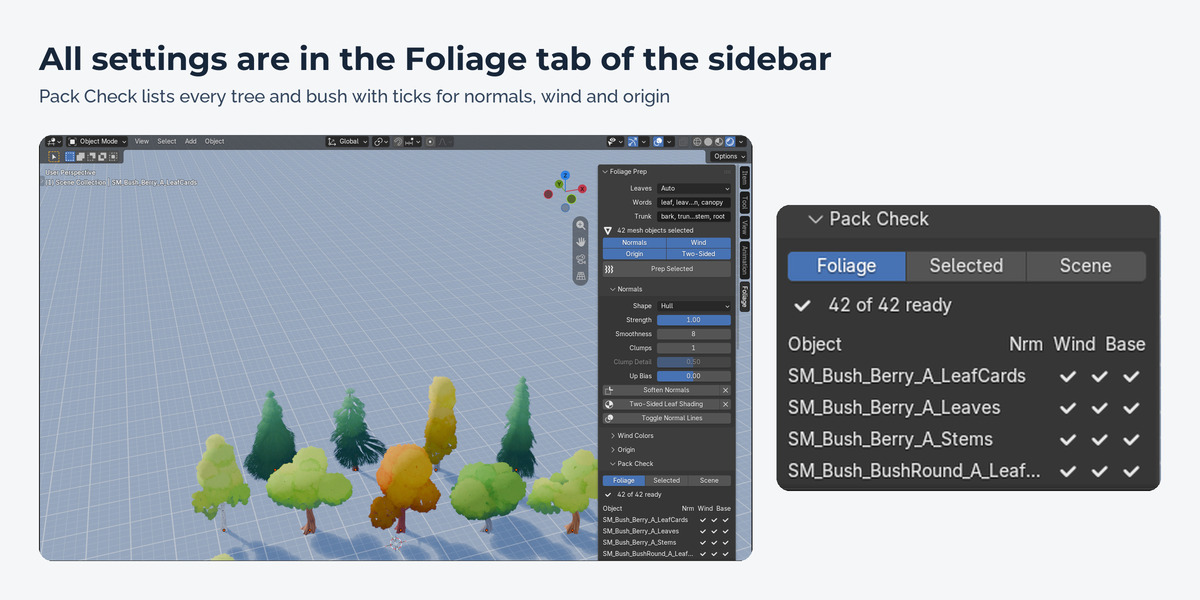
A list of every tree and bush with three ticks: normals, wind, origin. Select Unfinished picks the ones that still need work.
How it works
- Select your trees and bushes.
- Open the Foliage tab in the sidebar and press Prep Selected (Ctrl+Alt+F).
- Look at the Pack Check list, then export as usual.
What's included
- The extension (install from disk in Blender 4.5 or newer)
- Two demo files: fifteen trees and bushes on a studio floor before and after Foliage Prep (demo content from the Stylized Nature Pack by Nico Hartl, not for reuse)
- User guide as README.pdf with every option, engine notes, a Godot shader example and a troubleshooting table
- Changelog and licence
Good to know
- Foliage Prep writes normals and colours into the mesh. Objects whose geometry comes from a Geometry Nodes modifier need that modifier applied first.
- Several trees in one object share one hull. Split them into objects for one soft crown each.
- The two-sided nodes only change rendering in Blender. Engines handle back faces in their foliage shaders.
Compatibility
Blender 4.5 LTS, 5.0, 5.1, 5.2 LTS and 5.3. Tested on Windows in 4.5.15, 5.2.3 and 5.3.0. Works with any mesh, whatever made it.
Support and updates
Updates are free for buyers. Every new Blender version is tested before it is listed as supported. Questions through the store messages, answered within 72 hours.
AI disclosure
Designed with Claude. Code written with AI assistance, then reviewed, tested and integrated by a 3D artist.
The trees, bushes, rocks and plants in the pictures, the video and the demo files are from the Stylized Nature Pack by Nico Hartl. They are included as demo content only and are not part of this product.