Foliagelab - Cutter
 Michael G. Art


Do I need to extract the .zip before installing?
No. Install the .zip file directly in Blender via Edit > Preferences > Add-ons > Install.... Extracting the archive beforehand will prevent Blender from recognising the add-on.
Which image formats are supported as input?
PNG, TGA, TIFF, EXR, HDR, and JPG. You can also pick an image already loaded in the current Blender session using the Blender Image button instead of browsing from disk.
Which channel should I use for my opacity mask?
Use the Channel dropdown to select Luminance, Red, Green, Blue, or Alpha depending on where your mask data is stored. For most standard opacity maps, Alpha or Luminance is the right choice.
My opacity map uses white for transparent areas instead of black. What should I do?
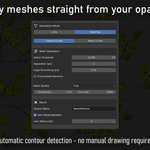
Enable the Invert Threshold toggle in High Poly Mode. This flips the detection logic so white is treated as transparent
What is the difference between LOD Mode and High Poly Mode?
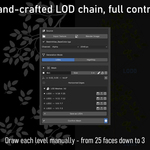
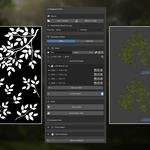
LOD Mode lets you draw custom hull polygons manually in the Image Editor, giving full control over topology and LOD levels. High Poly Mode generates dense meshes automatically from the opacity map contours -- faster but with less manual control.
My hull is drawn but no mesh is generated when I click Build LOD0.
The hull needs at least 3 points to generate geometry. Also make sure you clicked Confirm Mesh after drawing -- without this step the points are not saved and the build will be skipped.
How do I create LOD1, LOD2, etc. for a hull?
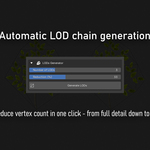
Simplify the hull by editing it in the Image Editor, then click Save as LOD N to store that version as a snapshot. Once all snapshots are saved, use Build Other LODs to generate the corresponding meshes.
How do I set up a cross mesh for billboard-style foliage?
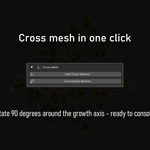
First set a pivot and growth angle for your hull using Set Pivot. Then, after building your LOD0 mesh, use Add Cross Meshes to generate a 90-degree rotated copy. Run Consolidate Meshes to merge each LOD with its cross companion into a single object.
What does pinning a pivot do exactly?
The pivot defines the mesh origin and the growth angle used for cross mesh rotation. Without a pivot, the origin defaults to the bounding box center and the angle defaults to 90 degrees. Setting it manually gives you precise control over how cross meshes are oriented.
Several nearby foliage elements are being merged into one mesh. How do I fix this?
Increase the Separation (px) value. This applies an erosion pass before detection to push close elements apart. The erosion is compensated by an equal dilation so the final element sizes remain accurate.
My meshes have too many vertices / not enough detail. What controls mesh density?
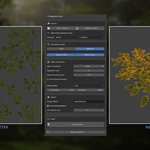
Use the Mesh Quality preset (Draft, Balanced, High Quality) as a starting point. For finer control, adjust Tris Density (maximum triangle edge length in metres -- smaller = more triangles) and Vtx Limit (cap on interior triangulation points).
What is the difference between Texture Cutter and Mesh Cutter?
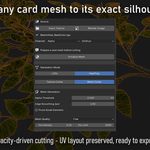
Texture Cutter generates meshes from scratch based on the opacity map -- no existing geometry needed. Mesh Cutter takes an existing card mesh you have in the viewport and cuts it to match the opacity silhouette, preserving its original UV layout.
When using Mesh Cutter, what do I need to do before clicking Cut Selected Mesh?
Select your card mesh in the 3D Viewport, then click Initialize Mesh in the Source section. This duplicates and separates the mesh into individual parts ready for cutting. Skipping this step will produce incorrect results.
$35
Have questions about this product?
Login to message
| Published | 5 months ago |
| Blender Version | 4.2 - 4.5 |
| Extension Type | Add-on |
| License | GPL |
Discover more products like this
polygon cutting foliage Mesh Generation vegetation LOD opacity-map game ready Atlas real-time high poly Billboard uv