 Jishnu Jithu
Font Mate: The Ultimate Text Management Tool for Blender
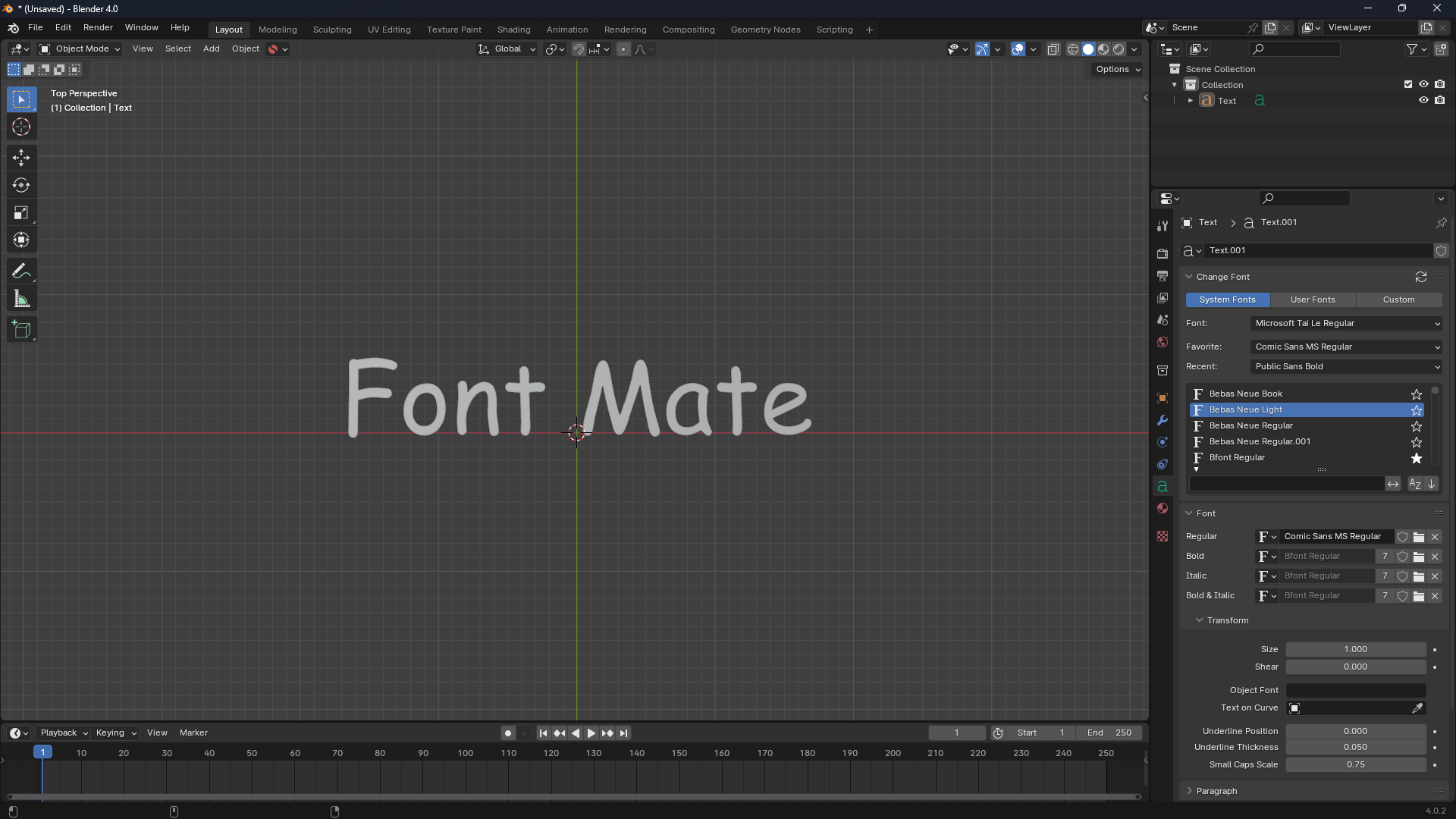
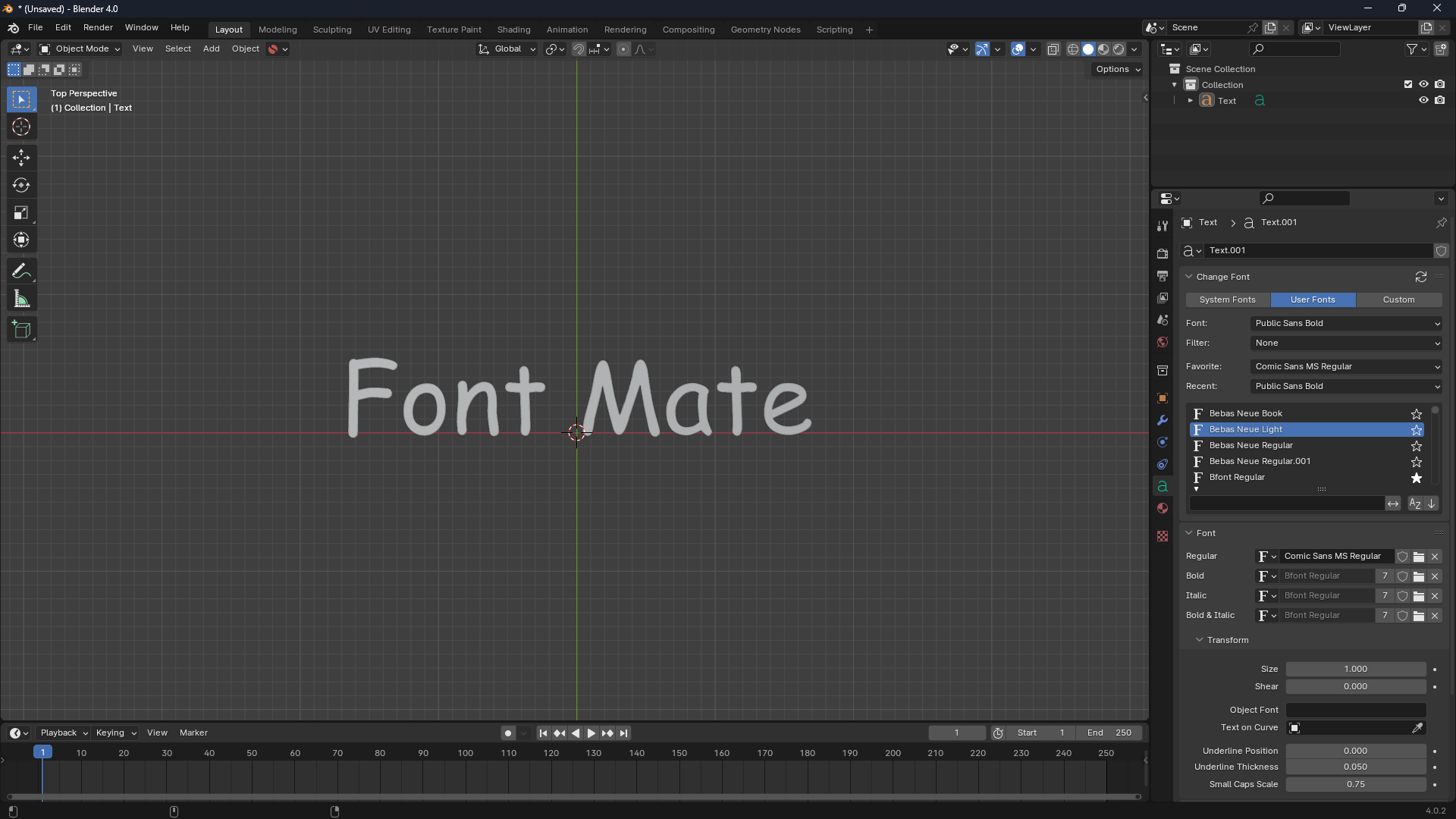
Font Mate is a powerful and essential add-on for any Blender user who works with text objects. Stop wasting time manually navigating file browsers! Font Mate centralises all system and user fonts directly within the 3D viewport, allowing you to instantly preview, filter, and apply fonts to your selected text objects with lightning speed.
Its streamlined pop-up interface and robust organisation features drastically improve your workflow, letting you focus on design, not file management.
Key Features
1. Instant Font Access via Pop-up
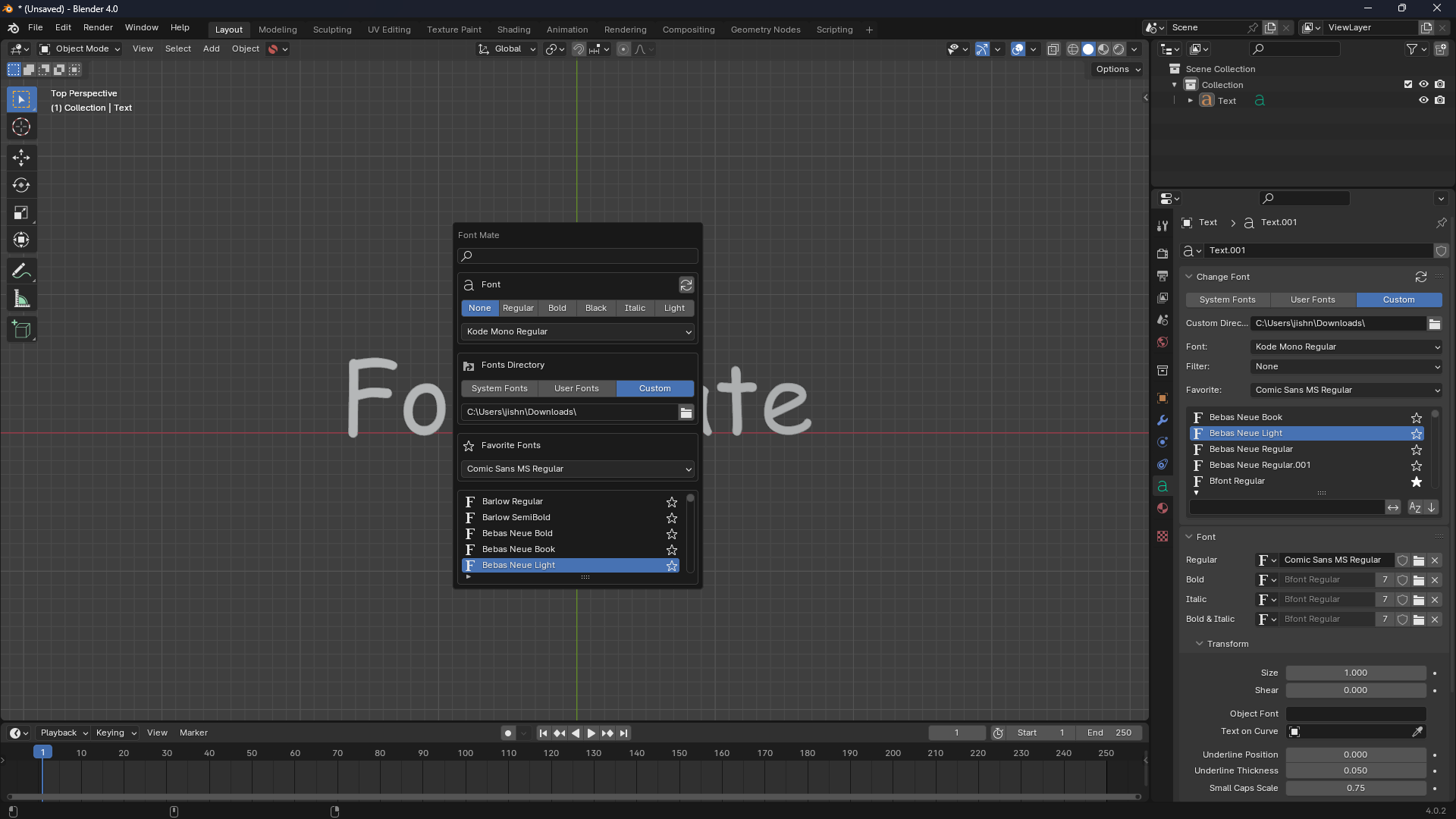
Access the entire library of installed fonts without ever leaving the 3D Viewport.
-
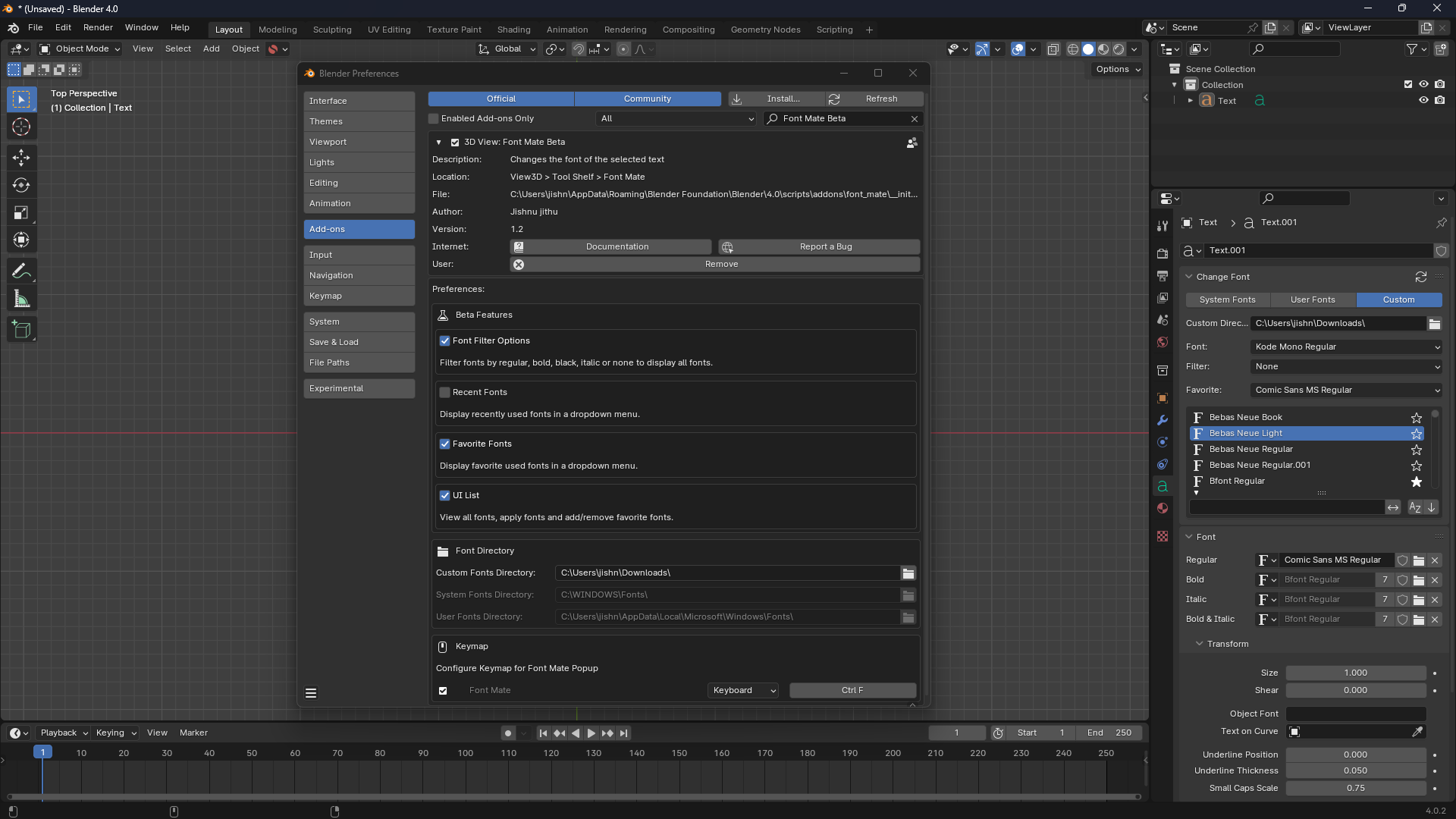
Quick Hotkey: Launch the Font Mate pop-up with the dedicated hotkey:
Ctrl + F(configurable in preferences). -
Header Popover: Access it quickly via a dedicated "Font" button in the 3D Viewport's tool header when a Text object is selected.
2. Intelligent Font Source Management
Effortlessly browse fonts from multiple locations with simple toggles:
-
All Fonts: Combine System and User font directories.
-
System Fonts: Load fonts from the default operating system path (e.g.,
C:\WINDOWS\Fontson Windows). -
User Fonts: Load fonts from your personal user directory (e.g.,
~/Library/Fontson macOS). -
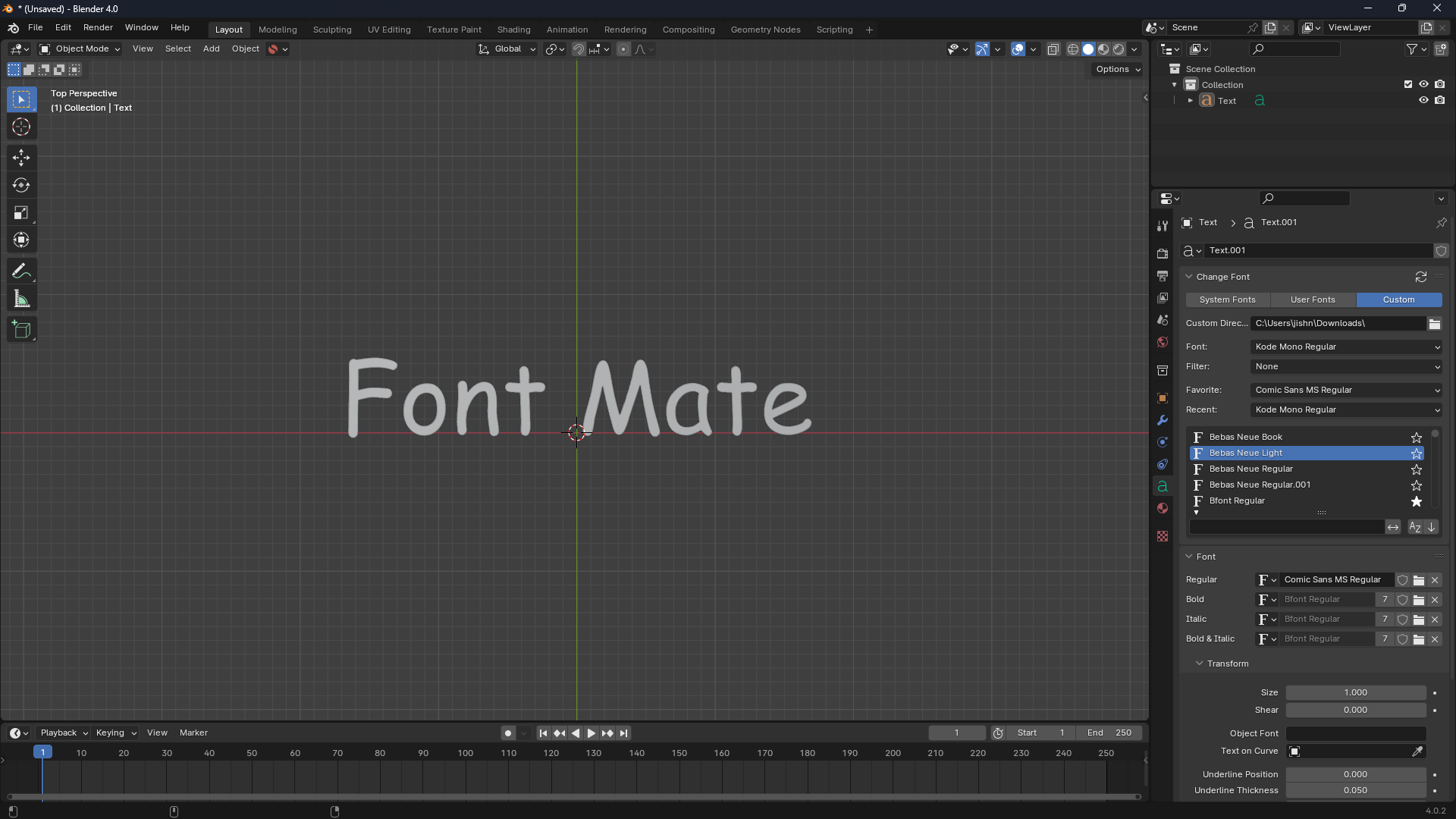
Custom Directory: Define a specific folder to load project-specific or downloaded fonts.
3. Rapid Filtering and Search
Quickly narrow down thousands of fonts to find the perfect style.
-
Keyword Search: Instantly filter the font list by typing into the dedicated search box.
-
Font Style Filters: Use built-in filters to find styles like:
BOLDITALICLIGHTREGULARMEDIUMBLACKTHIN
4. Workflow Enhancements & Quick Access
Boost your productivity with quality-of-life features:
-
Favourite Fonts: Mark any font as a favourite with a single click and access it instantly in the "Quick Access" section.
-
Recent Fonts History: Track and quickly re-select your most recently used fonts.
-
Real-time Update: Automatically applies the selected font to all currently selected Text objects.
Add-on Preferences
Customise Font Mate to fit your exact needs in the Blender Preferences:
| Setting | Description | Default |
| Enable Favourite Fonts | Toggles the ability to mark and use favourite fonts. | Enabled |
| Recent Fonts History | Tracks and displays a list of your recently applied fonts. | Disabled |
| Alphabetical Separators | Displays alphabetical dividers in the main font list for clarity. | Enabled |
| System/User Font Paths | Customise the default font directory locations for all operating systems (Windows, macOS, Linux). | Default OS Path |
💡 How to Use
-
Select the Text Object(s) in your 3D Viewport.
-
Press
Ctrl + F(or click the "Font" popover in the header). -
Click "Load Fonts" (only required once per session/change).
-
Use the Search and Filter options to refine the list.
-
Select a font from the list or the dropdown to instantly apply it to your selected objects.