Fontë 2.0
 Egret Studios LLC


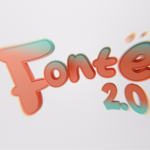
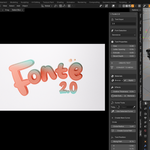
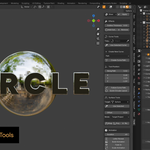
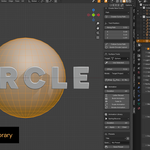
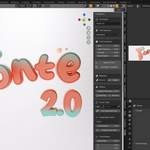
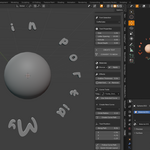
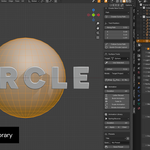
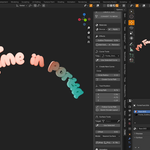
Can I animate text while it’s wrapped to a surface or following a curve?
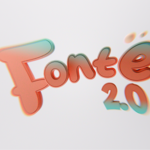
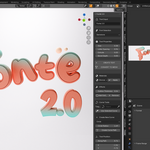
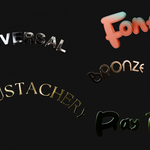
Yes. Fontë 2.0 supports animations on text objects even when using curve layouts or surface wrapping.
How do I fix “No Object Selected” errors?
Ensure you have a text or mesh object selected. Other object types like cameras or lights are not supported.
Are materials compatible with both Eevee and Cycles?
Yes. All starter material presets use Principled BSDF and work in both render engines. Some reflective or transparent materials (Glass, Chrome, Neon) may require proper lighting to display correctly.
Do I need to convert text to mesh to apply animations or materials?
No. Fontë 2.0 works directly on text objects. Mesh conversion is only required for advanced operations like the Build Modifier or final optimization.
Can I save and share my text setups?
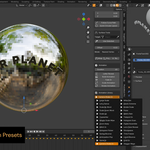
Yes. The preset system allows you to save, load, export, and import complete text configurations including text, materials, animations, and effects.
Will Fontë 2.0 slow down Blender?
No. Fonts are pre-cached for zero-lag browsing, and the animation system is optimized for real-time playback. Large extrusions, high bevels, or multiple active animations can affect performance, but we provide optimization tips in the docs.
Do animations only work on text objects?
No. All 25+ animation presets, plus manual animation tools, work on any selected mesh object, making it easy to animate titles, logos, or scene elements.
Can I use my own fonts?
Yes. Fontë 2.0 pre-caches 405 system fonts for instant browsing and also supports loading custom .ttf or .otf fonts.
Does Fontë 2.0 work with Blender 4.0 and newer?
es. Fontë 2.0 is built for Blender 4.0+ and tested up to Blender 4.5. It should work with all versions from 4.0 onward.
$7.99$4.79
 Included
Includes 12 months of
- Support from Egret Studios LLC
- Product updates
Extend this product’s Support Period +12 months: 50% of product price
Have questions before purchasing?
Login to message
| Blender Extension Compatible | Yes |
| Sales | 50+ |
| Published | 12 months ago |
| Blender Version | 4.0 - 5.2 |
| Extension Type | Add-on |
| Render Engine Used | Cycles, Eevee |
| License | GPL |

Discover more products like this
text Animation Presets 3D text modelling animation one-click animations