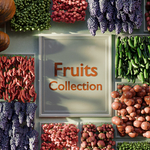
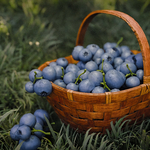
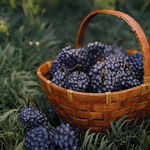
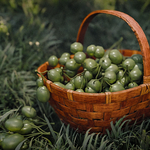
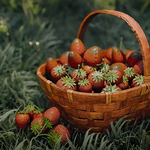
Fruits Collection
 Vertixel Studio


Blender File Usage Guide
All models are carefully organized into clearly named folders and collections to provide a clean and efficient workflow.
To use the assets in your own project:
- Open the provided
.blendfile. - Select the fruit model or collection you want to use.
- Copy it (
Ctrl + C). - Open your project file and paste it (
Ctrl + V).
You can also use File → Append to import specific collections or objects directly into your scene.
The project structure is designed to make asset reuse simple, fast, and organized across different projects.
-
$1
This version is perfect for personal projects and prototypes. Under the CC-BY license, you are free to use these assets commercially, provided you include a visible credit to the creator in your project's documentation or credits screen.
-
$1.99
Choose the Royalty Free License for total creative freedom. While the CC-BY version requires credit, this license allows you to use these assets in professional and commercial projects without attribution. Keep your credits clean and your workflow simple.
Have questions about this product?
Login to message
| Rating | 1 ratings |
| Published | 5 months ago |
| Blender Version | 5.0 - 5.1 |
| Render Engine Used | Arnold, Blender-Internal, Blender-Game-Engine, Cycles, Eevee, Freestyle, Luxrender, Mental-Ray, Octane, Vray, Yafaray |
| Misc Data | Uvs-Unwrapped, Textured |
| License | Creative Commons |
Discover more products like this
FruitAssets 3Dassetpack 3dfood GameReadyAssets free LowPolyFruits #FoodModels StylizedFood BlenderAssets fruit 3dnature lowpoly