 Noha Design


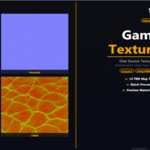
You finished the texture. Now comes the part nobody enjoys.
Exporting PBR maps for a game engine shouldn't cost more time than building the asset itself. But there you are — computing normals, manually packing AO, Roughness and Metallic into a single ORM texture, then double-checking whether Unity HDRP wants Smoothness in the alpha or the red channel. And if you switch engines mid-project, you start over.
GameDev Texture Tools removes that entire step.
Drop in a source texture, pick your target engine, and you get a complete, correctly named, import-ready PBR map set — without leaving Blender.
What gets generated:
- Albedo / Base Color (source copy with correct engine naming)
- Normal Map (height-to-normal conversion)
- Roughness / Smoothness
- Ambient Occlusion
- Height / Displacement
- Metallic
- Packed maps with the exact channel layout each engine expects (ORM, MaskMap, MetallicSmoothness)
Engine presets included:
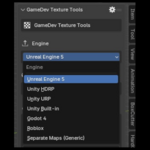
| Engine | Output | Normals |
|---|---|---|
| Unreal Engine 5 | ORM packed, T_Name_ prefix | DirectX |
| Unity HDRP | MaskMap (R=Metal G=AO A=Smooth) + Height | OpenGL |
| Unity URP | MaskMap (R=Metal G=AO A=Smooth) | OpenGL |
| Unity Built-in | MetallicSmoothness + separate AO | OpenGL |
| Godot 4 | ORM packed, lowercase naming | OpenGL |
| Roblox | Engine-standard naming | OpenGL |
| Generic / Separate Maps | Every map as a separate file — you choose which ones | Your choice |
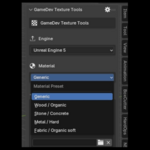
Material presets — algorithms tuned to your surface type:
Every map algorithm adjusts automatically based on what material you're working with. No manual tweaking of normal strength, AO depth, or roughness variation needed.
- Generic — balanced defaults for any surface
- Wood / Organic — emphasises grain detail and roughness variation
- Stone / Concrete — deep crevice AO, sharp edge definition
- Metal / Hard — subtle AO, detail-driven roughness, sharp specular
- Fabric / Organic Soft — soft normals, variance-based roughness
Custom map selection — take only what you need:
Don't need every map? Switch to the Generic / Separate Maps preset and pick exactly which files get generated — including advanced maps like Curvature, Cavity, Specular, Thickness, and Opacity. No unnecessary files written to disk.
One-click material preview — apply directly to your object:
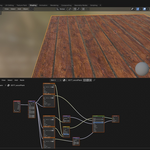
After generating maps for a single texture, hit Preview Material and the full PBR material gets built and applied to your active object instantly. All maps connected, ready to inspect in the viewport — no manual node setup.
Batch processing included.
Point the addon at a folder and it processes every texture inside — same preset, same resolution cap, no manual steps repeated. Useful the moment you're working with more than one asset.
Output resolution: Original size, 2048 px, 1024 px, or 512 px — caps the longest edge automatically.
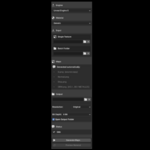
Everything lives in the Blender sidebar (View3D → Sidebar → GameDev tab). No external software, no round-trips through Photoshop or Substance Painter, no format conversion, no external Save
Built by a developer who switched engines one too many times and got tired of repacking the same textures by hand.
Requirements: Blender 4.0 or newer · NumPy (included in all official Blender builds from blender.org)