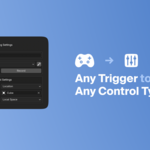
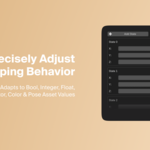
Gamepad Control Rig

that studio in Rigging


Item Rating

This item has an average rating of 5 from 5 ratings by the community.

100%
0%
0%
0%
0%

Purchase this item to leave a review!

  • Maarten
    3 months ago

    Such a great addon! Very flexible and easy to use. Got lots of possibilities. Thanks for creating this!

  • JUJU
    9 months ago

    Super fun tool for animation. Puppeteering characters is an absolute blast and the live control works great. It's revolutionized my workflow!

    The tool is already seriously incredible and a total game-changer. A few performance hiccups but the dev team’s fixing it all in the next big update.

    Highly recommend!

  • MVR
    11 months ago

    Extremely responsive developer with great energy behind their products including this fine gem right here. I have been looking for a puppeteering solution in blender for some time now.

    Before I found this addon I was using a very unstable pipeline including free software such as TouchOSC and AddRoutes (very outdated)-- but even with these tools I was not able to achieve the professional results and controller linking options presented in Gamepad Control Rig.

    Everything is user-friendly and feels like plug and play. There is helpful documentation and the overall design and features are very well thought out and reward experimentation.

    Bonus:: The cute eye-blob character thingy in the menu GUI is very helpful and motivational with the witty tooltips-- it just makes using this plugin extra fun.

    Thanks for your work and response to my questions, That Studio!

  • Juan Carlos
    about 1 year ago

    Cool add on
    I really improved my animation workflow, but it could be better if it launch python script.

  • Jinsaria
    about 1 year ago

    Puppet rigs in Blender! It's great, responsive, highly configurable. It's not without it's issues but the developer is incredibly responsive and seems to have great aspirations for the future of this addon.

    I've used puppet rigs in the past in Cinema 4D and Maya but I always missed having them in Blender. and I will say this is considerably easier to set up than methods I have used in other software. it's straight forward and intuitive and I didn't find my self needing to scour for documentation to figure out how stuff worked. Though it should probably be noted somewhere that if you want to control modifiers you should use the "custom datapath" option.

    It could use some work in regards to per character/object controls or toggling collections of controllers on and off but this is something that has already been addressed by the developer.

    Even with it's short fallings I can't really bring my self to rate it less than 5/5. when 99% of addons only simplify or streamline functions that exist natively in blender this offers something entirely new that is impossible to achieve otherwise.

    If I had to give it one singular criticism, it would be that the price is a little steep and while my stickershock was eased by the release sale, it's standard price still comes across as a bit pricey. but for what it offers it's one of those "At any cost" Sort of addons. and considering it's never been done before it can't have been an easy thing to implement. In the end I've spent considerably less money on other products and felt like I got less value for my investment than I do here. It has instantly become part of my workflow for animation.

  • Displaying 5 ratings
  • Gamepad Control Rig Full Addon (1 seat) + Updates

    $44
  • Gamepad Control Rig Full Addon (10 seats) + Updates

    $320
$44

Support Period Included

Includes 12 months of

Extend this product’s Support Period +12 months: 50% of product price

Have questions before purchasing?
Login to message

Details
Blender Extension Compatible Yes
Sales 70+
Rating
5 ratings
Dev Fund Contributor
Published about 1 year ago
Blender Version 4.0 - 5.2
Extension Type Add-on
Render Engine Used Cycles, Eevee
License GPL