 that studio


Direct. Fluid. Analog Control.
Your gamepad controller becomes a precision instrument for real-time animation. Every button, stick, and trigger connects directly to your creative intent.


Download Now for only $44
Regular Price $80
Transform How You Animate

Professional animation workflows, reimagined. Whether you're toggling states, cycling through options, or dialing in precise values — everything responds instantly to your touch.
Connect any gamepad to unlock intuitive control over every aspect of your Blender scene. Your controller becomes natural part of your creative workflow.
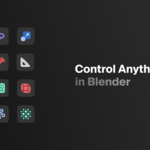
What You Control

Transform — Control Location, Rotation, Scale
Pose Asset — Transition between Pose Assets
Bone — Control Transform, Constraints of Armatures
Shape Key — Control Mesh Deformation
Constraints — Control Influence of Constraints
Material — Control Shader Properties
Geometry Nodes — Control Geometry Input Nodes
Lighting — Control Light Properties
Physics — Control Physics Properties
Particle — Control Particle System Properties
Custom Properties — Control Custom Properties
Custom Data-paths — Control Other Properties with Data-paths


How You Control It

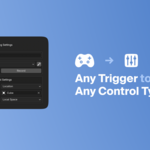
Each mapping operates independently. Define value states within each mapping. Create five mappings for basic transforms or hundreds for complex rigs. The system adapts to your creative needs.

Absolute — Direct button-to-value mapping. Press halfway, get halfway.
Toggle — Switch between states with each press.
Cycle — Step through multiple values in sequence.
Continue — Accumulate changes over time while held.
Wave Generator — Replace any input with time-based functions for automatic animation.
Automatic Binding
Press any button. Touch any property. Connected. Friction-less flow.

Trigger Binding — Button press. Instant bond.
Control Binding — Touch any value. Connection established.
Record Your Performance

Enable keyframe recording on any mapping, multiple mappings, or the entire mapping collection. Rehearse action in live control and when ready, perform & capture.
Record multiple mappings simultaneously, or focus on single elements for precision work. Switch between live control and playback seamlessly.

Fine Control

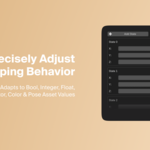
Smoothing — Eliminate jitter with weighted averaging over time
Delay — Millisecond-precise timing for sequential triggers

Wave Generator

Animation without controller input. Replace any button with time-based wave functions that evolve continuously.
From mathematical waves like sine, triangle or sawtooth, to organic patterns such as wind, ocean or pendulum.
Create living scenes that breathe without controller input.

Universal Controller Support
PlayStation — PS5 DualSense, PS4 DualShock, PS3 DualShock
Xbox — Series X/S, Xbox One, Xbox 360
Nintendo — Switch Pro, Joy-Con pairs
Other — Nvidia Shield, Google Stadia, Amazon Luna
Standard — Any controller following gamepad mapping API
Bluetooth or USB — Automatic detection and calibration. Adjustable dead-zones for worn sticks.
Screencast — Visual feedback overlay for setup and screen recording.
System Requirements
Blender 4.0-4.5 | Windows • macOS • Linux | Any Standard Controller


