
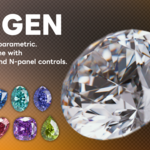
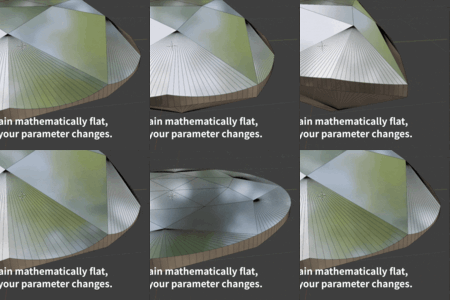
Gemgen - Parametric Gem Mesh Generator

Kengo Ito in Presets


Installation

  1. In Blender, go to Edit > Preferences > Add-ons.
  2. Click Install and select the downloaded ZIP file.
  3. Enable "Gemgen" in the add-ons list.

Requires Blender 4.0 or later.


Getting Started

Add a gem: Add > Mesh > Gem (or Shift+A > Mesh > Gem). A Round gem appears at the 3D cursor.

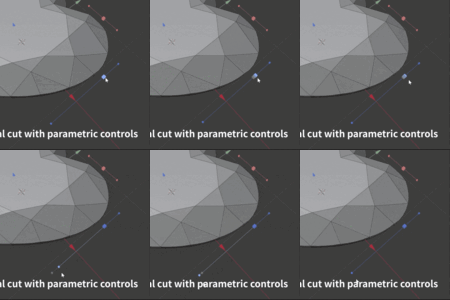
Edit parameters: Select the gem, then use the Gemgen tab in the N-panel sidebar or the Gemgen panel in Object Properties. Only parameters relevant to the current cut are shown.

Change cut type: Pick a different cut from the dropdown — the mesh regenerates and good proportions are applied automatically.

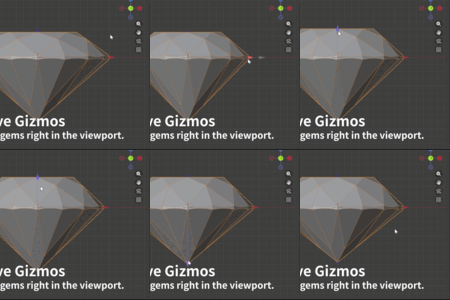
Viewport gizmos: Drag the arrow handles to adjust size and proportions directly in the viewport.

Arrow Color Controls Shown for
X Red Radius / Half-width All cuts
Y Green Half-length All except Round, Trillion, Rose
Z+ Blue Table height All cuts
Z- Purple Pavilion depth All except Rose

Set Good Proportions: Click the button in the Gemgen panel to reset parameters to balanced, jeweler-standard ratios for the current cut.

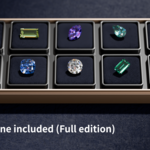
Sample scene (Full edition): The Full edition includes a ready-to-render .blend file with pre-configured gems, materials, and lighting. Open it via File > Open to explore or render right away.


Parameter Reference

Overall

Parameter Description Available for
Cut Type Gemstone cut shape All
Radius Gem radius Round, Trillion, Rose
Width / Length Gem dimensions Cushion, Emerald, Baguette, Pear, Marquise, Heart, Oval
Corner Sharpness Corner rounding (0 = round, 1 = sharp) Cushion, Trillion, Pear, Marquise
Bezel Width Width of bezel facets Emerald

Crown

Parameter Description Available for
Table Height Crown height from girdle to table All
Table Scale Table facet size relative to outline (0–1) All except Rose
Table Roundness Table outline roundness Cushion
Crown Bias Crown break facet position (0–1) Round, Cushion, Trillion, Pear, Marquise, Heart, Oval, Rose
Crown Step Count Number of crown step facets Baguette, Emerald
Crown Roundness Crown profile curvature (0 = linear, 1 = arc) Baguette, Emerald, Rose

Girdle

Parameter Description Available for
Girdle Height Girdle band thickness All
Girdle Subdivision Additional girdle edge loops Round, Cushion, Trillion, Pear, Marquise, Heart, Oval, Rose

Pavilion

Parameter Description Available for
Pavilion Depth Depth from girdle to culet All except Rose
Pavilion Bias Pavilion break facet position (0–1) Round, Cushion, Trillion, Pear, Marquise, Heart, Oval
Pavilion Step Count Number of pavilion step facets Baguette, Emerald
Pavilion Roundness Pavilion profile curvature (0 = linear, 1 = arc) Baguette, Emerald
Culet Scale Culet size (0 = sharp point, 1 = large facet) All except Rose
Pavilion Pattern Oval pavilion facet pattern (4, 6, 8-A, 8-B) Oval
Shift Pavilion Rotate pavilion facet pattern Marquise

Shape & Topology

Parameter Description Available for
Point 1 / Point 2 Heart shape point positions Heart
Handle 1–4 Heart shape curvature handles Heart
Oval Handle 1 / 2 Oval outline curvature Oval
Use N-gons Merge triangulated facets into clean N-gon faces Most cuts (except Baguette)

Troubleshooting

Gem doesn't appear: Make sure the addon is enabled in Edit > Preferences > Add-ons. Search for "Gemgen" and check the box.

Gizmos not visible: Ensure Gizmos are enabled in the viewport header (the gizmo icon). The gem must be selected.

Mesh doesn't update: If the mesh was manually edited, create a new gem and transfer your settings.

  • Round cut only — all other cuts require the full edition.

    $10
  • The complete edition with every supported cut type

    $20
$10

Have questions about this product?
Login to message

Details
Blender Extension Compatible Yes
Sales 50+
Dev Fund Contributor
Published 6 months ago
Blender Version 4.2 - 5.0
Extension Type Add-on
Render Engine Used Cycles
License GPL
Discover more products like this

Generator gemgen gem jewelry parametric gemstone