 Darksteady. Studio


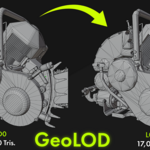
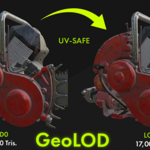
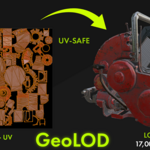
GeoLOD — Smart, UV-safe LOD Generator for Blender 4.x
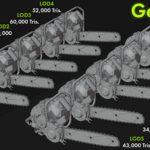
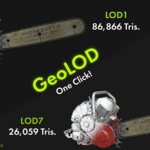
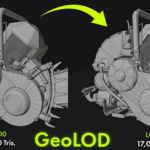
Production-ready LODs in seconds – GeoLOD creates a neatly named collection of LODs from your active mesh, cleans topology with UV awareness before reduction, and applies a Decimate (Collapse) modifier, finishing with a non-applied Weighted Normals modifier (Keep Sharp off) for consistent shading.
Why GeoLOD
UV-safe by design – optional UV seam protection during cleanup reduces stretching and keeps UV islands intact.
Clean before you reduce – limited dissolve (small angles) + merge-by-distance removes micro-edges and garbage geometry so Decimate works more predictably.
Consistent shading – every LOD gets a Weighted Normals modifier (left unapplied), so you can tweak later.
Organized output – all LODs are placed in a
BaseName_LODscollection, namedBaseName_LOD1…N(+ optional LOD0 copy), each with aLOD_Levelcustom property.Simple, predictable controls – set LOD Count and either paste exact Percentages (90,80,65…) or use Start % + Step %.
Non-destructive when needed – choose whether to apply generated modifiers (Weighted Normals is always left unapplied).
Key Features
Generate 1–10 LODs in one click.
Exact percentage list or Start/Step pattern.
UV-aware cleanup (Limited Dissolve with angle limit, Merge by Distance, optional UV seam protection).
Decimate (Collapse) – creates triangulated reduction for optimal real-time performance.
Auto-add Weighted Normals (Keep Sharp = OFF), left unapplied.
Optional LOD0 (copy of original).
Preserves materials, vertex colors, and UVs where possible.
Works with Blender 4.0+.
Workflow
Select a mesh object in Object Mode.
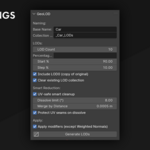
In N-panel → LOD Maker, set Base Name, LOD Count, and either Percentages or Start/Step.
(Optional) Enable UV-safe Smart Cleanup and tweak angle/merge distance.
Click Generate LODs. Your LODs appear in
BaseName_LODs.
Output Naming
Collection:
BaseName_LODsObjects:
BaseName_LOD1…LOD{N}(+ optionalBaseName_LOD0)Custom property:
LOD_Level = 0..N
Compatibility & Notes
Blender 4.0 or newer.
Mesh objects only. GeoLOD duplicates the object with a unique mesh data-block; materials remain linked.
Extreme reductions will affect shape and UVs — keep reasonable percentages for hero assets.
Decimation uses triangulated geometry for performance; quads are not preserved.
For predictable results with heavy upstream modifiers (Mirror/Array/Subdiv), either apply them first or let GeoLOD apply all except Weighted Normals.