 Amandeep
Installation:
Go to Edit>Preferences>Addons>Install and select the zip file you downloaded.
Usage:
GeoPipes Panel is located under the 'A-Tools' section of the N-Panel
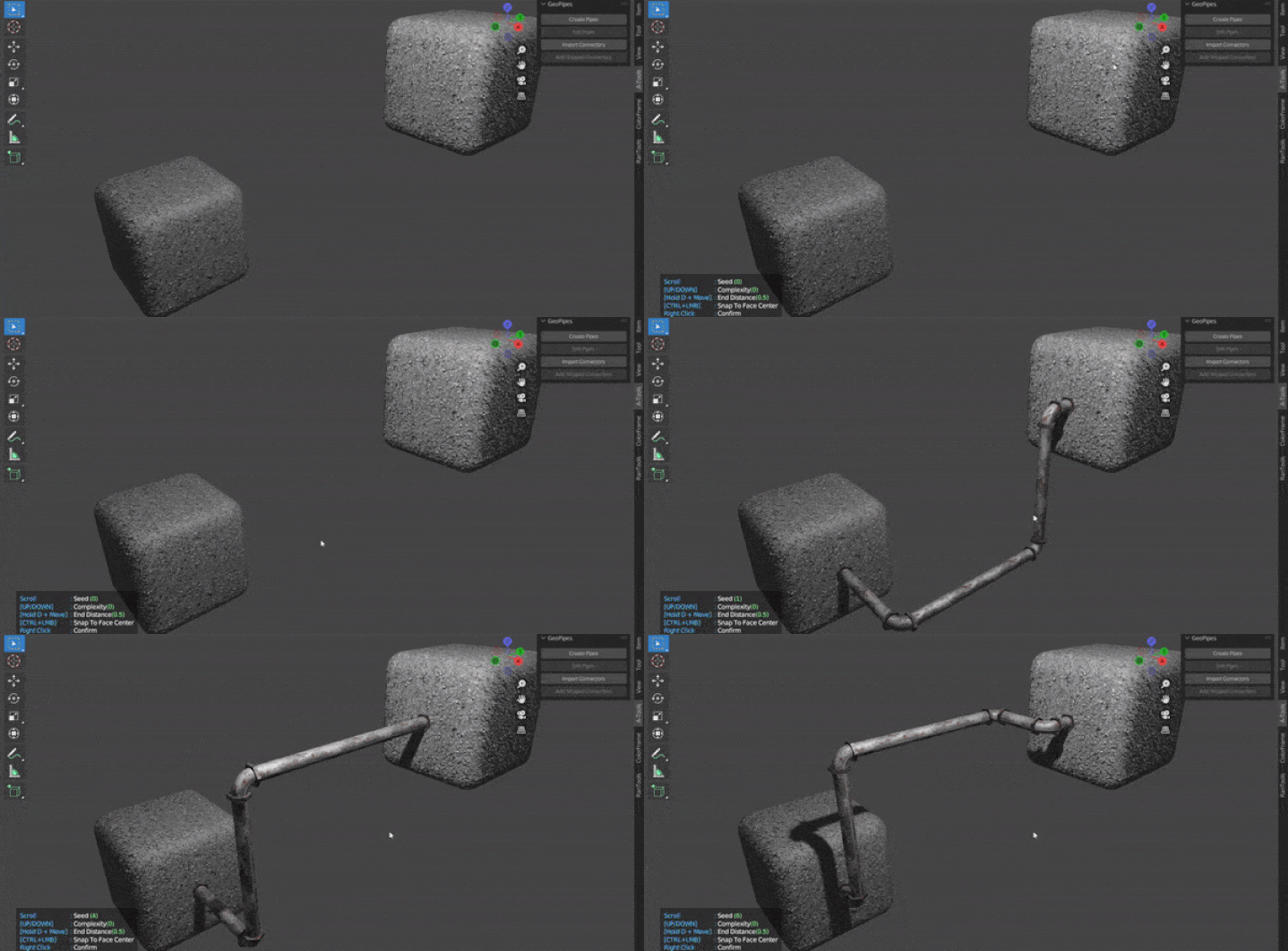
Click the 'Create Pipes' button to start the drawing mode.
Click on any face to place a point and keep clicking to add more points.
Hold down CTRL to snap the point to the center of the face.
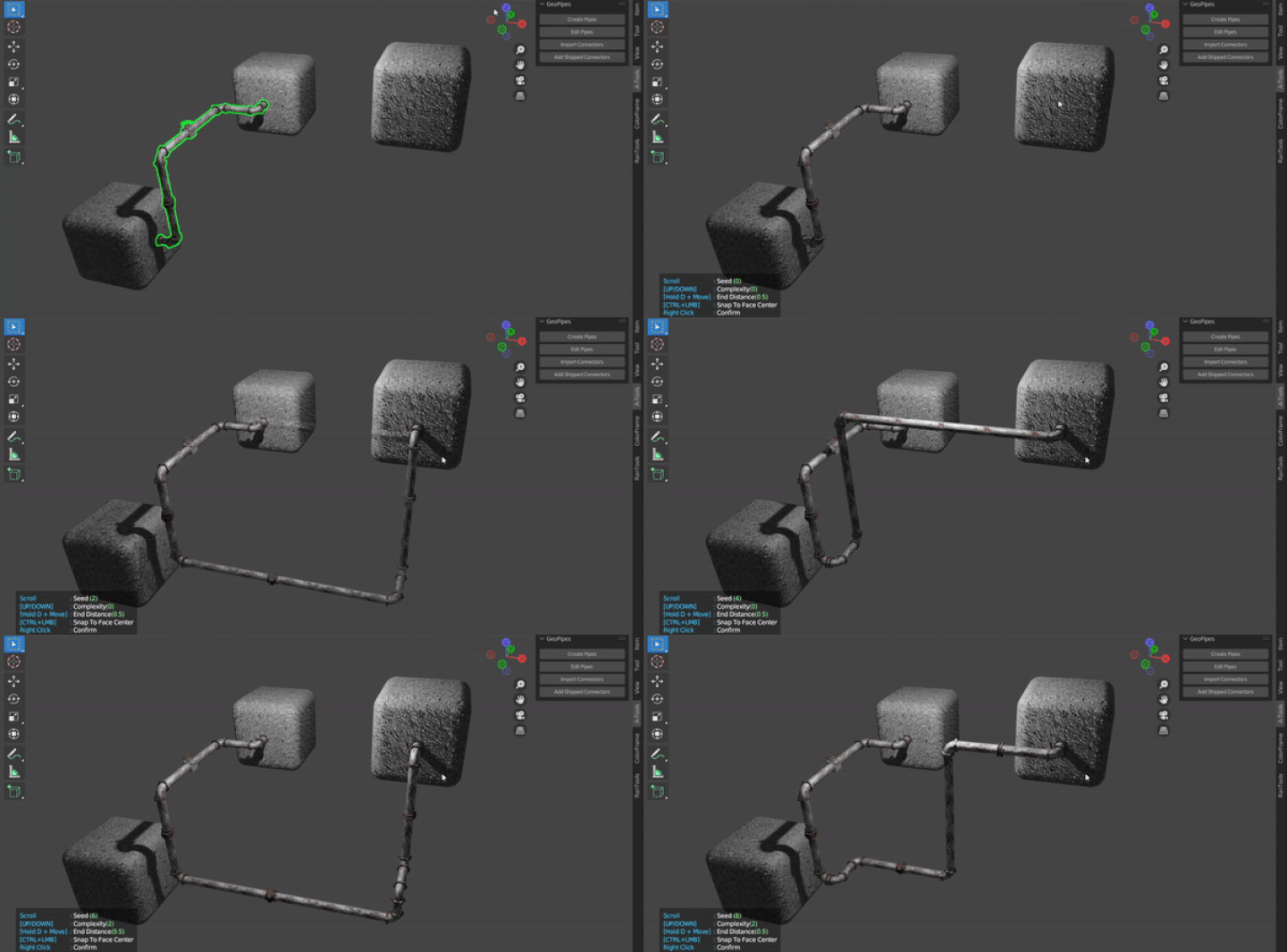
With any GeoPipe object selected click the Edit Pipe button to extend the pipe further while keeping the existing points intact.
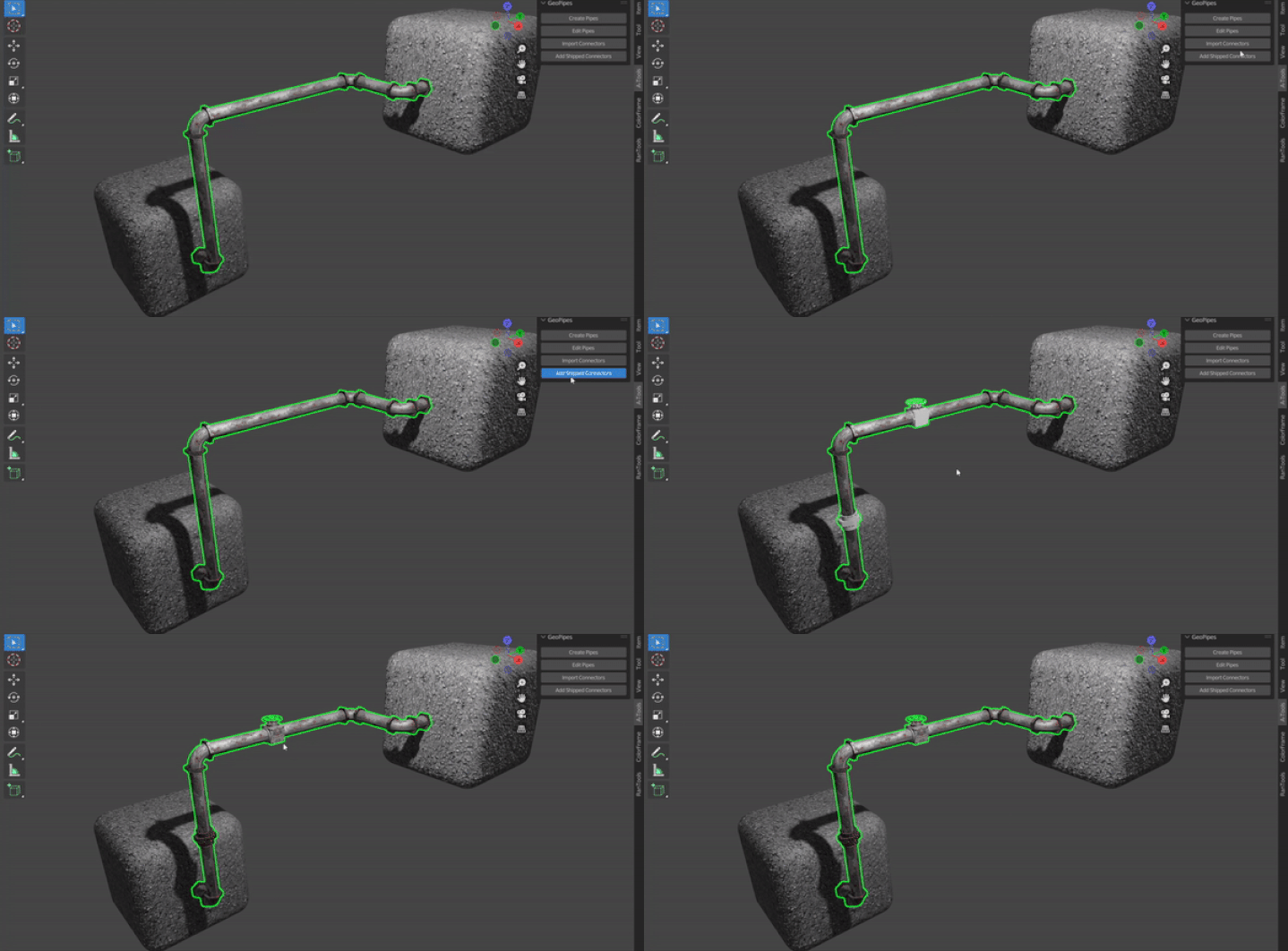
With any GeoPipe object selected click 'Add Shipped Connectors' to add the 4 connectors shipped with the addon to your Pipe.
Have questions about this product?
Login to message

Discover more products like this
addon spring24 loveblender free winter24 bfcm24 pipes Geonodes summer24 geometry nodes geometrynodes