 NoiseBee


GestureMesh
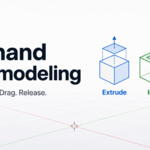
One-hand mesh modeling
Select geometry. Drag. Release. GestureMesh turns simple mouse gestures into fast extrude, inset, and bevel actions directly inside Blender.
Extrude
Drag up or down from selected faces to create quick extrusion shapes.
Inset
Drag left for region inset or right for individual inset.
Bevel
Drag diagonally to bevel face selections, edges, or vertices.
Model faster with fewer interruptions
GestureMesh is designed to reduce tool switching while working in Mesh Edit Mode. Keep your focus on the model and trigger common operations directly from the selection.
Face gestures
In Face Select Mode, the drag direction defines the modeling operation.
Up / Down: Extrude
Left: Region Inset
Right: Individual Inset
Diagonal: Bevel
Edges and vertices
GestureMesh also supports fast bevel gestures for selected edges and vertices.
Selected edges: Edge Bevel
Selected vertices: Vertex Bevel
Live feedback while dragging
GestureMesh previews the operation while you drag, so you can see the result before applying it. A small value label near the cursor shows the current extrusion, inset, or bevel amount.
Built for hard-surface workflows
GestureMesh is useful for blocking, panel creation, beveling, mechanical shapes, sci-fi forms, props, and repeated mesh modeling tasks.
How it works
Enter Edit Mode
Select geometry
Drag from selection
Preview result
Release to apply
Compatibility
Blender 4.2 or newer
Mesh Edit Mode
GPL licensed
Included
GestureMesh add-on
README documentation
GPL license file
Select. Drag. Model.
GestureMesh keeps your modeling flow focused: select geometry, drag from the selection, preview the operation, and release to apply. Extrude, inset, and bevel with one hand.
Join the Discord Community-
$24.90
For solo artists, freelancers, and individual commercial use.
-
$76
For studios, teams, and companies using Gesture Mesh across multiple artists.
 Included
Includes 12 months of
- Support from NoiseBee
- Product updates
Extend this product’s Support Period +12 months: 50% of product price
Have questions before purchasing?
Login to message
| Blender Extension Compatible | Yes |
| Published | about 2 months ago |
| Blender Version | 4.2 - 5.2 |
| Extension Type | Add-on |
| Render Engine Used | Arnold, Blender-Internal, Blender-Game-Engine, Cycles, Eevee, Freestyle, Luxrender, Mental-Ray, Octane, Vray, Yafaray |
| License | GPL |
Discover more products like this
inset tool gesture modeling mesh mesh modeling GestureMesh mesh tools blender addon extrude tool Bevel Tool