Glared2 - Light and Bloom FX in Real-Time
 Blender Lens Flare


Online User Manual
Explore the Glared2 online manual for installation instructions, interface guidance, effect controls and export workflows.
Read the Online ManualVideo Tutorial
Watch the video for a practical introduction to Glared2. The interface and available features may differ depending on the version you are using.
Requirements & Compatibility
Latest Release
The latest Glared2 release requires Blender 5.2 or later.
Previous Compatible Packages
Previous compatible packages are available for older Blender versions, going back to Blender 4.1. Download the package that matches your Blender version. Features and installation steps may differ between releases.
Render Engines
Glared2 works with both Eevee and Cycles renders through Blender’s compositor.
Installing Glared2
Download the ZIP package intended for your Blender version from your Superhive purchases. Keep the ZIP file intact for installation.
Current Extension Package
In Blender, open Edit → Preferences → Get Extensions. Open the menu in the upper-right corner and choose Install from Disk.
Select the compatible Glared2 ZIP package and complete the installation. Enable the add-on if it is not enabled automatically.
Legacy Package for Blender 4.1
Download the previous package specifically compatible with Blender 4.1. Open Edit → Preferences → Add-ons, click Install and select its ZIP file.
Enable Glared2 after installation. For other older Blender versions, follow the installation instructions supplied with the corresponding package.
See the online manual for detailed installation guidance.
Quick Start
1. Open Your Project
Install and enable the compatible Glared2 package, then open your Blender project.
2. Open Glared2
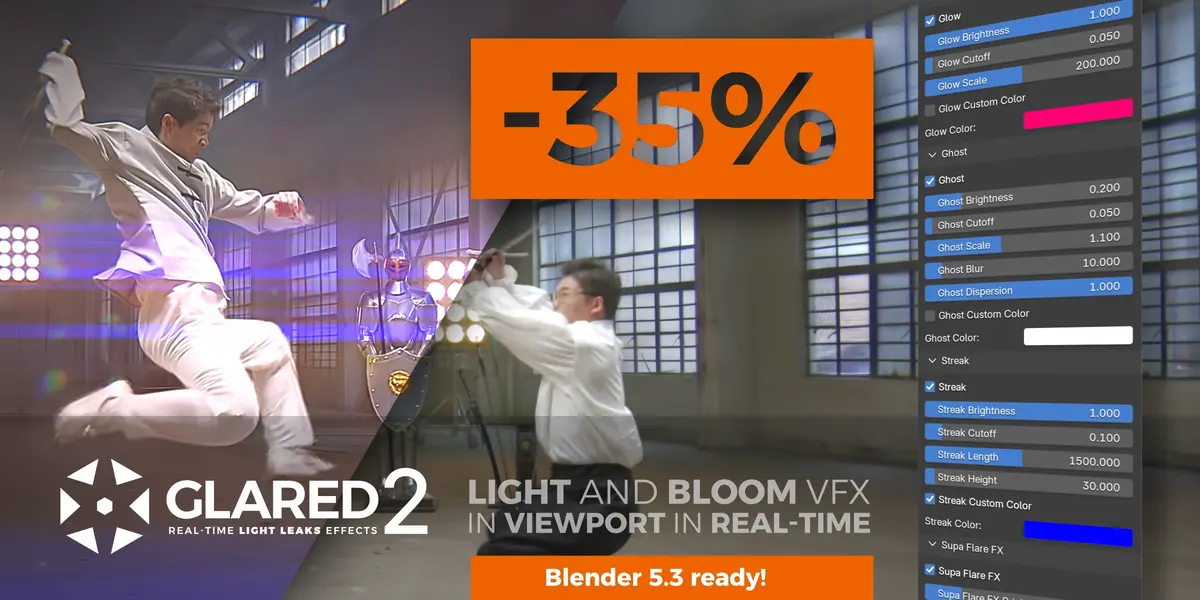
Open the add-on panel and activate the effects you want to use. Glared2 manages its compositor node group automatically.
3. Enable the Preview
For viewport feedback, enable compositor preview in the viewport shading settings. See the manual for the setup appropriate to your Blender version.
4. Adjust the Look
Adjust effect parameters in the add-on panel and preview the result. Use keyframes when you want effect parameters to change during an animation.
Workflow Notes
Compositor Placement
Glared2 is designed to process the image at the end of your compositor pipeline. If you modify the node setup manually, keep its position in mind so it receives the image you want to enhance.
Light Effects and Image Adjustments
Bright areas of the input image drive the light effects. Additional controls, including vignette, chromatic aberration and sharpening, shape the overall image.
Preview Performance
Interactive performance depends on scene complexity, resolution, enabled effects and hardware.
Images and Video
Glared2 can process still images, image sequences and video footage supplied through the appropriate compositor input. Follow the manual for the relevant setup.
Separate Effect Passes - EXR Export
Export the available light-effect passes using a multilayer EXR or separate files for further compositing.
Separate passes let you adjust the contribution of exported effects in post-production without rendering the original 3D scene again.
Import options and multilayer EXR support depend on your compositing application. Consult the online manual for the available export settings and workflow.
Support & Updates
Your purchase includes 12 months of support and product updates.
After your Support Period ends, you can continue using the product and all updates received during your coverage. The product does not stop working because your Support Period has expired.
Extending your Support Period is optional and provides further support and updates. There are no automatic renewals or recurring charges. The current extension offer is shown in the purchase panel.
Existing customers: This change does not reduce any support or update entitlements included with your original purchase.
Need Help?
Contact me through Superhive for questions or technical assistance. When reporting a problem, please include:
- Your Blender and Glared2 versions
- Your operating system and graphics hardware
- The render engine you are using
- A description of the problem and steps to reproduce it
- Screenshots, error messages or a sample Blender file when useful
Glared2 Website
Visit the Website
 Included
Includes 12 months of
- Support from Blender Lens Flare
- Product updates
Extend this product’s Support Period +12 months: 50% of product price
Have questions before purchasing?
Login to message
| Blender Extension Compatible | Yes |
| Sales | 400+ |
| Rating | 17 ratings |
| Dev Fund Contributor | |
| Published | over 3 years ago |
| Blender Version | 4.1 - 5.3 |
| Extension Type | Add-on |
| Render Engine Used | Cycles, Eevee |
| License | GPL |
Discover more products like this
light fx chromatic sharpen light leaks Glow lens flare vignette compositor aberration Lighting streak lens effects