Glared2 - Light and Bloom FX in Real-Time
 Blender Lens Flare


Does Glared2 work with both Eevee and Cycles?
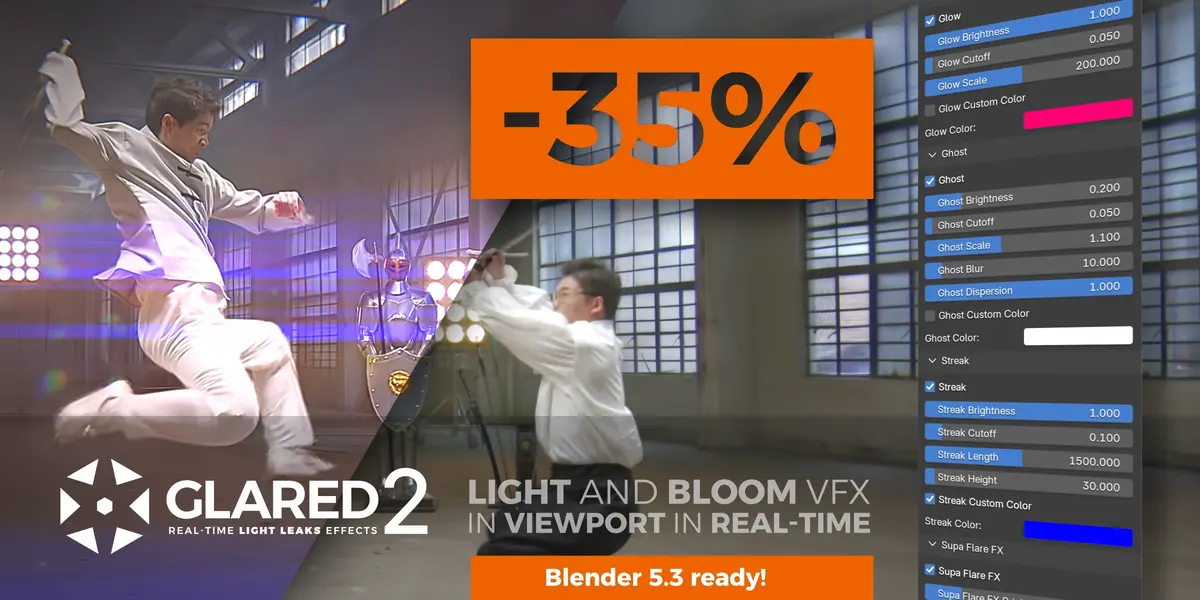
Yes. Glared2 processes the image through Blender’s compositor and works with both Eevee and Cycles renders. Use the Glared2 package that matches your Blender version. To preview effects in the viewport, compositor preview must be enabled.
Can I animate all the effects?
Yes. You can keyframe effect parameters to change their appearance during an animation. This lets you control the look and timing of effects throughout a shot.
Can I export light effects separately?
Yes. Glared2 provides export options for the available light-effect passes, using a multilayer EXR or separate files. You can then adjust the contribution of those passes in a compatible compositing application without rendering the original 3D scene again. Import options and multilayer EXR support depend on your application and workflow. See the online manual for export instructions.
Can I use Glared2 on images, video footage or image sequences?
Yes. Glared2 provides export options for the available light-effect passes, using a multilayer EXR or separate files. You can then adjust the contribution of those passes in a compatible compositing application without rendering the original 3D scene again. Import options and multilayer EXR support depend on your application and workflow. See the online manual for export instructions.
Do I need to understand the compositor to use Glared2?
You do not need to build the effect nodes manually. Glared2 automatically adds its node group at the end of the compositor pipeline, and you adjust effect parameters from the add-on panel. Workflows involving imported images, video footage or custom compositor setups may require additional connections. The online manual explains the relevant steps.
How do I purchase Glared2 for a team?
Use the Seats selector in the purchase panel to choose the number of users. Following Superhive’s purchasing system, select one seat per person who will use the product. You can purchase the required seats together in a single order.
I purchased Glared before Support Periods were introduced. Have my existing rights changed?
No. Introducing a Support Period does not reduce any support or update entitlements included with your original purchase. You are not required to purchase an extension to retain those existing entitlements. If you have questions about your order, please contact me through Superhive.
What does the Support Period include, and what happens when it ends?
Your purchase includes 12 months of support and product updates. When your Support Period ends, you can continue using the product and all updates received during your coverage. The product does not stop working because the Support Period has expired.
Extending your Support Period is optional and provides further support and updates. There are no automatic renewals or recurring charges. The current extension offer is shown in the purchase panel.
Where can I find the user manual?
The Glared2 online manual covers installation, interface controls, effects and export workflows:
https://www.blenderlensflare.com/glared2/manual.html
You can also find the manual link and a video tutorial in the Documentation tab on this product page.
Why don’t I see the effects in my viewport?
Check that Glared2 is enabled and that you have installed the package compatible with your Blender version. In the viewport shading settings, switch to Rendered mode and enable compositor preview. Also check that the desired effects are enabled in Glared2. Highlight-driven effects need sufficiently bright areas in the input image, so their visibility also depends on the image and effect settings. See the online manual for setup instructions.
Does Glared2 preserve transparency and alpha channels?
Glared2 currently does not preserve the original alpha channel in the final composited output, which becomes opaque. If your workflow requires a transparent background, take this limitation into account before purchasing. Separate effect-pass export is a different feature and should not be interpreted as preservation of the original alpha channel.
 Included
Includes 12 months of
- Support from Blender Lens Flare
- Product updates
Extend this product’s Support Period +12 months: 50% of product price
Have questions before purchasing?
Login to message
| Blender Extension Compatible | Yes |
| Sales | 400+ |
| Rating | 17 ratings |
| Dev Fund Contributor | |
| Published | over 3 years ago |
| Blender Version | 4.1 - 5.3 |
| Extension Type | Add-on |
| Render Engine Used | Cycles, Eevee |
| License | GPL |
Discover more products like this
Glow Lighting sharpen lens flare light leaks streak vignette light fx chromatic compositor lens effects aberration