Glb Optimizer - From Complex To Compact
 loviz
loviz

Install Add-on
The add-on can be installed as an extension or as a legacy add-on in Blender versions older than 4.2.
Install Node.js and glTF-Transform
To use advanced glb/gltf optimization, we need to install an external library called glTF-Transform. It offers a lot of sophisticated functions to improve file size and performance.
Export and Optimize
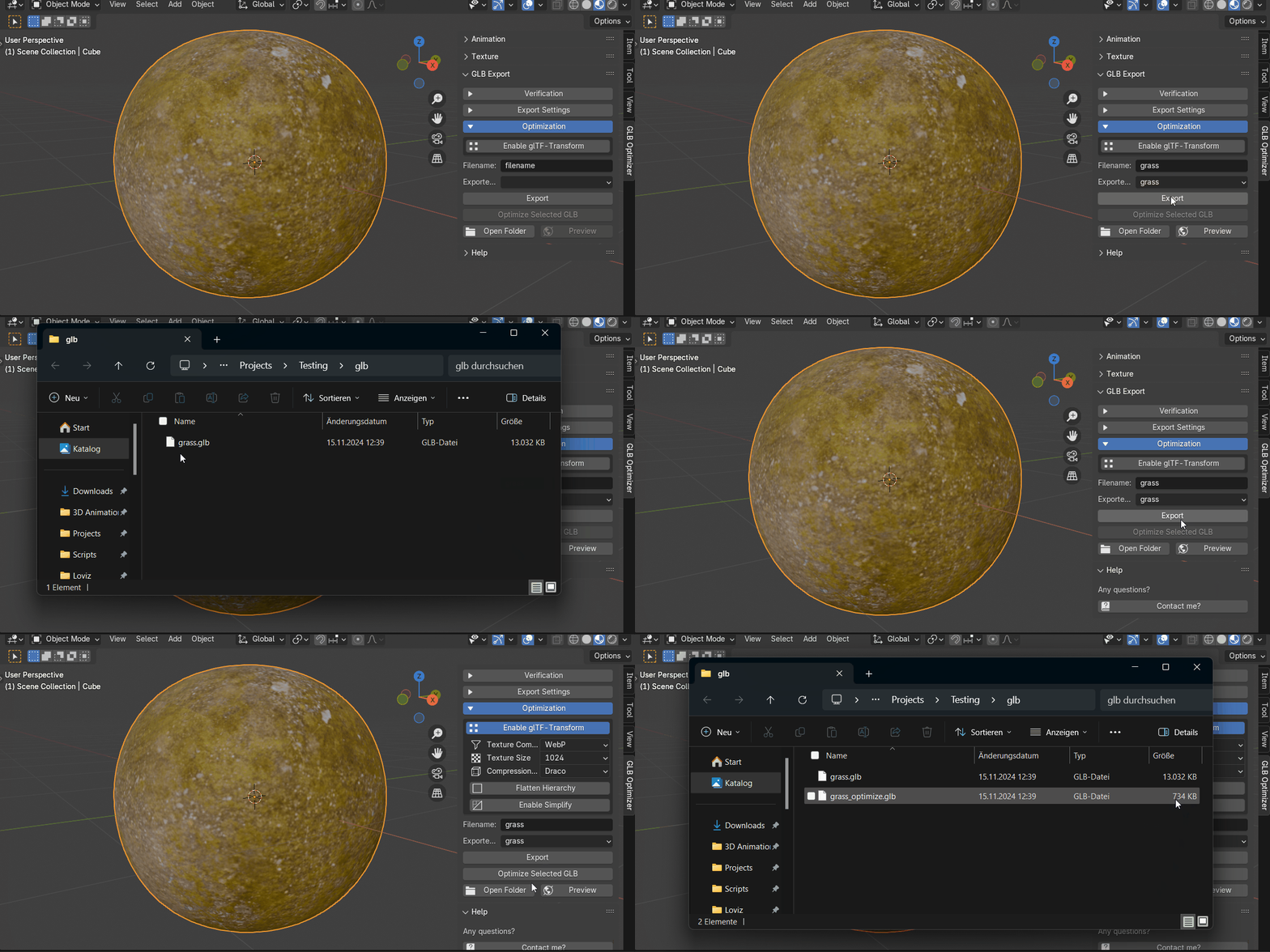
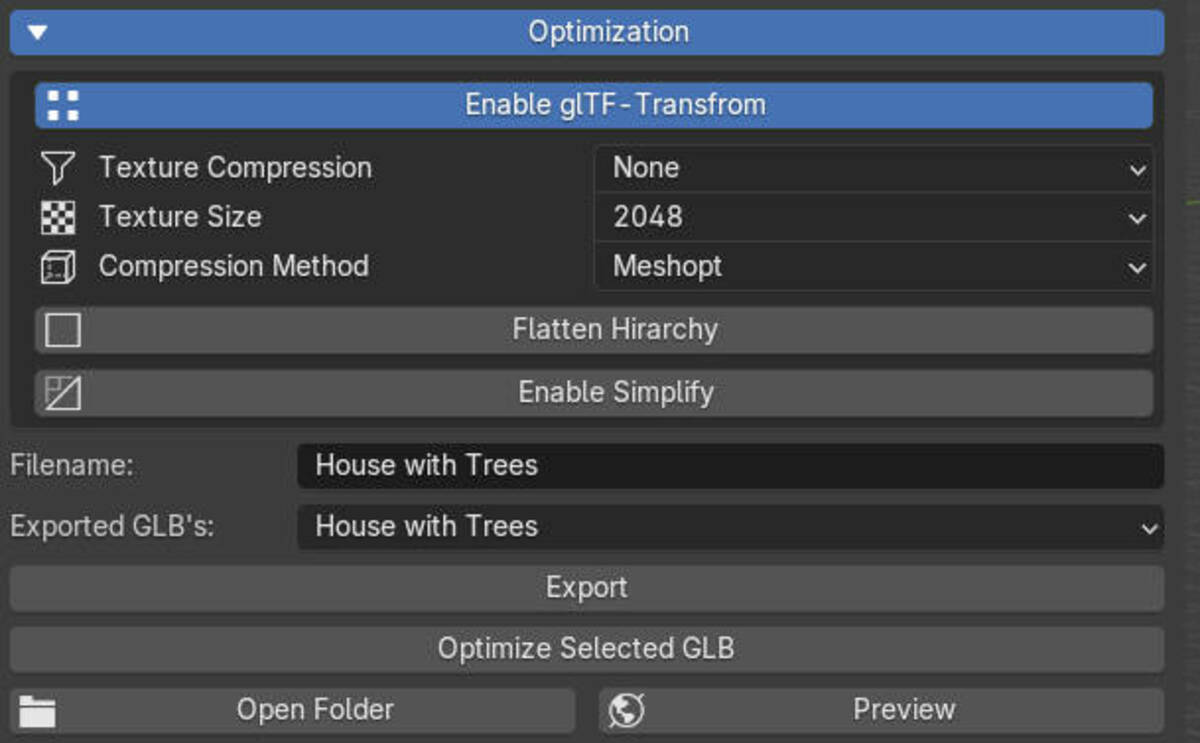
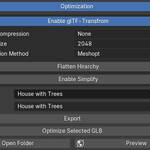
To export your model, the Blender file needs to be saved first. Then change the settings to your liking and press export. With the glTF-Transform enabled, you now have the options to choose the texture compression, texture size and compression method along with some scene tools to flatten hierarchy, join all meshes that don't have animations or even reduce the polycount by simplifying the mesh.
Animation Panel
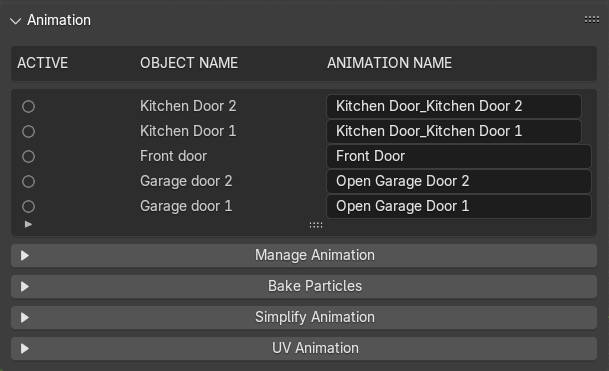
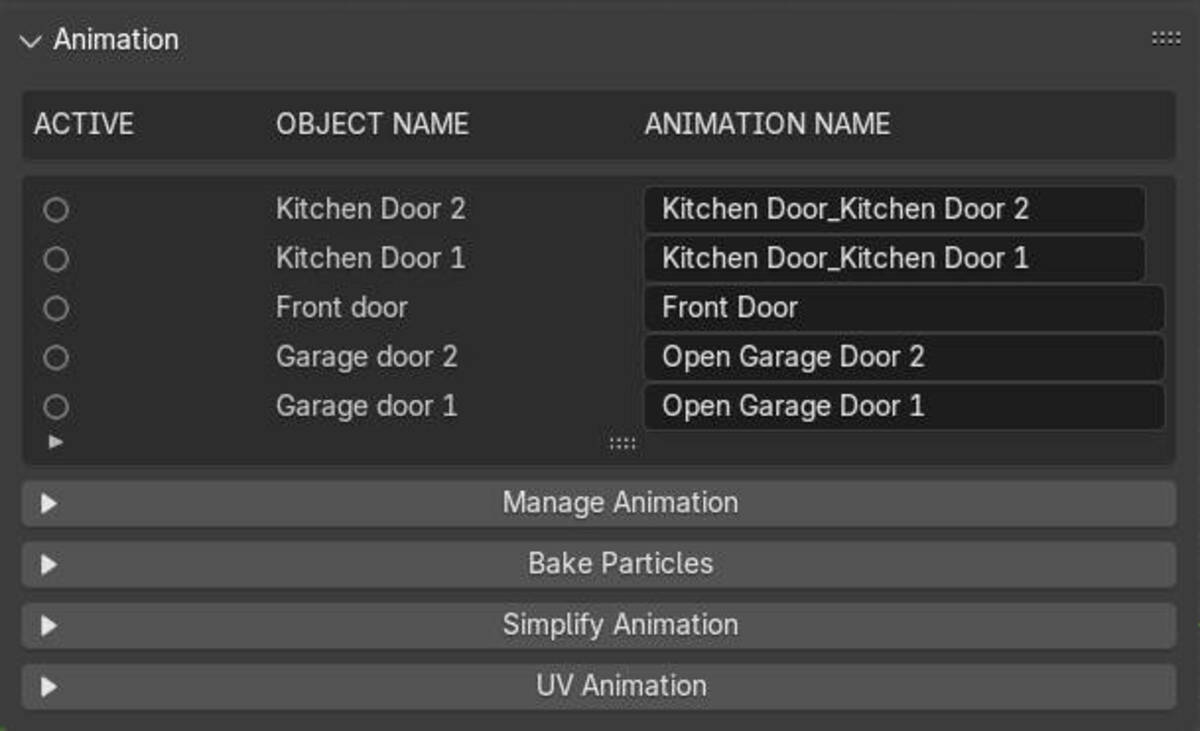
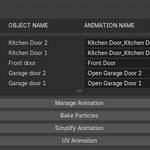
Animation Panel: This panel helps you view and rename all animations in your scene.
Manage Animation: Use this section to join, separate, or rename animations. Great for combining multiple animations that need to be triggered together.
Bake Particles: Turn your particle system into individual animated objects. These objects are linked, meaning Blender stores the vertices once and instantiates the geometry. It’s the key to exporting your particle animation without rebuilding it in other engines like Three.js, Babylon.js, Unity, or Spline Design.
Simplify Animation: This feature removes unnecessary keyframes. You can simplify the animation by setting a ratio or error tolerance. For example, a ratio of 0.1 will keep 10% of the original keyframes while reconstructing the rest using interpolation curves.
UV Animation: Generate animated textures, perfect for simulating moving surfaces, like water or light changing with a gradient.
Texture Panel
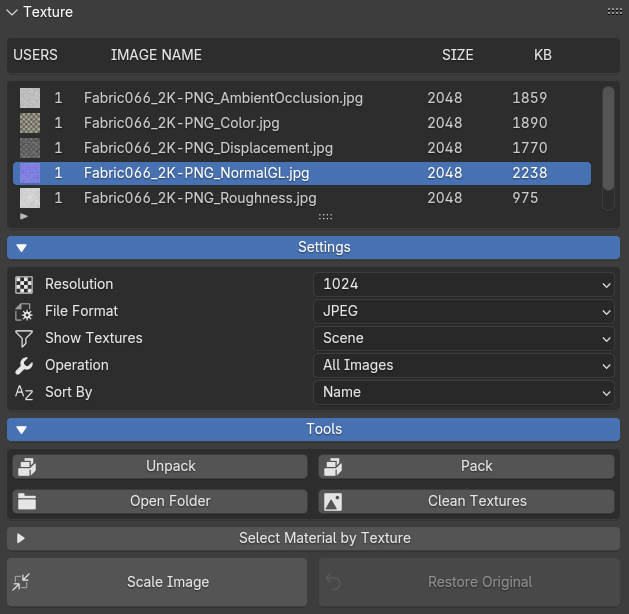
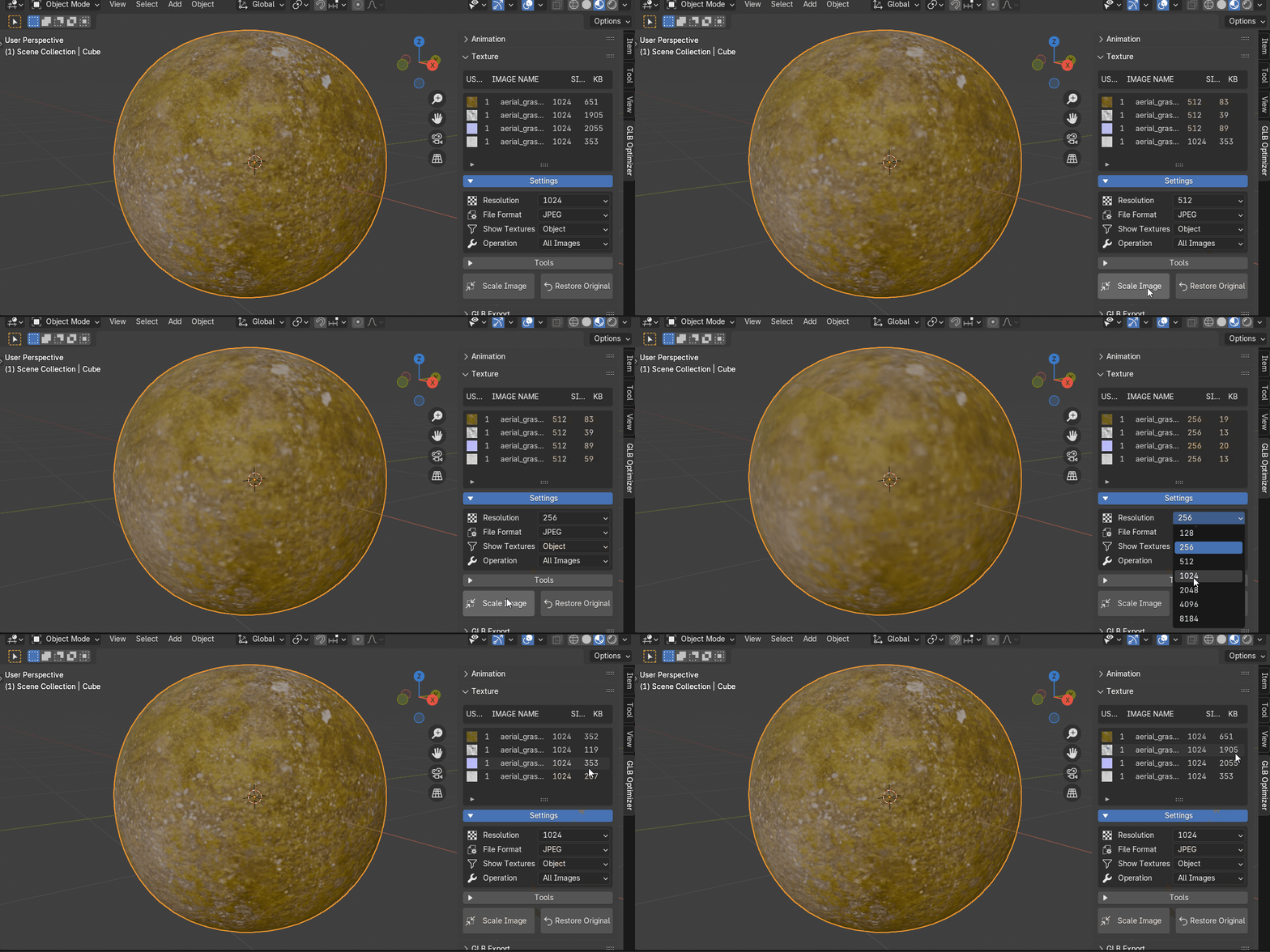
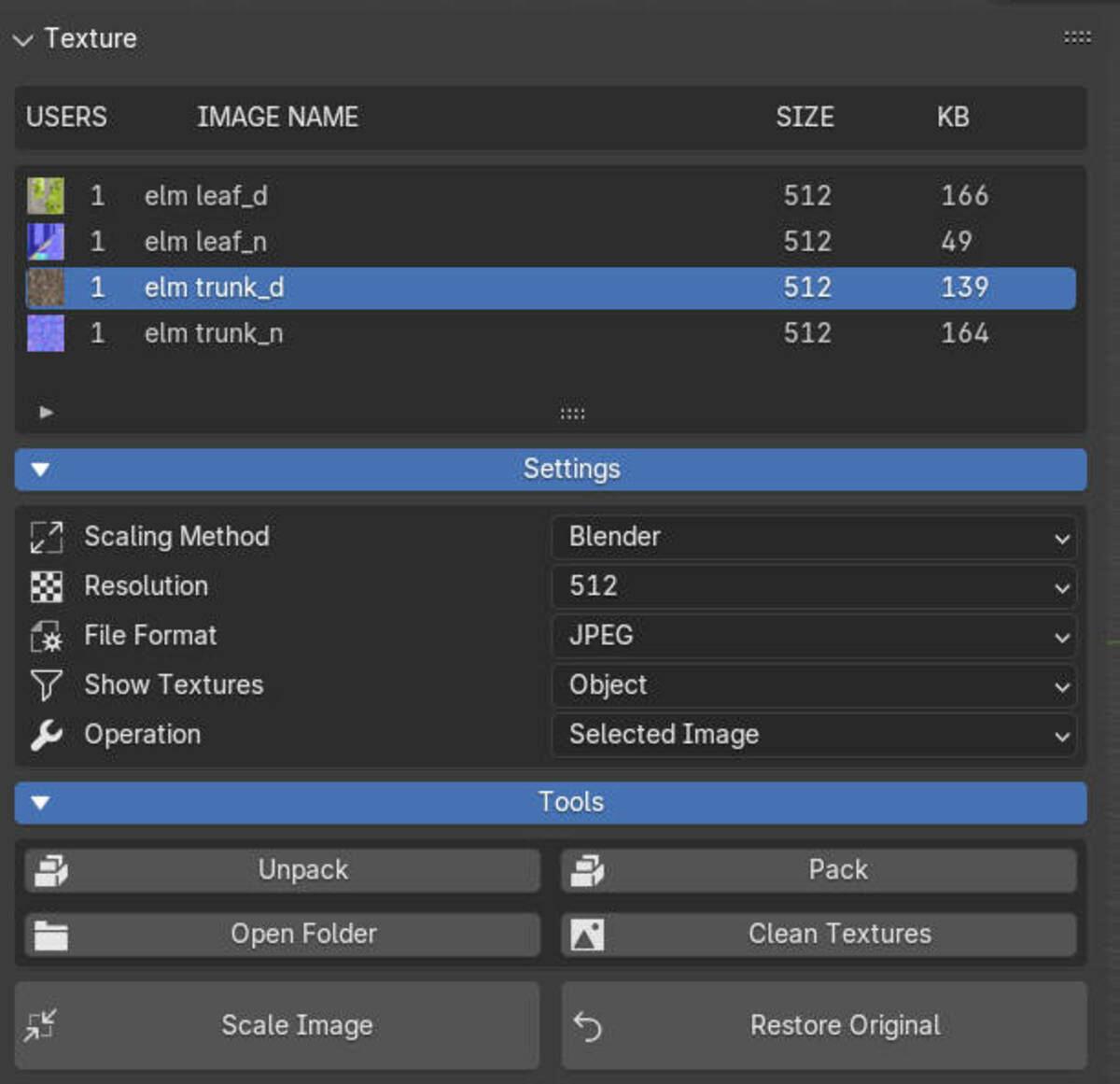
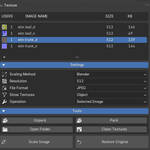
Resolution: Defines the resolution of the texture after scaling. This directly affects the image quality and file size in your scene.
File Format: Choose the file format for the textures. JPG doesn’t support transparency, while PNG does—keep that in mind depending on your needs!
Show Textures: Decide which textures to display—whether all textures in the scene, just the selected materials, or only the active materials. It’s a handy way to narrow things down.
Operation: Choose whether the scaling operation applies only to the selected image or to every texture in the list.
Sort By: Sort the textures by name, size, or other criteria, making it easy to stay organized.
Settings: Access additional options to further manage the textures in your scene.
Tools: Includes tools for packing/unpacking textures, opening the texture folder, and cleaning up unused textures. It's all about streamlining your workflow!
Select Material by Texture: Enable this to select materials based on the textures they use—super useful when managing complex scenes.
Scale Image: Scale the selected image to the target resolution, applying the operation setting you chose.
Restore Original: Reset the image to its original resolution, undoing any previous scaling changes.
# Changelog
## Version 0.0.3 (Released 2025-05-02)
* **(2025-05-07)** Added an option for macOS compatibility.
* **(2025-05-07)** Introduced a color palette option and resolved issues with baking particles.
## Version 0.0.2 (Released 2025-01-23)
* **(2025-01-21)** Added 'Join as Separate' button functionality for mesh objects.
* **(2024-12-28)** Further enhancements to the 'Join as Separate' button.
* **(2024-11-25)** Implemented sorting for the texture list in the UI.
* **(2024-11-21)** Improved performance by addressing server load issues.
* **(2024-11-20)** Refactored the project into a standard Blender extension format.
* **(2024-11-15)** Fixed a bug causing empty images when restoring textures.
* **(2024-11-14)** Added an installer for the `gltf-transform` CLI tool.
* **(2024-11-11)** Removed the experimental AI upscaler feature.
* **(2024-11-11)** Fixed: Optimize settings no longer incorrectly appear in the compress panel.
* **(2024-11-05)** Updated texture compression methods and added KTX format support messages.
* **(2024-11-04)** Super Image: Added an installation check and an option to use the original image if upscaling fails or is not desired.
* **(2024-11-04)** Added configurable properties for `gltf-transform` operations.
* **(2024-11-01)** Initialized integration with `gltf-transform` for advanced GLB/GLTF optimization.
* **(2024-10-31)** Integrated 'Super Image' for advanced image processing capabilities.
* **(2024-10-30)** Image scaling now runs as a modal operation, improving user experience during processing.
* **(2024-10-30)** Initialized AI-powered image scaling using the 'Super Image' library.
* **(2024-10-29)** Refactored the texture management system for improved efficiency and stability.
* **(2024-10-27)** Added image scaling capabilities to the addon.
* **(2024-10-21)** Implemented a 3D preview feature using Babylon.js.
* **(2024-10-21)** General code cleanup and optimizations.
* **(2024-10-21)** Initial project commit.
Have questions about this product?
Login to message
Discover more products like this
gltf glb Webp optimize textures Blender Export gltf-export 3D model optimization compression 3D asset optimization draco 3d website 3D game development 3D web design