 Jammie



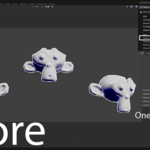
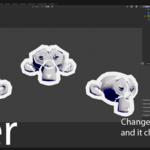
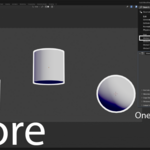
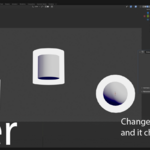
Instantly sync Solidify modifier settings across your entire scene. Change one, and change them all, while keeping vertex groups unique for per-object control!
😫 The Problem
Are you tired of the tedious, mind-numbing process of copying and pasting Solidify modifier settings across dozens, or even hundreds, of objects? You change the thickness on one part, then have to manually update all the others, hoping you didn't miss one. It's a massive time sink and a recipe for inconsistency.
✨ The Solution
Global Solidify Sync is a simple but powerful utility that solves this problem instantly. This add-on introduces a special "Global Solidify" modifier. Add it to as many objects as you like, and their properties will be universally linked.
When you adjust the thickness, offset, or any other setting on one of the modifiers, every other Global Solidify modifier in your scene updates in real-time.
🚀 Key Features
One-Click Global Control: No more copy-pasting settings. Adjust one modifier, and all linked modifiers update instantly.
Scene-Wide Sync: Works across all mesh objects in your
.blendfile. No need to link, group, or parent objects. If it has the modifier, it's synced.Seamless Integration: Adds a "Global Solidify" option directly to your
Add Modifiermenu. It feels like a native Blender feature.Lightweight & Efficient: This add-on is incredibly lightweight. It works silently in the background and will not slow down your workflow.
🎨 The Killer Feature: Independent Vertex Groups
This is what makes Global Solidify Sync an essential tool. While all numerical properties are synced globally, the Vertex Group assignment remains unique to each object.
This gives you the best of both worlds:
Global consistency for the core thickness and behavior.
Local, artistic control over where the effect is applied on each object.
Example: Imagine you have 10 sci-fi wall panels.
Use the Global Solidify modifier to set a uniform thickness of
2cmfor all of them from a single control point.Then, on each individual panel, assign a unique vertex group to create custom battle damage or worn edges, preventing solidification in specific areas without affecting the other panels.
🎯 Who is this for?
This tool is a must-have for anyone who values efficiency and consistency:
Architectural Visualizers: Manage the thickness of hundreds of window panes, wall panels, or flooring tiles from one place.
Motion Graphics Artists: Keep thickness consistent across dozens of animated text objects or abstract shapes.
Hard-Surface Modelers: Ensure uniform shell thickness across multiple parts of a complex model.
Product Designers: Quickly iterate on product casing thickness across all components.