Gobo Lighting Pro
 N O V A Co.



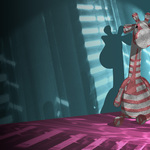
Gobo Lighting Pro
User Guide
Version 1.0
Welcome
Thank you for purchasing Gobo Lighting Pro.
Gobo Lighting Pro is a Blender add-on designed to create realistic projected lighting effects quickly and efficiently.
Whether you're creating interiors, cinematic scenes, product renders, or stage lighting, this add-on allows you to apply high-quality gobo textures to any Blender light in just a few clicks.
Compatible with:
✔ Blender 4.2+
✔ Eevee
✔ Cycles
Features
• 80 High-quality 2K gobos
• Optimized image sizes for fast rendering
• Works with every Blender light type
• Easy rotation controls
• Easy movement controls
• Fast setup
• Works in Eevee & Cycles
• Lightweight
• Beginner-friendly
Requirements
Blender Version:
4.2 or newer
Supported Render Engines:
• Cycles
• Eevee
Operating Systems:
Windows
macOS
Linux
Installation
Install the Add-on
Open Blender
Go to
Edit → Preferences → Add-ons
Click
Install...
Select
GoboLightingPro.zip
Enable the add-on.
Asset Library
If your package includes the Asset Library:
Open
Edit → Preferences → File Paths → Asset Libraries
Click +
Select the provided Asset Library folder.
Restart Blender.
Quick Start
- Add any light.
- Select the light.
- Open the Gobo Lighting panel.
- Choose a Gobo texture.
- Adjust:
Rotation
Scale
Position
Intensity
Done!
User Interface
The add-on panel contains:
Gobo Selector
Choose one of the included gobos.
Rotation
Rotate the projected pattern.
Position
Move the projection.
Scale
Adjust projection size.
Strength
Control the effect intensity.
Using Gobos
Gobos can simulate:
• Window shadows
• Tree leaves
• Blinds
• Architectural patterns
• Stage lighting
• Abstract lighting
• Decorative shadows
Tips
For best results:
Use Spot Lights.
Increase light resolution.
Use Cycles for maximum realism.
Enable Contact Shadows in Eevee.
Keep the light close to the object.
Experiment with different gobos.
Performance Tips
The included textures are optimized to balance:
Image Quality
Memory Usage
Viewport Speed
Render Speed
Troubleshooting
Nothing appears.
Check that:
The light is selected.
The add-on is enabled.
The selected render engine is supported.
Projection looks blurry.
Increase the light resolution.
Move the light closer.
Reduce projection scale.
Texture not updating.
Choose another gobo.
Undo / Redo once.
Restart Blender if necessary.
Frequently Asked Questions
Does it work in Eevee?
Yes.
Does it work in Cycles?
Yes.
Can I use my own gobo textures?
Yes.
You can replace the included textures with your own grayscale images.
Can I animate the gobos?
Yes.
All controls are fully animatable.
Does it work with HDRIs?
Absolutely.
Updates
Future updates may include:
New gobos
Performance improvements
Additional controls
Bug fixes
Compatibility updates
Support
If you experience any issues or have questions, please contact us through the SuperHive product page.
When reporting a bug, please include:
Blender version
Operating system
Render engine
Steps to reproduce the issue
Screenshots (if possible)
License
This product is licensed under the GPL v3 license.
Please do not redistribute the included assets separately.
Credits
Created by Nova Studio
Thank you for supporting independent Blender development.
-
$12
Asset Library + Addon & (Includes 40 Gobos)
-
$32
Creator Edition + Asset Library + Addon & (Includes 80 Gobos) + Future Updates + Priority Support
 Included
Includes 12 months of
- Support from N O V A Co.
- Product updates
Extend this product’s Support Period +12 months: 50% of product price
Have questions before purchasing?
Login to message
| Dev Fund Contributor | |
| Published | 3 months ago |
| Blender Version | 4.2 - 5.2 |
| Render Engine Used | Cycles, Eevee |
| License | GPL |