Grab and Place
 rfarencibia


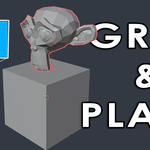
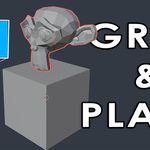
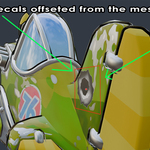
🔍 What it does
Allows you to:
Click to select a mesh object
Drag it interactively in the 3D View
Release to drop it onto another surface with auto-offset based on its lowest vertex
🧰 Where to find it
-
In the 3D View:
Toolbar(T key) – as a Workspace ToolN-Panel > Grab and Placetab
🧭 Usage
-
Activate the tool via:
N-Panel: click “Activate Grab & Place Tool”
Shortcut (left-click drag)
Click an object → Drag
Release to place it with offset
Press
ESCto cancel or exit the tool
⚙️ Settings
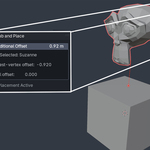
Placement Offset: Adjust in the N-Panel to add extra height to the auto-placement (based on the object's lowest vertex)
You’ll see calculated auto-offset and total offset shown in the panel when an object is selected
⛑️ Tips
Only works with mesh objects
Use
ESCto cancel or exitSnapping is temporarily enabled to ensure proper placement on faces
Auto-resets to
Selecttool after use
🐛 Troubleshooting
Tool doesn’t start? Check if a mesh object is selected
Already active? Tool won’t allow multiple placements at once
