Grades By Robin Squares | Film Emulation
 Robin Squares






I don't see the nodes in Blender
IF YOU'RE ON BLENDER 4.5:
You have to go to File > Append > NodeTree > Grades, and then press File > Defaults > Save startup file
IF YOU'RE ON BLENDER 5.0+:
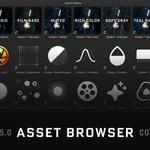
You have to go to Preferences > File Paths > Asset Libraries and add a folder containing the Grades system. Then you have to open that asset library in the asset browser.
I can't drag in the nodes from the Asset Browser
They only work in Blender 5.0 and up.
Grain or dirt aren't showing
Open the .blend file containing the system. Press File > External Data > Find missing files. Then open the folder containing the system. It should find the missing assets. Save the file.
Animation isn't working (damage, weave, breath)
That means the nodes have been linked rather than appended. If using the asset browser, set it to always append this asset library in the preferences.
My render looks different after saving.
If you save an image from the image viewer, you have to manually apply the view look. In the save dialog, override the colormanagement on the right, and set the settings you used in the render panel.
I changed the nodes and broke something
Delete the edited node group and re-append it from the downloaded file.
How do I remove it if I decide to?
IN BLENDER 5.0+:
In preferences, remove the asset library. Delete the downloaded files. Gone!
IN BLENDER 4.5:
Open a new file. Change the outliner view to "blend file." Under Node Trees, delect all Grades nodes, right-click, and press delete.
$30
Have questions about this product?
Login to message
| Sales | 100+ |
| Rating | 1 ratings |
| Published | 11 months ago |
| Blender Version | 4.0 - 5.0 |
| Render Engine Used | Cycles, Eevee |
| License | Royalty Free |