 CGR Addons





GraphTools: Unleash Your Animation Potential with Smarter Graph Editing
Are you an animator spending too much time tweaking keyframes or copying curve shapes in Blender? GraphTools streamlines your workflow with powerful graph editing tools and ready-to-use Presets, letting you instantly apply common easing patterns, copy any F-curve easing, and keep your animations consistent and polished.
Update Notes – v1.1 (August 2025)
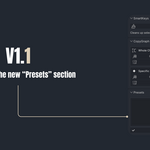
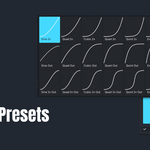
New Features:- "Presets section" added with 24 commonly used easing patterns; apply with a single click. More coming soon!
Improvements:
- "Flipped Paste" button renamed to "Mirror" for a more intuitive workflow.
🔹Why You Need GraphTools
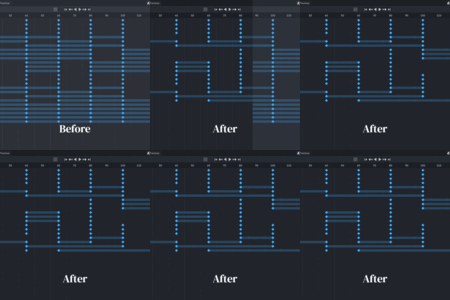
- Save Time: Remove unnecessary keyframes and apply presets instantly.
- Perfect Curves: Transfer and copy easing with precision for flawless animations.
- Total Control: Keep timing and motion consistent across every scene.
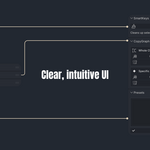
- Effortless: Intuitive UI designed to let you focus on animating, not tweaking.
🔹Key Features
it is mainly composed of three entities
[1] SmartKeys
Run All Cleanups (One-Click Solution): Perform a comprehensive one-click smart cleanup on all selected animated objects by removing any useless keyframe does not affect your animation.
[2] CopyGraph
Copy Curve DNA, Not Values. It doesn't just copy and paste keyframe values. Instead, it analyzes the shape and feel of a curve and intelligently applies it to any other set of keyframes, regardless of their values or timing. This gives you the freedom to transfer the same motion characteristics to any property.
-
Copy/Paste Whole Channel Shape:
Effortlessly copy the entire easing and timing pattern from one F-curve.
Paste this exact curve shape to multiple target F-curves, maintaining their start and end values but applying the copied "feel" of the animation.
-
Copy/Paste Specific Keyframe Group Shape:
Precisely copy the curve segment between a selected group of keyframes (e.g., an overshoot, a bounce, or a specific ease-in/out).
Apply this exact segment shape to other F-curves with the same number of selected keyframes, allowing for consistent, reusable animation motifs.
Automatically sets handle types to 'Free' for accurate shape reproduction.
-
Paste in a mirrored manner
It gives you limitless effortless animation styles within seconds.
[3] Presets
Apply the most commonly used easing patterns instantly without manually adjusting curves. Save time, maintain consistency, and give your animations a professional, polished look in seconds.
✔️ Compatible with Blender 3.6+ & the newest 4.5
🔹How does it work?
🔹Updates
This is version 1.1 Updates will be provided for free for all customers.
🔹For bug reports or feature requests, feel free to contact:
✔️ Gmail: [email protected]
✔️ Instagram: @cg.refaat