 3D.Ronin


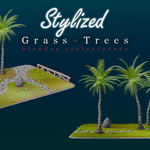
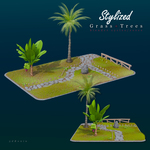
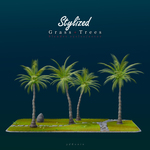
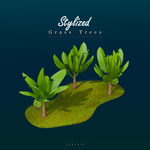
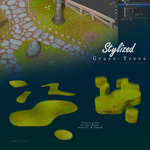
Stylized Grass + Trees Pack – Documentation
Overview
The Stylized Grass + Trees Pack is a handcrafted asset collection designed for efficiency, customization, and artistic flair in Blender. Whether you're working on stylized environments, game assets, or animations, these assets deliver optimized performance and seamless integration across both Eevee and Cycles.
Installation
Download the asset pack.
Open Blender and navigate to the Asset Browser or Append menu.
Import the
.blendfile into your project.Access the assets from the Outliner or Collections panel.
Features
✅ Stylized Foliage: Handcrafted grass and tree assets with a unique artistic touch.
✅ Optimized for Performance: Designed for smooth rendering without compromising quality.
✅ Customizable Parameters: Easily adjust colors, density, and shape for your project needs.
✅ Eevee & Cycles Compatibility: Works seamlessly across both rendering engines.
Usage Guide
Adjusting Grass Density & Distribution
Use the Particle System or Geometry Nodes to scatter grass efficiently.
Adjust density, scale, and randomness for a natural look.
Modifying Tree Colors & Materials
Navigate to the Shader Editor to tweak material properties.
Customize leaf colors, bark textures, and emission settings for unique variations.
Optimizing for Performance
Reduce poly count via the Decimate Modifier if needed.
Enable Adaptive Subdivision for enhanced rendering without unnecessary overhead.
Best Practices
Use instancing to reduce memory usage in large scenes.
Experiment with lighting to enhance stylized effects and depth.
Leverage Blender’s node system for procedural tweaks.
Have questions about this product?
Login to message
| Published | over 1 year ago |
| Blender Version | 4.4 |
| Render Engine Used | Cycles, Eevee |
| License | Creative Commons |

Discover more products like this
Cycles 3d grass blender 3d-stylized eevee 3d artistic rendering 3d-stylized-Tree 3d model trees