 Meshwright
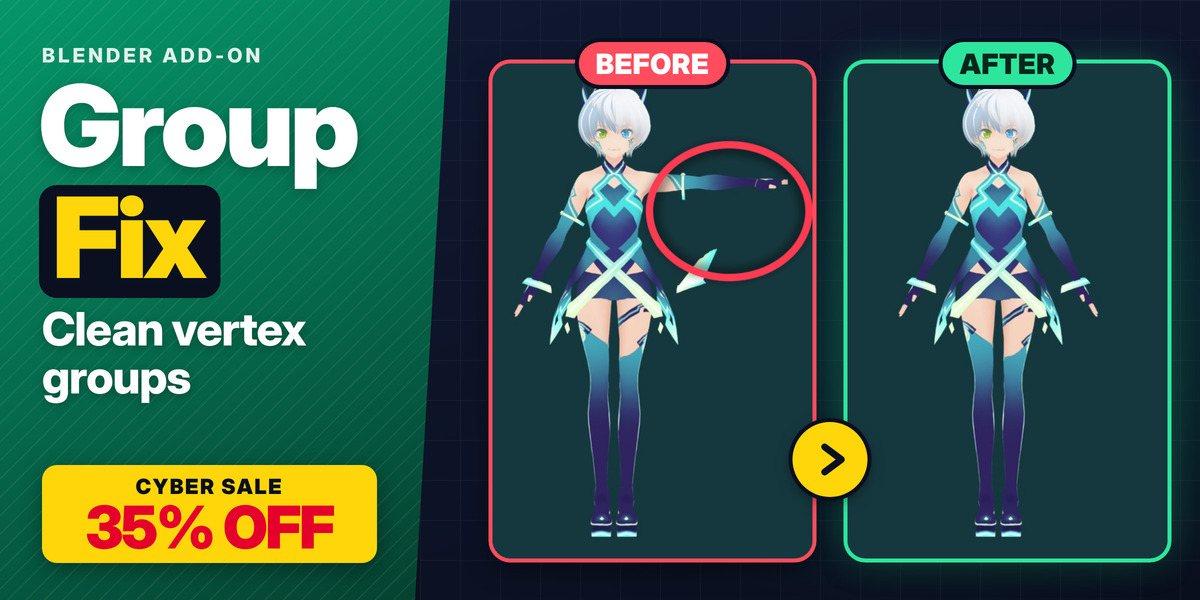
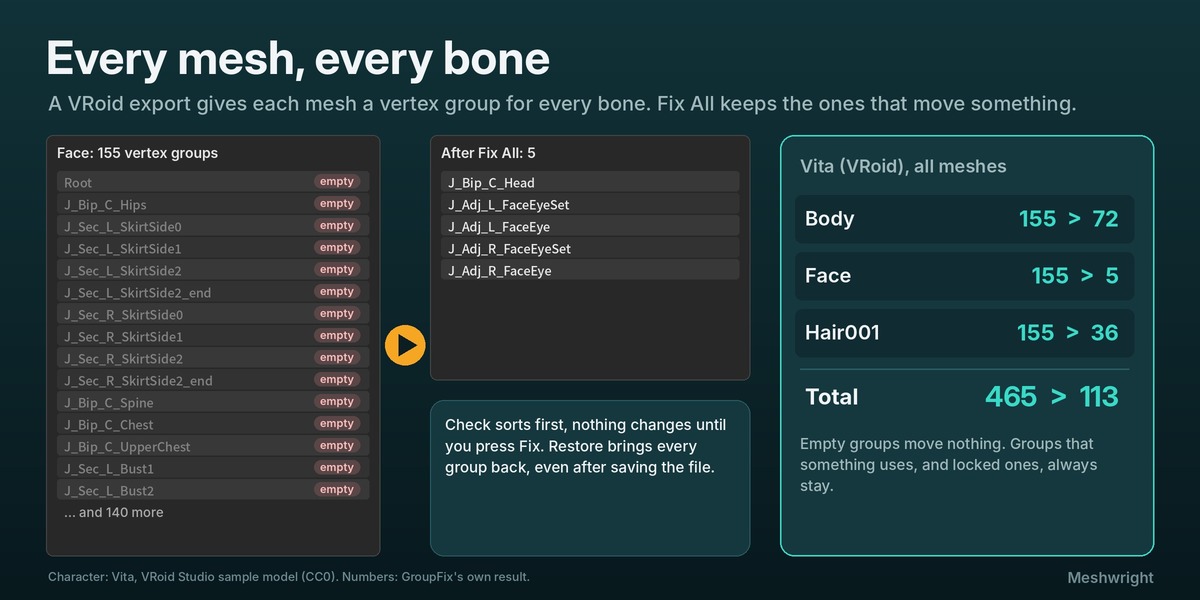
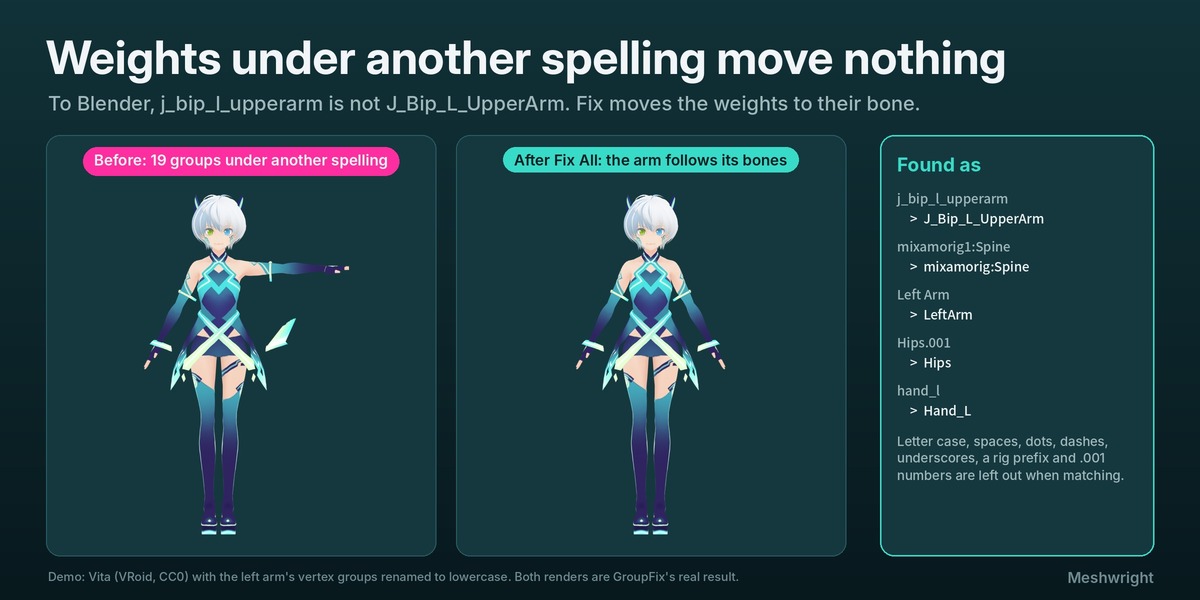
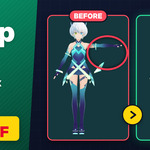
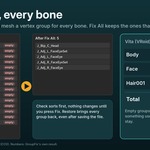
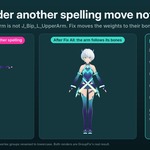
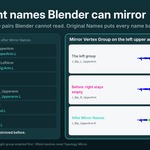
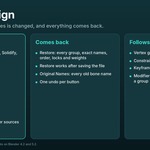
A VRoid export puts a vertex group for every bone on every mesh: on Vita, the VRoid sample avatar, that is 465 groups, and 352 of them are empty. Weights under another spelling (mixamorig1:Spine on a mixamorig:Spine rig, or j_bip_l_upperarm for J_Bip_L_UpperArm) move nothing, so a sleeve stays behind when the arm moves. And X-Mirror does nothing useful on VRoid, Mixamo or MMD bones, because Blender cannot read their left and right. GroupFix cleans all of it in a few clicks, and puts everything back if you want.
How it works
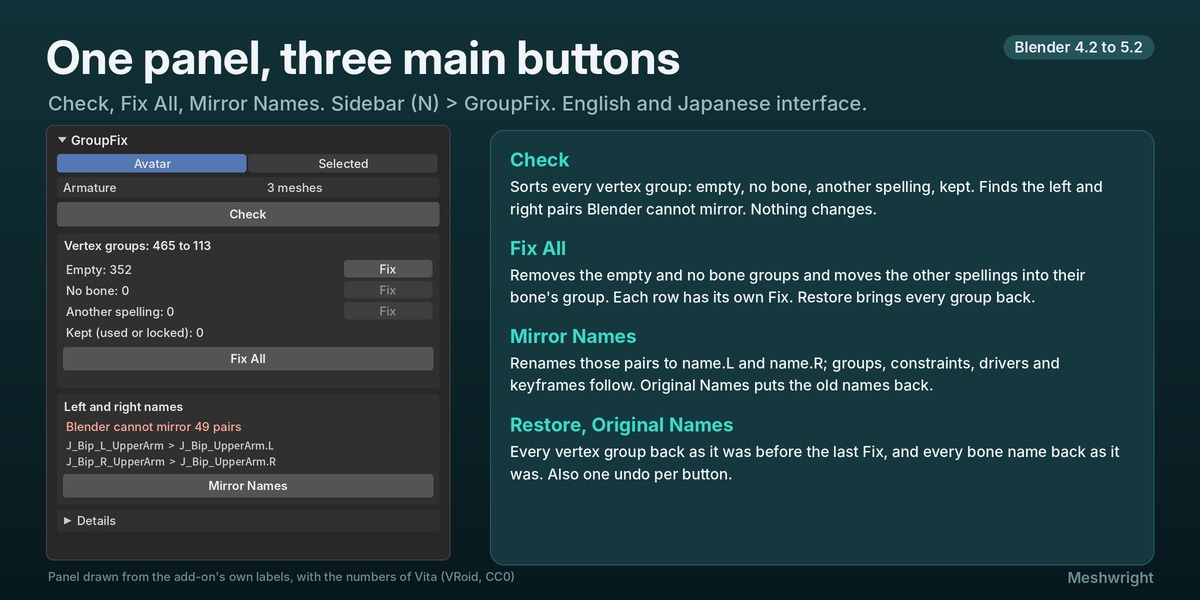
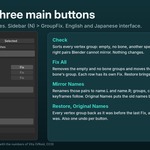
- Select the avatar's armature (or one of its meshes). Open the GroupFix tab in the sidebar (N).
- Press Check. Nothing changes yet. You see how many vertex groups there are now and after Fix All, sorted: empty, no bone, another spelling, kept.
- Press Fix All (or Fix on one row). Empty groups and groups no bone uses are removed; groups spelled another way move into their bone's group.
- Press Mirror Names to rename the left and right bones Blender cannot mirror. Original Names puts the old names back exactly.
- Restore puts every group back as it was before the last Fix, even after you save and open the file again.
What it finds
- Empty groups: no vertex has a weight in them (Vita: 352 of 465).
- Groups with no bone: they hold weights, but no bone has their name, so Blender and Unity skip them. Left over from deleted bones or from another rig.
- Another spelling: a bone has the same name once letter case, spaces, dots, dashes, underscores and a rig prefix (mixamorig:, mixamorig1:) are left out, or Blender's copy number (.001). The weights move into that bone's group, and the part follows its bone again.
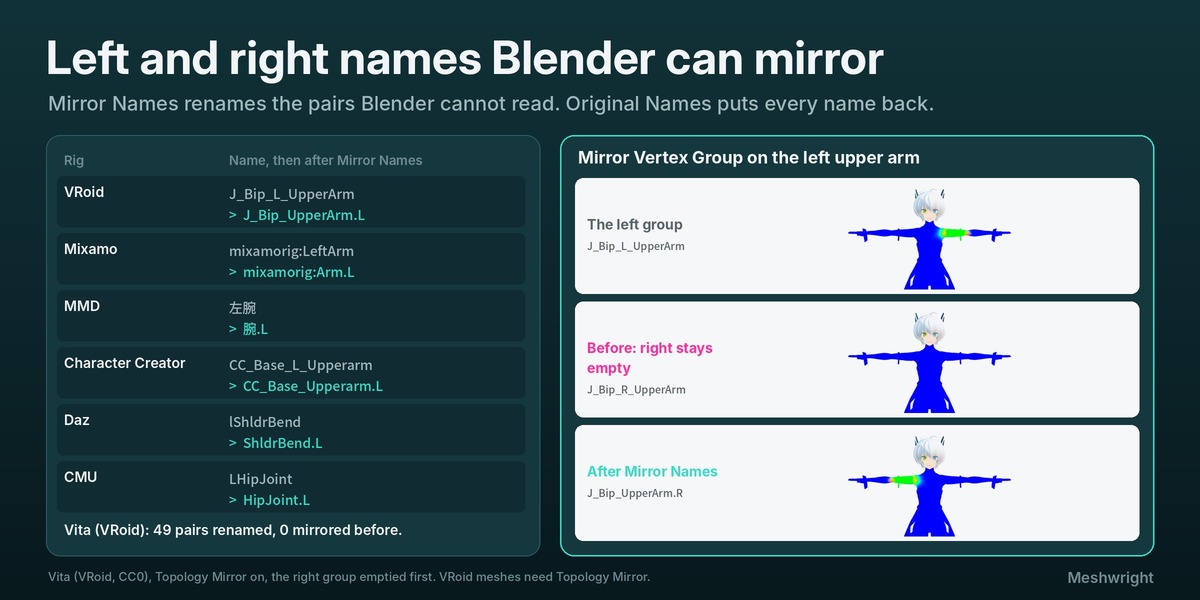
- Left and right names Blender cannot mirror: VRoid J_Bip_L_UpperArm, Mixamo mixamorig:LeftArm, MMD 左腕, Character Creator CC_Base_L_Upperarm, Daz lShldrBend, CMU LHipJoint. Mirror Names makes them J_Bip_UpperArm.L, mixamorig:Arm.L, 腕.L and so on, so X-Mirror, Mirror Vertex Group, Symmetrize and Paste Pose Flipped work. Vita: 49 pairs.
Safe by design
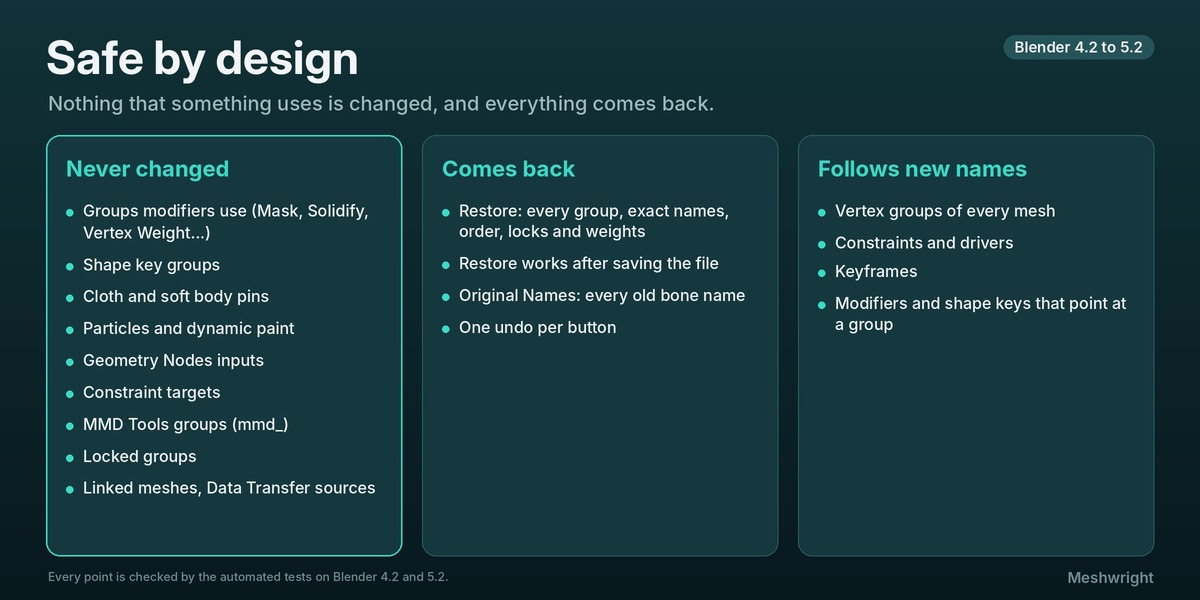
- Never changes a group that something uses: modifiers, shape keys, cloth and soft body pins, particles, dynamic paint, Geometry Nodes, constraints, MMD Tools groups, and locked groups. Lock any group you want to keep.
- Leaves meshes linked from another file, and meshes another mesh copies weights from (Data Transfer), as they are.
- Restore gives back the exact names, order, locks and weights.
- Mirror Names: the vertex groups, constraints, drivers, keyframes, and the modifiers and shape keys that point at those groups follow the new names. Original Names gives back every old name.
- One undo per button. English and Japanese interface.
What it does not do
- It does not paint, smooth or repair weights; WeightFix does that. It does not match bones between rig families (VRoid names to Mixamo names); Outfit Refit Pro does that when it merges an outfit's armature. It does not merge or delete bones.
- Mirror Vertex Group and X-Mirror also need a mesh that is the same on both sides. VRoid meshes match by topology, not by exact position: turn on Topology Mirror.
Tested
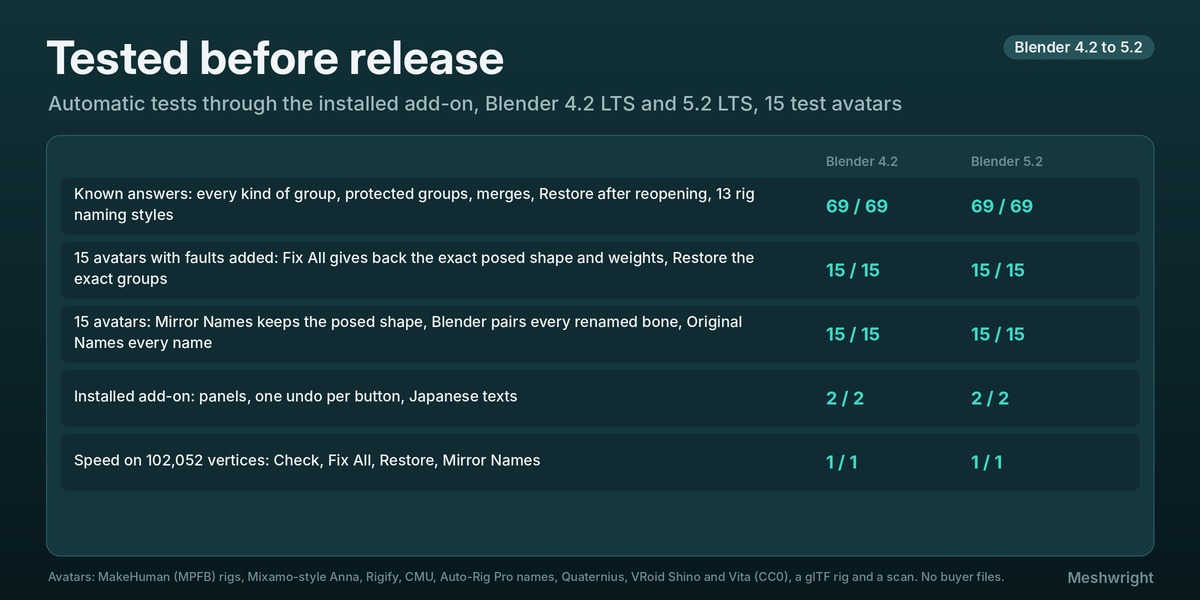
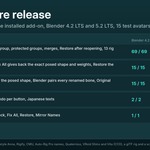
Blender 4.2 LTS and 5.2 LTS, automated tests through the installed add-on, all passing. On 15 test avatars (VRoid / VRM, Mixamo, MakeHuman, Rigify, CMU, Auto-Rig Pro names, Quaternius, a glTF rig, a 3D scan) with typical faults added, Fix All gives back the exact posed shape and the exact weights, and Restore gives back the exact groups. Mirror Names keeps the posed shape, Blender pairs every renamed bone, Mirror Vertex Group finds the other side, and Original Names gives back every name. Plus 69 checks with known answers (protected groups, merges, Restore after reopening the file, 13 rig naming styles), one undo per button and the Japanese texts.
Install
Edit > Preferences > Get Extensions, the arrow menu at the top right, Install from Disk, pick groupfix-1.0.0.zip. Or drag the zip into Blender. The GroupFix tab appears in the 3D Viewport sidebar (press N).
Character in the pictures: Vita, a VRoid Studio sample model (CC0). In the arm pictures the left arm's vertex groups were renamed to lowercase for the demo. Every number is GroupFix's own result.
More Meshwright tools for VRChat avatars:
- FaceKeys: VRChat native face tracking keys, Unified Expressions and ARKit.
- Outfit Refit: fit any outfit onto your avatar, even without the original avatar.
- HeadWrap: automatic head retopology with eyes and teeth.