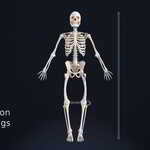
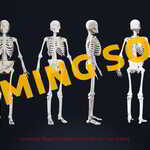
H3DD Human 3D Designer Skeleton Set for Artists
 H3DD Studio








Installation Guide
Human 3D Designer is designed to be simple to install and simple to use. Please follow the steps below to get started.
1. Download Human 3D Designer: After purchasing Human 3D Designer, download the add-on package.zip from the provided link, then extract it as a folder.
2. Open Blender: Launch Blender on your computer and open .blend file by navigate to the folder where you extracted the downloaded Human 3D Designer add-on and select the .blend file.
2-bis : Open Blender Alternative way: Launch Blender by clicking on .blend file present in the folder where you extracted the downloaded Human 3D Designer package.
3. Access Preferences: Go to Edit > Preferences in the top menu bar.
4. Install Add-on: In the Preferences window, select the "Add-ons" tab. Click the "Install" button at the top right.
5. Locate Human-3D-Designer... .zip: Navigate to the folder where you extracted the downloaded Human 3D Designer add-on and select the .zip file.
6. Enable Human 3D Designer: Once installed, search for "Human 3D Designer" in the search bar of the Add-ons tab. Check the box next to Human 3D Designer to enable it.
7. Save Preferences: Click the "Save Preferences" button to ensure Human 3D Designer is enabled every time you open Blender.
8. Restart Blender: If add-on does not appear immediately, close and reopen Blender to complete the installation process.
9. Start A New Project : Go to File > Save as > Rename the file > Select your project folder > Save.
Have questions about this product?
Login to message
| Published | about 1 year ago |
| Blender Version | 4.2 |
| Render Engine Used | Cycles, Eevee |
| Misc Data | Uvs-Unwrapped, Manifold-Mesh, Rigged, Animated, Low-High-Resolution, Normal-Mapped, Textured |
| License | Royalty Free |
Discover more products like this
anatomical skeleton advance-rigging rig 3d rigging blender 3d anatomy Advanced Rigging 3D rigging Advandce Rigging 3D skeleton 3d anatomy study 3D anatomical model