HairStyler
 Blender Easy



 How to Install HairStyler
Installing HairStyler is quick and only takes a few steps.
- Download the HairStyler
.zipfile. - Open Blender.
- Go to Edit → Preferences → Add-ons.
- Click the ▼ button in the top-right corner and choose Install from Disk... (or click Install... in older Blender versions).
- Select the downloaded HairStyler
.zipfile. Do not extract the ZIP archive. - Enable the HairStyler add-on by checking the box next to its name.
- Save your preferences if you want HairStyler to be enabled automatically every time Blender starts.
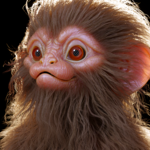
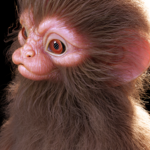
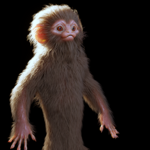
Once installed, HairStyler will be available in the 3D Viewport Sidebar (N Panel) under the HairStyler tab, ready to create and edit procedural hair.
How to use the HairStyler
How to use the Flow Curves
How to Groom with the HairStyler
How to paint the Color of the Fur
How to add fur to animated characters
$22$4.40
 Included
Includes 12 months of
- Support from Blender Easy
- Product updates
Extend this product’s Support Period +12 months: 100% of product price
Have questions before purchasing?
Login to message
| Sales | 30+ |
| Dev Fund Contributor | |
| Published | 3 months ago |
| Blender Version | 5.2 |
| Render Engine Used | Blender-Game-Engine, Cycles, Eevee |
| License | Royalty Free |
Discover more products like this
animation hair eyelashes 3d hair fur hair-generator Beard groom customizable Character Creation eyebrows Character Customization