 PlugIn3D


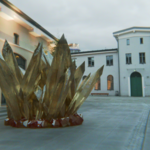
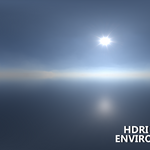

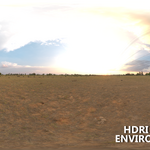
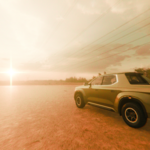
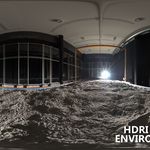
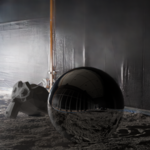
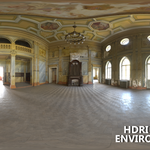
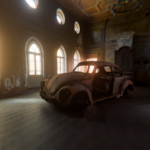
HDRI Environment Builder
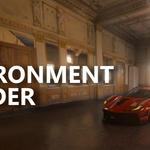
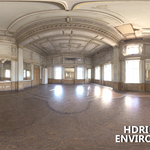
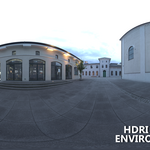
Experience your HDRIs like never before: this ground-breaking add-on transforms any EXR into a real 3D environment, whether it's an interior studio or an exterior dome. Adjust mapping, exposure, bump, and more—all in one intuitive panel.
-
🎯 Zero Node-Wrangling
All the complex node trees are built for you—just pick your HDRI and go. -
⚡ Blazing-Fast EXR Import & Presets
Load any.exrfile, grab images already in your project, or choose from built-in “Studio” and “Forest” HDRIs. -
🏠🌳 Indoor & Outdoor Modes
Instantly generate a cube (with flipped walls) or a half-sphere environment—perfect for product shots, arch-viz, or outdoor scenes. -
🔄 Precise Mapping Controls
Spin, shift, and scale your HDRI effortlessly:-
↻ Z-Rotation: Align your light direction in seconds.
-
↕️ Z-Offset: Match the HDRI floor perfectly with your scene’s ground.
-
📏 Size: Scale the environment mesh to any studio or landscape.
-
-
💡 Exposure & Bump
Dial in brightness and surface detail with intuitive sliders—no shader editing required. -
👁️ Live Preview & Inline Tips
See your HDRI in the sidebar before you build, plus handy tips for editing geometry to match walls and ceilings.
Whether you’re a seasoned pro or just starting out, HDRI Environment Builder slashes hours off your lighting workflow—so you can focus on what really matters: your art.

🔧 Quick Install & Get Started
-
Download ZIP from Super Hive.
-
Open Blender → Edit > Preferences > Add-ons → Install… → select the ZIP → Install Add-on.
-
Enable HDRI Environment Builder and Save Preferences.
-
In the 3D View sidebar (press
N), open the HDRI Env tab 📷, pick your HDRI source, tweak controls, then hit Build Environment—and you’re done! -
(Indoor only) Enter Edit Mode to extrude faces and match walls/ceiling with a single tip prompt.
Make HDRI setup a joy, not a chore—add it to your toolkit today!