 PlugIn3D



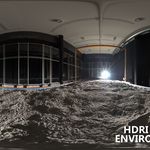
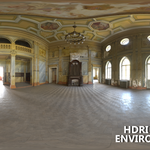
📘 HDRI Environment Builder Documentation
Overview
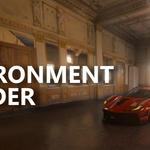
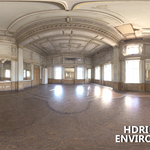
HDRI Environment Builder is a ground-breaking Blender add-on that automates HDRI import, shader setup, and environment mesh creation. In one click, it turns any EXR file (or built-in preset) into a fully mapped, bump-mapped studio or outdoor sphere—no manual node work required.
Key Features
-
EXR & Preset Support
-
Load your own
.exrfiles from disk -
Use images already in your project
-
Choose from bundled “Studio” and “Forest” HDRIs
-
-
Indoor & Outdoor Modes
-
🏠 Indoor: Create a cube environment with flipped normals
-
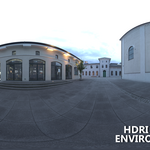
🌳 Outdoor: Create a half-sphere sky dome
-
-
Interactive Mapping Controls
-
↻ Z-Rotation slider for light direction
-
↕️ Z-Offset slider to raise/lower the floor plane
-
📏 Size slider to scale the mesh
-
-
Exposure & Bump Mapping
-
Adjust HDRI brightness (Emission)
-
Control surface detail intensity via bump maps
-
-
Live Preview & Tips
-
See your HDRI in a sidebar thumbnail before building
-
Inline usage tips (e.g. extrude walls & ceilings in Edit Mode)
-
Requirements
-
Blender: v3.0 or newer
-
OS: Windows, macOS, Linux
Installation
-
Download the ZIP from Super Hive.
-
In Blender go to Edit → Preferences → Add-ons.
-
Click Install…, select the downloaded ZIP, then click Install Add-on.
-
Enable HDRI Environment Builder and click Save Preferences.
Quick-Start Guide
-
Press N in the 3D Viewport → open HDRI Env tab (📷 icon).
-
Source: pick Files, Project EXR, or Preset.
-
Environment Type: choose Indoor (cube) or Outdoor (hemisphere).
-
Tweak sliders: Z-Rotation, Z-Offset, Exposure, Bump, Size.
-
Click Build Environment—watch your HDRI mesh appear!
-
(Indoor only) Enter Edit Mode → select & extrude faces along normals to match walls/ceilings.
Have questions about this product?
Login to message
| Sales | 10+ |
| Dev Fund Contributor | |
| Published | about 1 year ago |
| Blender Version | 2.82 - 4.5 |
| Extension Type | N/A |
| Render Engine Used | Blender-Internal, Blender-Game-Engine, Cycles, Eevee, Octane |
| License | GPL |
Discover more products like this
Exposure Control exr Bump Mapping Workflow hdri environment presets blender Lighting Add-on shading ui