 Mamba CG



HDRI Sky Pro – User Guide
Version 1.0.2
Compatible with Blender 4.0 and above
1. Overview
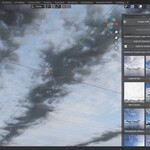
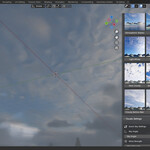
HDRI Sky Pro is a Blender addon that simplifies environment creation by giving you access to a large online library of high-resolution HDRI images from Poly Haven, and a set of animated volumetric cloud presets — all within Blender.
The addon is designed to save time and storage space:
-
All HDRI thumbnails are visible locally in the interface.
-
The full HDRI file (HDR or EXR) is downloaded only when you select it.
-
You can quickly create a World Environment and add cloud layers with animation controls.
2. Installation
-
Open Blender and go to Edit → Preferences → Add-ons.
-
Click Install... and select the file
hdri_sky_pro.zip. -
After installation, enable the checkbox HDRI Sky Pro.
-
The addon panel will appear in the 3D View → Sidebar (N panel) → HDRI Sky Pro tab.
3. Interface Overview
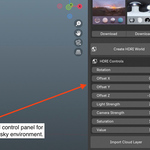
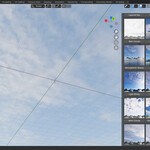
When you open the addon panel, you’ll see:
-
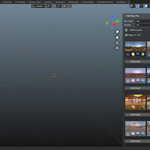
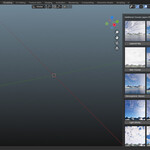
HDRI Preset Browser – Grid of HDRI thumbnails with page navigation.
-
File Type and Quality Settings – Choose
.hdror.exrand resolution (1K–8K). -
Load HDRI / Create World – Buttons to instantly set up the HDRI environment.
-
Cloud Presets Panel – Ready-to-use volumetric sky types (Light Clouds, Rain Clouds, Overcast, etc.).
-
Sky Controls – Adjust wind, turbulence, and angle for animation.
4. Setting Up HDRI Lighting
-
Open the HDRI Sky Pro panel in the Sidebar.
-
Choose your preferred file type (
HDRorEXR) and quality (1K,2K,4K, or8K). -
Browse HDRI previews using the navigation arrows (◀ ▶).
-
Click Download under the desired HDRI thumbnail.
-
The addon will automatically download the file from Poly Haven.
-
-
Click Create HDRI World – a new Blender World node setup will be created and applied to your scene.
5. Adding Clouds
-
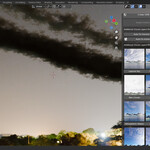
Click Import Cloud Layer to load the volumetric cloud object.
-
Once added, you can choose any Cloud Preset:
-
Layered Sky
-
Light Clouds
-
Rain Clouds
-
Overcast
-
Soft Warm Clouds
-
And more (12 total in Pro version).
-
-
Each preset automatically connects to the volumetric shader in the material.
6. Sky and Atmosphere Controls
In the Clouds Settings section:
-
Sky Angle – Rotates the sky to match your camera or sun direction.
-
Wind Strength – Adjusts cloud movement speed.
-
Turbulence – Controls internal noise for cloud motion.
-
Cloud Thickness – Modifies density and visual depth of the clouds.
These parameters can be keyframed to animate the sky dynamically.
7. Recommended Render Settings
To ensure clouds and HDRI lighting render correctly:
-
Switch render engine to Cycles.
-
Go to Render Properties → Volumes and use:
-
Volume Step Rate (Render):
5 -
Volume Step Rate (Viewport):
5 -
Volume Max Steps:
4
-
-
Use Auto Fix Volume Render button in the addon to apply these settings automatically.
8. Tips for Best Results
-
Use Quick HDRI (included free addon) before applying clouds for correct ambient lighting.
-
HDRI lighting ensures clouds appear realistic and well-lit.
-
For animation, keyframe Sky Angle and Wind Strength to create moving skies.
-
You can mix HDRI Sky Pro clouds with Blender’s Sun and Sky system for hybrid results.
9. Troubleshooting
| Issue | Cause | Solution |
|---|---|---|
| Clouds not visible | Using Eevee render engine | Switch to Cycles |
| Clouds too dark | Missing HDRI World setup | Use “Create HDRI World” |
| Download fails | No internet connection | Check network or try again |
| HDRI previews missing | Missing thumbnails folder | Reload thumbnails or use “Load All Thumbnails” button |
10. Legal Notice
All HDRI images are downloaded from Poly Haven under the CC0 1.0 Universal Public Domain License.
These assets are free for personal and commercial use. Attribution is not required but highly appreciated.
HDRI Sky Pro does not host or redistribute HDRI files — it acts solely as an interface for downloading public assets.
HDRI Sky Pro — the fastest way to create realistic skies, lighting, and atmosphere in Blender.
Have questions about this product?
Login to message
Discover more products like this
hdri sky pro realistic hdri sky blender clouds addon hdr lighting blender polyhaven hdri